
- Age rating4+
- CategoryProductivity
- DeveloperCLEVIQUE
- LanguagesJapanese+ 1 more
- Size6.2 MB
Links to the official App Store page
Download.org hosts no file of BarNoR. The button opens its official App Store page, published by CLEVIQUE. Listing last checked on Nov 12, 2026.
Screenshots


About
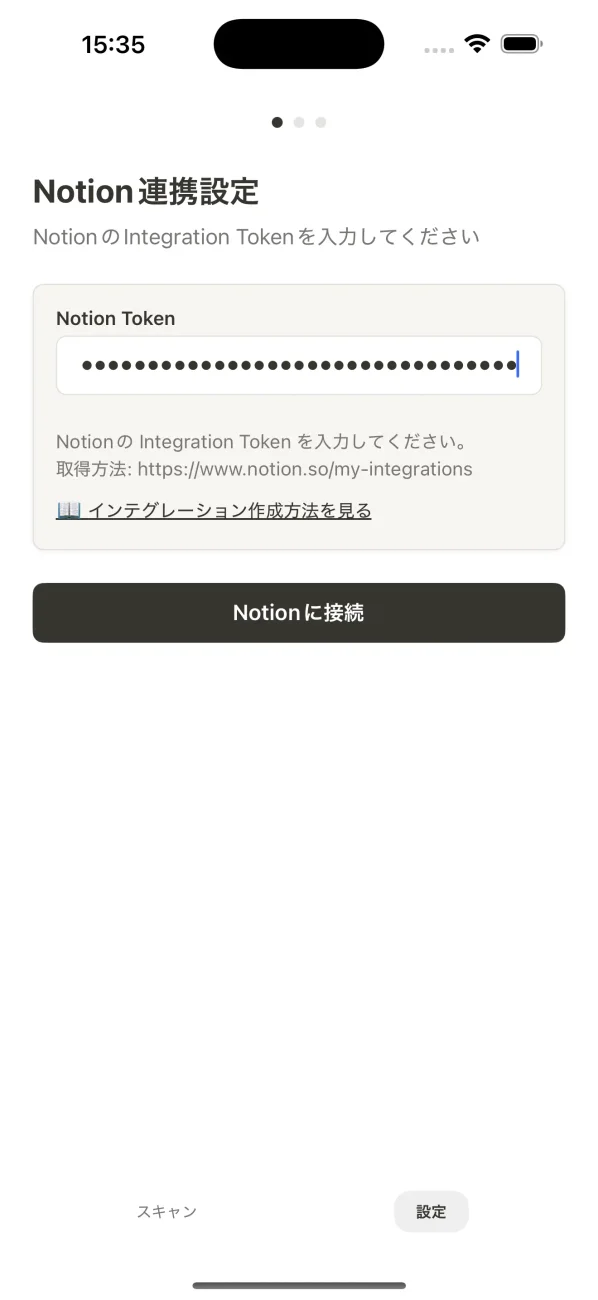
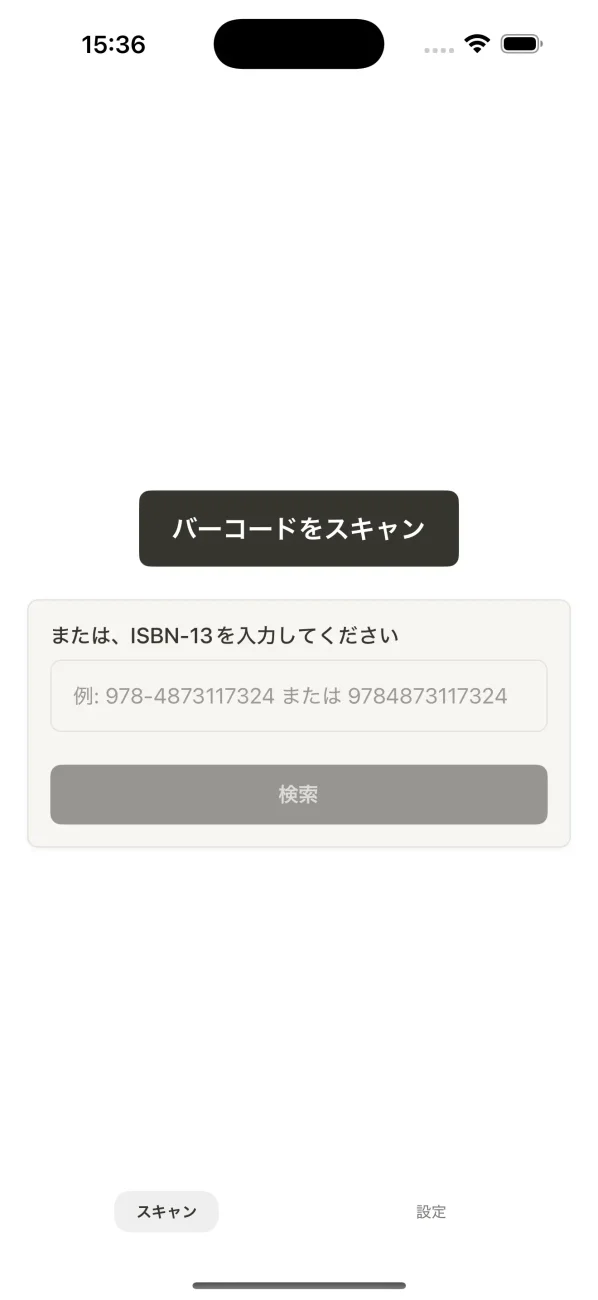
BarNoR is an application that automatically saves information to your Notion databases by simply scanning barcodes.
[Recommended for]
• People keeping reading logs in Notion
• People managing personal libraries or inventory
• People who want to eliminate manual data entry
[Key Features]
• Automatically fetch book and product information via barcode scanning
• Save directly to Notion databases with a single tap
• Connect through Notion OAuth authorization; switching an existing connection is optional
• Save retrieved covers or cover images you capture or select to Notion
• Freely map fetched data to your Notion properties
• Scan offline and sync data automatically when back online
• Manage scan history and resend data
• Connect to any custom API endpoints (BarNoR Plus exclusive)
• Follow custom API setup videos in Japanese or English
[Supported Barcodes]
• ISBN (Books)
• JAN / EAN codes (Products)
[Supported Data Sources]
• Rakuten Product Search API
• Open Library / Open Food Facts
• User-specified Custom APIs
[Requirements]
• A Notion account
• Notion OAuth authorization or a legacy Internal Integration connection (setup instructions provided in-app)
[Pricing]
• Free basic features
• BarNoR Plus (One-time purchase): Unlocks Custom API integration, expands the limit of Notion save configurations (packages), and increases offline queue capacity.
This app is not an official Notion application.
What’s new
Version 2.2.1 · Nov 6, 2026
Custom API help now includes written instructions so you can follow the setup without watching a video. Use Shortcuts to start scanning or open a specific package. This update also improves compatibility with iOS and iPadOS 27.2 and makes book cover lookups more reliable.
App privacy
What CLEVIQUE declares on the App Store about how this app handles data.
-
Data linked to you
May be collected and linked to your identity.
- User content
- Search history
- Identifiers
- Diagnostics
Privacy practices may vary, for example with the features you use or your age.
Information
- Seller
- CLEVIQUE
- Category
- Productivity
- Version
- 2.2.1
- Updated
- Nov 6, 2026
- Released
- Dec 21, 2025
- Size
- 6.2 MB
- Requires
- iOS 16.0 or later
- Age rating
- 4+
- In-app purchases
- Yes
- Languages
- Japanese, English
- Copyright
- © 2025- Clevique Inc
You might also like
-
 PasteSync: AI Snippet KeyboardClipboard sync & text expander
-
 図書貸出管理 - バーコードで簡単蔵書スキャンProductivity
-
 KokuDoku:読書メモ、管理、活用Productivity
-
 ReadLinkerProductivity
-
 inventoProductivity
-
 Mékery - Planner RefillsPrintable inserts & calendars
-
 LIFE/CTRL: Reminders & TasksBuild your day from parts
-
 Clipno: Web Clipper for NotionSave Articles, Links & Videos
-
 くらしOS | お金・予定・天気をまとめて生活管理Productivity
-
 まる日 - 1日の予定表を円グラフでProductivity