
- Age rating4+
- CategoryUtilities
- DeveloperJames Balashi
- LanguagesEnglish
- Size8.2 MB
Links to the official App Store page
Download.org hosts no file of Battery Sink. The button opens its official App Store page, published by James Balashi. Listing last checked on Nov 6, 2026.
Screenshots



About
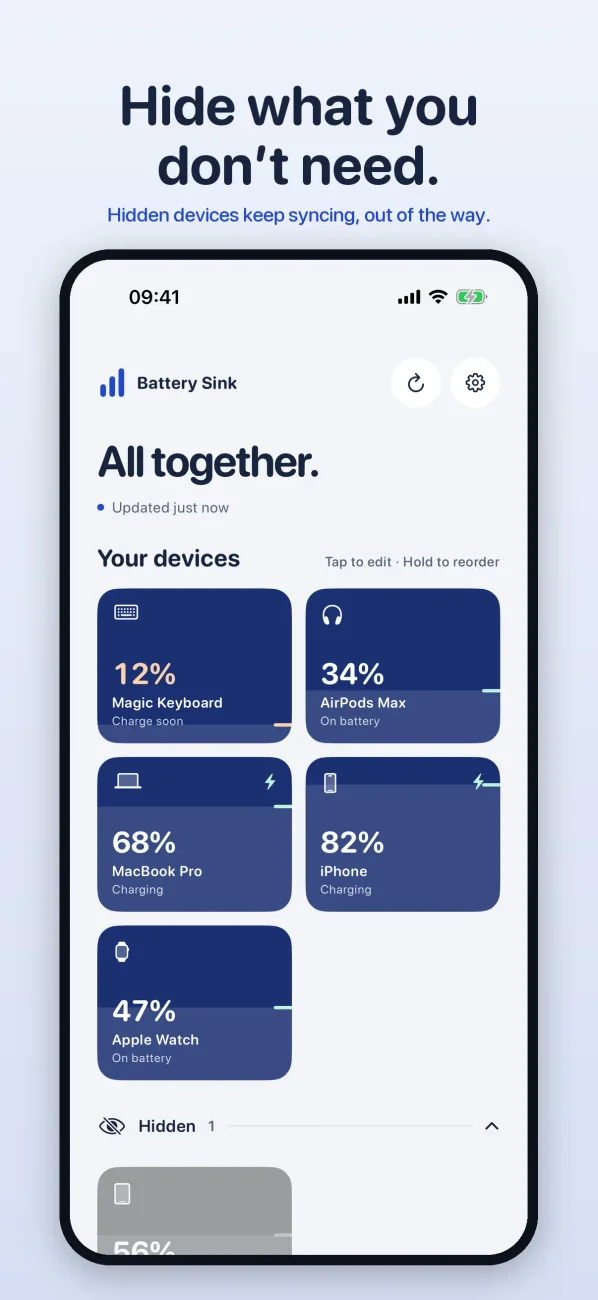
Battery Sink shows the battery level of all your Apple devices in one place. Check your Mac from your iPhone, your iPhone from your Watch, or everything at once from a widget.
EVERY DEVICE, EVERY SCREEN
• iPhone and iPad battery, reported by the app on each device
• Mac battery, from the Mac app, which keeps reporting with its window closed
• Apple Watch battery, through the Watch app and your paired iPhone
• Bluetooth accessories that share their battery with apps, such as many keyboards, mice, trackpads and game controllers, while connected to an iPhone, iPad or Mac running Battery Sink
WIDGETS
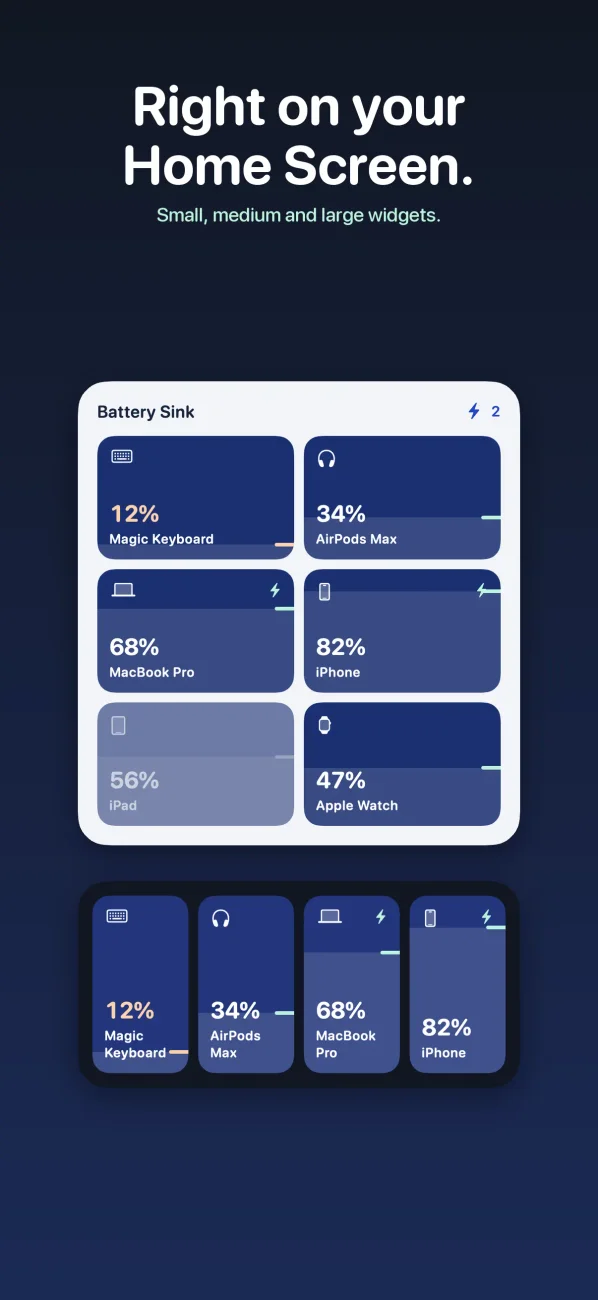
• A large widget for your iPhone and iPad Home Screen and your Mac desktop
• Watch face complications and Smart Stack widgets on Apple Watch
• Choose which devices each widget shows, and in what order
LIVE UPDATES
• Readings update live while the app is open, and the Mac stays connected
• Charging state at a glance
• Low-battery alerts at 20%
• A "Report Battery" Shortcuts action, so a locked iPhone can report when you plug it in or when its level changes
PRIVATE BY DESIGN
• No sign-up, no email, no ads, no tracking
• Your devices are linked by a 12-digit account code that only you share
• Delete your account from Settings at any time
ONE PURCHASE
Buy once and use Battery Sink on your iPhone, iPad, Mac and Apple Watch.
WHAT IS NOT SUPPORTED
AirPods, Beats, and most other Bluetooth headphones and speakers are not supported. Apple does not allow third-party apps to read their battery level, so Battery Sink cannot show them. Accessories only appear while they are connected to a device running Battery Sink, and some report 0% to apps even when charged.
iOS decides when apps run in the background, so a locked iPhone may report less often unless you set up the Report Battery shortcut. Each device needs Battery Sink installed to report its own battery. An internet connection is required to sync.
What’s new
Version 1.31 · Nov 4, 2026
• Battery Sink is now available in Spanish, French, German, Italian, Portuguese (Brazil), Japanese, Korean, Simplified Chinese and Greek
• Start a new account and choose which devices come with you; the rest stay on the current account
• Alert levels: one slider for all your devices, plus an optional different level for the device you're holding
• Moving an alert slider no longer sends an alert before you let go
• Small fixes and improvements
App privacy
What James Balashi declares on the App Store about how this app handles data.
-
Data not collected
The developer does not collect any data from this app.
Privacy practices may vary, for example with the features you use or your age.
Information
- Seller
- James Balashi
- Category
- Utilities
- Version
- 1.31
- Updated
- Nov 4, 2026
- Released
- Oct 29, 2026
- Size
- 8.2 MB
- Requires
- iOS 17.0 or later
- Age rating
- 4+
- Price
- $1.99
- Languages
- English
- Copyright
- © 2026 James Balashi