
Beam: Client Meeting Notes
Record, transcribe, revisit
Designed for iPhone, Mac
In-app purchases
- Age rating4+
- CategoryProductivity
- DeveloperHangzhou Flourish Network Technology Co., Ltd
- LanguagesEnglish+ 5 more
- Size188.9 MB
Links to the official App Store page
Download.org hosts no file of Beam: Client Meeting Notes. The button opens its official App Store page, published by Hangzhou Flourish Network Technology Co., Ltd. Listing last checked on Nov 12, 2026.
Screenshots
About
Keep what matters.
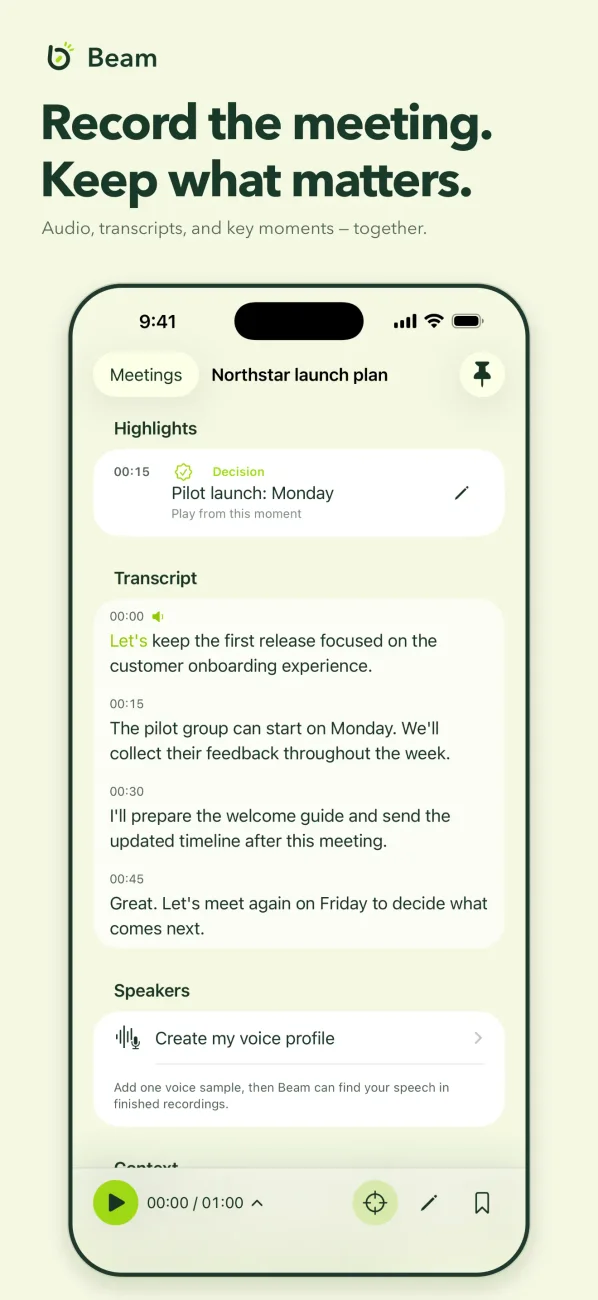
Beam keeps your original audio, searchable transcripts, and important moments together on your iPhone. Record a meeting or import audio, then return to the exact words you want to hear again.
RECORD AND REVISIT
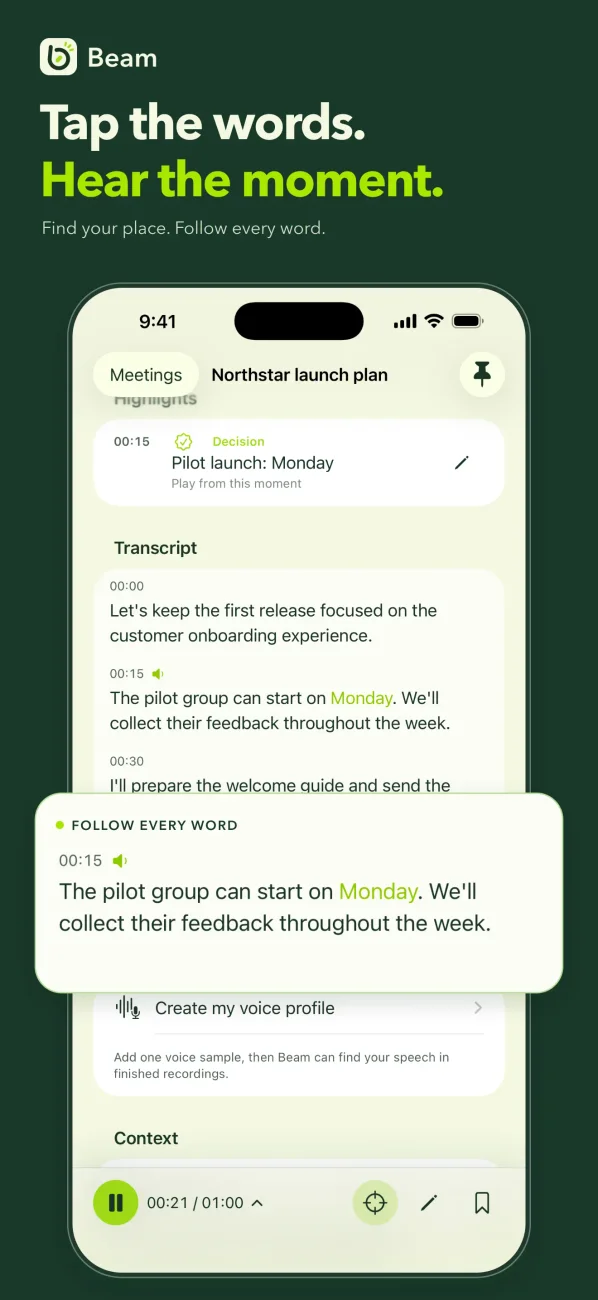
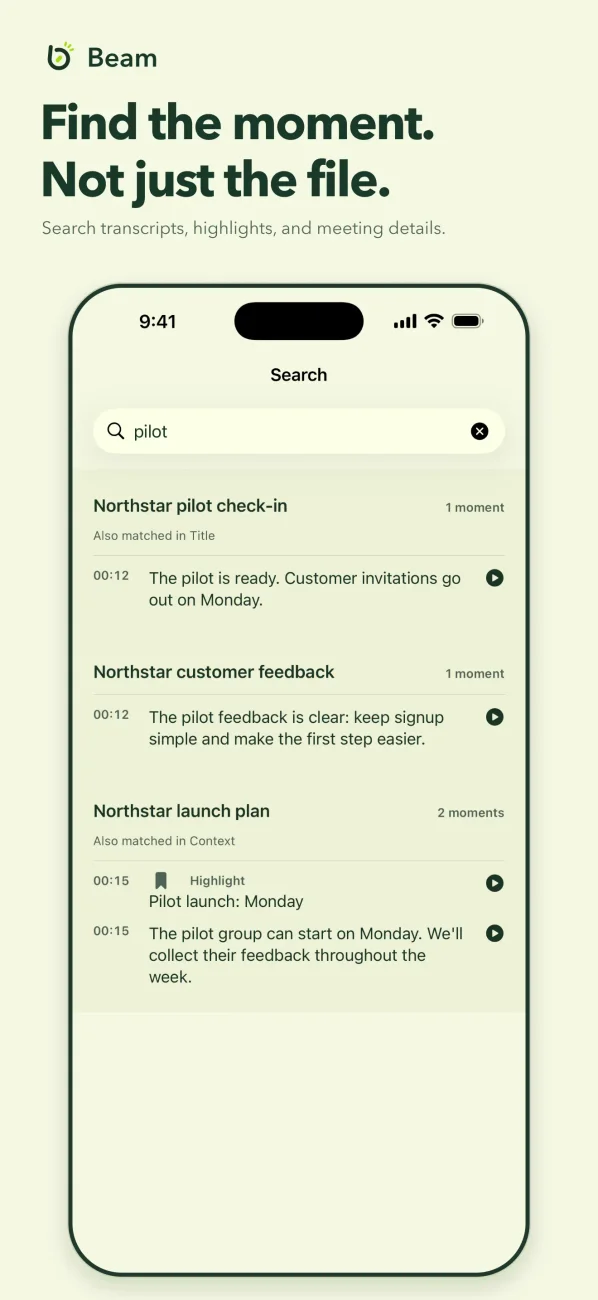
Record while your iPhone is locked. Tap timed transcript text to replay that moment, and follow word highlighting as you listen. Search across transcripts, highlights, and meeting details.
KEEP THE DECISIONS
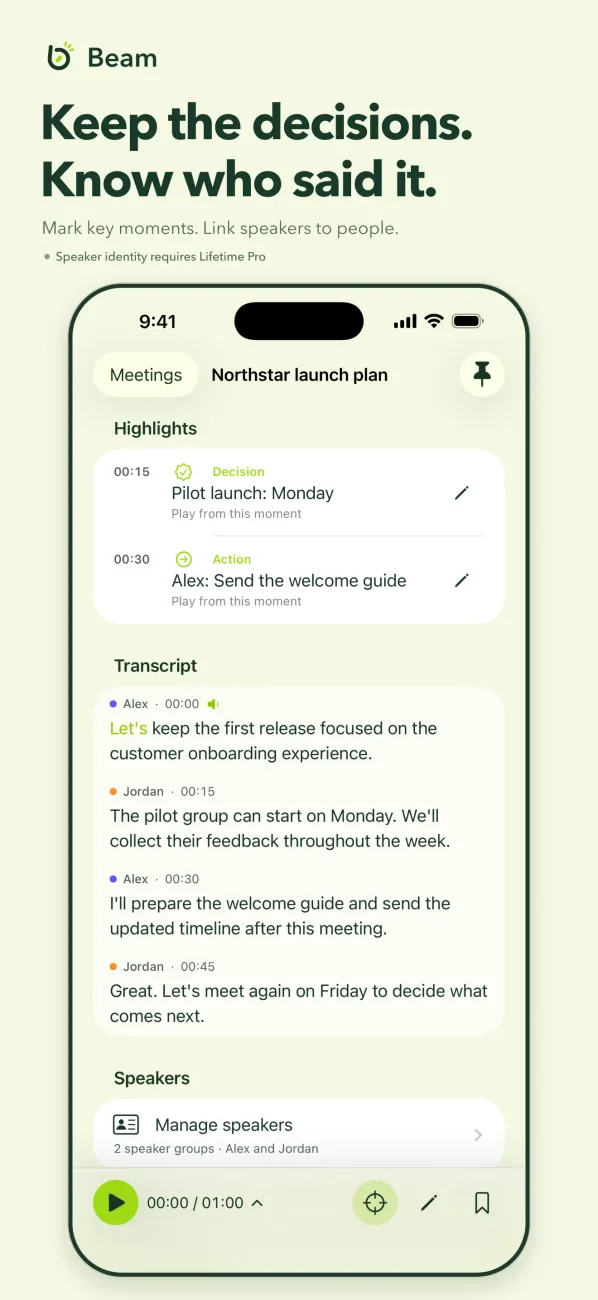
Mark important moments and add notes for decisions, actions, and questions. Edit your transcript while keeping the original audio close at hand.
PRIVATE, ON-DEVICE TRANSCRIPTION
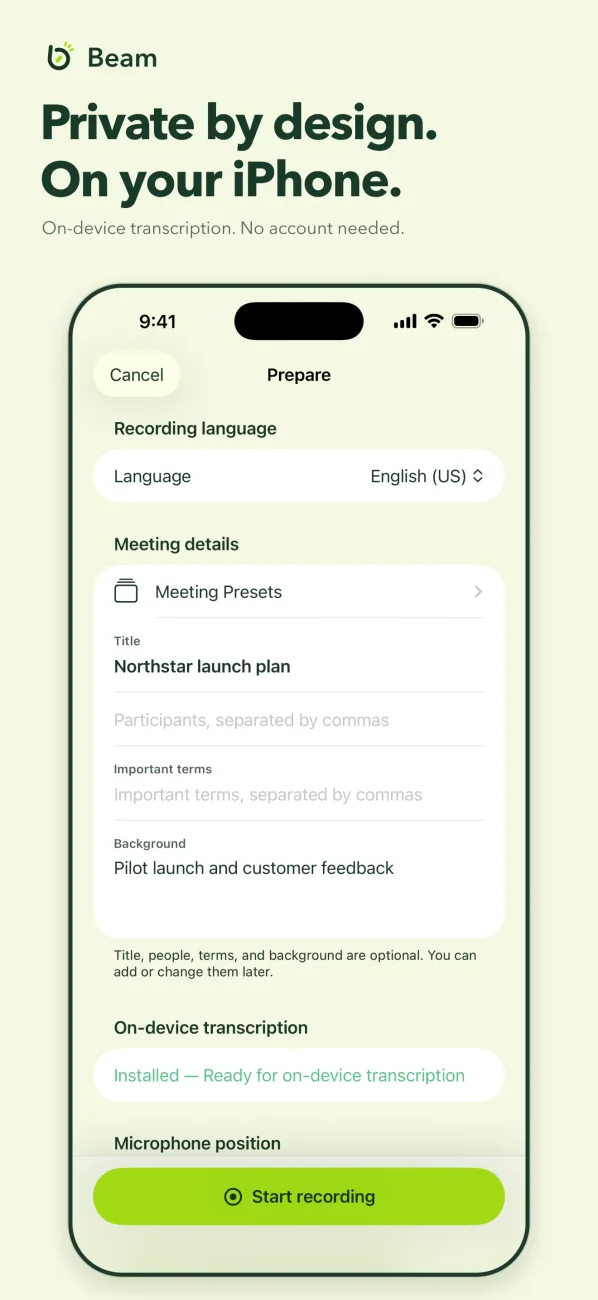
Prepare supported languages and transcribe on your iPhone. No Beam account is needed. Language models may need to download before transcription is available.
YOUR RECORDINGS, YOUR ICLOUD
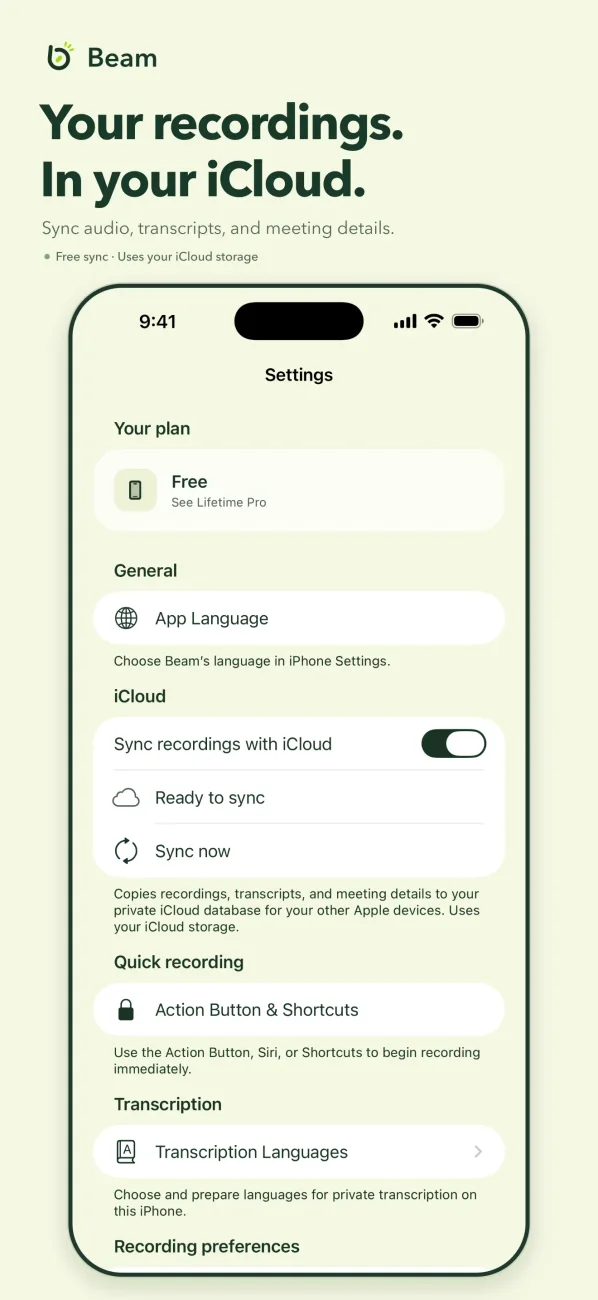
Optionally sync recordings, transcripts, and meeting details through your private iCloud database. Beam charges nothing for sync; it uses your own iCloud storage and requires an iCloud account. Voice profiles stay on this iPhone.
IPHONE AND MAC, TOGETHER
Sync meetings with Beam for Mac through your private iCloud. See sync progress on Home and listen to enhanced audio when a compatible Mac recording provides it.
WORK WITH YOUR OWN AI
Optionally send a meeting task to Beam on your Mac to work with your own Codex account. Review summaries, decisions, and action items when results return. Requires a compatible Mac setup and Codex access; AI services are not included with Lifetime Pro. Only send content you intend to share with your AI provider.
MAKE BEAM YOURS
Choose from two icon collections and matching color themes. Collections are available as one-time purchases; Lifetime Pro includes all current and future icon collections. Restore eligible purchases across iPhone and Mac.
PREPARE YOUR VOCABULARY
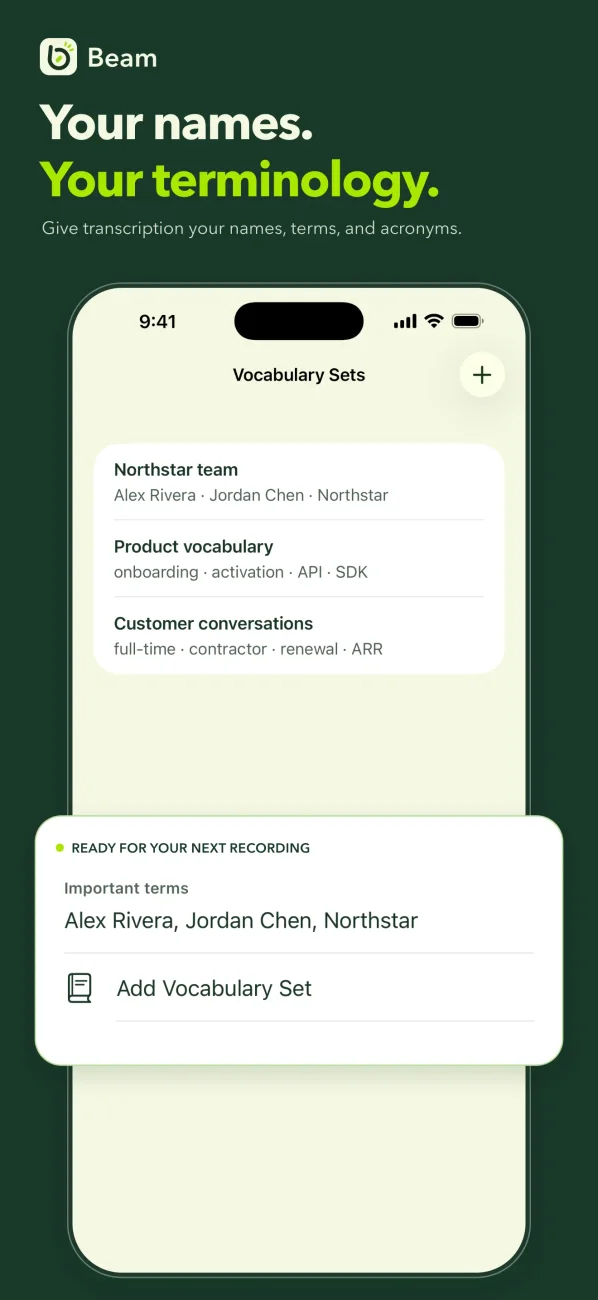
Save names, product terms, and acronyms in reusable Vocabulary Sets. Apply them before transcription to give the model useful context.
MORE WITH LIFETIME PRO
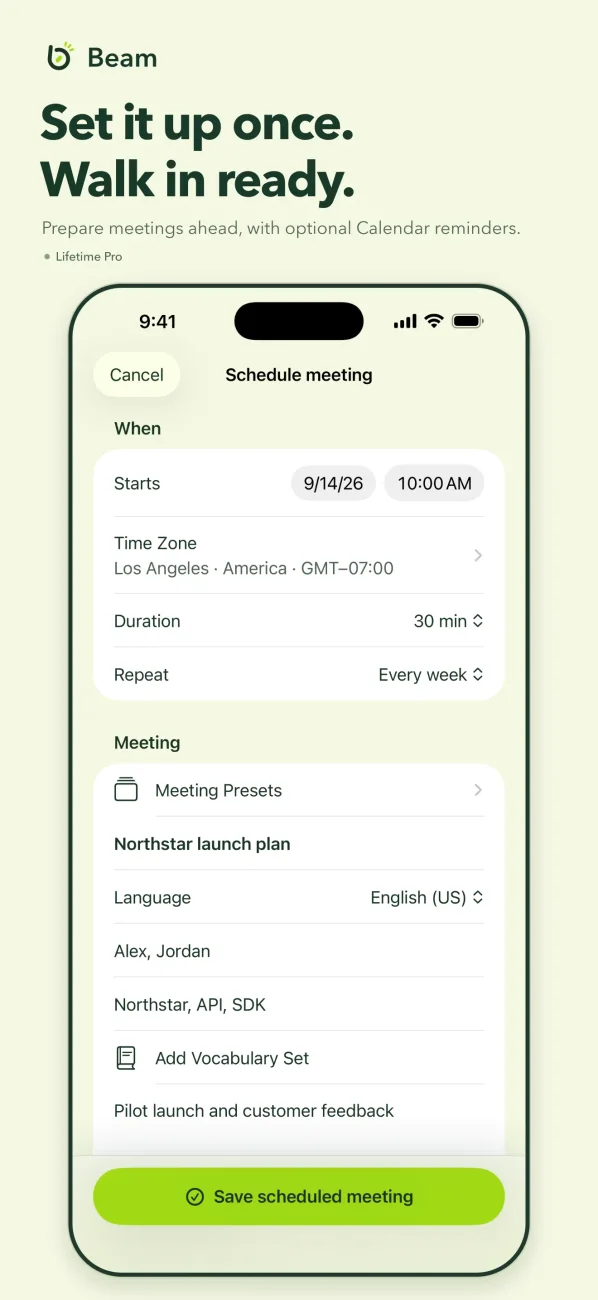
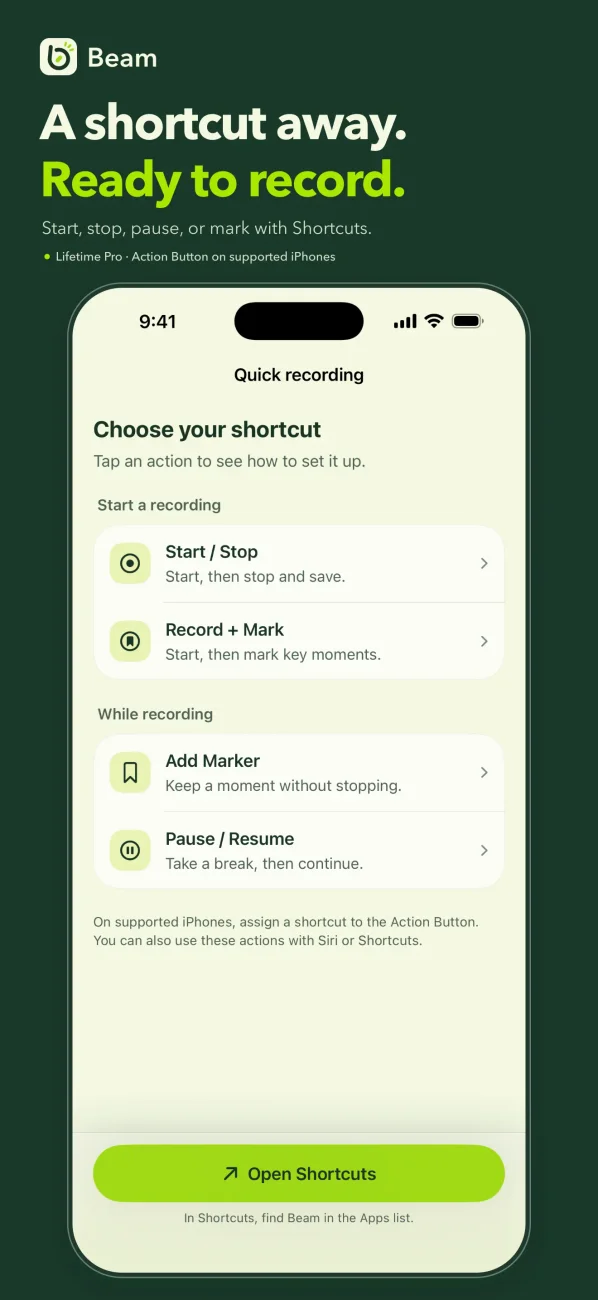
A one-time purchase adds scheduled meetings with optional Apple Calendar reminders, reusable meeting presets, advanced People and speaker identity tools, batch vocabulary application, complete portable archives, and recording actions through Shortcuts. The Action Button requires a supported iPhone. Scheduled meetings prepare your next recording; they do not start recording automatically.
Core recording, playback, on-device transcription, search, manual highlights, ordinary export, and deletion are free. Lifetime Pro does not include cloud transcription or cloud AI services.
No ads or tracking. Recordings stay on your iPhone unless you export them, enable iCloud sync, or send an AI task. Transcripts can contain mistakes; check the original audio when accuracy matters. Record conversations with the consent required where you are.
What’s new
Version 0.1.44 · Sep 18, 2026
• Keep meetings together across iPhone and Mac with private iCloud sync.
• See recording sync progress on Home.
• Play enhanced audio from compatible Mac recordings, with safer download verification.
• Choose new app icon collections and matching color themes.
• Share eligible Lifetime Pro and icon collection purchases across devices.
• Send meeting tasks to your Mac to work with your own Codex account and return meeting notes.
• Improved storage recovery after unlocking, sync reliability, and playback.
App privacy
What Hangzhou Flourish Network Technology Co., Ltd declares on the App Store about how this app handles data.
-
Data not collected
The developer does not collect any data from this app.
Privacy practices may vary, for example with the features you use or your age.
Information
- Seller
- Hangzhou Flourish Network Technology Co., Ltd
- Category
- Productivity
- Version
- 0.1.44
- Updated
- Sep 18, 2026
- Released
- Sep 16, 2026
- Size
- 188.9 MB
- Requires
- iOS 26.0 or later
- Age rating
- 4+
- In-app purchases
- Yes
- Languages
- English, Japanese, Korean, Simplified Chinese, Spanish, Traditional Chinese
- Copyright
- © 2026 Beam
You might also like
-
 Meeting Transcript UnlimitedAI Transcription & Summary
-
 DeepBot - AI Chat AssistantAI Bot Powered by Deepseek
-
 Routinely Chores TrackerSimple routine & chore tracker
-
 GraphEasy Data To Graphs
-
 UpTrack: Tally Counter TrackerTrack a Habit and Count Score
-
 Sprout: Smart ADHD Task AppAI Focus Planner & To-Do List
-
 Speakwise - AI Note TakerVoice to Text & Transcription
-
 ByUsingAI-AI image music videoAI generate image music video
-
 Scribe: AI Voice NotesSimple. Smart. Secure.
-
 AI Note Taker - BenoteLive transcribe audio to text