
BeanLedger: Expense Tracker
Net Worth & Investment Returns
Designed for iPhone, iPad
Free · In-app purchases
- Age rating4+
- CategoryFinance
- Developer琦 黎
- LanguagesEnglish+ 16 more
- Size65.4 MB
Links to the official App Store page
Download.org hosts no file of BeanLedger: Expense Tracker. The button opens its official App Store page, published by 琦 黎. Listing last checked on Nov 25, 2026.
Screenshots
About
Bring everyday bookkeeping and asset tracking together. Record income and expenses, see your account balances and net worth, and review investment gains and losses by month or year. BeanLedger supports multiple currencies, with no ads or BeanLedger account required.
[Everyday Income & Expenses]
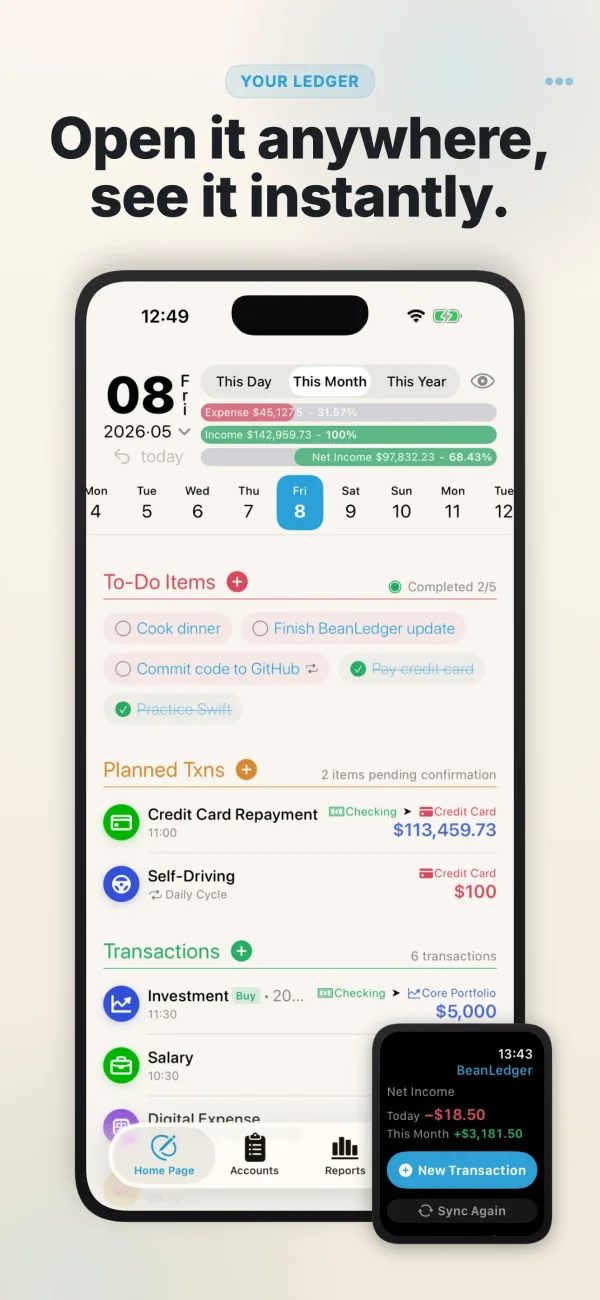
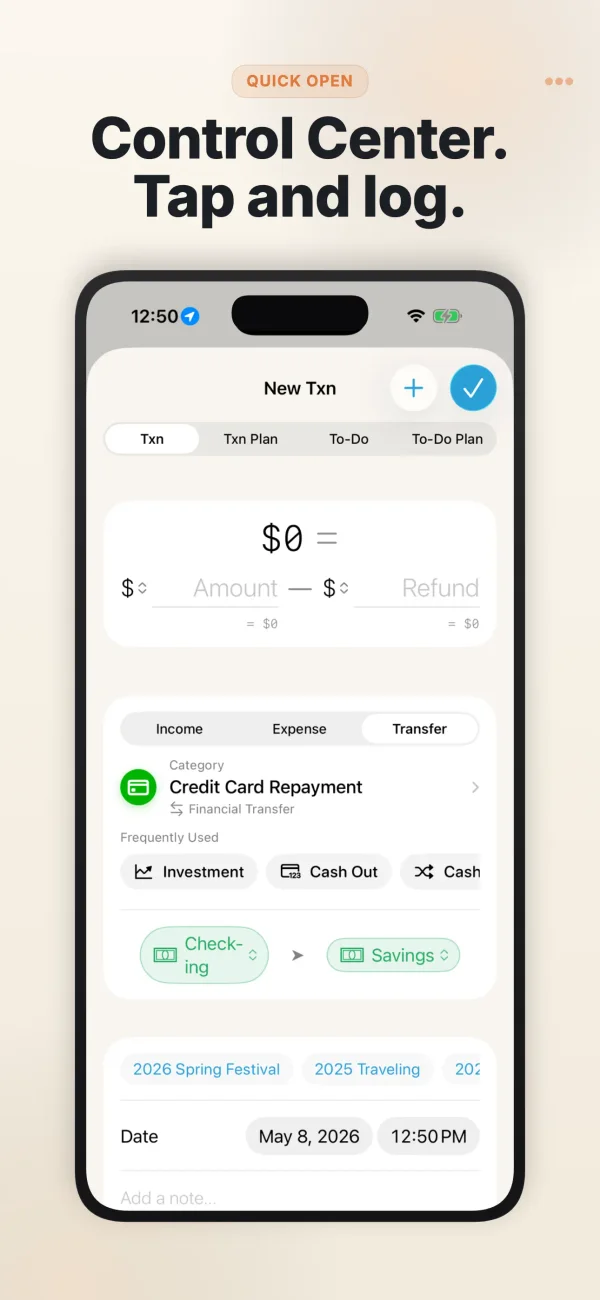
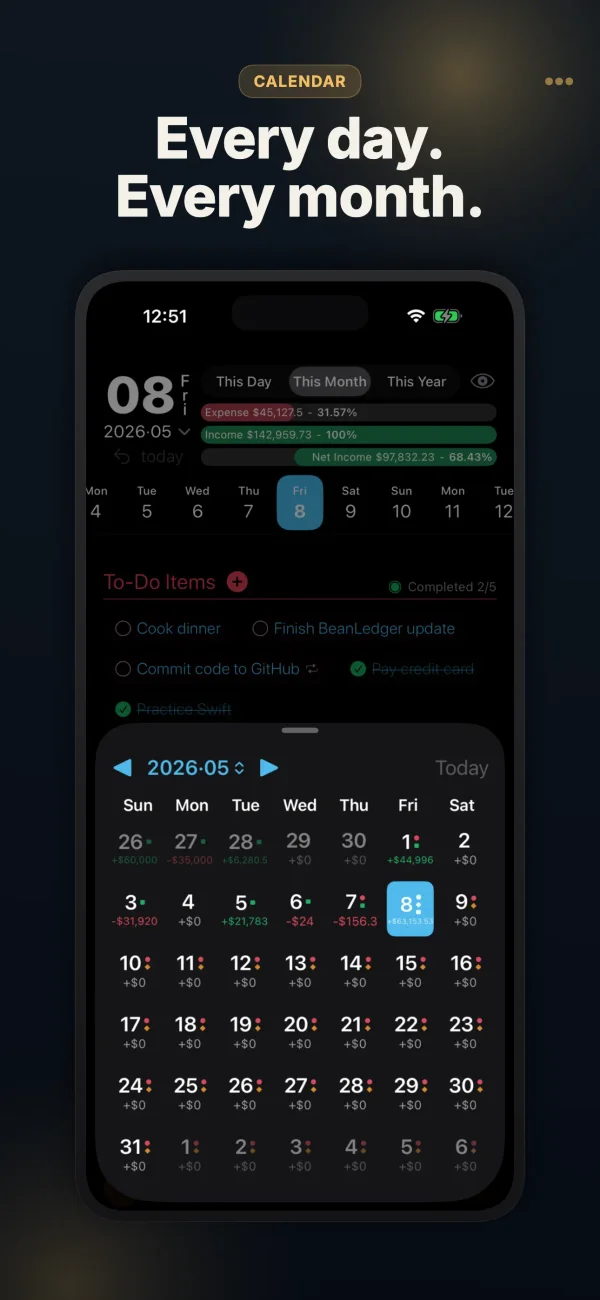
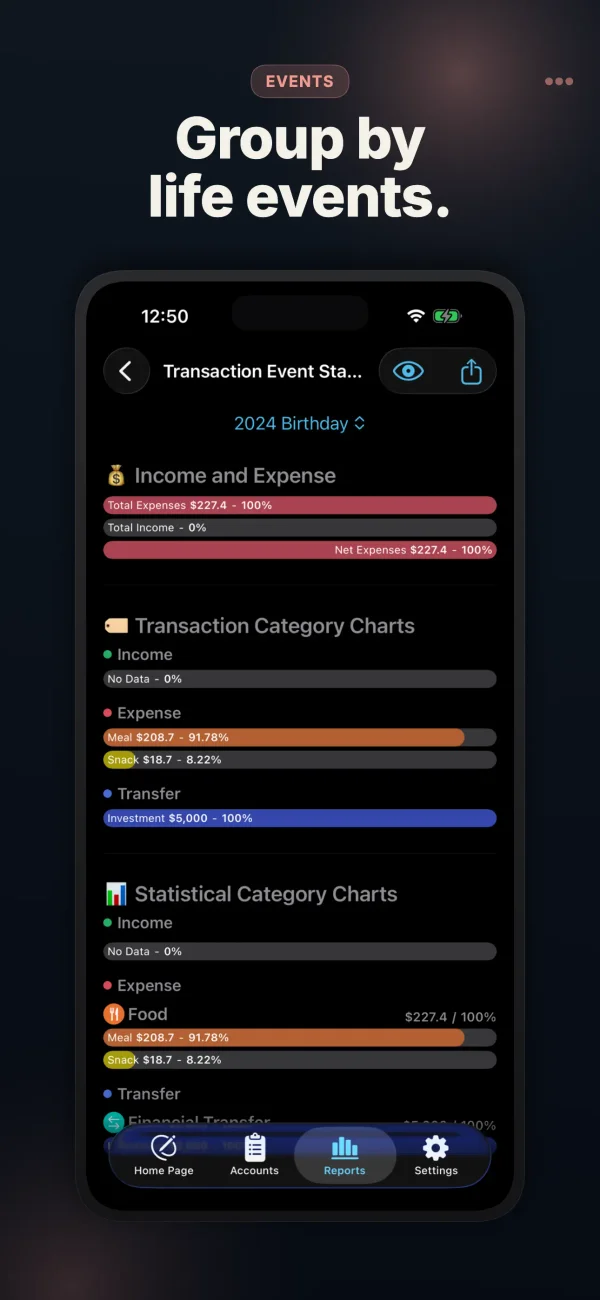
Quickly record spending, income, transfers, and refunds. Review transactions in a calendar, explore categories and events, and filter records to find the details you need. Double-entry bookkeeping connects each transaction to your accounts for a consistent view of your money.
[Your Assets in One Place]
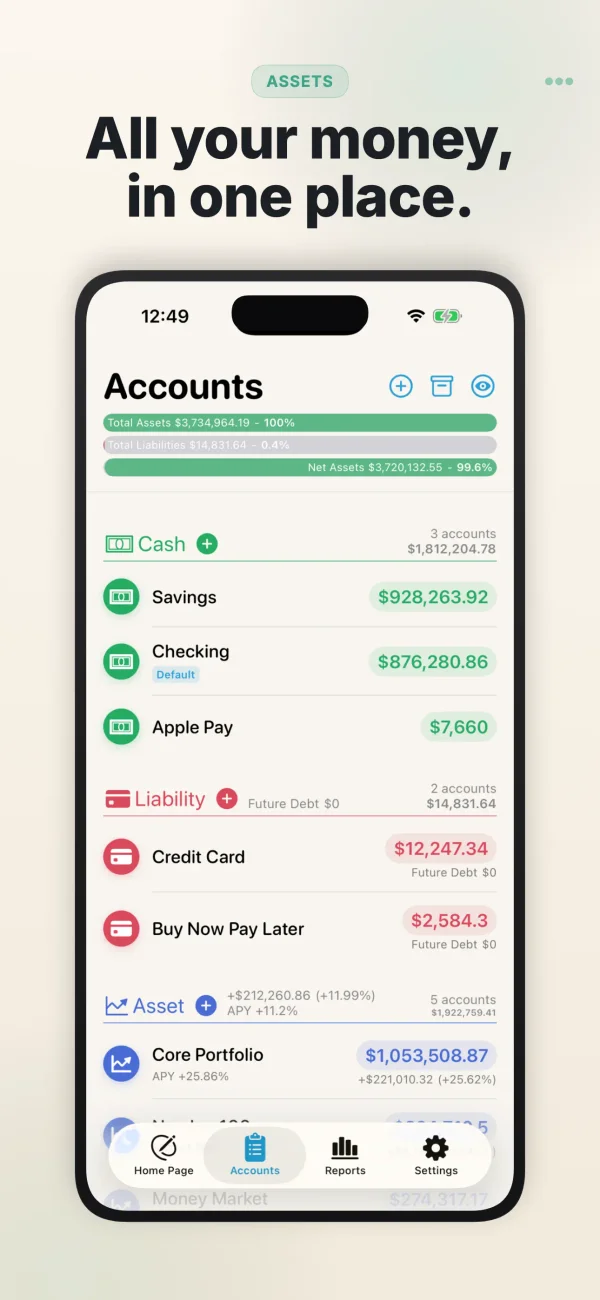
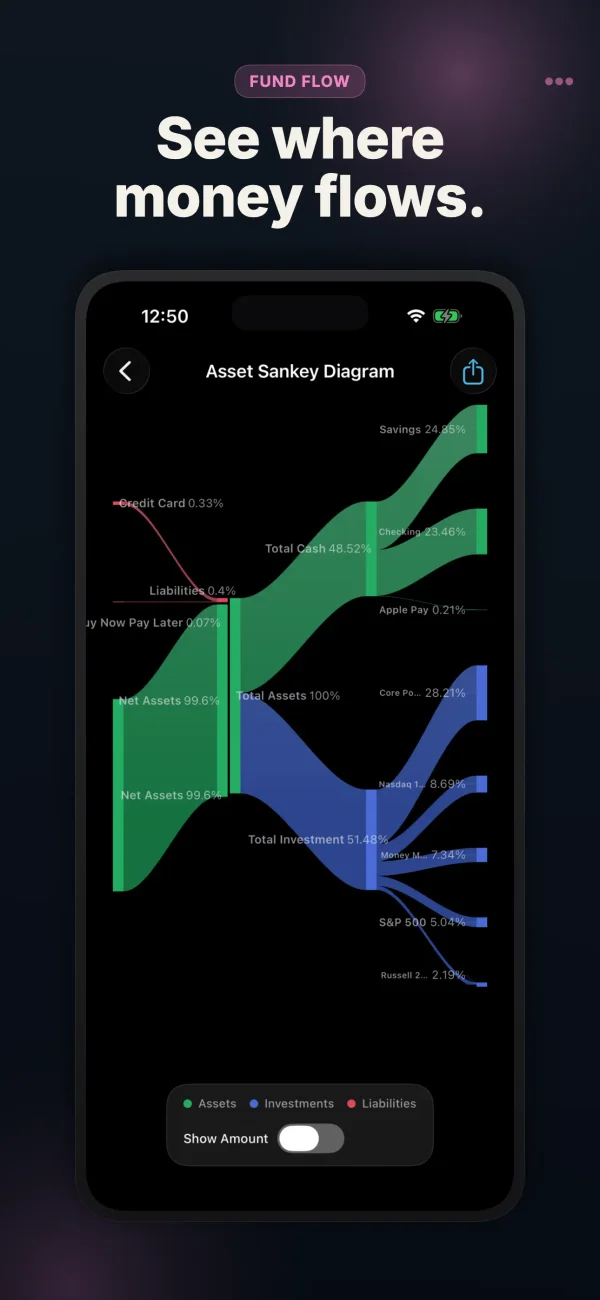
Keep track of assets, debts, and net worth across accounts. Follow balance trends, compare income and expenses, and explore how money moves with the asset Sankey diagram. Create a Financial Recap to review and share a month or year.
[Investment Returns]
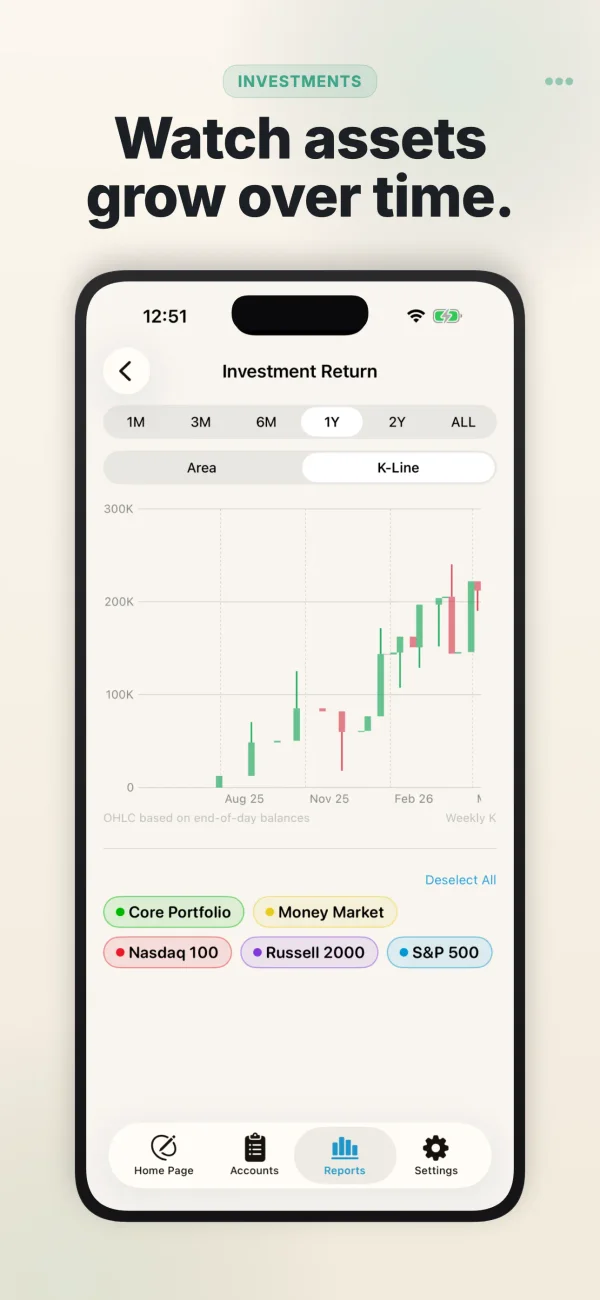
Record investment income and expenses alongside your everyday finances. Review the resulting gains, losses, and return rates by month or year, with a breakdown by investment account. Returns are based on your recorded transactions, rather than live market prices.
[Multiple Currencies]
Manage accounts in different currencies and view your finances in your base currency. Exchange-rate lookup includes built-in fallback rates when current rates are unavailable.
[Private Records, Easy Access]
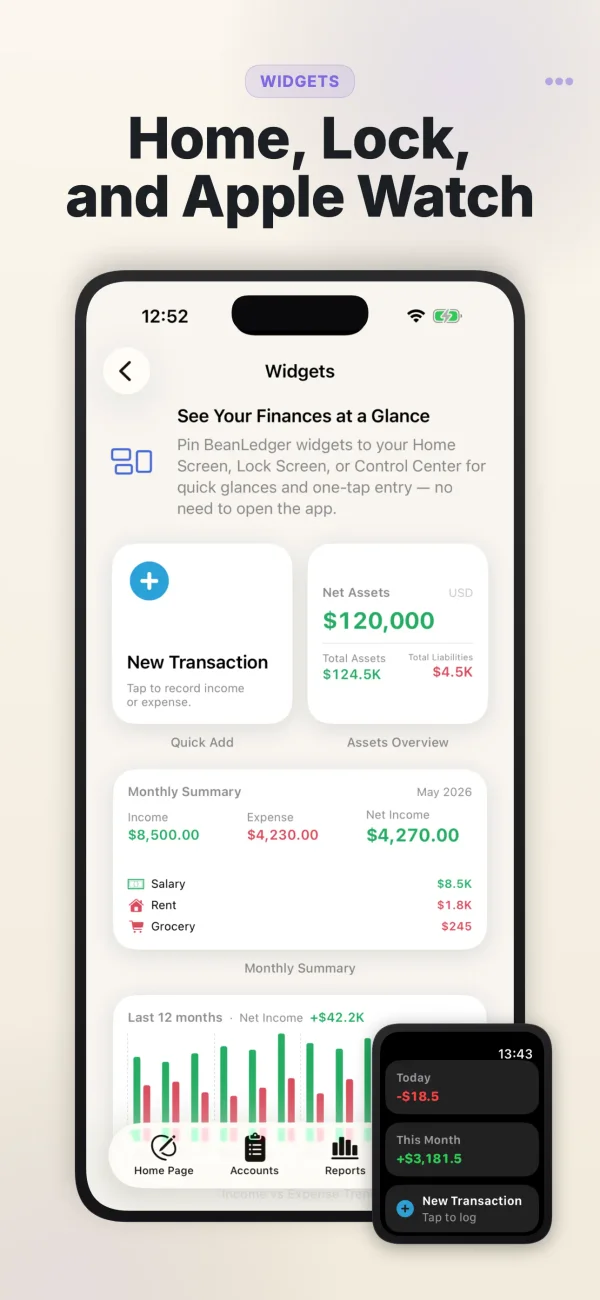
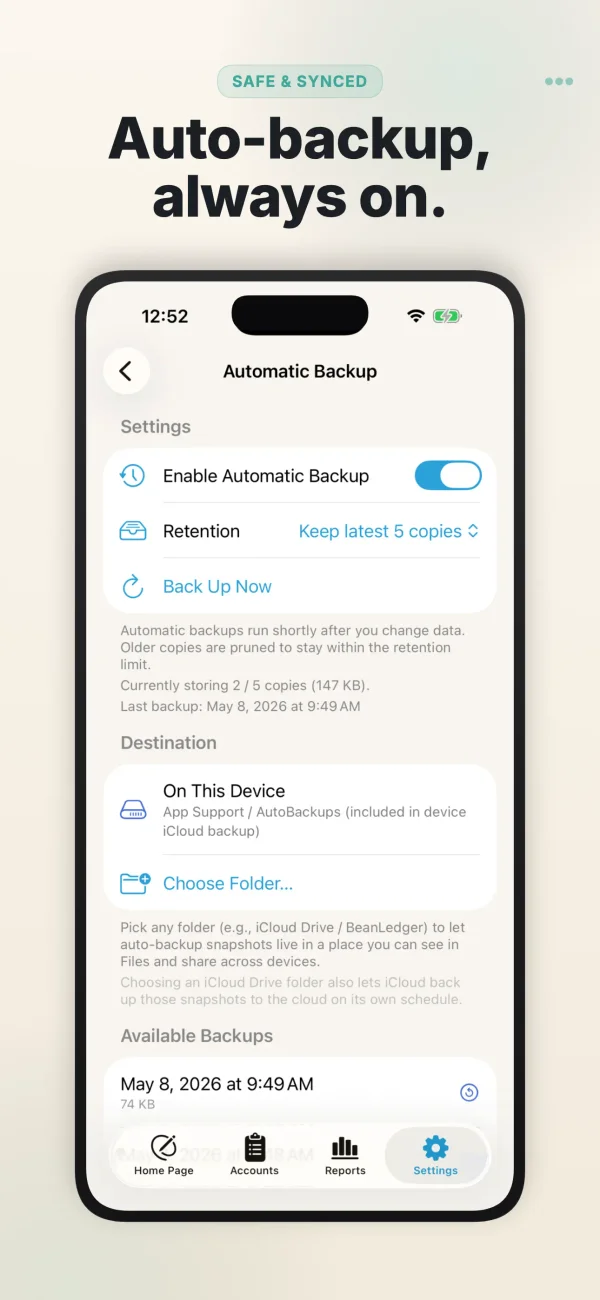
Your financial records stay on your devices and sync through your iCloud; BeanLedger does not store them on its own server. Automatic backups help you restore your records. Add transactions from Apple Watch, use widgets on supported watch faces, and access balances and quick entry from Home Screen and Lock Screen widgets, Control Center, and Siri shortcuts.
[Plan & Explore]
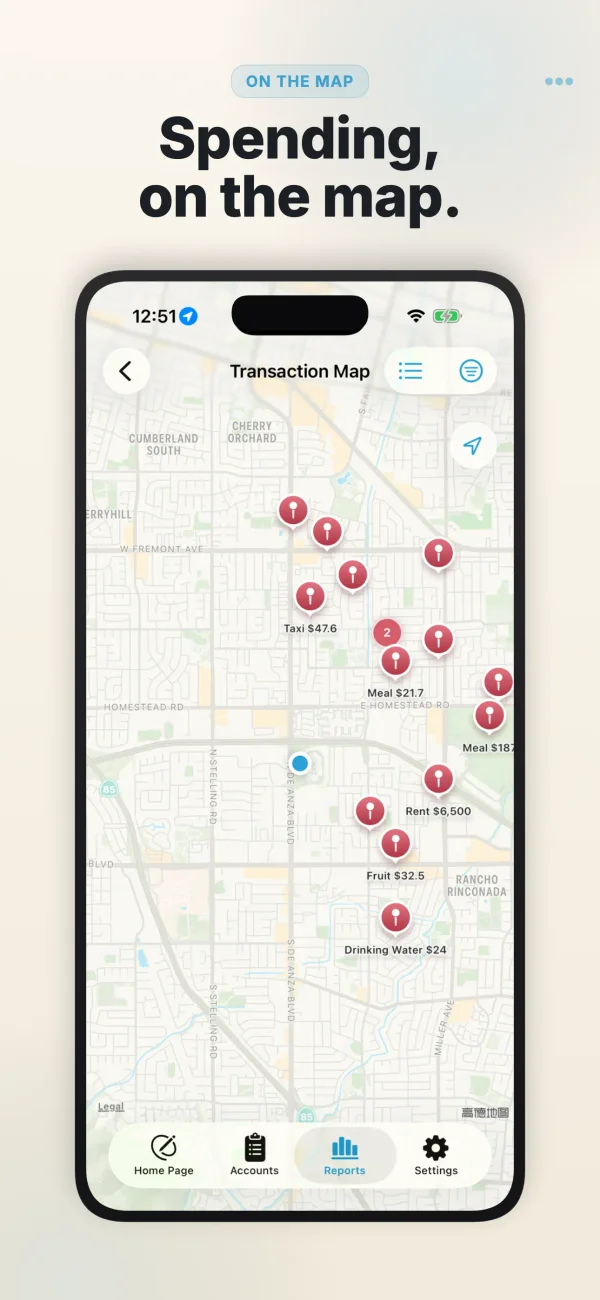
Set up recurring transaction plans, category budgets, and account, net worth, or debt goals with optional reminders. Use transaction locations to revisit spending on a map. Export a Beancount-compatible ledger for further analysis. With BeanLedger Pro, create custom metrics from income, expenses, and transaction categories and analyze any date range.
---
[BeanLedger Pro]
Choose a one-time purchase for lifetime access to premium features, or a subscription for access while it remains active. No ads with either option.
If you choose to subscribe to the membership, your subscription will automatically renew through your iTunes account after purchase confirmation and payment. Your Apple iTunes account will be charged within 24 hours before the expiration of the current period. Upon successful payment, the subscription period will extend for another billing cycle.
To cancel the renewal, please manually disable auto-renewal in your iTunes or Apple account settings at least 24 hours before the current subscription period ends. Cancellation of this service is at your own discretion. If you choose not to cancel, the renewal service for the next billing cycle will be activated automatically.
Service and Subscription Terms: https://my.feishu.cn/wiki/INLGw3WtQiNyO1kOPWXcG2WEnQc
Privacy Policy: https://my.feishu.cn/wiki/RCTPwbGY6iIpdmkP4AUcWpFYn0b
Apple Standard EULA: https://www.apple.com/legal/internet-services/itunes/dev/stdeula/
What’s new
Version 3.6.0 · Nov 24, 2026
Thanks for using BeanLedger!
+ View account statements for a month, a year, or a custom date range and share them as full-length images (PDF and CSV exports require BeanLedger Pro).
+ Mark an account balance as reconciled and see the reconciliation point in the transaction list and account statement.
+ View past transactions, the balance after each transaction, and statements for archived accounts.
△ When you return to BeanLedger, the account overview, transaction lists, statements, and reports keep their content and scroll position if the data is unchanged.
△ Quick Add settings now show you how to set up your own Siri phrase in the Shortcuts app.
△ Longer account names are shown in full in the account picker.
△ Improved how positive, negative, and zero values appear in income and expense summaries and widgets.
△ Reduced premature error messages when filling in a transaction.
△ Planned transactions on Home, amount search results, and the transaction map load faster.
Enjoying BeanLedger? We'd love your rating!
App privacy
What 琦 黎 declares on the App Store about how this app handles data.
-
Data not collected
The developer does not collect any data from this app.
Privacy practices may vary, for example with the features you use or your age.
Information
- Seller
- 琦 黎
- Category
- Finance
- Version
- 3.6.0
- Updated
- Nov 24, 2026
- Released
- Jun 9, 2025
- Size
- 65.4 MB
- Requires
- iOS 17.0 or later
- Age rating
- 4+
- Price
- Free
- In-app purchases
- Yes
- Languages
- English, Dutch, French, German, Italian, Japanese, Korean, Malay, Polish, Portuguese, Russian, Simplified Chinese + 5 more
- Copyright
- © 2025 Qi Li
You might also like
-
 速记账单 - 无广告自动记账软件Finance
-
 徕财Finance
-
 簡錢 Symoney® - Personal FinanceLess complexity, more clarity
-
 Poketto - Money TrackerNative and impossibly smooth
-
 Subscription Manager - RekoTrack Subscriptions & Bills
-
 Beancount: Plain Text LedgerDouble-entry books you own
-
 Allowance Tracker - AkoroChore chart & savings goals
-
 totus - Net Worth TrackerUpdate Net Worth, Not Bills
-
 MONO - AI Expense TrackerShortcuts Log & Money Manager
-
 Cocono - Beancount Made EasyPrivacy, Beautifully Crafted