Beast Floating Teleprompter
AI Voice-Tracked Record · 4K
Designed for iPhone, iPad, Mac, iPod touch
Free · In-app purchases
- Age rating4+
- CategoryUtilities
- Developer宇 田
- LanguagesEnglish+ 6 more
- Size123.3 MB
Links to the official App Store page
Download.org hosts no file of Beast Floating Teleprompter. The button opens its official App Store page, published by 宇 田. Listing last checked on Nov 24, 2026.
Screenshots

About
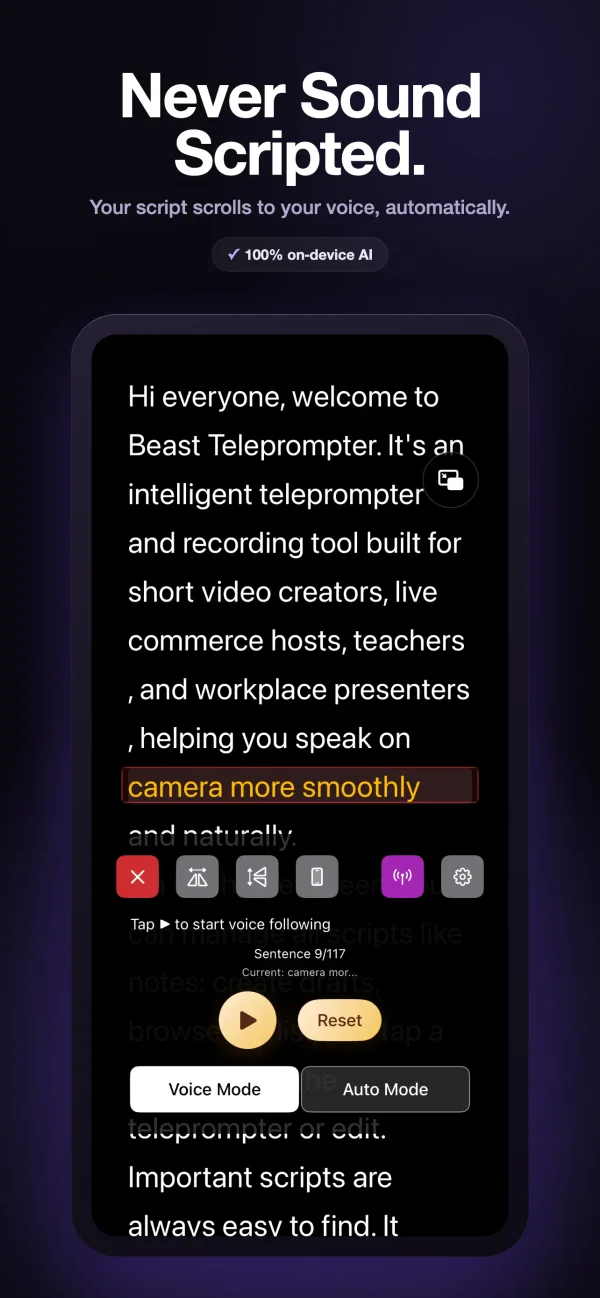
Speak. We scroll. Stop. We pause. No tap, no calibration, no internet required.
Beast Teleprompter is the AI voice-tracked teleprompter built for real human creators — vloggers, livestreamers, teachers, and speakers who want to look natural on camera in an AI-flooded world.
[Built for Human Creators in an AI-Flooded World]
Beast doesn't generate content — it amplifies yours. Real voice. Real eyes. Real stories. Just you, on camera, in your own words.
[AI Voice Tracking — Speak. We Scroll.]
Built-in speech recognition matches your reading pace in real time. Speed up, Beast speeds up. Pause for a beat, Beast waits. No tap. No calibration. No internet required. 100% on-device processing.
Adjustable sensitivity fits any speaking style — rapid-fire vloggers to slow-paced lecturers.
[Floating Prompter Window — Float Over Any App]
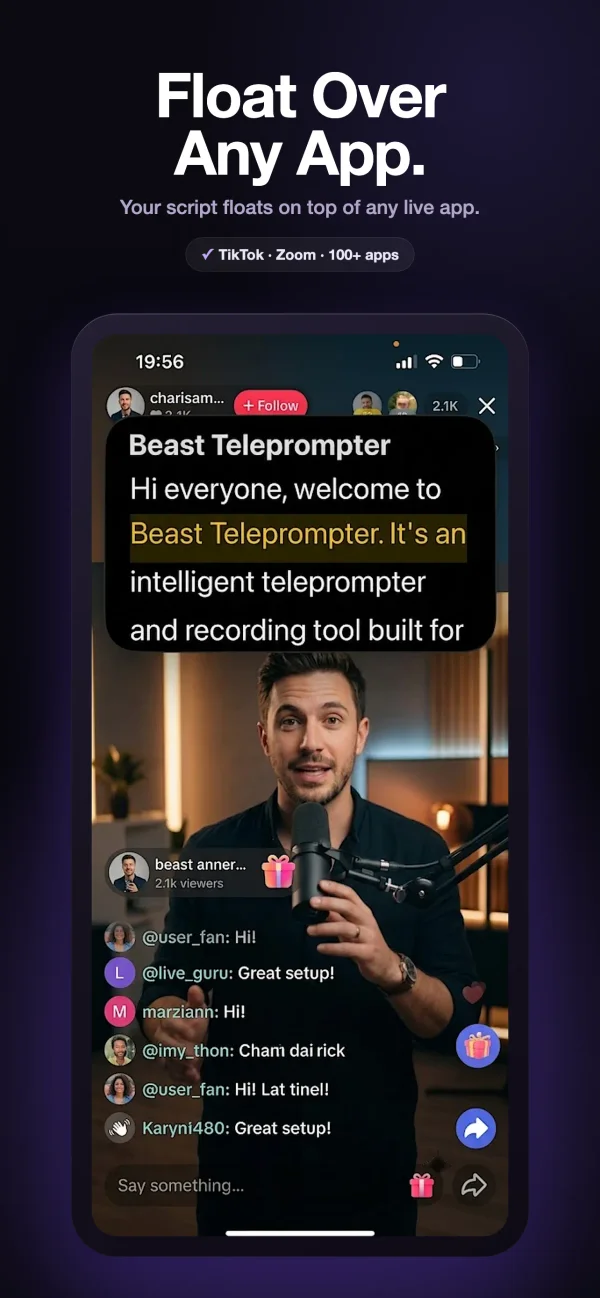
The smoothest floating teleprompter overlays on TikTok, YouTube, Instagram, Zoom, OBS, and 100+ creator apps. Read your script while filming, going live, or hosting a webinar — without ever switching apps.
Adjust opacity. Mirror text. Switch portrait or landscape. Your script stays visible, your audience stays engaged.
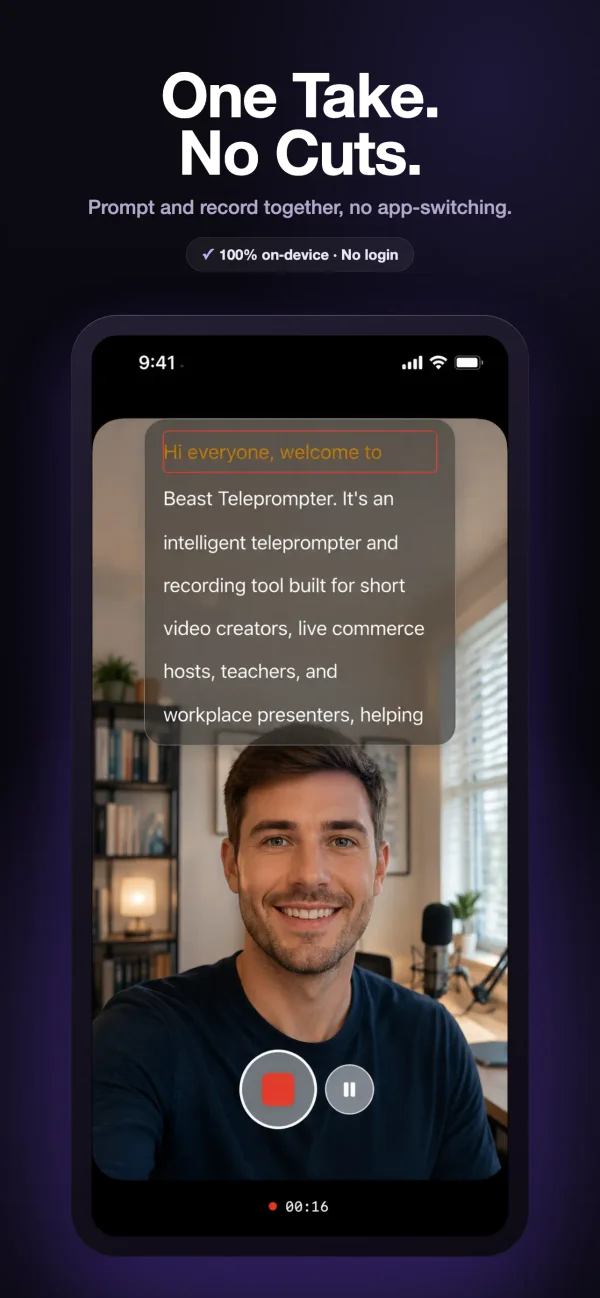
[4K Recording Studio — Read and Record in One Take]
Built-in professional recording with real-time camera preview, dual-camera setup, and flexible layouts. Standard, Video Call, and Web Meeting templates included.
Recordings are captured in 4K on supported cameras. Export in 1080P HD with a subtle animated watermark, or go Pro for 4K export without a watermark.
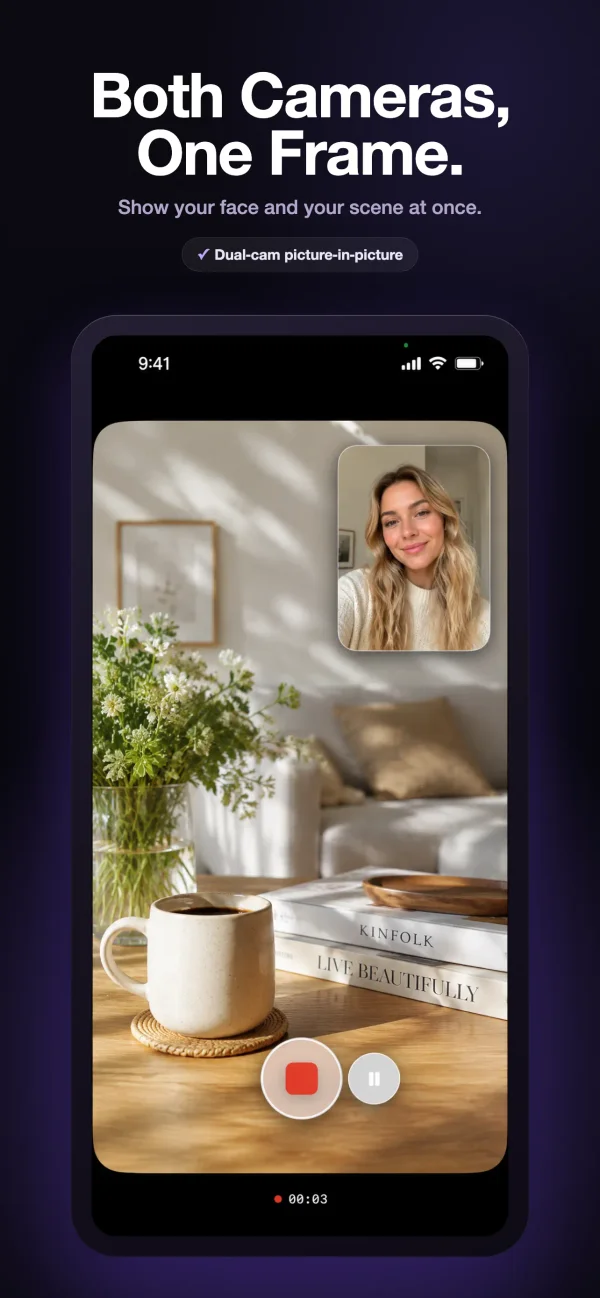
[Dual-Camera Mode — Two Angles, One Take]
Film "in front" and "behind the scenes" simultaneously with picture-in-picture or split-screen layouts. Adds depth to your Vlogs without any post-editing.
[Mirror Mode and Pro Playback]
Mirror or reverse text for glass teleprompter rigs and external displays. Speed range 0.5x to 10.0x. Seamless portrait and landscape switching. Voice command pause and resume — fully hands-free.
[Free Forever — Real Free, Not "Download to Charge"]
Most teleprompter apps lock core features behind a paywall. Beast doesn't.
Free version includes:
• AI voice-tracked scrolling
• 1080P HD export (with a subtle animated watermark)
• 100% local storage — your scripts never leave your device
• Dual-camera recording
• Virtual backgrounds (blur, custom, Mona Lisa mask)
• Up to 5 scripts
• Zero ads. Forever.
[Pro Version — The Ultimate Creator Tool]
When you're ready, unlock:
• Floating prompter window (overlay on any app)
• 4K Ultra HD export, watermark-free
• Unlimited script storage
• Cross-device script sync (iPhone, iPad, Mac)
[Built for the Way You Actually Create]
Short-form creators — Float Beast over your camera app while filming naturally.
Livestreamers — Bullet points float above your live app while you talk.
Online teachers — Voice-tracked scrolling adapts to your pace, not the other way around.
Vloggers — Shoot reactions and B-roll simultaneously with dual-camera mode.
Online interviews — Keep prep notes near the camera, maintain perfect eye contact.
[Privacy Commitment]
• We NEVER collect your scripts.
• We NEVER track your identity.
• AI voice recognition runs 100% locally on your device.
Beast Teleprompter is free forever. Pro features unlock only when you need them.
Download Beast Teleprompter now — and never sound scripted again.
Privacy Policy:
https://beastteleprompter.com/privacy-policy
Terms of Use (EULA):
https://www.apple.com/legal/internet-services/itunes/dev/stdeula/
What’s new
Version 1.4.3 · Oct 24, 2026
Improved video export and sharing.
Smaller 1080P exports in supported cases, with faster export when the original video can be reused.
Fixed an issue where voice-tracked scrolling could jump after rotating the screen or changing text size.
Stability improvements and bug fixes.
App privacy
What 宇 田 declares on the App Store about how this app handles data.
-
Data linked to you
May be collected and linked to your identity.
- Purchases
- Contact info
- User content
- Identifiers
-
Data not linked to you
May be collected but is not linked to your identity.
- Identifiers
- Usage data
- Diagnostics
Privacy practices may vary, for example with the features you use or your age.
Information
- Seller
- 宇 田
- Category
- Utilities
- Version
- 1.4.3
- Updated
- Oct 24, 2026
- Released
- Sep 16, 2025
- Size
- 123.3 MB
- Requires
- iOS 15.0 or later
- Age rating
- 4+
- Price
- Free
- In-app purchases
- Yes
- Languages
- English, French, German, Japanese, Korean, Simplified Chinese, Spanish
- Copyright
- © Sean Yu
You might also like
-
 ScrollVox - AI TeleprompterVoice Scroll & Floating Script
-
 Teleprompter -Video Script ProSmart Script & Captions
-
 提词器-直播演讲拍摄口播字幕提示软件Utilities
-
 VoiceScroll - TeleprompterAuto-Scroll as You Speak
-
 提词器-提词器大师ai悬浮提词器&题词器&专业提词器&拍视频Utilities
-
 Teleprompter AI-Video recorderVoice Tracking & Video Scripts
-
 Voice Teleprompter LiteMemorize Lines & Speeches
-
 Teleprompter ▪for Vloger and Video Blogger
-
 Floating Text - TeleprompterScripts Prompter Floating Apps
-
 S-TeleprompterTeleprompter