
- Age rating4+
- CategoryMusic
- DeveloperAntonin Charvat
- LanguagesEnglish+ 4 more
- Size203.4 MB
Links to the official App Store page
Download.org hosts no file of Beatly: Generative Music. The button opens its official App Store page, published by Antonin Charvat. Listing last checked on Nov 13, 2026.
Screenshots

About
Beatly is a generative music app for moments when you want to create but need a spark. Generate instrumental loops in Default, Lo-fi, Chiptune, Cinematic and Dance styles. Choose a key, adjust the tempo, arrange up to four bars, record the result or save it for later.
Beatly does not use AI. There are no prompts, trained models or cloud generation. A purpose-built algorithm and curated musical patterns create every track directly on your device.
FEATURES
• Generate as many new musical ideas as you like
• Create instrumental loops with drums, bass, chords and melodies
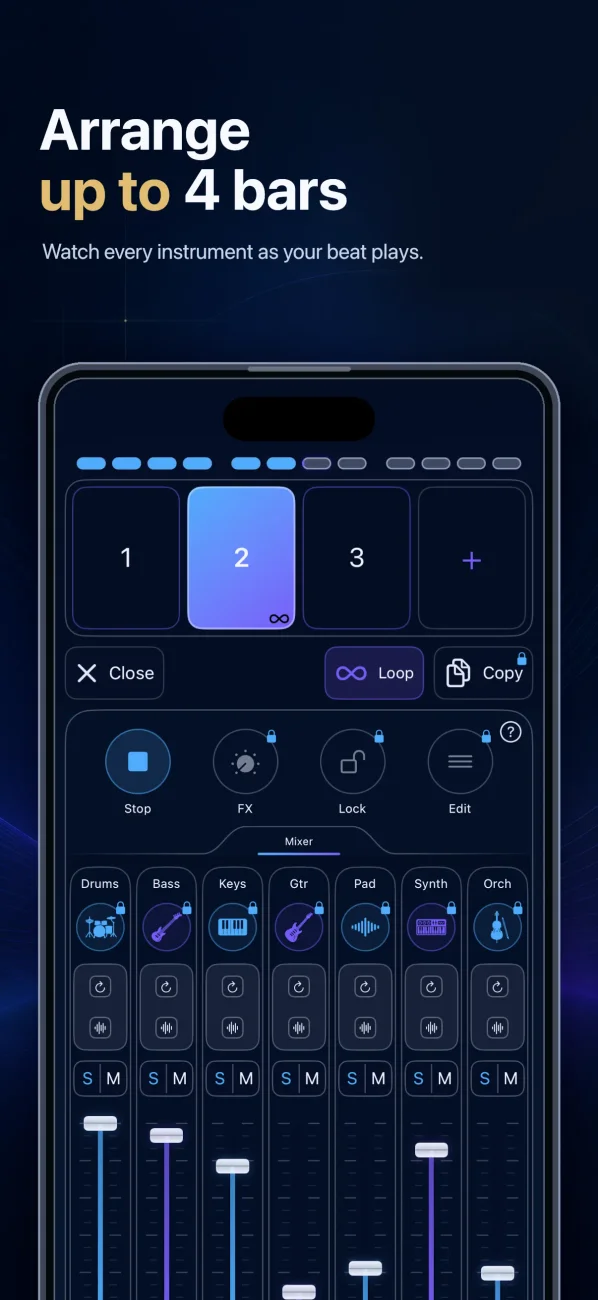
• Arrange up to four bars by adding, removing and reordering them
• Watch every instrument during playback in the read-only mixer preview
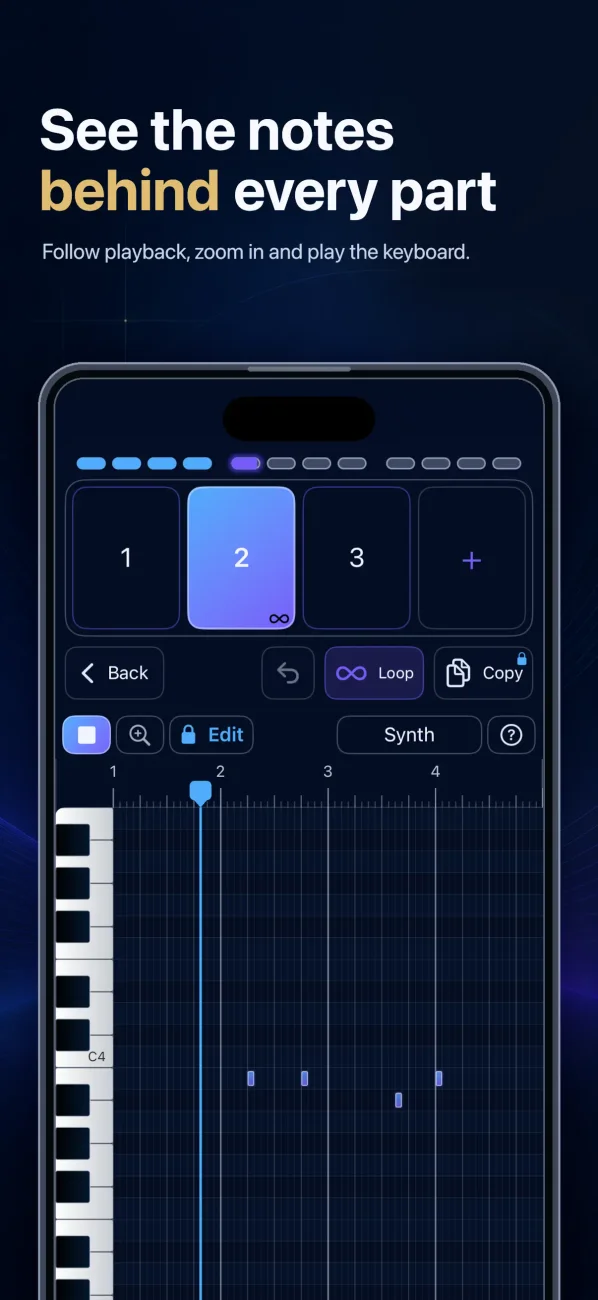
• Explore each part in a read-only piano roll with playback, zooming, scrolling and keyboard audition
• Revisit the five most recently generated beats during your current session
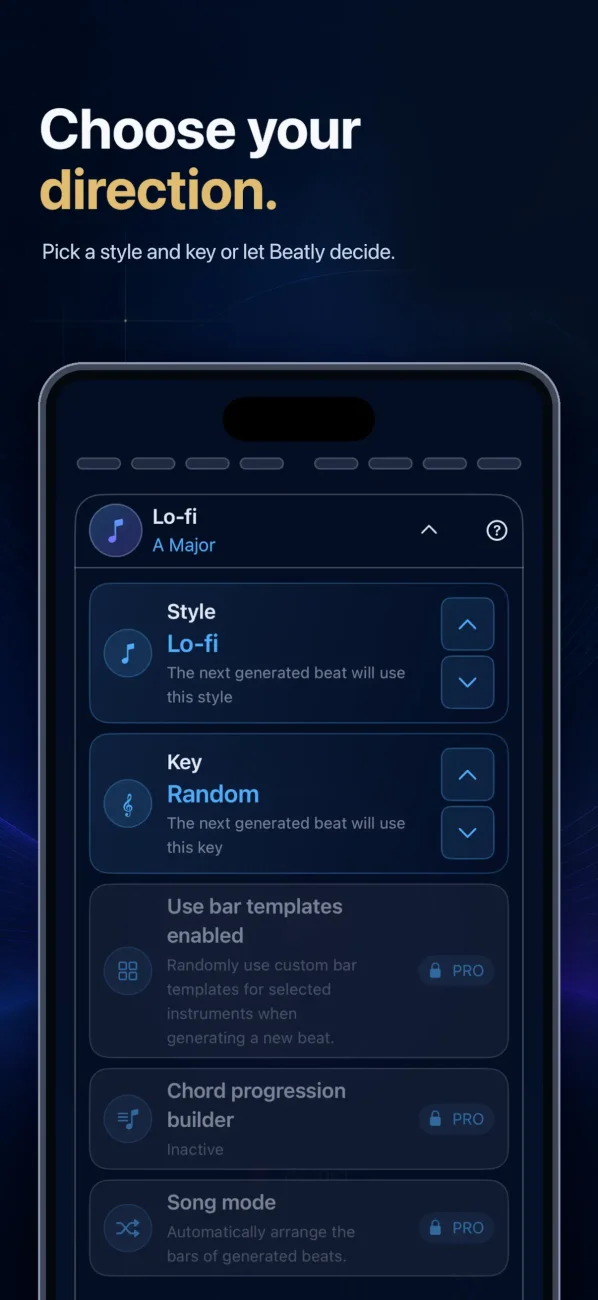
• Choose from Default, Lo-fi, Chiptune, Cinematic and Dance styles
• Select a key or let Beatly choose one automatically
• Change the tempo or keep the automatically selected BPM
• Hear richer, more natural notes from multi-layered instrument samples
• Record the live mix as a WAV audio file
• Save, load and delete your generated tracks
• Share a saved project with Beatly Pro and continue working on it there
• Get guidance directly inside the app with contextual help
WHO IS BEATLY FOR?
Beatly is for producers and composers looking for a quick starting point, singers who need a beat for writing or rehearsal, and musicians who want an accompaniment for practice.
It also suits game developers, filmmakers and other creators looking for distinctive instrumental ideas, as well as anyone curious about generative music without AI.
HOW DOES IT WORK?
Open Beatly and tap Play. The app chooses a set of instruments, tempo, key and musical patterns, then creates an original instrumental loop. Open the mixer to extend and arrange it across up to four bars.
Tap Next to generate another idea. Use Previous and Next to revisit up to five recent beats from your current session.
Choose a style to change the musical character of the next track. You can select a specific key or leave it set to Random, then adjust the tempo at any time.
Open the mixer preview to watch each instrument during playback and build an arrangement of up to four bars. Add, remove or reorder bars, then loop an individual bar when you want to focus on it.
Tap an instrument to open its piano roll. You can follow playback, zoom, scroll and play the keyboard while viewing the generated notes.
When you find an idea you like, save it and return to it later, share the project, or record the live playback as a WAV file.
WANT TO TAKE THE TRACK FURTHER?
Beatly Pro is a separate app available as a one-time purchase. It adds full mixer controls, piano-roll editing, arrangements of up to eight bars, effects, custom samples and SoundFonts, chord progressions, MIDI and audio export, and studio connections through Ableton Link, Core MIDI and Audiobus.
To continue a Free Beatly project in Beatly Pro, save the track, choose Share Beat from the menu, select Beatly Pro in the share sheet, and then open Beatly Pro. The project will be imported automatically.
If you enjoy Beatly, a rating or review on the App Store means a great deal.
Questions or ideas? Send us a message.
What’s new
Version 2.1 · Oct 29, 2026
Beatly 2.1 gives you more ways to explore and arrange every generated beat.
WHAT’S NEW
• Open the Mixer preview to watch every channel and arrange up to four bars by adding, removing or reordering them
• Explore each part in the new read-only piano roll with playback, pinch zoom, scrolling and keyboard audition
• Revisit the five most recently generated beats during your current session
• Improved generation brings more coherent recurring melodies, better instrument balance and calmer Dance and Cinematic parts
• New multi-layered instrument samples sound more natural across the keyboard
• Smoother playback, progress tracking and WAV recording
• Many smaller reliability and interface improvements throughout the app
App privacy
What Antonin Charvat declares on the App Store about how this app handles data.
-
Data not collected
The developer does not collect any data from this app.
Privacy practices may vary, for example with the features you use or your age.
Information
- Seller
- Antonin Charvat
- Category
- Music
- Version
- 2.1
- Updated
- Oct 29, 2026
- Released
- Dec 5, 2020
- Size
- 203.4 MB
- Requires
- iOS 17.6 or later
- Age rating
- 4+
- Price
- Free
- Languages
- English, Czech, German, Russian, Spanish
- Copyright
- © 2026 Antonin Charvat
You might also like
-
 Mazetools SonifaceCreate sound & music visually
-
 EgoistGroove in a Box
-
 MIDI FXMusic
-
 Wotja: Live Generative Music'AI-free' Ambient Music & MIDI
-
 LooperatorEnter the FX matrix!
-
 jAmp BleepMusic
-
 GSDSP MMMMagic Midi Modulation!
-
 Frenzy MIDI SequencerMusic
-
 EG NodesClip based Host/MIDI Sequencer
-
 ZOA — Living MIDI SequencerGenerative melodies for synths