Before After Timeline
Progress Photo Sheet
Designed for iPhone, iPod touch
Free · In-app purchases
- Age rating4+
- CategoryPhoto & Video
- DeveloperDmytro Rastaturin
- LanguagesEnglish
- Size22.4 MB
Links to the official App Store page
Download.org hosts no file of Before After Timeline. The button opens its official App Store page, published by Dmytro Rastaturin. Listing last checked on Nov 18, 2026.
Screenshots


About
Create a clean before/during/after photo sheet from selected photos.
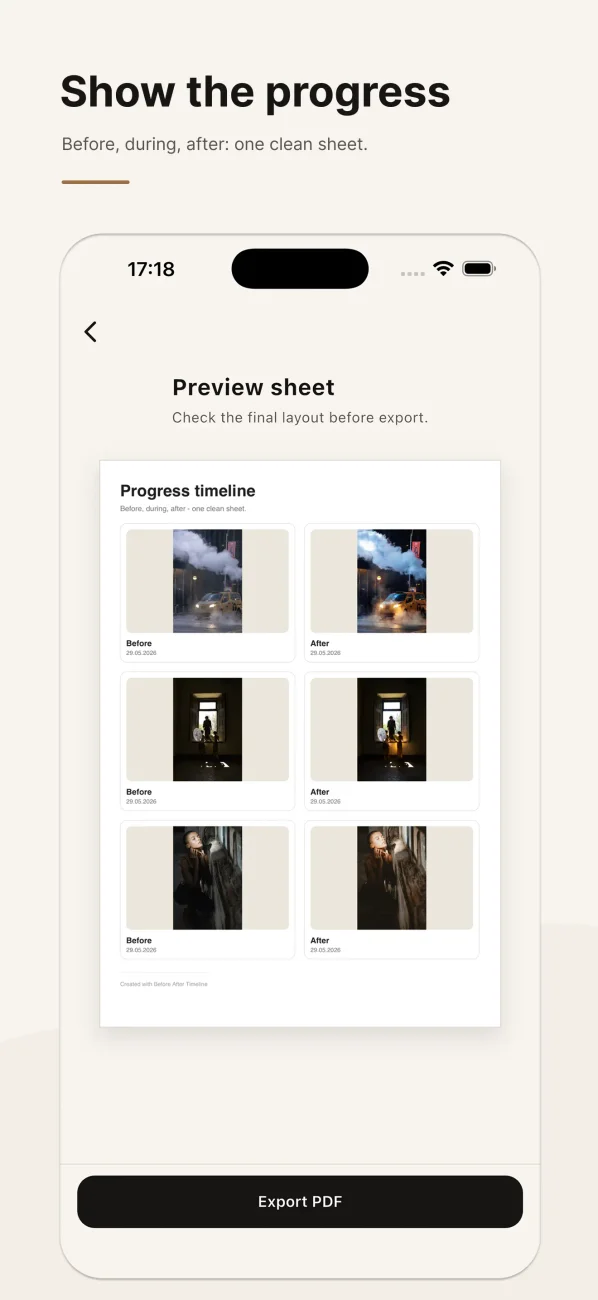
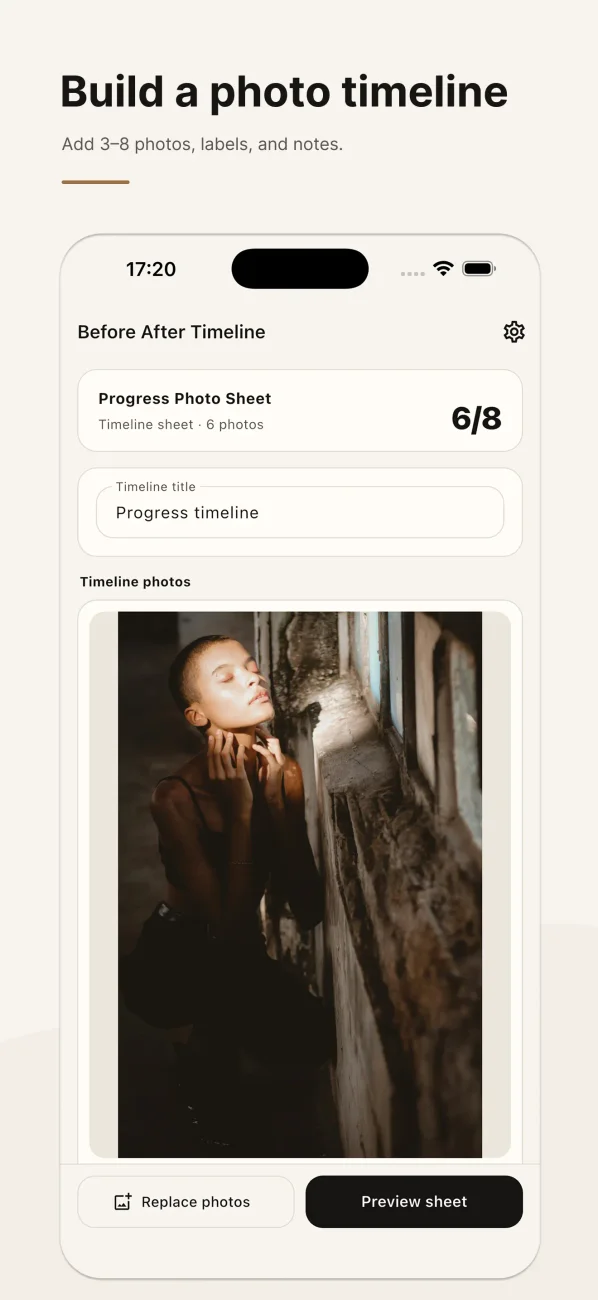
Before After Timeline helps you turn progress photos into one simple timeline sheet. Add 3–8 photos, label each stage, add optional notes, choose your default export layout, and preview the result before exporting.
Use it for:
• Before / during / after progress photos
• Renovation and repair progress
• Cleaning, organizing, and restoration projects
• Creative process documentation
• Simple project photo stories
What you can do:
• Add 3–8 photos from your library
• Edit stage labels such as Before, During, and After
• Add notes to each photo
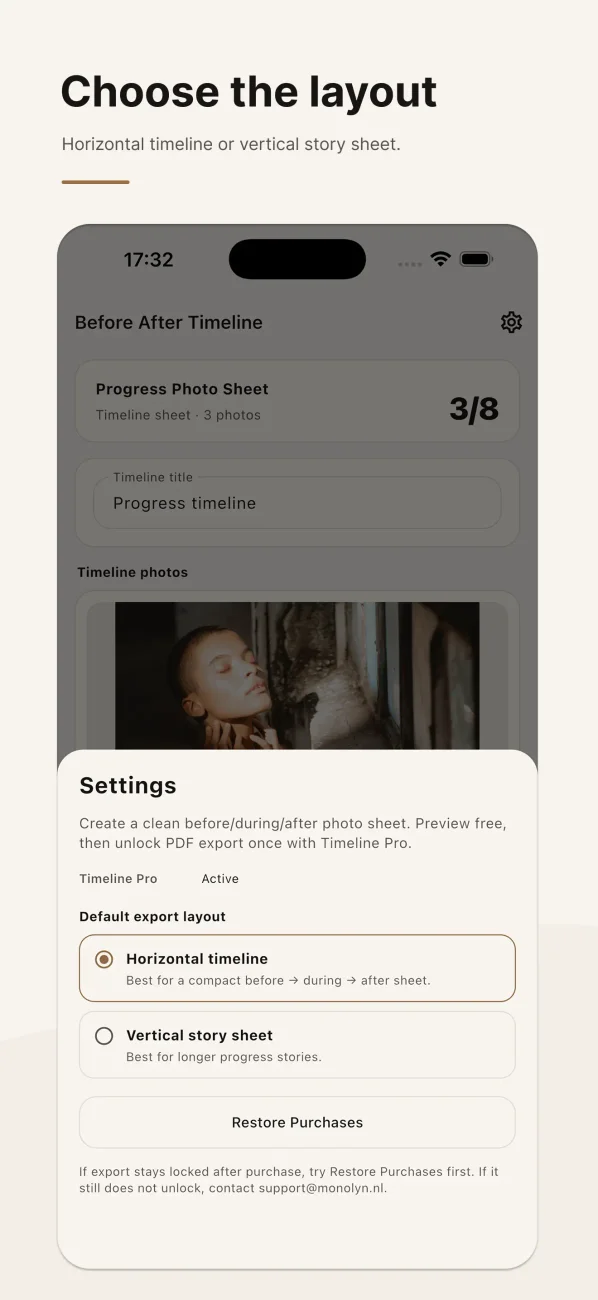
• Choose a horizontal timeline or vertical story sheet export layout
• Preview the progress sheet for free
• Unlock Timeline Pro to export finished PDF copies
Before After Timeline is designed as a focused, local-first utility. No account. No cloud workspace. No subscriptions.
App privacy
What Dmytro Rastaturin declares on the App Store about how this app handles data.
-
Data not collected
The developer does not collect any data from this app.
Privacy practices may vary, for example with the features you use or your age.
Information
- Seller
- Dmytro Rastaturin
- Category
- Photo & Video
- Version
- 1.0
- Updated
- Jun 8, 2026
- Released
- Jun 8, 2026
- Size
- 22.4 MB
- Requires
- iOS 13.0 or later
- Age rating
- 4+
- Price
- Free
- In-app purchases
- Yes
- Languages
- English
- Copyright
- © 2026 Monolyn Labs
You might also like
-
 Before After Before-AfterBefore after photo compare
-
 PhotoBorder+No Crop Social Media Posts
-
 Loop Video Maker LoopVideoMakeLoop, repeat videos & make gif
-
 Photo Reflect - Video too!Perspective effects for media.
-
 Redact — Censor & Blur PhotosHide Sensitive Info & PDFs
-
 Loop Video - Boomerang MakerMake VIdeo With Reverse Effect
-
 AI Video Generator - CliptickPhoto to Video Maker & Effects
-
 Screen Shot App - ZapShareAdd Device Frame to Screenshot
-
 ReVideo - AI Video GeneratorAI Video Maker: Text to Video
-
 Watermark Remover Photo VideoRemove Text, Logo & Objects