
- Age rating4+
- CategoryUtilities
- DeveloperTRISTAN ROBERT NOHRER
- LanguagesEnglish
- Size13.0 MB
Links to the official App Store page
Download.org hosts no file of BEPR. The button opens its official App Store page, published by TRISTAN ROBERT NOHRER. Listing last checked on Nov 14, 2026.
Screenshots


About
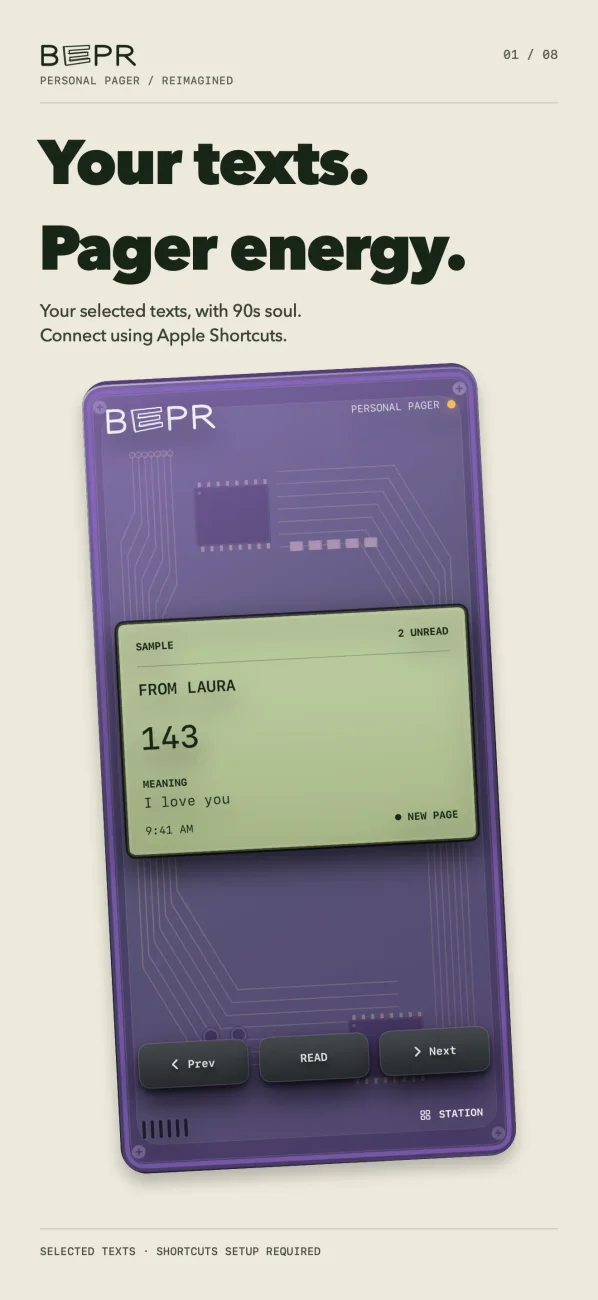
Your texts. Pager energy.
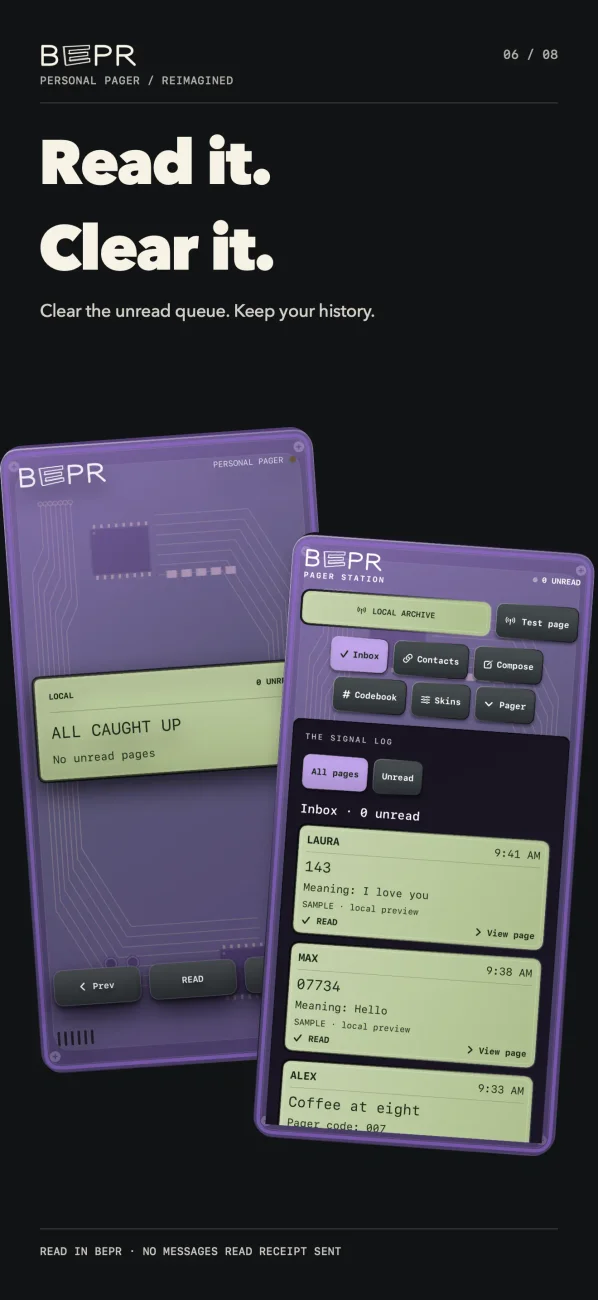
BEPR gives selected incoming texts a nostalgic new home: an olive LCD, tactile buttons, clear-plastic casings and the little thrill of getting paged.
YOUR PEOPLE, YOUR PAGER
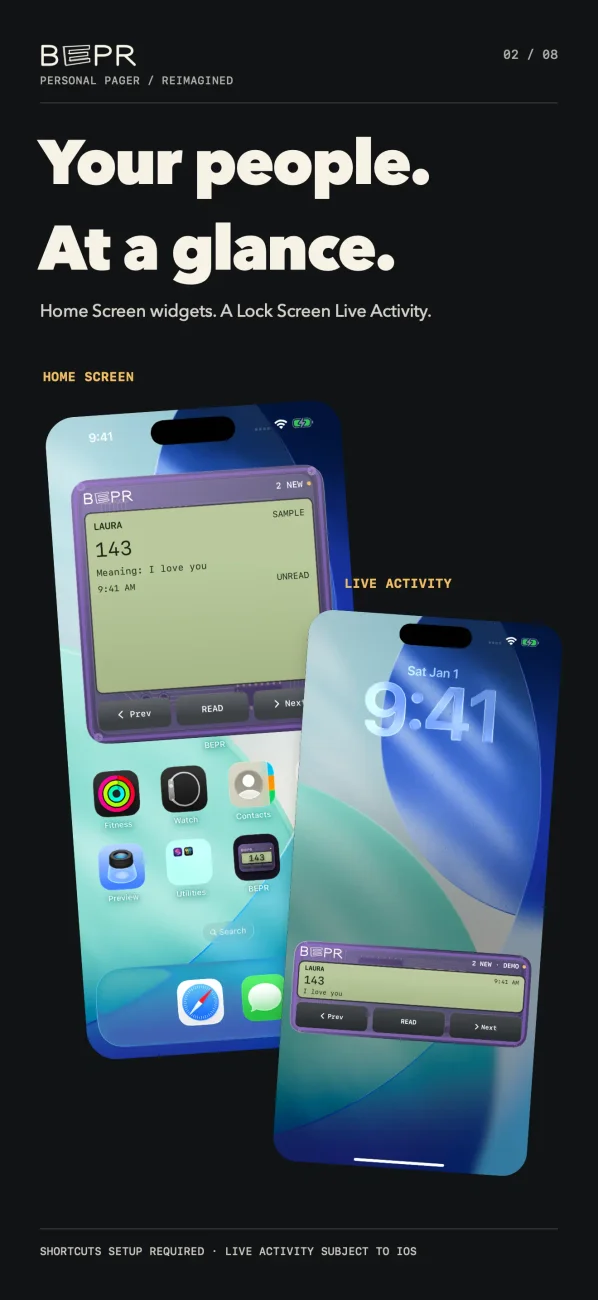
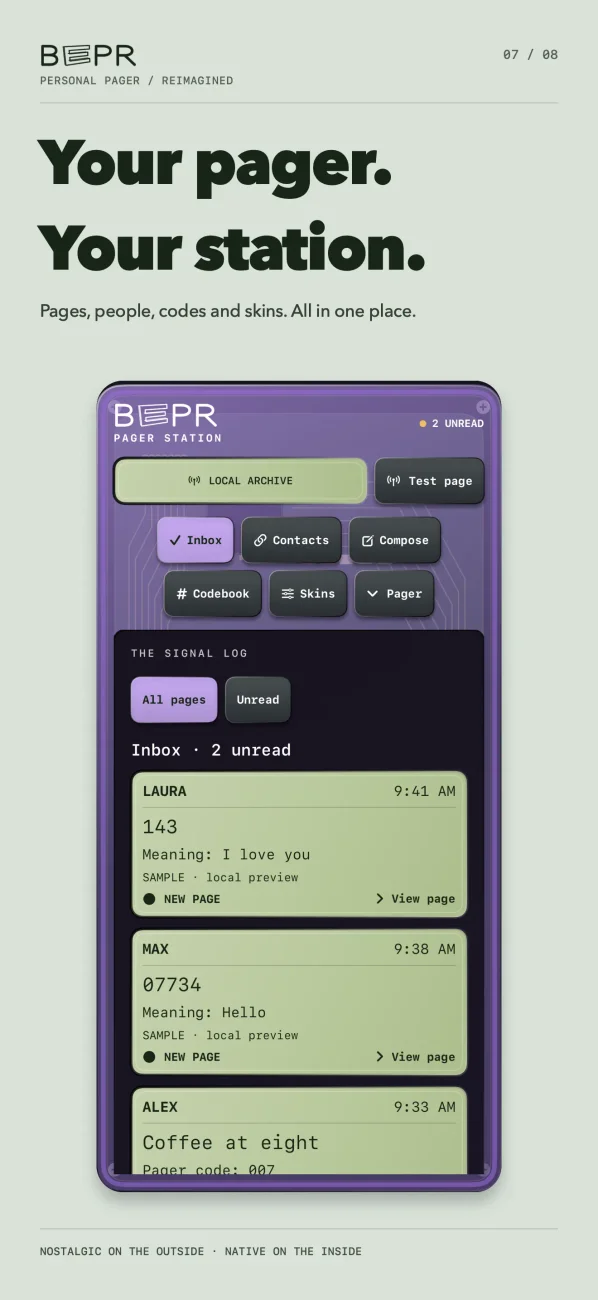
Choose which contacts can page you. They keep texting normally and do not need BEPR. Connect new incoming messages with Apple Shortcuts, then show the full text or a simple YOU GOT PAGED signal.
MADE FOR IPHONE DUO
Closed, the foreground app becomes a pager on the outer display. Open Duo to keep your selected page beside the station. Your page and unfinished practice draft stay with you as you fold. BEPR also works on other supported iPhones and iPads.
A LITTLE MORE 1996
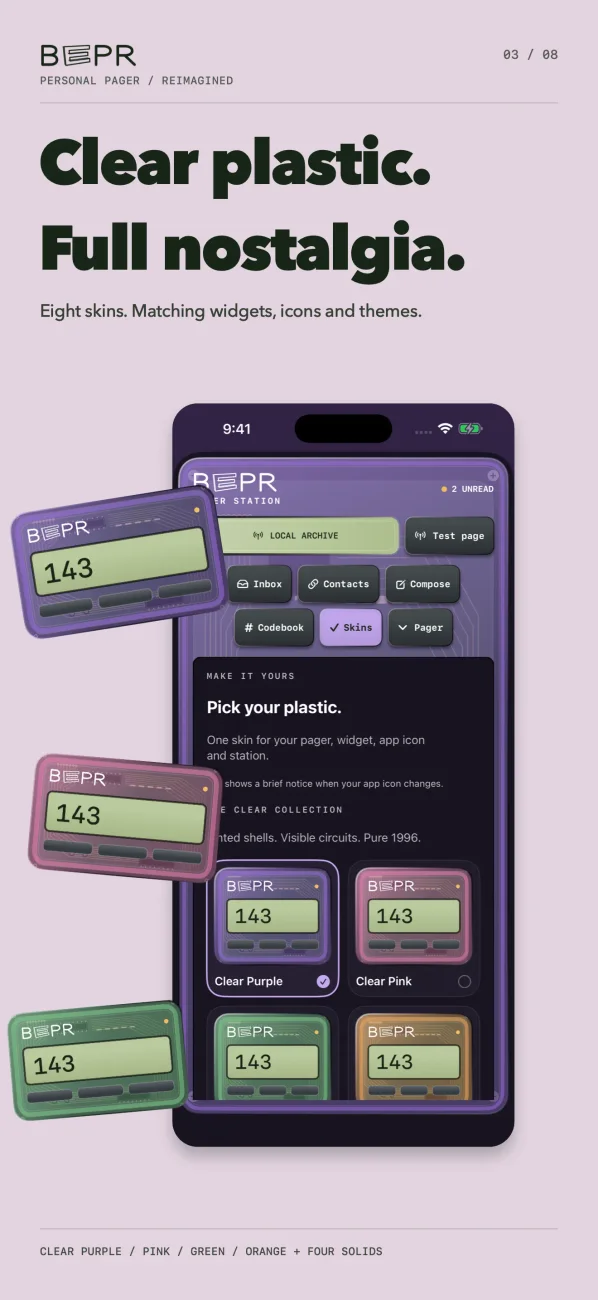
• Eight skins: Clear Purple, Clear Pink, Clear Green, Clear Orange, Smoke, Grape, Sea Glass and Porcelain.
• Matching pager, widget, app icon and station themes.
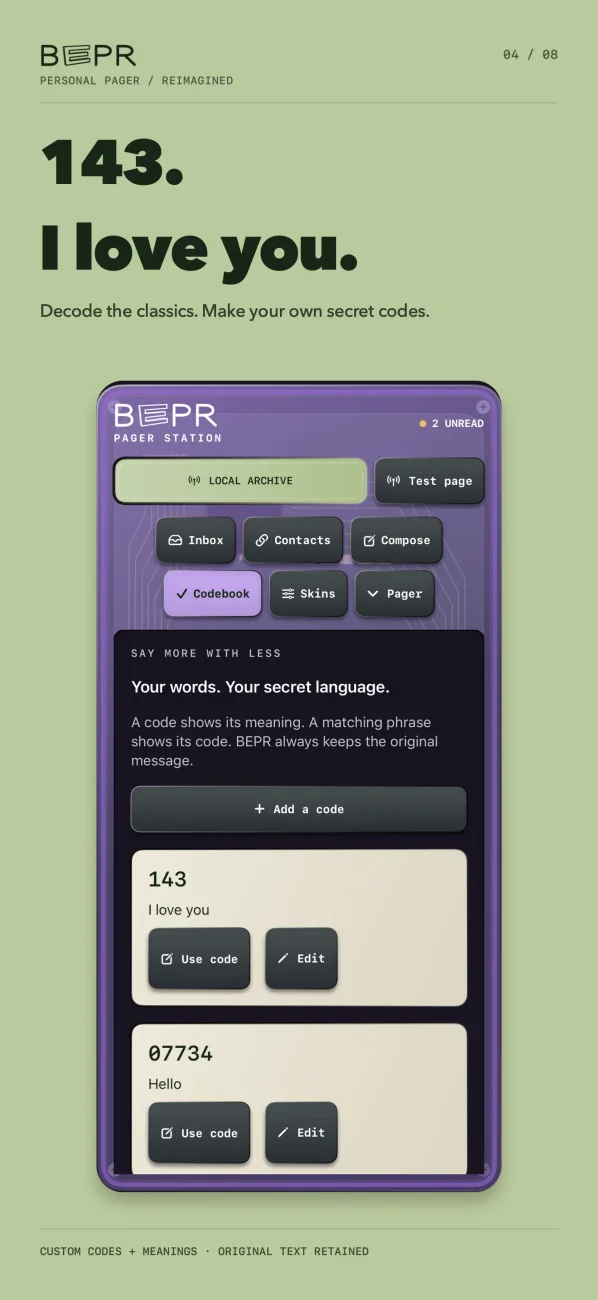
• Classic codes like 143 for I love you and 07734 for Hello.
• Add and edit your own codes and meanings. Matching phrases can show their code; the original text is retained.
• Home Screen widgets, a Lock Screen widget and an optional larger Live Activity.
• Read clears a page from BEPR's unread queue while keeping its history. It does not mark the original Messages conversation as read or send a read receipt.
LOCAL BY DESIGN
No BEPR account or messaging server. Pages, chosen contacts, codes and settings stay in local app storage, shared with BEPR's widgets. Apple device backups may include this data according to your settings. A one-time app purchase includes the current features; there is no subscription.
BEFORE YOU BEGIN
Incoming texts require setup in Apple Shortcuts: install the BEPR connection and create a personal Message automation with your chosen senders and Run Immediately. Select the same contacts in BEPR and Shortcuts. Adding another sender requires updating both places. BEPR cannot read your existing Messages history or create the automation for you. You can explore immediately with labeled sample pages and a local test page.
The direct-text filter skips messages when Shortcuts reports multiple recipients and skips messages without recipient information. Some group SMS replies can look like individual texts, so not every group can be identified.
iOS controls widget refresh timing and Live Activity placement and duration. The app does not replace the system Lock Screen. The practice composer saves a simulated outgoing page locally; it does not send a real text. Use Messages for real replies.
App privacy
What TRISTAN ROBERT NOHRER declares on the App Store about how this app handles data.
-
Data not collected
The developer does not collect any data from this app.
Privacy practices may vary, for example with the features you use or your age.
Information
- Seller
- TRISTAN ROBERT NOHRER
- Category
- Utilities
- Version
- 0.2
- Updated
- Oct 19, 2026
- Released
- Oct 19, 2026
- Size
- 13.0 MB
- Requires
- iOS 17.0 or later
- Age rating
- 4+
- Price
- Free
- Languages
- English
- Copyright
- © 2026 Tristan Nohrer
You might also like
-
 Clackity – Duo Flip ClockSplit-flap desk clock & timer
-
 SpeechNotes+: Private AI MemosLive Transcribe & Voice2Note
-
 MeBoard: Glide & HapticsThe most configurable keyboard
-
 Kasetofon: Tape Voice RecorderVintage cassette deck & memos
-
 Koda RemoteUtilities
-
 cryptoscreenOne-time encrypted notes
-
 Sidefill: Wide View for SafariWeb extension for iPhone Duo
-
 LoopJuiceSmart Home Battery Monitor
-
 AI Caption - Image CaptionAI captions for social media
-
 RoomTrace 3DGuided LiDAR Room Scanner