
Bi: Subscription Receipts
Renewal reminders & savings
Designed for iPhone, iPad, iPod touch
Free · In-app purchases
- Age rating4+
- CategoryFinance
- DeveloperTam Le
- LanguagesEnglish+ 2 more
- Size27.5 MB
Links to the official App Store page
Download.org hosts no file of Bi: Subscription Receipts. The button opens its official App Store page, published by Tam Le. Listing last checked on Nov 26, 2026.
Screenshots


About
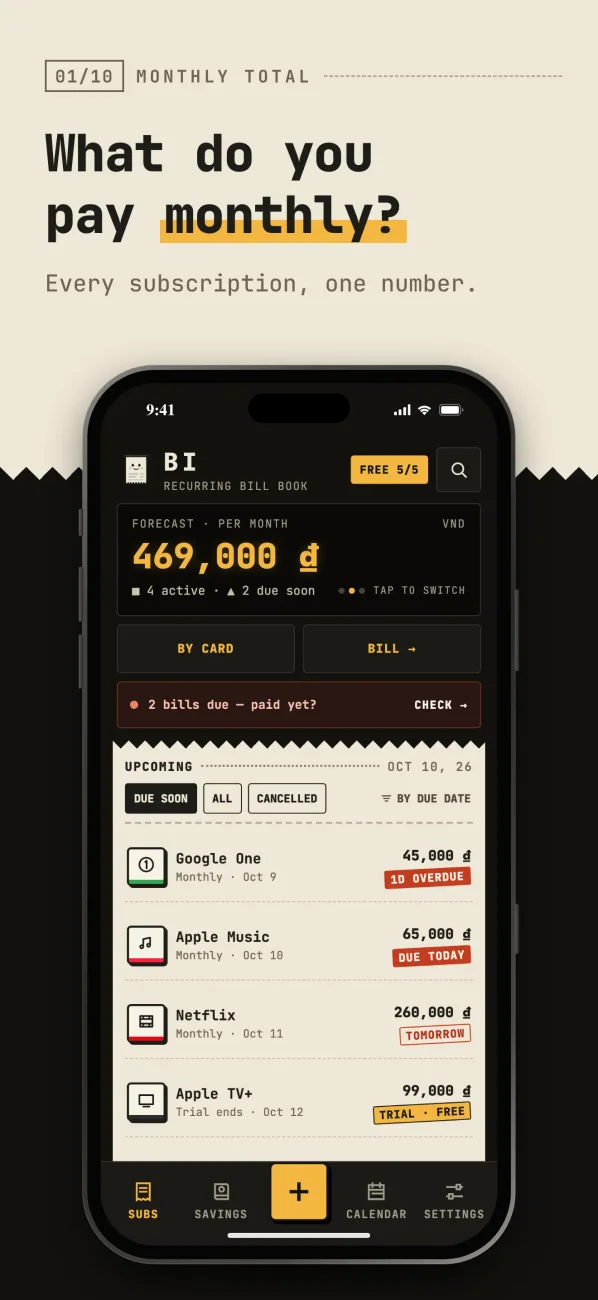
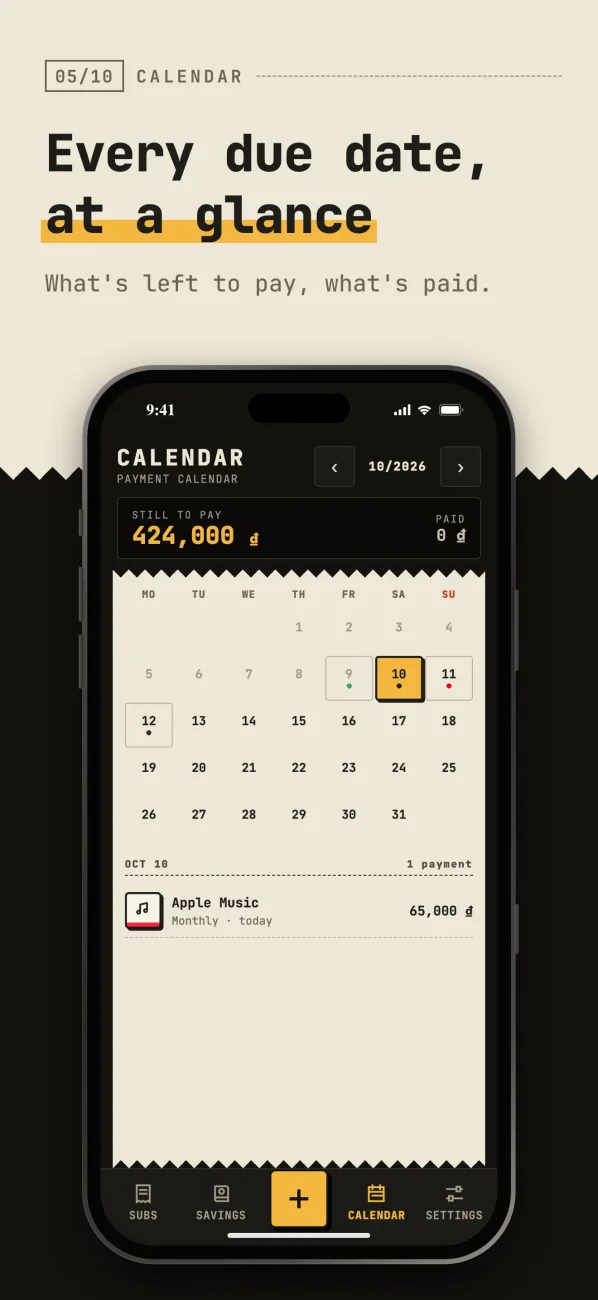
Bi is a receipt book for all your subscriptions: Netflix, Spotify, iCloud, mobile data, software… Add each one once — Bi reminds you before you get charged and shows how much you pay every month.
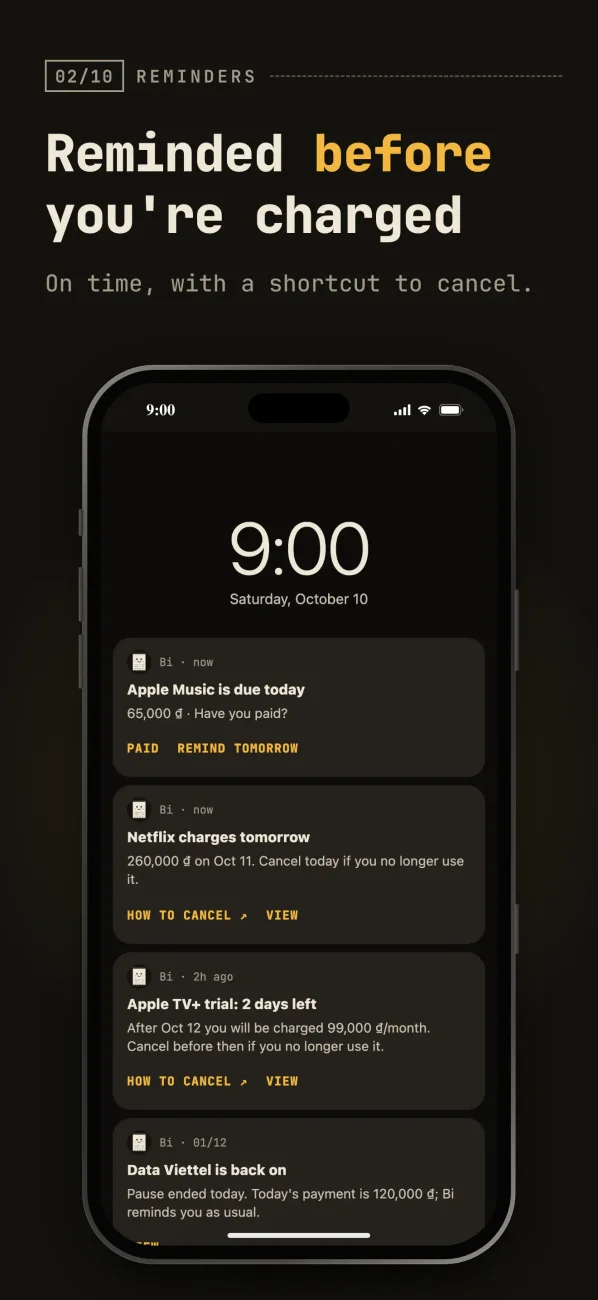
REMINDERS ON TIME
• On the day and 1 day before, at the time you choose.
• Renewal reminders have a HOW TO CANCEL button that opens the service's cancel page.
• 3 reminders before a free trial ends.
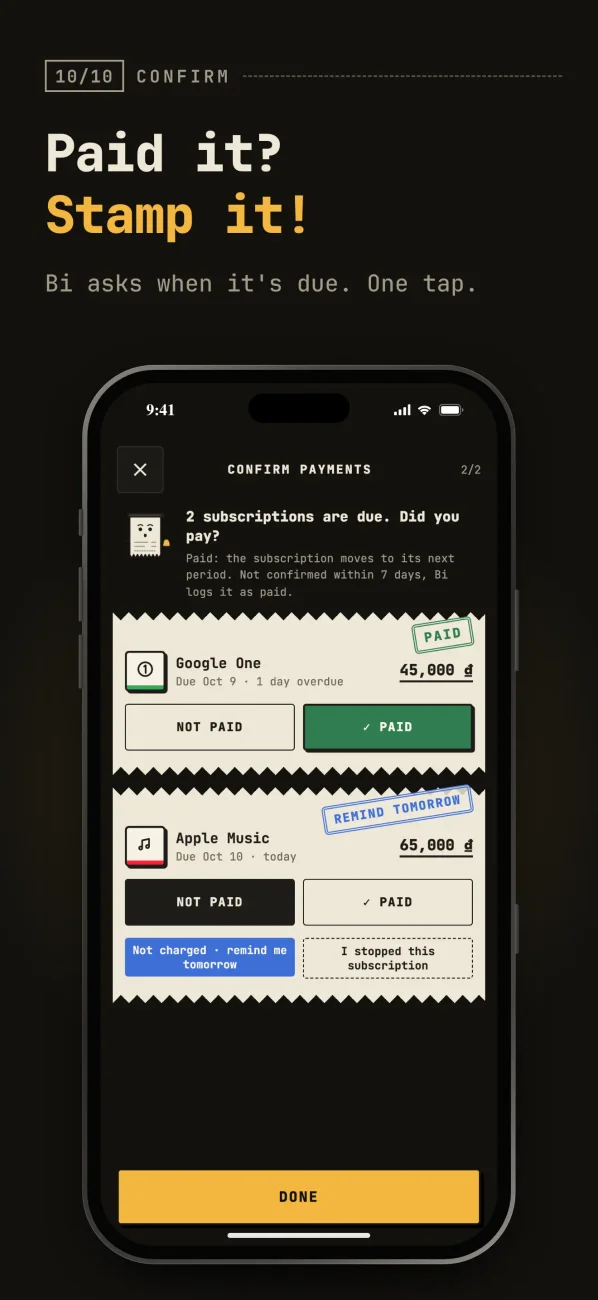
• Tap PAID right on the notification — no need to open the app.
• On the 1st of every month, Bi sends last month's bill.
KNOW WHAT YOU PAY
• Totals per week, month and year in one currency.
• Many currencies, exchange rates updated daily.
• History of every paid period; Bi logs old ones for you when you're away.
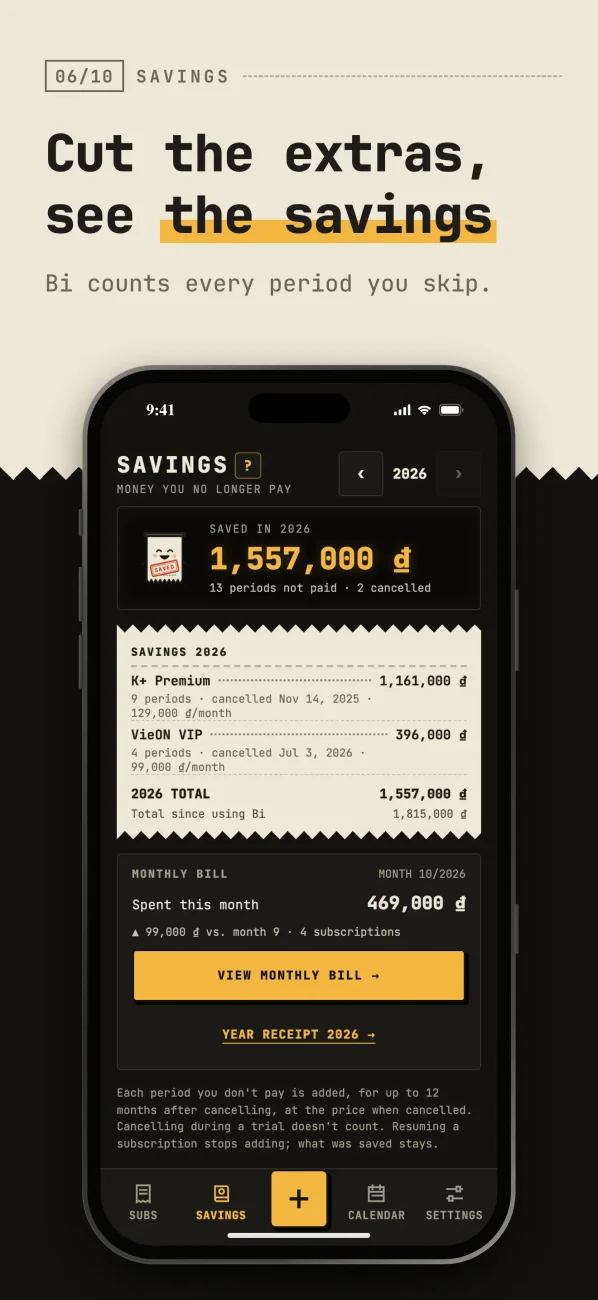
SAVINGS BOOK
• Cancel a subscription and Bi adds up the money you no longer pay.
• Pause a subscription and Bi reminds you when it resumes.
MONTHLY BILL & YEAR RECEIPT
• Monthly bill: what you spent, your priciest subscription, vs. last month.
• Year receipt: total paid this year, top month, money saved.
• Save as an image or share; turn on "Hide amounts" to show names only.
WIDGETS & SHORTCUTS
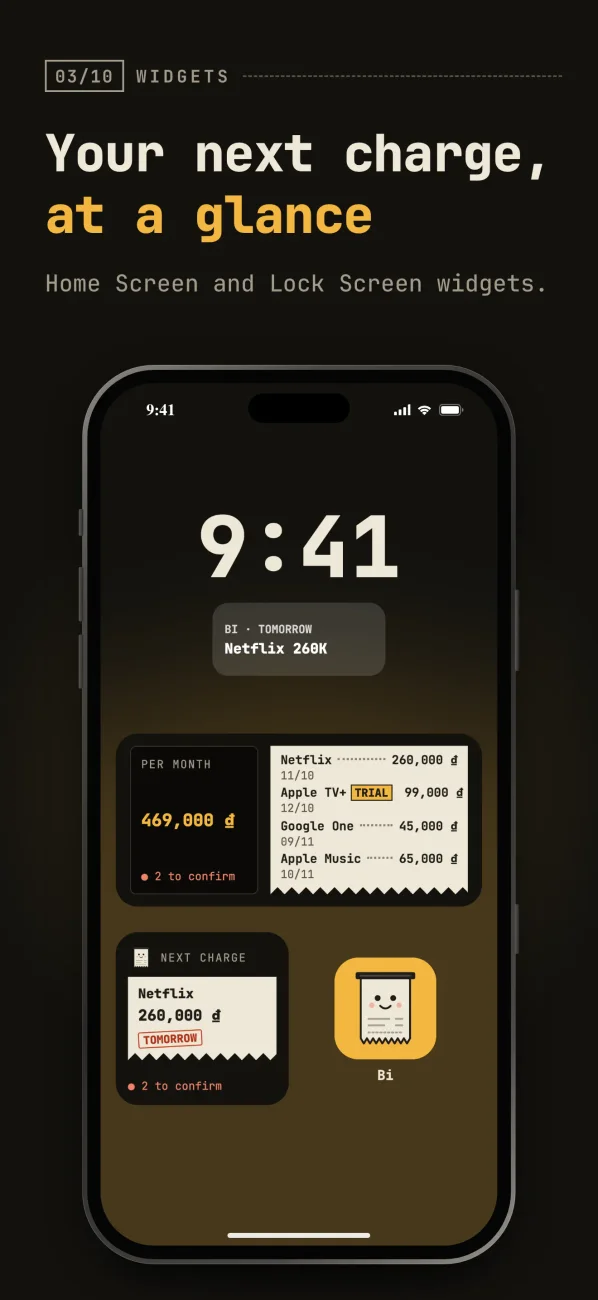
• Small Home Screen widget and Lock Screen widget: see your next payment without opening the app.
• Press and hold the Bi icon to add a subscription or open your monthly bill.
PRIVATE
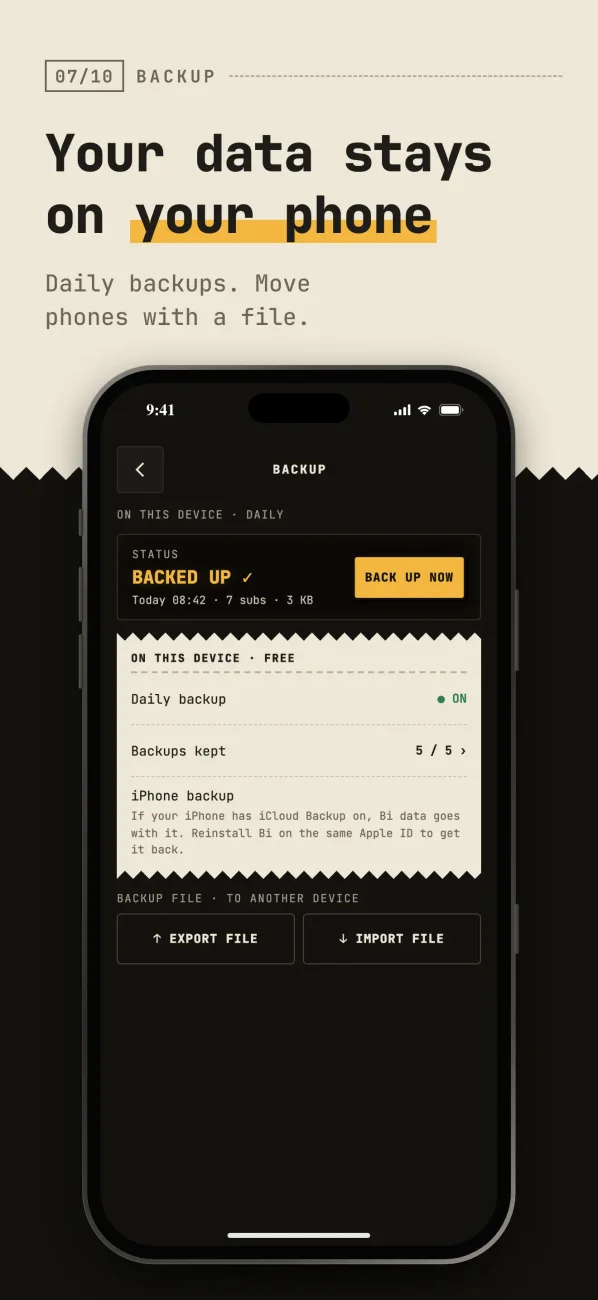
• No account, no server: your data stays on your iPhone.
• Lock the app with a 6-digit code and Face ID; widgets and notifications hide amounts while the app is locked.
• No ads, no tracking.
• Back up to a .bibak file encrypted with your own password; Bi reminds you to export one if it's been a while.
BI PRO — BUY ONCE, KEEP FOREVER
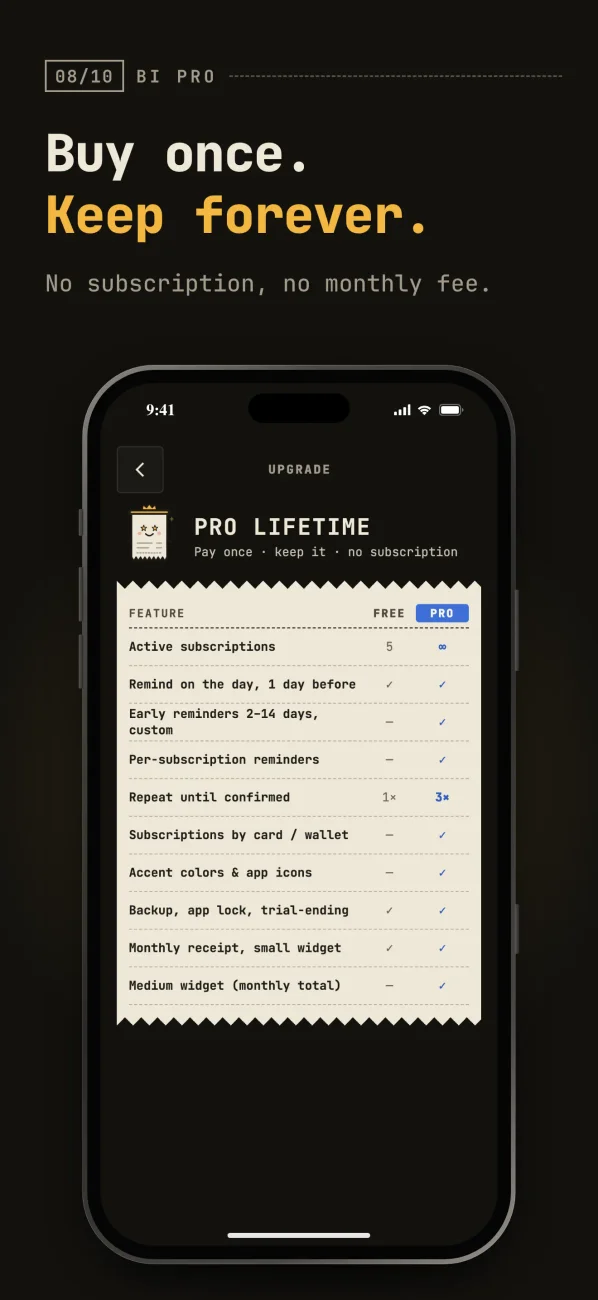
The free version keeps up to 5 subscriptions. Bi Pro unlocks:
• Unlimited subscriptions.
• Early reminders 2, 3, 7, 14 days or any number of days; per-subscription reminders.
• Daily repeat reminders (up to 3) until you confirm.
• Subscriptions by card / wallet.
• Accent colors and app icons.
• Medium Home Screen widget.
One-time purchase through App Store; you can restore it in the app.
Feedback: tam@twinbrotherslab.com
Privacy policy: https://twinbrotherslab.com/bi/privacy
What’s new
Version 1.1.4 · Nov 26, 2026
Bi 1.1.4
• Fix: Pro no longer drops after reopening the app; the Upgrade screen shows when you activated Pro.
• Cancelling a plan whose current period is unpaid now adds that period to your Savings (also for plans cancelled before this update).
App privacy
What Tam Le declares on the App Store about how this app handles data.
-
Data not collected
The developer does not collect any data from this app.
Privacy practices may vary, for example with the features you use or your age.
Information
- Seller
- Tam Le
- Category
- Finance
- Version
- 1.1.4
- Updated
- Nov 26, 2026
- Released
- Nov 2, 2026
- Size
- 27.5 MB
- Requires
- iOS 15.0 or later
- Age rating
- 4+
- Price
- Free
- In-app purchases
- Yes
- Languages
- English, Simplified Chinese, Vietnamese
- Copyright
- © 2026 Twin Brothers Lab
You might also like
-
 MoneySee: Money ManagerTrack Spending & Manage Budget
-
 PVcom CapitalFinance
-
 iTRUST DFVNFinance
-
 AI Expense Tracker - MoniBudget Planner & Money Manager
-
 HSC ONEONE for all investment needs
-
 Anfin - Đầu tư & Tích lũyFinance
-
 Moni Note • Expense TrackerTrack Expenses & Income
-
 Simplize - Chứng khoán, đầu tưFinance
-
 Circle - Thẻ tín dụngFinance
-
 Sono: Debt tracker and managerRecord & Track Debts