
BibleLog: Writing Devotions
Handwrite your daily devotions
Designed for iPad
Free · In-app purchases
- Age rating4+
- CategoryBooks
- DeveloperDongseon Lee
- LanguagesEnglish+ 1 more
- Size35.1 MB
Links to the official App Store page
Download.org hosts no file of BibleLog: Writing Devotions. The button opens its official App Store page, published by Dongseon Lee. Listing last checked on Nov 25, 2026.
Screenshots


About
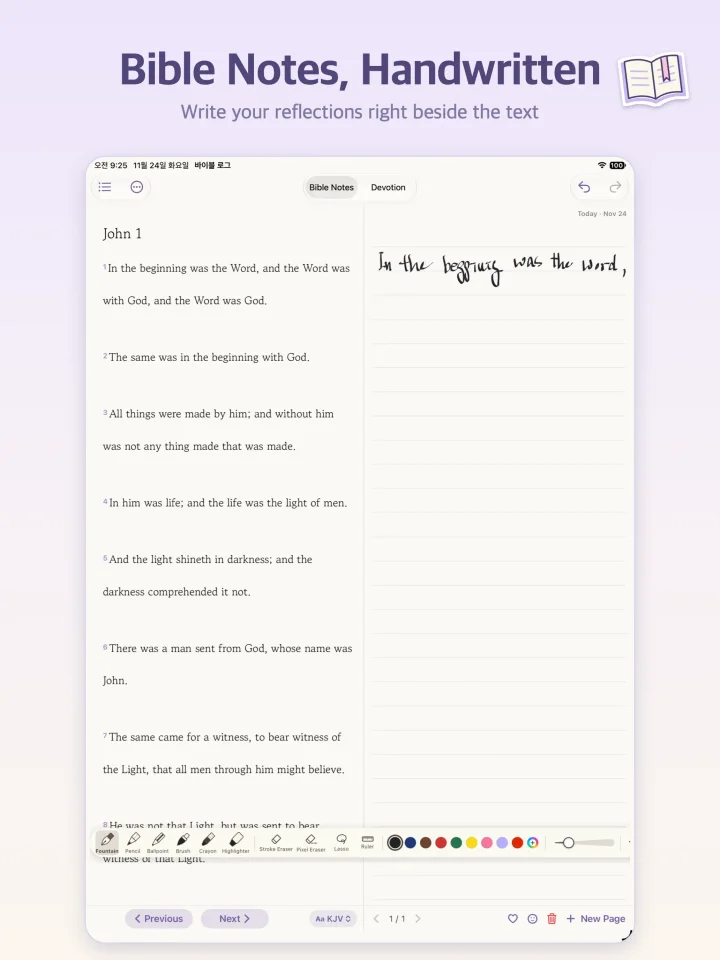
BibleLog brings the feel of a paper Bible and notebook to your iPad.
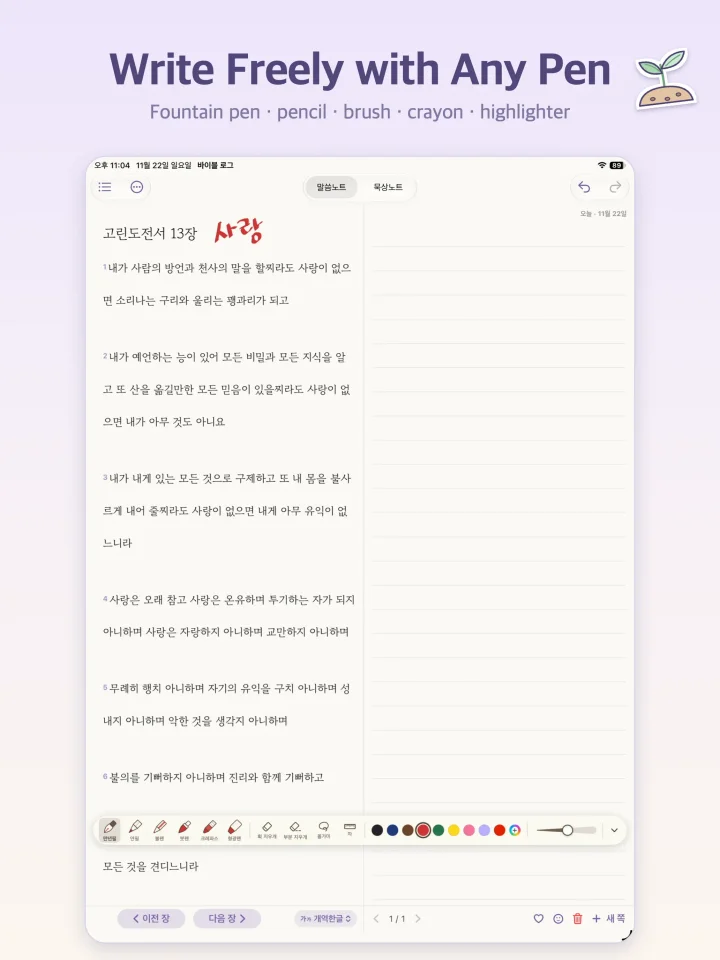
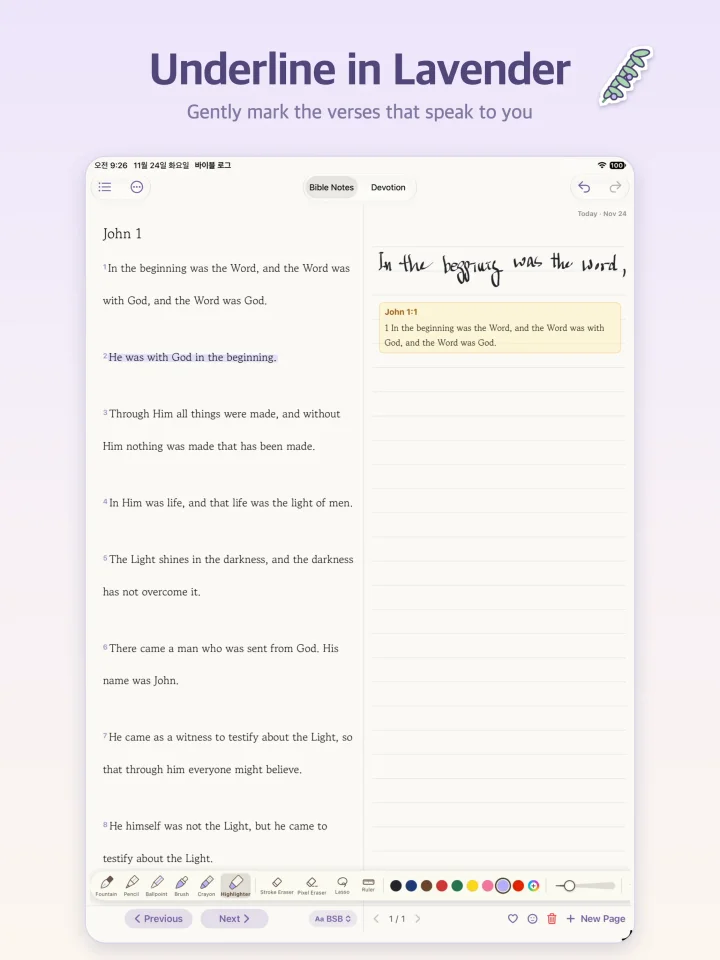
The Bible text is on the left and a lined notebook is on the right. Underline verses, write between the lines, and fill your notebook by hand with Apple Pencil - just like writing in the margins of your own Bible.
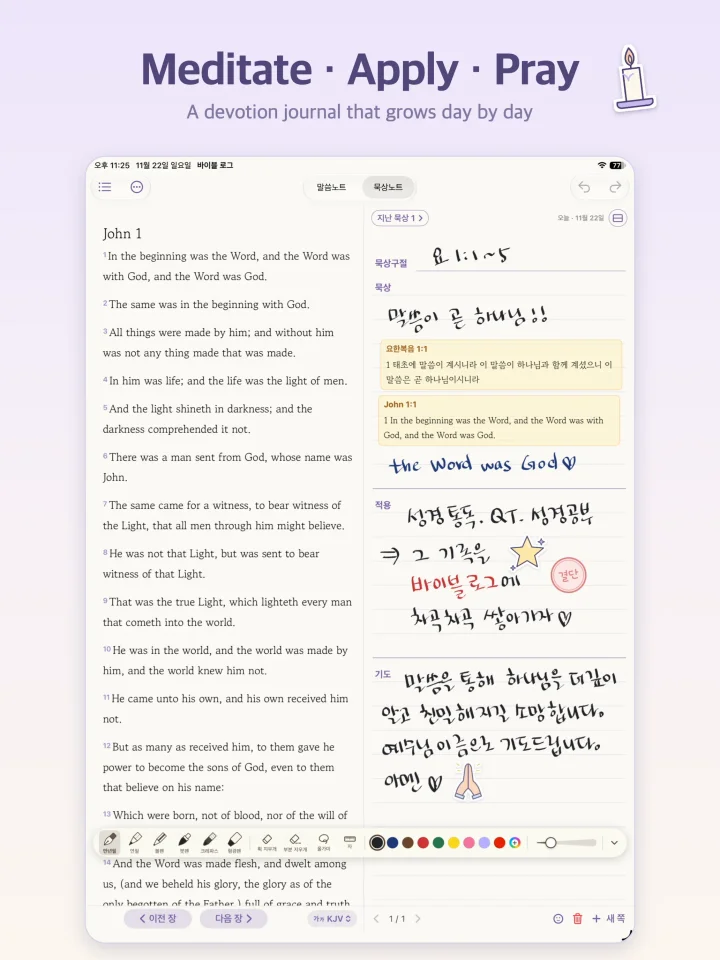
DAILY DEVOTION NOTES
• Open any chapter in Devotion mode to write on a fresh page dated today
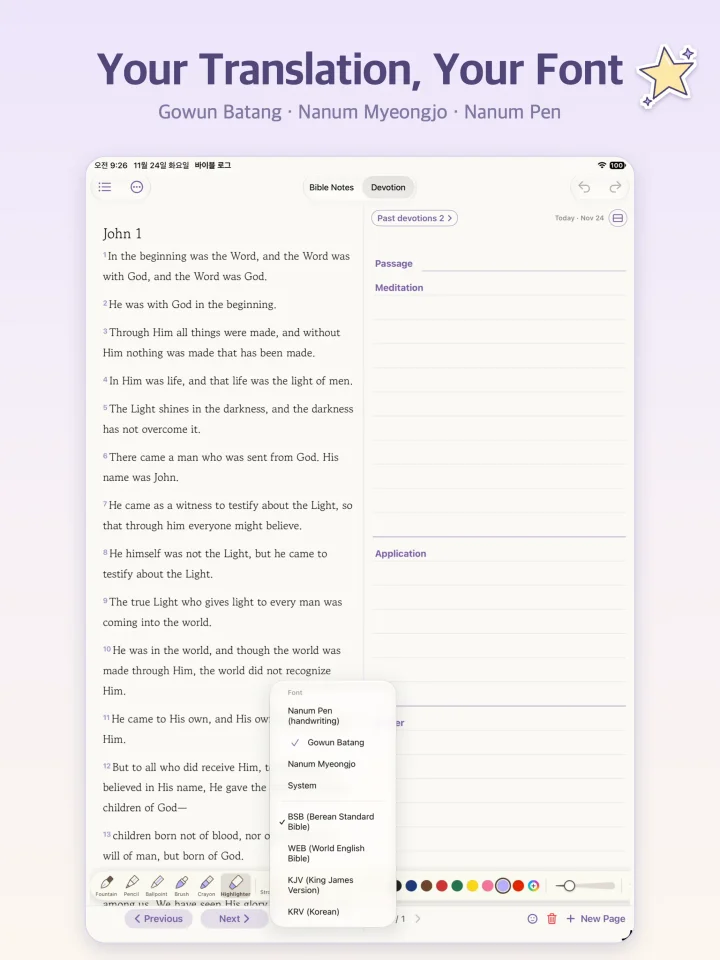
• Each page has a Passage line and Meditation, Application, and Prayer sections
• Drag the dividers to resize sections for each page
• Your past devotions stay, so you can look back on what God spoke to you each day
BIBLE NOTES HISTORY
• The day you write notes on a chapter is recorded automatically
• See all your Bible notes by date, or on the Bible Notes calendar
WRITE NATURALLY
• Pen, highlighter, and eraser with Apple Pencil
• Hold your pencil still at the end of an underline to make it perfectly straight
• Your finger scrolls and turns chapters, so you never write by accident
MORE WAYS TO KEEP THE WORD
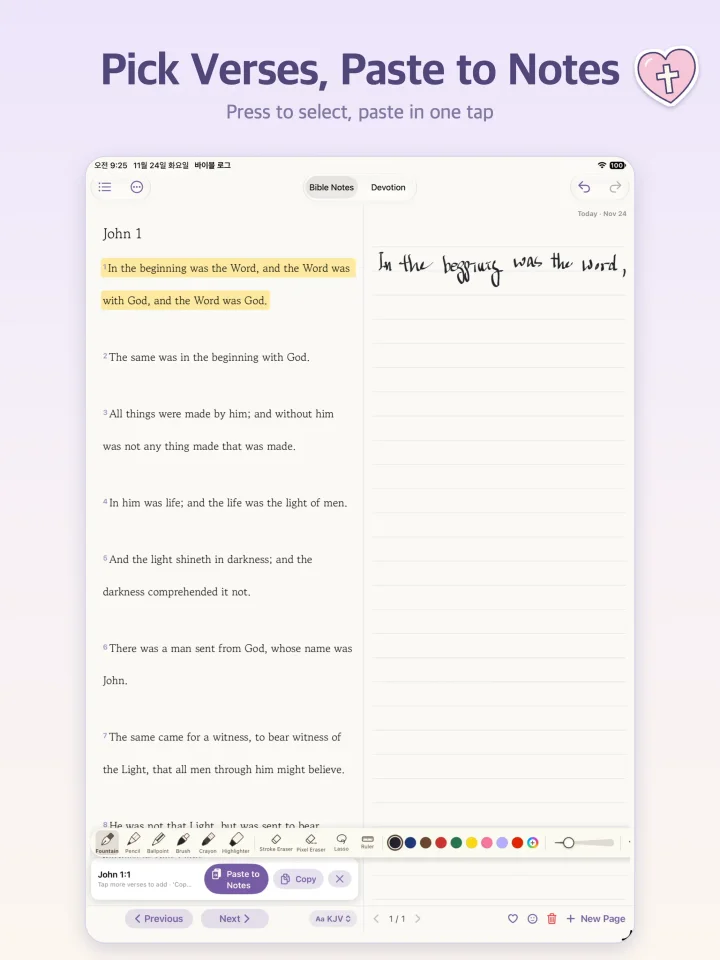
• Press and hold verses to paste them into your notes, or copy them to any chapter
• Decorate pages with emoji, picture stickers, round word stamps, and your own photos
• Bookmark favorite pages with a heart or a star
• Devotion calendar and reading plan to keep you going every day
TRANSLATIONS
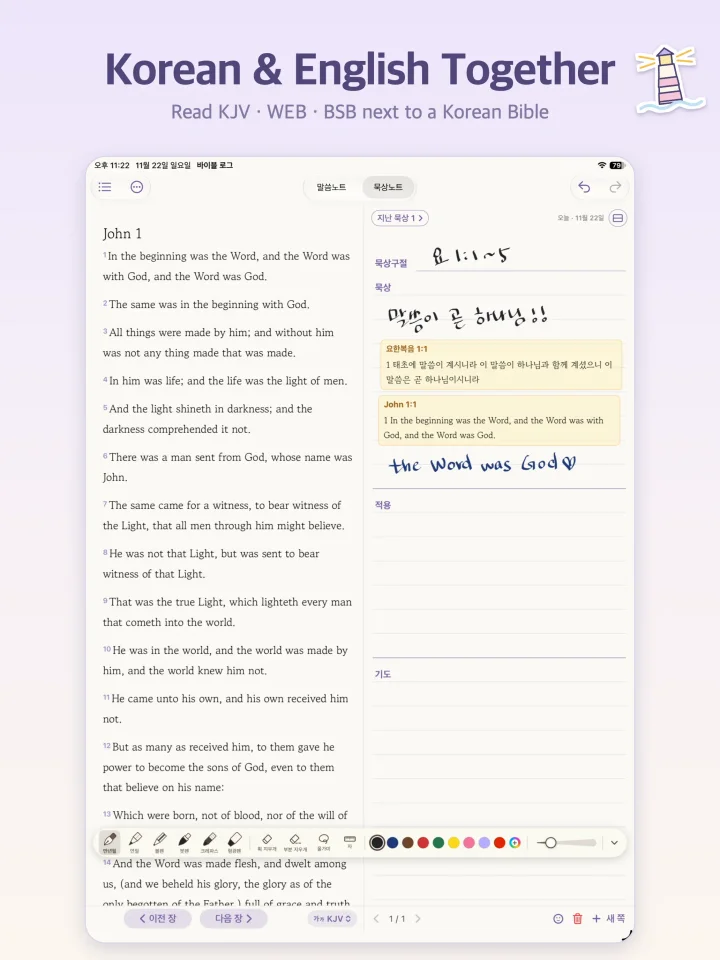
• BSB (Berean Standard Bible), WEB (World English Bible), KJV (King James Version)
• Korean Revised Version
PRIVATE BY DESIGN
• No account, no ads, no tracking
• Your notes are saved on your iPad and in your own iCloud, and sync across your iPads
What’s new
Version 1.2 · Nov 24, 2026
- Write a separate reading memo for each date, and look back at past memos any time.
- A simpler screen: one "Past notes" / "Past devotions" button gathers your earlier entries, and the calendar is free.
- The app now always opens to today's notebook. Past entries open read-only, and you can unlock them to edit.
- A calm new lavender look.
- New 7-day free trial. After the trial, reading the Bible and viewing past entries stay free.
- Devotion reminders: get today's verse at 9 in the morning and evening.
- Refreshed pens, including a new crayon pen and adjustable eraser size.
- Your Bible text font now stays the same across your devices.
- Fixed the iCloud sync issue that could make handwriting disappear.
Please update both your iPad and Mac to 1.2.
App privacy
What Dongseon Lee declares on the App Store about how this app handles data.
-
Data not collected
The developer does not collect any data from this app.
Privacy practices may vary, for example with the features you use or your age.
Information
- Seller
- Dongseon Lee
- Category
- Books
- Version
- 1.2
- Updated
- Nov 24, 2026
- Released
- Oct 27, 2026
- Size
- 35.1 MB
- Requires
- iOS 17.0 or later
- Age rating
- 4+
- Price
- Free
- In-app purchases
- Yes
- Languages
- English, Korean
- Copyright
- © Dongseon Lee
You might also like
-
 Journaly BibleBooks
-
 Scriptly: Bible NotesRead aloud, study, journal
-
 VerseWrite – Bible WritingScripture Journal & Study
-
 파워바이블 - 원어성경 매일 묵상Books
-
 The Good BibleRead, highlight, write notes
-
 성경읽기표 - 바른성경Books
-
 토브성경Books
-
 북이오 - bukioBooks
-
 Big Text Bible - Easy to ReadLarge Print · Audio · Offline
-
 Chowon Bible: AI Bible StudyAudio Bible & Daily Devotions