
BibleTok: Scroll Scripture
Scroll & Study Scripture Daily
Designed for iPhone, iPod touch
Free · In-app purchases
- Age rating4+
- CategoryBooks
- DeveloperMichael Breibart
- LanguagesEnglish+ 4 more
- Size84.6 MB
Links to the official App Store page
Download.org hosts no file of BibleTok: Scroll Scripture. The button opens its official App Store page, published by Michael Breibart. Listing last checked on Nov 25, 2026.
Screenshots

About
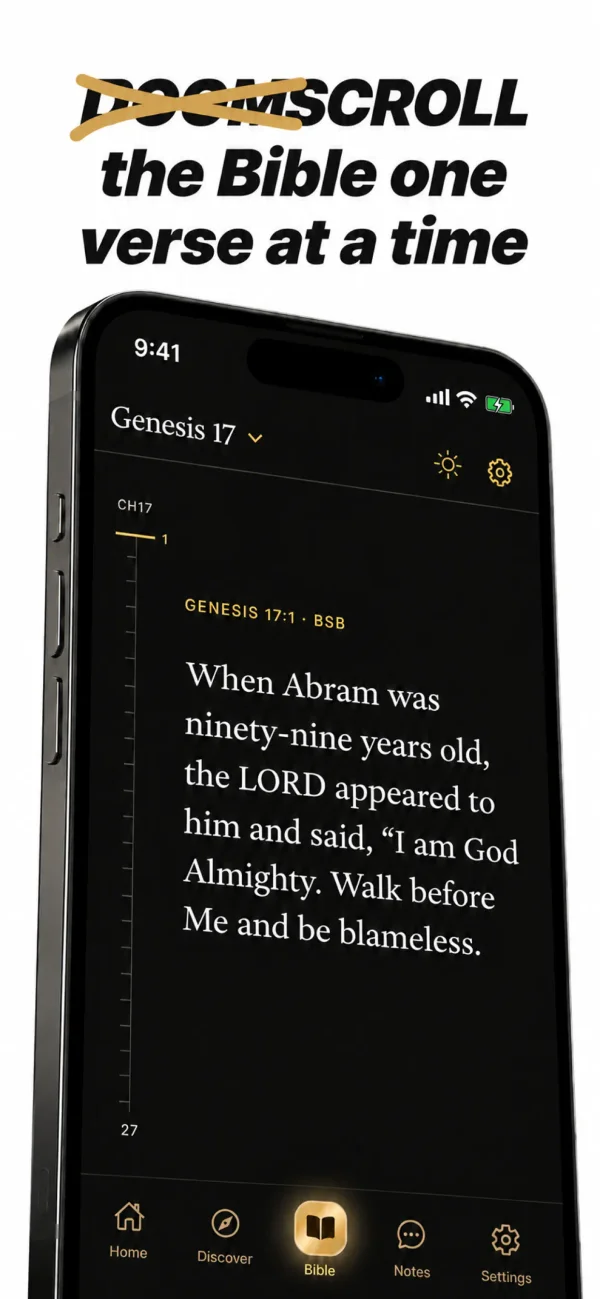
Scroll the Bible one verse at a time, with space to slow down and understand what you read.
BibleTok brings the complete Bible into a focused reading experience. Choose from English editions including the Berean Standard Bible (BSB), English Standard Version (ESV), and New International Version (NIV), plus Reina-Valera 1909 in Spanish, Bíblia Livre in Brazilian Portuguese, Tagalog Unlocked Literal Bible in Filipino, and the Simplified Chinese Union Version. Swipe through verses, continue into the next chapter, and return to your place whenever you come back.
YOUR LANGUAGE
• Use BibleTok in English, Spanish, Brazilian Portuguese, Filipino, or Simplified Chinese.
• Follow your phone’s preferred language or choose a language in Settings.
• Select the app language and offline Bible edition separately.
READ WITH FOCUS
• Explore every book and chapter in a simple vertical reader.
• Find a passage by reference or search for words from a verse.
• Choose a rich dark theme or a clean light theme.
GO DEEPER
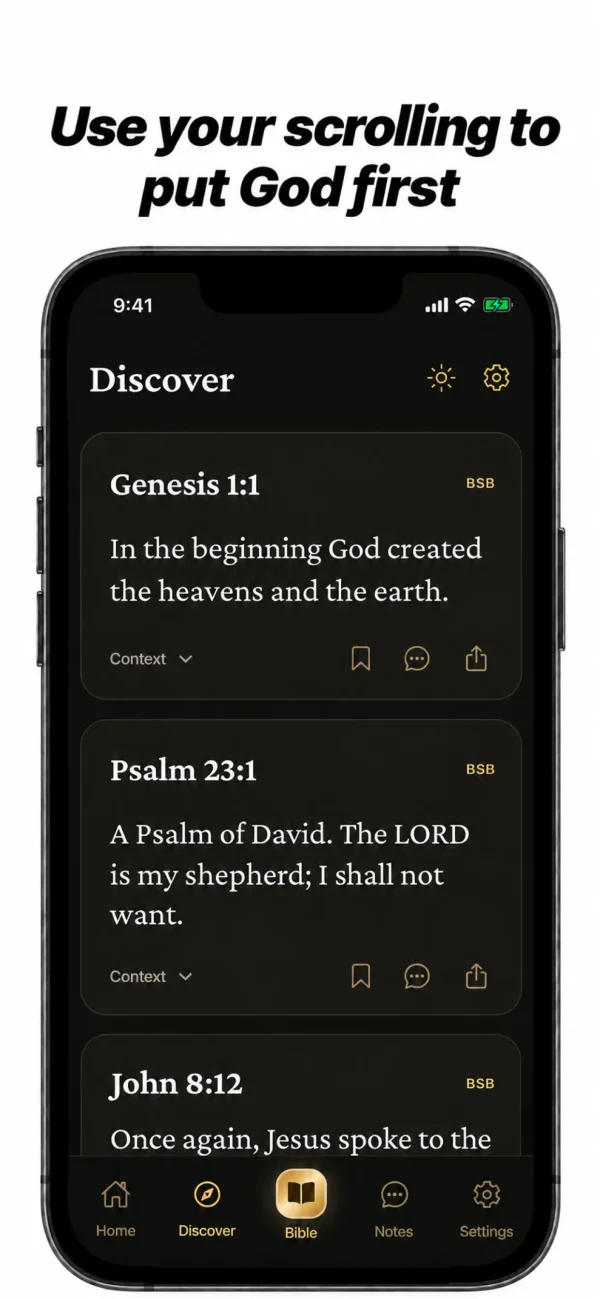
• Discover curated passages with context and related verses.
• Open a verse for context and optional AI-generated study.
• Save and share meaningful verses, and keep private notes on your device.
BUILD A RHYTHM
• Follow plans for Psalms, Proverbs, the New Testament, or the whole Bible.
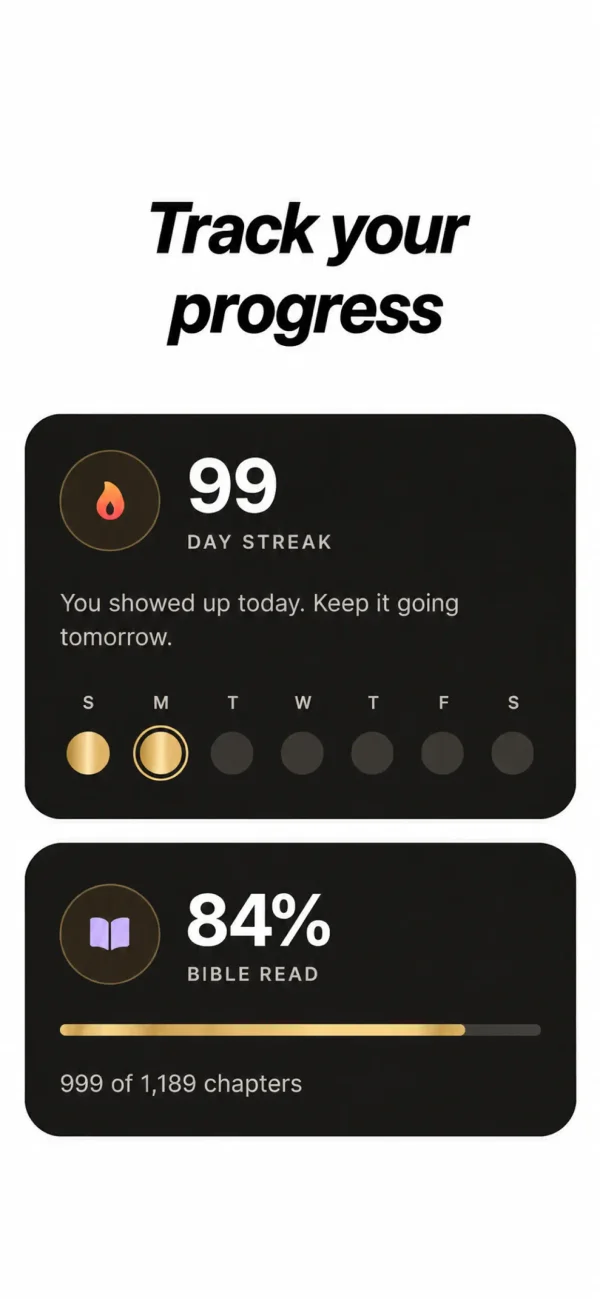
• See your reading streak and completed-chapter progress.
• Choose optional evening reading reminders.
Access offers may vary. Your onboarding screen explains the offer available to you: either 72 hours of full access without a payment method or automatic charge, or subscription access with an Apple-managed three-day free trial for eligible customers. A monthly or yearly subscription is required after your access period ends. The app shows the current localized price and any available trial before you subscribe. Apple handles billing. Subscriptions renew automatically unless canceled in your Apple Account; an eligible subscription trial renews at the displayed price unless canceled.
Privacy Policy: https://sites.google.com/view/bibletok-legal
Terms of Use: https://www.apple.com/legal/internet-services/itunes/dev/stdeula/
What’s new
Version 1.2.2 · Nov 23, 2026
Updated our official website link to bibletok.biz, where you can explore BibleTok and try the verse reader.
App privacy
What Michael Breibart declares on the App Store about how this app handles data.
-
Data linked to you
May be collected and linked to your identity.
- Purchases
- Identifiers
- Usage data
Privacy practices may vary, for example with the features you use or your age.
Information
- Seller
- Michael Breibart
- Category
- Books
- Version
- 1.2.2
- Updated
- Nov 23, 2026
- Released
- Oct 15, 2026
- Size
- 84.6 MB
- Requires
- iOS 15.1 or later
- Age rating
- 4+
- Price
- Free
- In-app purchases
- Yes
- Languages
- English, Filipino, Portuguese, Simplified Chinese, Spanish
- Copyright
- © 2026 Michael Breibart
You might also like
-
 Bible Scroll: Read & FocusScripture, study & daily focus
-
 Scroll Bible DailyBooks
-
 Anointed.io - Study BibleThe Infinite Scroll Bible
-
 God Focus: Bible ScrollChristian App Blocker & Widget
-
 VerseFeed: Scroll the BibleScripture Feed & AI Study
-
 Original BibleBring God's Scripture to life!
-
 Scroll for JesusScroll Bible Verses for FREE
-
 Novel – AI ReaderBooks
-
 HolyScrollerScroll the Scriptures!
-
 Bible Speed ReadRead Scripture at your pace