Big Ball Walkouts
Walkout music & player intros
Designed for iPhone
In-app purchases
- Age rating4+
- CategorySports
- DeveloperDaniel Neeley
- LanguagesJapanese+ 32 more
- Size20.9 MB
Links to the official App Store page
Download.org hosts no file of Big Ball Walkouts. The button opens its official App Store page, published by Daniel Neeley. Listing last checked on Nov 12, 2026.
Screenshots



About
Give every player a big-league walkout. Big Ball Walkouts keeps your team's walkout songs, announcer intros and break music on your iPhone, ready for game day.
GAME DAY
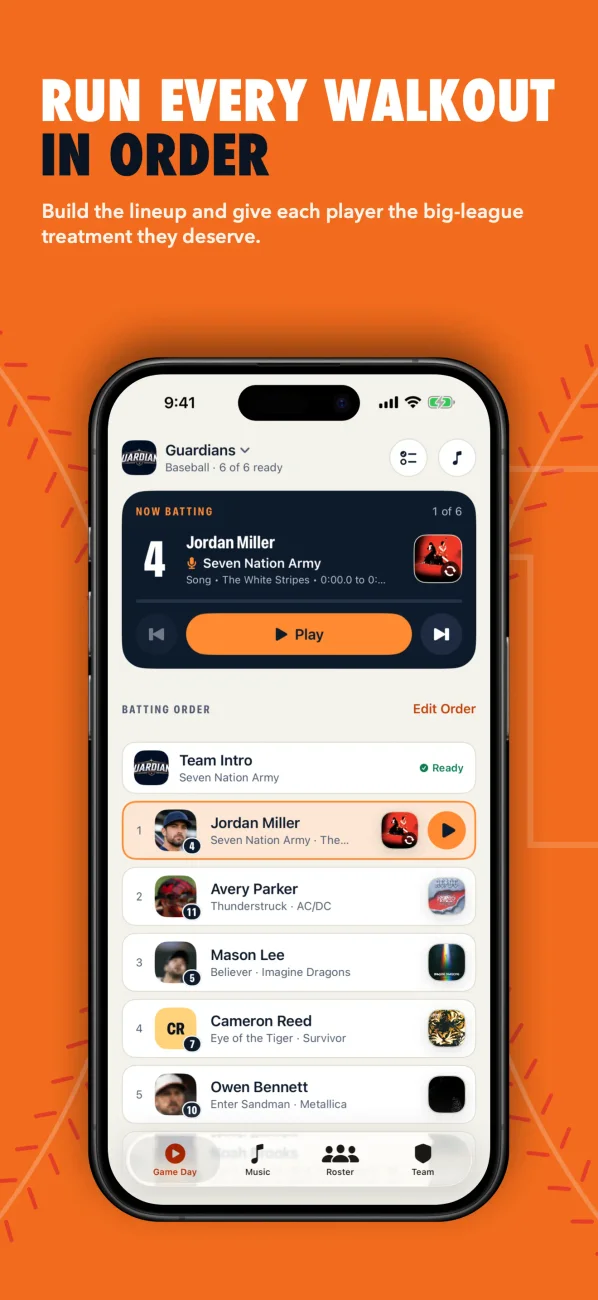
• Play each batter's walkout in order, with their photo, song and intro.
• Press and hold to move batters in the order, or tap Next Batter to skip ahead.
• Control walkouts from the Lock Screen, Control Center or Siri without opening the app.
• Run the Pre-Game Check to confirm every song, Apple Music, internet and volume are ready.
PLAYERS AND SONGS
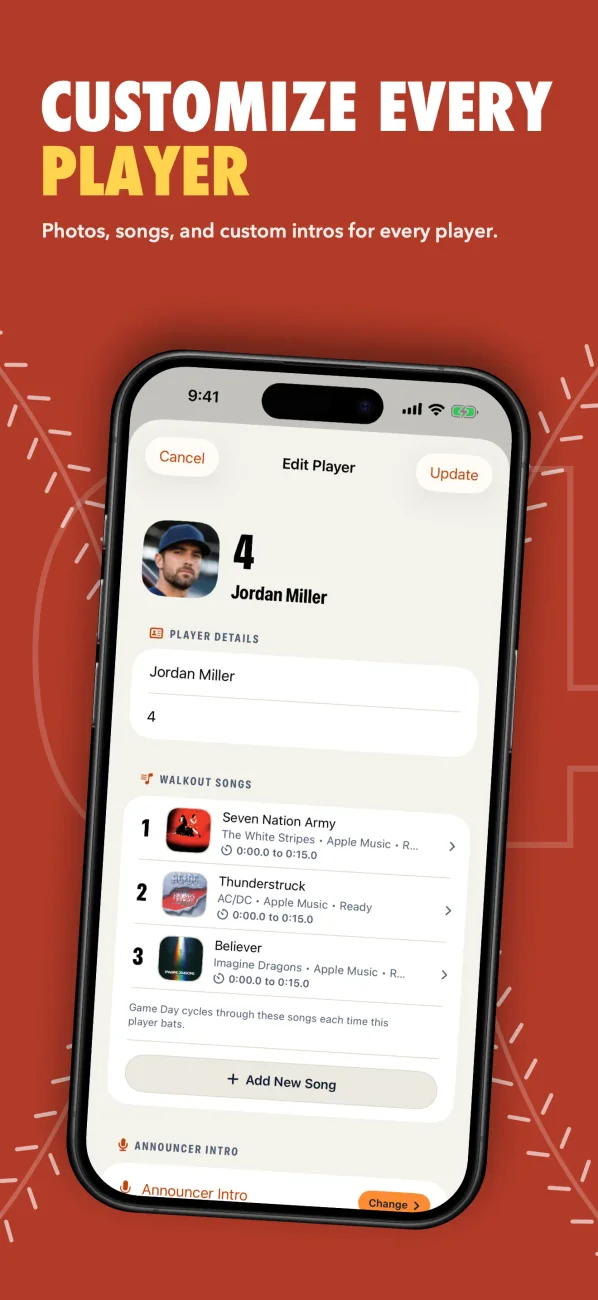
• Build rosters with player photos, numbers and several walkout songs per player or team.
• Import a roster from a spreadsheet saved as CSV or TSV, review it, and update an existing team.
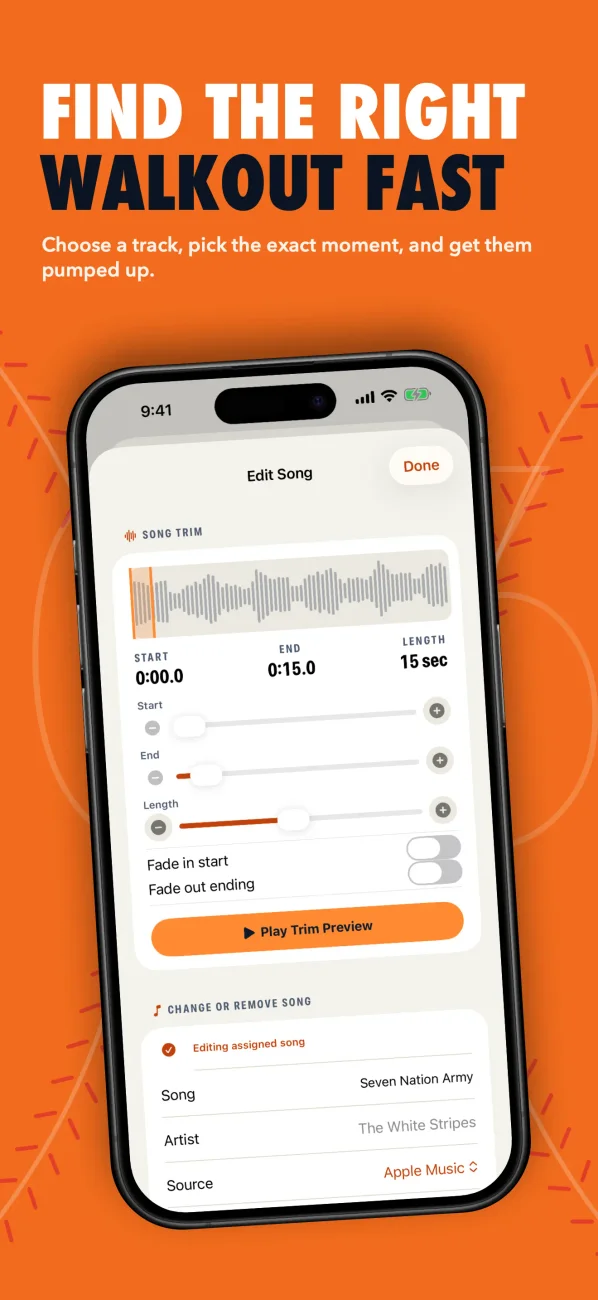
• Choose where each song starts and how long it plays, with fade in and fade out.
• Invite players to send song requests, then preview and apply them.
INTROS AND BREAK MUSIC
• Add pro-style announcer intros with Pro, or record your own.
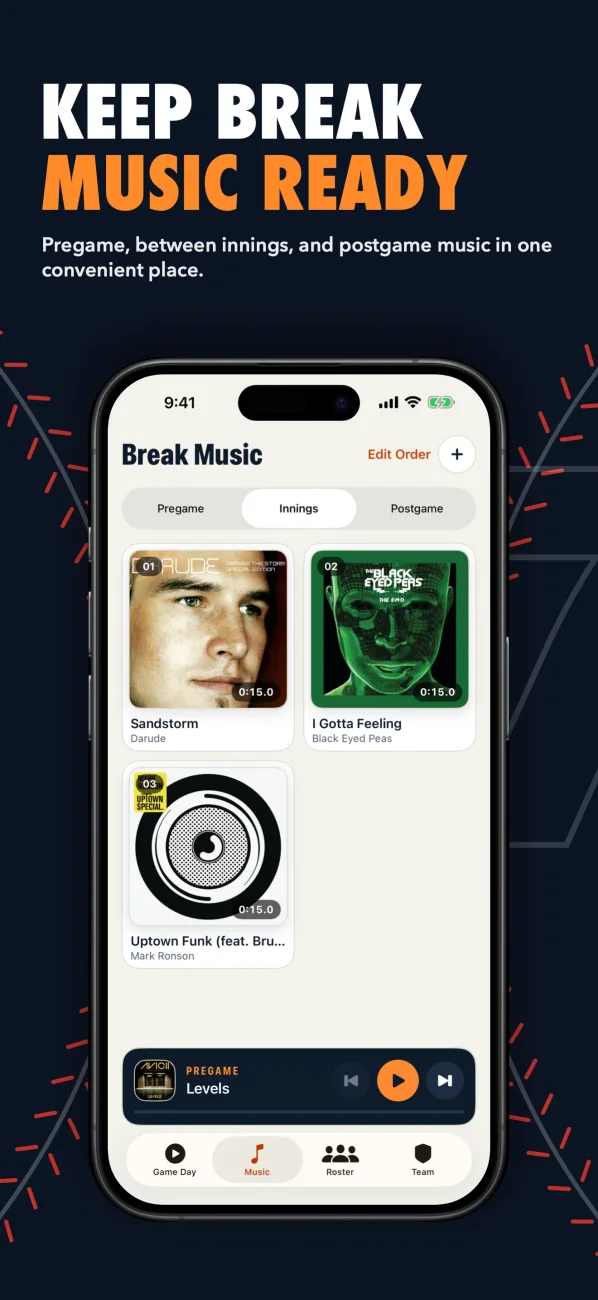
• Keep pregame, between-innings and postgame music ready to play.
Use Apple Music, playable purchased music, or local audio files. Apple Music subscription tracks require an active subscription.
Free includes one team with up to 5 players. Pro unlocks unlimited teams and players, team sharing, Family Sharing and generated announcer intros, which use voice credits. No separate Big Ball Walkouts account is required.
What’s new
Version 1.1.0 · Oct 23, 2026
Big Ball Walkouts 1.1 is redesigned around four tabs: Game Day, Music, Roster and Team.
• Lock Screen and Dynamic Island: see who's batting and on deck, then play or skip without opening the app. Also in Control Center and Siri.
• Pre-Game Check: every batter's audio, Apple Music, internet and volume, each with a fix.
• Import a roster from a spreadsheet saved as CSV or TSV, review it first, and update an existing team.
• Press and hold to move batters in the Game Day order.
• Album art on the Music tab and break music.
• Two-page layout on iPhone Duo, and better support for large text sizes.
• Crash reports stay on your iPhone until you choose to send them to support.
• Fixed Apple Music going silent after switching songs.
App privacy
What Daniel Neeley declares on the App Store about how this app handles data.
-
Data not linked to you
May be collected but is not linked to your identity.
- User content
- Identifiers
- Usage data
Privacy practices may vary, for example with the features you use or your age.
Information
- Seller
- Daniel Neeley
- Category
- Sports
- Version
- 1.1.0
- Updated
- Oct 23, 2026
- Released
- May 28, 2026
- Size
- 20.9 MB
- Requires
- iOS 18.6 or later
- Age rating
- 4+
- In-app purchases
- Yes
- Languages
- Japanese, Arabic, Italian, Indonesian, Ukrainian, Dutch, Catalan, Greek, Croatian, Swedish, Spanish, Slovak + 21 more
- Copyright
- © 2026 Daniel Neeley