Big Digital Clock - Desk Clock
Full Screen Clock with Weather
Designed for iPhone, iPad, iPod touch
Free · In-app purchases
- Age rating4+
- CategoryUtilities
- DeveloperHank Wang
- LanguagesEnglish+ 3 more
- Size21.2 MB
Links to the official App Store page
Download.org hosts no file of Big Digital Clock - Desk Clock. The button opens its official App Store page, published by Hank Wang. Listing last checked on Nov 27, 2026.
Screenshots
About
Electronic Clock is a minimal full-screen digital clock — and a way to give the old phone in your drawer a second life.
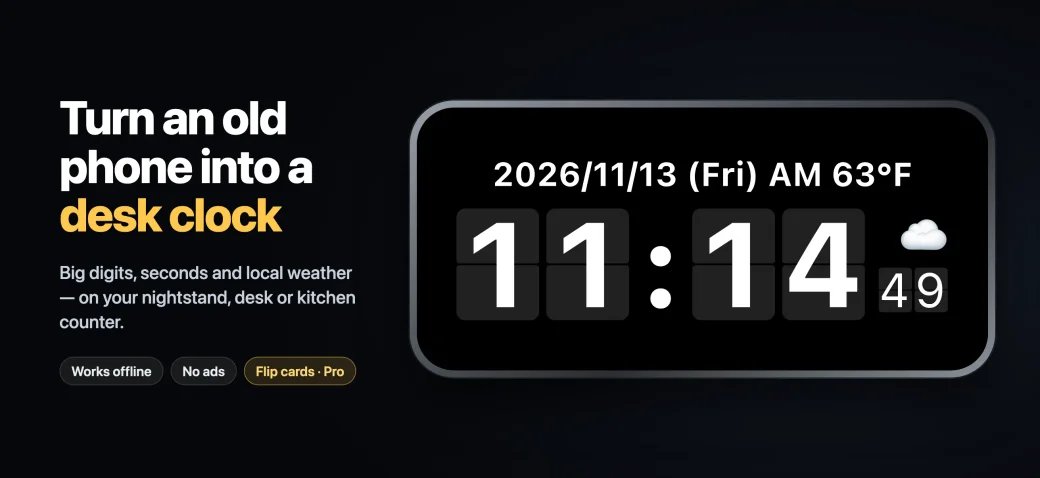
Plug an old phone or tablet into power, open Electronic Clock, and it becomes a big clock for your desk, nightstand or wall, with the local weather on screen too. Instead of letting an old device gather dust or end up as e-waste, put it back to work — and skip buying another clock.
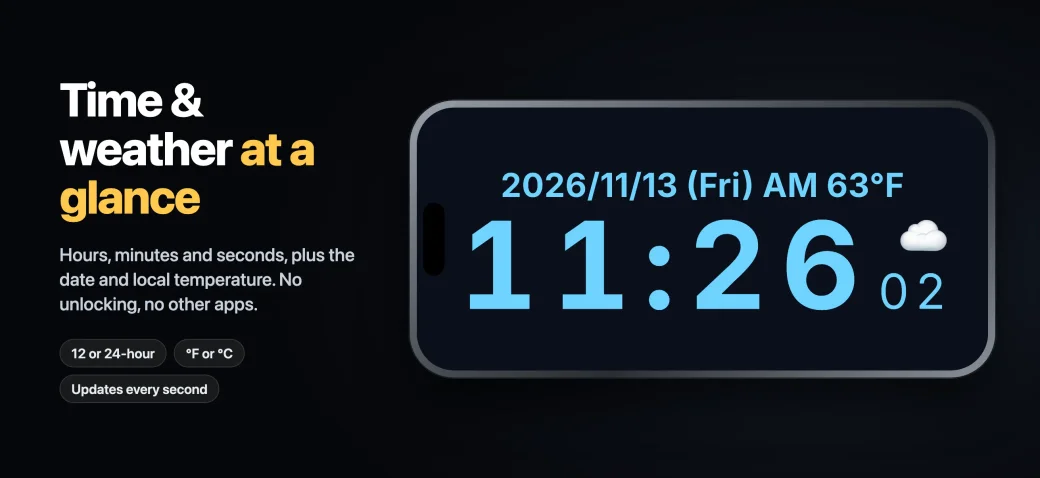
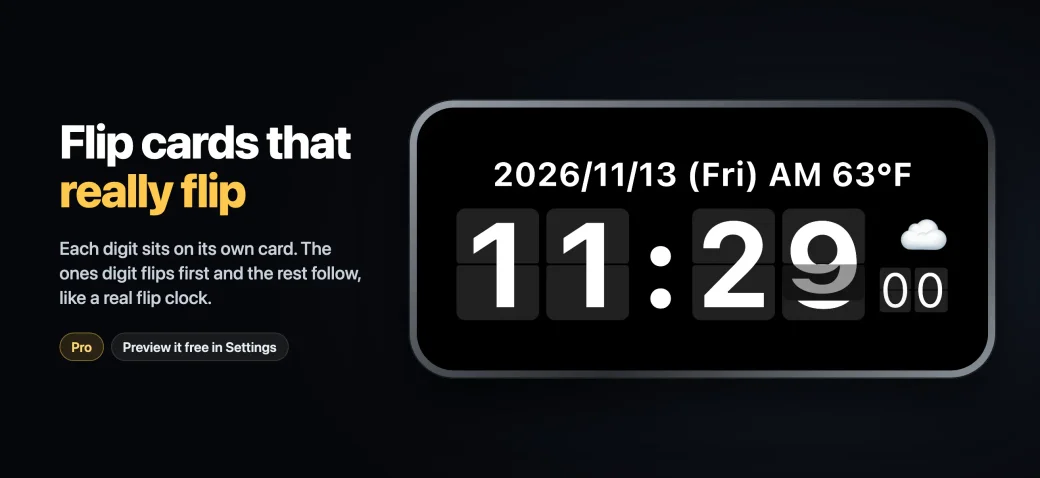
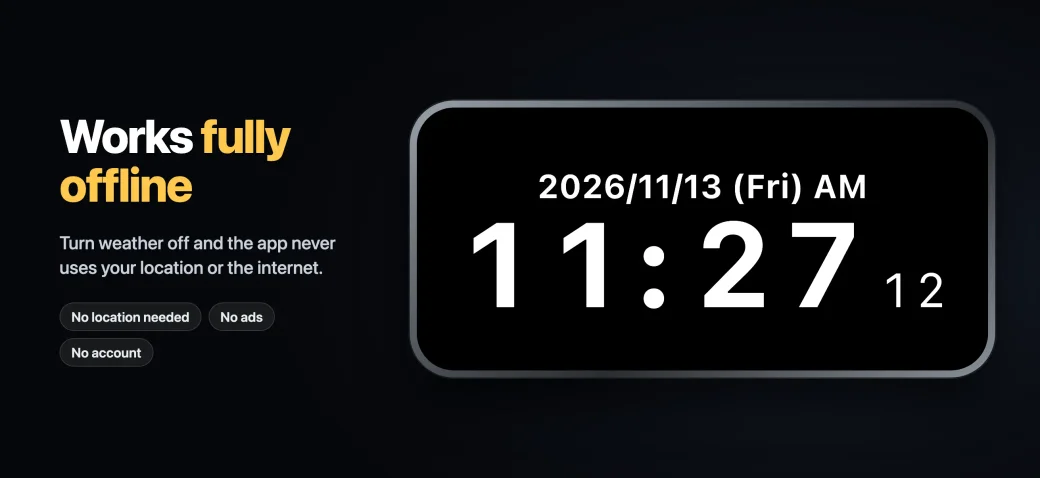
Time and weather at a glance: large hours and minutes fill the center of the screen, with seconds and a weather emoji right beside them, and the date, weekday and local temperature along the top. No unlocking, no opening other apps — one look tells you the time, the temperature and whether you need an umbrella.
Ideas for an old device:
• An old iPhone as a bedside clock, a retired iPad as a living room or kitchen clock
• A spare phone on your office desk, in the entryway or at a shop counter
• Second-hand phones, backup phones and hand-me-downs all find a use
Features:
• 12-hour or 24-hour clock that updates every second — set automatically for your region
• Date and weekday at the top, with the weekday in English, Chinese or Japanese
• Seconds and a weather emoji next to the time
• Optional: uses your location to show the local temperature (°C or °F) and conditions
• Weather data from MET Norway's public API — free, no ads
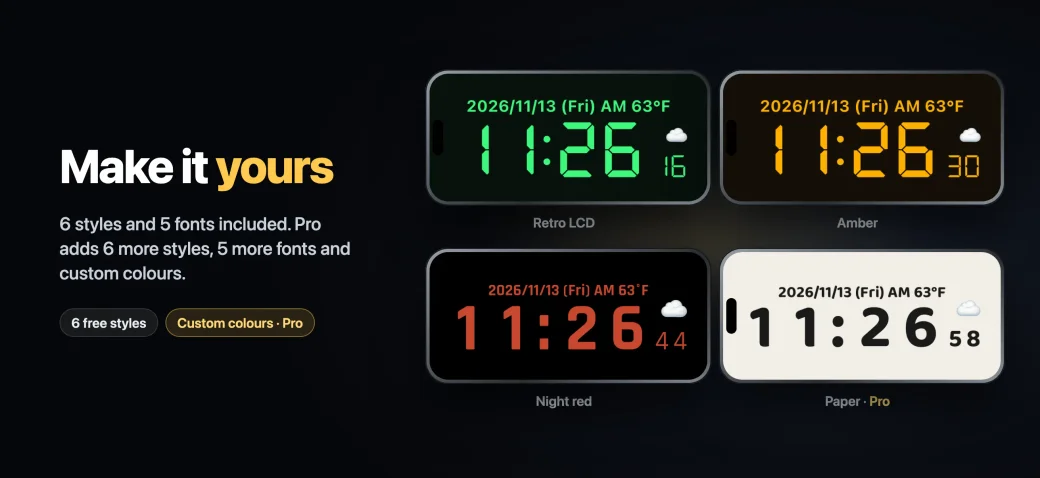
• Choose the font, text size, text colour and background colour, or pick a built-in style preset
• Celsius or Fahrenheit, matched to your region by default
• App available in English, Traditional Chinese, Simplified Chinese and Japanese
• Landscape full-screen layout on a black background by default; text scales to fit iPhone and iPad
• Keeps the screen awake and hides the status bar for a clean display
Optional Pro (one-time purchase, yours forever):
• Custom colours for text and background
• 5 extra fonts and 6 extra style presets
• Flip clock animation
Privacy:
No account, no ads, no analytics, no developer servers. Location permission is optional; if granted, coordinates are rounded to about 1 km and sent only to MET Norway to look up the weather — never stored or tracked. See the privacy policy for details.
What’s new
Version 1.0.6 · Nov 13, 2026
• New "Show weather & temperature" switch in Settings: turn it off and the app never uses location or the internet
• When weather isn't available (for example without location permission), "--°C" is no longer shown
• New Pro "Flip cards" style: each digit flips on its own split card (the original "Flip" style is still available)
• Flips now cascade from the ones digit leftward and land with a gentle bounce
App privacy
What Hank Wang declares on the App Store about how this app handles data.
-
Data not linked to you
May be collected but is not linked to your identity.
- Location
Privacy practices may vary, for example with the features you use or your age.
Information
- Seller
- Hank Wang
- Category
- Utilities
- Version
- 1.0.6
- Updated
- Nov 13, 2026
- Released
- Sep 11, 2026
- Size
- 21.2 MB
- Requires
- iOS 15.0 or later
- Age rating
- 4+
- Price
- Free
- In-app purchases
- Yes
- Languages
- English, Japanese, Simplified Chinese, Traditional Chinese
- Copyright
- © 2026 Handstar Apps
You might also like
-
 Minimal Digital Clock & AlarmAesthetic Nightstand & Desk
-
 Fullscreen Clock: Flip & FocusAesthetic Study Timer & Widget
-
 The Clocks: Alarm, World ClockGenuine Flip, Digital, Analog
-
 Simple_ClockMinimal Analogue Clock
-
 One Touch Alarm ClockSet in two seconds!
-
 Flip Clock:Digital Desk WidgetStandBy Lock Screen & Pomodoro
-
 Alarm Clock HDLoud Alarms, Music & Sounds
-
 Alarm Clock for Me - Wake Up!Sleep Timer & Morning Music
-
 Smart Alarm Clock - Waking UpWake up to music: sleep timer
-
 Alarm Clock: Music & MathSounds, Puzzles & Challenges