Bill Tracker - NextDue
Subscription & Due Reminders
Designed for iPhone, iPad
Free · In-app purchases
- Age rating4+
- CategoryFinance
- DeveloperMarck Angelo Bonquin
- LanguagesEnglish
- Size68.8 MB
Links to the official App Store page
Download.org hosts no file of Bill Tracker - NextDue. The button opens its official App Store page, published by Marck Angelo Bonquin. Listing last checked on Nov 23, 2026.
Screenshots
About
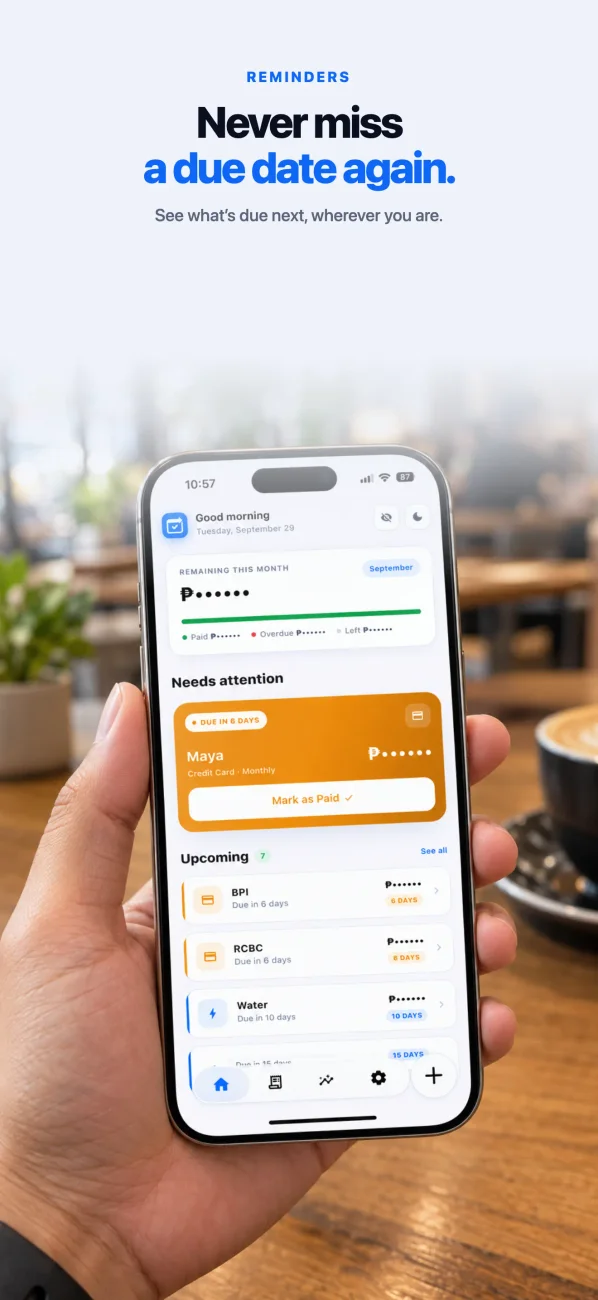
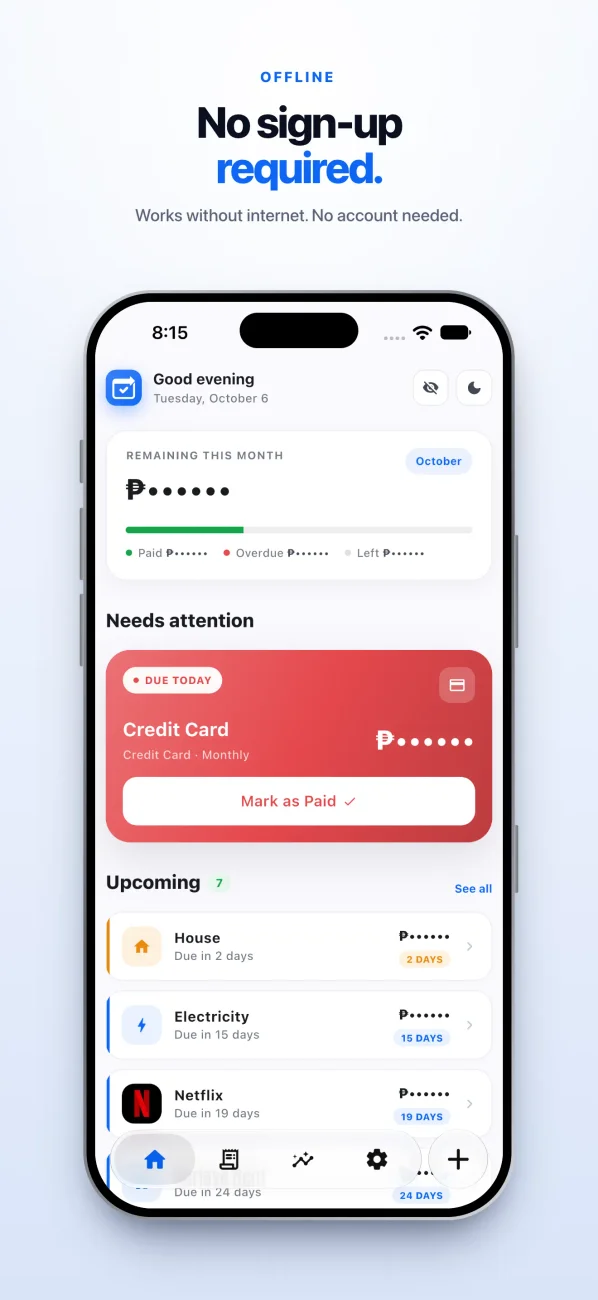
Never miss a bill again — and keep your finances private. NextDue is the bill tracker that stores everything on your phone. No account, no cloud, no sign-up. Track bills, subscriptions, and due dates privately, with Home Screen and Lock Screen widgets that keep you on top of every payment at a glance.
Managing money shouldn't mean handing your financial life to someone else's servers. NextDue gives you a clean, simple way to organize everything you owe — utilities, credit cards, rent, loans, and subscriptions — while your data stays yours.
FEATURES
Scan or Add Bills — Snap a photo of a paper bill or add one manually in seconds.
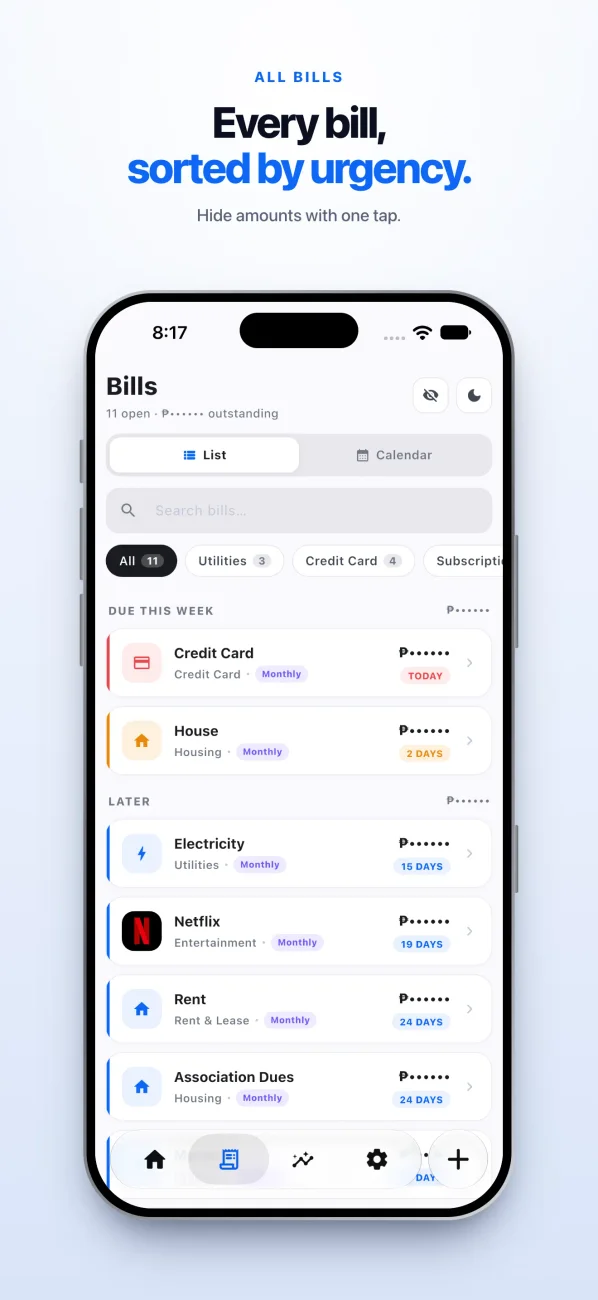
Smart Due Date Tracking — Instantly see what's due today, tomorrow, and this week.
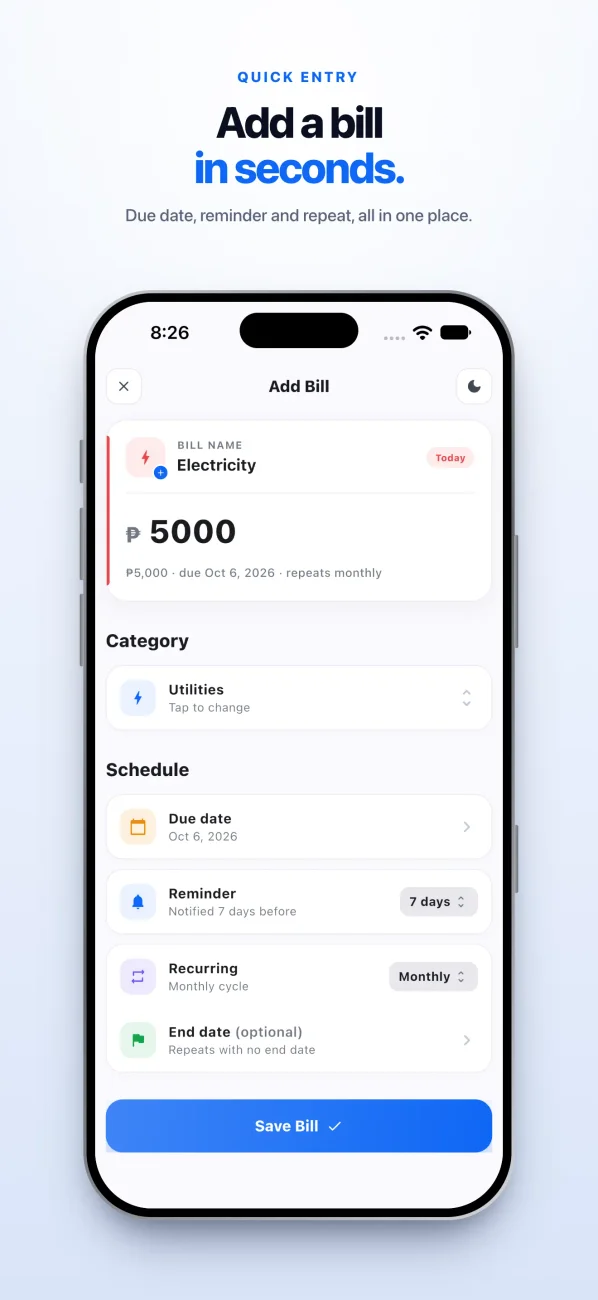
Recurring Bills & Subscriptions — Set weekly, monthly, quarterly, or yearly cycles once and never re-enter them.
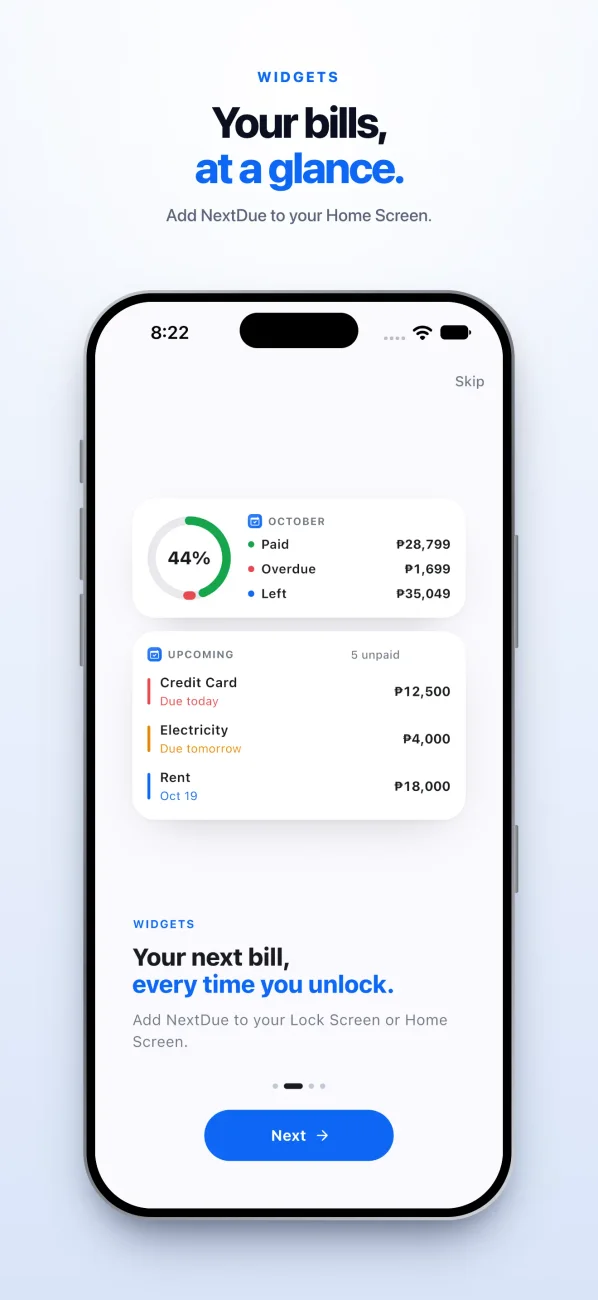
Home Screen & Lock Screen Widgets — Check what's due without opening the app.
Custom Payment Reminders — Get notified 1, 3, or 7 days ahead, your choice, per bill.
List & Calendar Views — Browse your bills the way you like.
Payment History & Proof of Payment — Mark bills paid and attach a photo or note for your records.
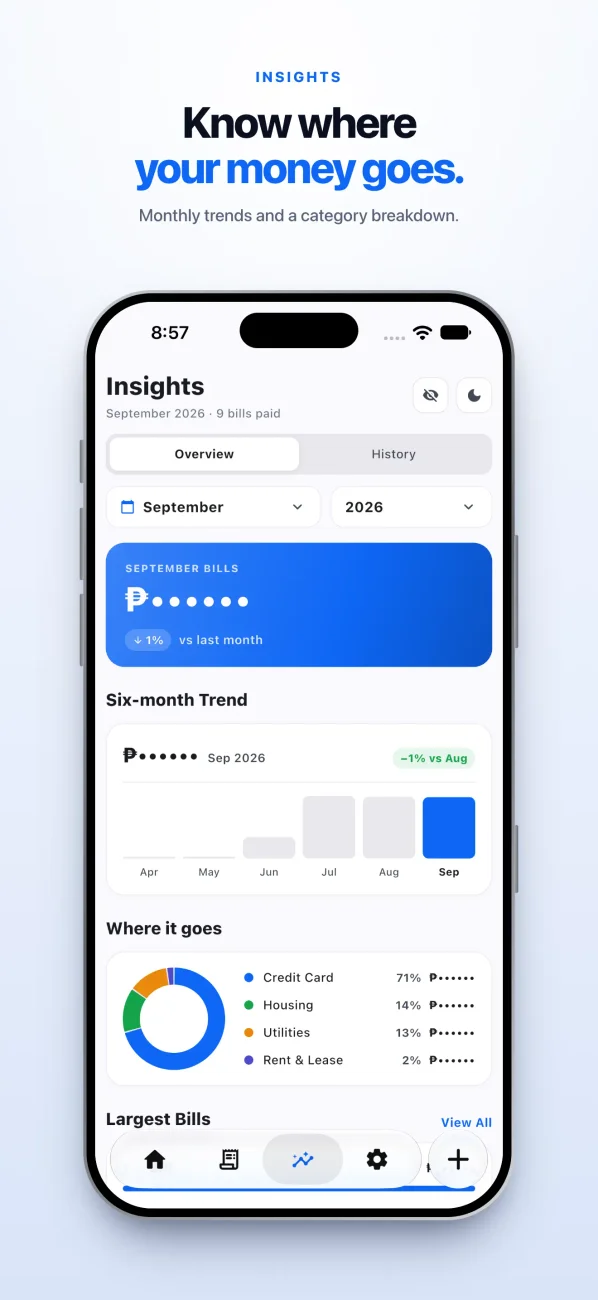
Insights — See upcoming totals, paid vs. pending, and your monthly overview at a glance.
Custom Categories — Organize your bills using categories that fit your needs.
App Lock — Extra privacy when others can see your screen.
Local Backup & Restore — Back up and restore your data anytime, without an account or cloud storage.
Multiple Currencies — Track bills in the currency you use, wherever you are.
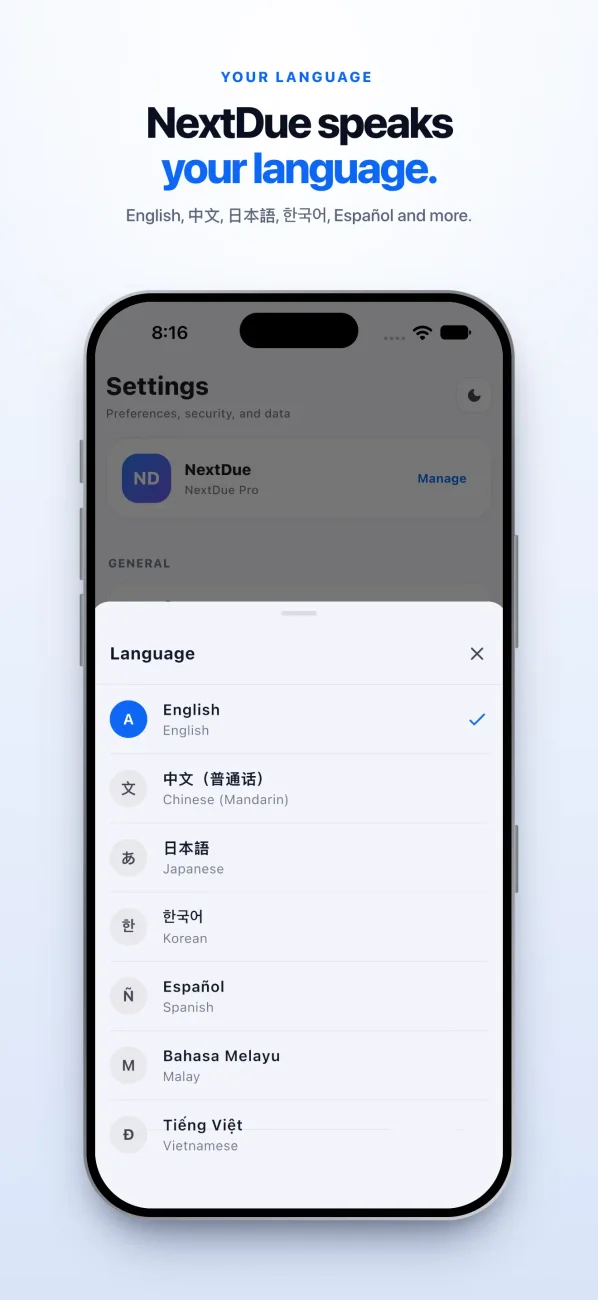
Multiple Languages — Use NextDue in your preferred language.
Works Fully Offline — Manage everything with zero internet connection.
PERFECT FOR
Utilities & Internet · Credit Cards & Loans · Rent · Subscriptions & Streaming · Insurance Premiums · Personal & Household Expenses
WHY PRIVACY MATTERS
Most bill trackers ask you to create an account and sync your financial data to their servers. NextDue doesn't. Your bills, amounts, and due dates stay on your device. No account, no cloud storage, and no subscription required.
FREE TO START, YOURS TO KEEP
Track up to 3 bills free with every feature unlocked. Need more? Upgrade to NextDue Pro for unlimited bills, multiple languages, multiple currencies, backup, and custom categories.
One-time purchase. No subscription, ever.
Download NextDue today and stay ahead of every due date — privately.
What’s new
Version 3.2.0 · Nov 19, 2026
NextDue is now free, with an optional one-time upgrade.
NextDue Pro — unlock unlimited bills with a single one-time purchase. No subscription, ever.
NextDue v3 is our biggest update yet: a home for your notes, bills that pay themselves off from a screenshot, and a fresh Liquid Glass look.
NEW: NOTES
• A new Notes tab for account numbers, reference codes and reminders
• Format with titles, bold, italics and lists
• Pin the important ones, and choose whether they show at the top or bottom of Home
LOG PAYMENTS FASTER
• Share to NextDue (Pro): share a receipt or bill from Photos, and NextDue reads it and fills in the details for you
• Log Payment in Apple Shortcuts (Pro, iOS 18+): run it on a payment receipt and the bill is marked as paid, with the screenshot saved as proof, without opening the app. Works great with Back Tap, AssistiveTouch or the Action Button
• The amount on your receipt is what gets recorded
EASIER BILL UPDATES
• Quick update: long-press a bill to change this month's amount and due date in seconds. Perfect for credit cards
• Installment plans: track how many payments are left and when you'll be done
• Swipe left to pay, swipe right to skip a payment
• Remove a payment you logged by mistake
• Smarter bill-name suggestions with hundreds of local billers
PERSONALIZE
• Use any emoji as a category icon
• Edit, rename and delete categories in Settings
A FRESH LOOK
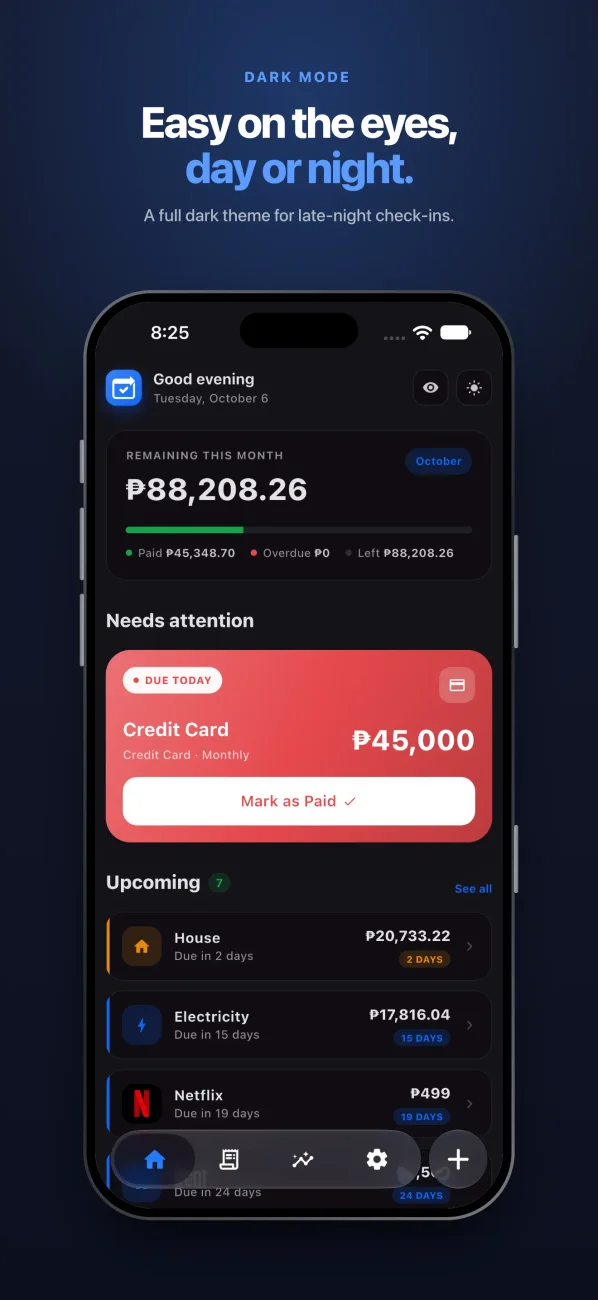
• Liquid Glass buttons and navigation
• Settings now lives in the top corner of every screen
• Ready for iPhone Duo, inside and out, including both displays and the fold
What's New in NextDue 3.1
PARTIAL PAYMENTS
• Paid only part of a bill? Just enter the amount when you mark it as paid. NextDue keeps the bill due on the same date and shows what's left, so the rest never slips your mind.
• See what you've paid at a glance — on your bills, the Needs attention card and bill details
• Every partial payment is labelled in your history, with what's left to pay
• Scanned or shared receipts for less than the bill ask whether it was part of the bill or its new amount
• Lowered a bill to what you've already paid? NextDue marks it as paid for you
Also in this update
• Fixed Log Payment asking for NextDue Pro after importing a backup
• Bills can now have a zero amount — handy for free months or waived fees
• A cleaner "Where it goes" chart in Insights
• The amount field always shows your currency when marking a bill as paid
• Amounts typed with a comma now work everywhere
What's New in NextDue 3.2.0
iCloud Sync (PRO)
Your bills, payments, receipt photos and notes now stay in sync across your iPhone and iPad through your own iCloud. Turn it on in Settings › Data › iCloud Sync. It works offline too, and catches up when you're back online.
Notes on your bills
Add a note to any bill, such as an account number, a reference code or a reminder to yourself. You'll find it on New Bill and Edit Bill.
Backups with photos
Exported backups now include your receipt photos and bill images, so restoring brings everything back. Older backups still import as before.
Pro on all your devices
Bought NextDue Pro on one device? It now unlocks automatically on your other iPhone or iPad with the same Apple ID. No restore needed.
Thanks for using NextDue.
If you're enjoying it, a rating means the world to us.
App privacy
What Marck Angelo Bonquin declares on the App Store about how this app handles data.
-
Data not collected
The developer does not collect any data from this app.
Privacy practices may vary, for example with the features you use or your age.
Information
- Seller
- Marck Angelo Bonquin
- Category
- Finance
- Version
- 3.2.0
- Updated
- Nov 19, 2026
- Released
- May 27, 2026
- Size
- 68.8 MB
- Requires
- iOS 16.0 or later
- Age rating
- 4+
- Price
- Free
- In-app purchases
- Yes
- Languages
- English
- Copyright
- © 2026 NextDue
You might also like
-
 Budget LadderFinance
-
 SubRadar: Track SubscriptionsTrack bills & cancel trials
-
 PocketPlan AISpend with confidence
-
 Profit Calculator : ProfitPalProfit & Margin Calculator
-
 PriceKeepFinance
-
 MonthLedgerMonthly Money, Made Clear
-
 My Coast Fire CalculatorCoast Fire Number in a Snap!
-
 Credit Card CalculatorCredit Card Payoff Calculator
-
 Don't Charge Me Bro: CancelSubscription & Trial Reminder
-
 iMoney - Money NotebookPersonal. Friends. Family.