BioStar X Mobile
Manage BioStar X & 2 with ease
Designed for iPhone, iPad, iPod touch
Free
- Age rating4+
- CategoryBusiness
- DeveloperSUPREMA
- LanguagesEnglish+ 3 more
- Size75.1 MB
Links to the official App Store page
Download.org hosts no file of BioStar X Mobile. The button opens its official App Store page, published by SUPREMA. Listing last checked on Nov 12, 2026.
Screenshots


About
BioStar X Mobile – Remote Access Control for BioStar X and BioStar 2
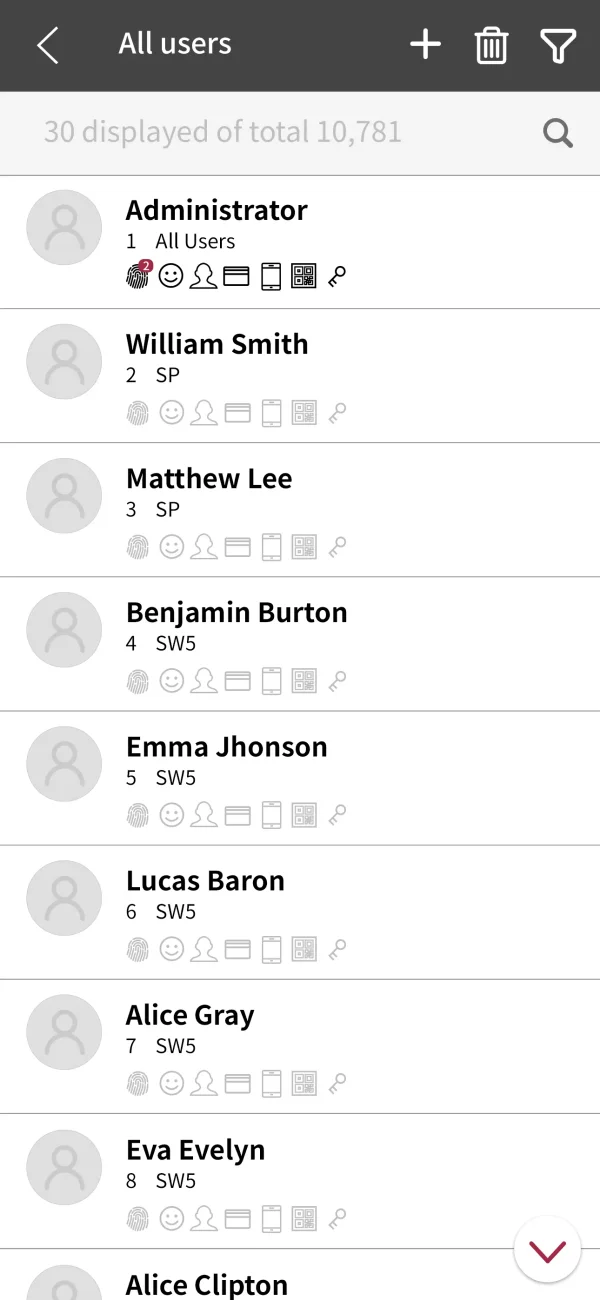
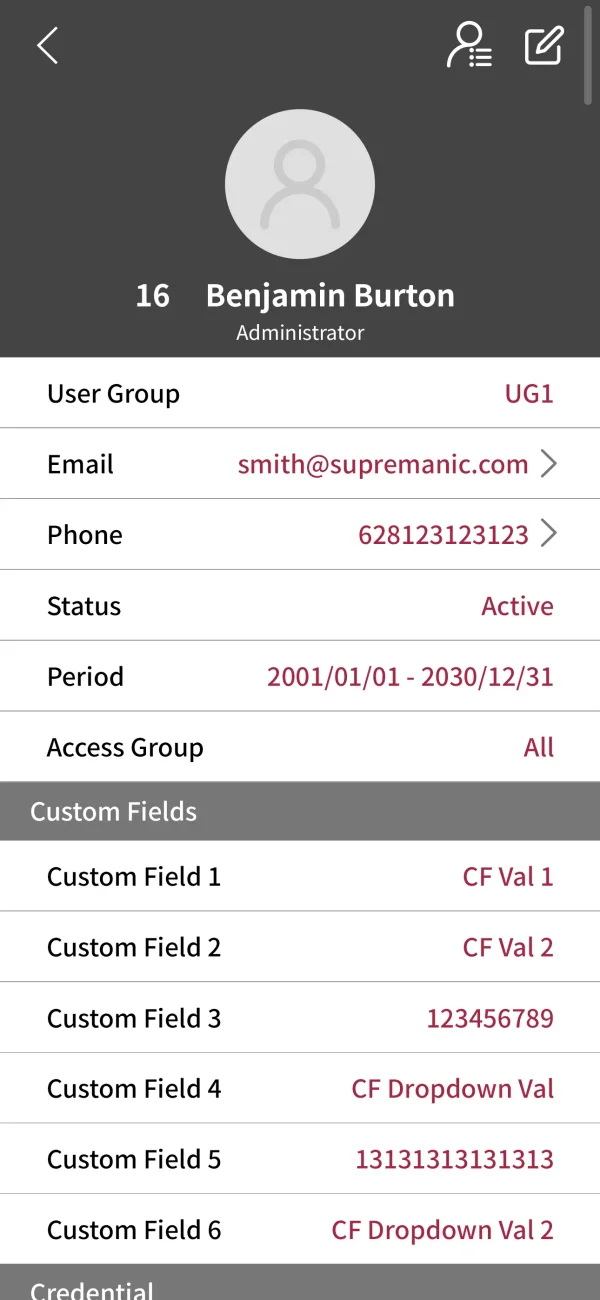
BioStar X Mobile empowers administrators to remotely manage BioStar X and BioStar 2 access control systems with enhanced flexibility. The app supports real-time monitoring, user and door management, and alert handling—anytime, anywhere.
Note:
- The app supports both BioStar X and BioStar 2. However, some features may only be available when connected to BioStar X.
- A functional BioStar X or BioStar 2 server with API access is required.
- This app cannot function independently and must be connected to a customer-operated BioStar X (or BioStar 2) server.
- BioStar X Mobile is intended for use by authorized administrators who are pre-registered in the BioStar X system.
- Suprema does not collect, store, or process any personal data through this app.
- Any user-related information (such as face images or credentials) is transmitted directly to the customer’s internal system and is never sent to Suprema’s servers.
[Key Features]
1) User Management
- Add, remove, and edit user information
- Manage credentials: cards, face, visual face, fingerprints
2) Door Control
- Lock, unlock, open, and release doors remotely
- Clear anti-passback (APB) and reset door alarms
3) Monitoring
- View real-time access event logs for continuous oversight
4) Alert Management
- Handle door, device, and advanced AC alerts
- Manage alerts efficiently with separate lists for new and acknowledged events
5) Permissions & Access
- Quick login with saved credentials
- Storage: Required to manage user images
- Camera: For visual face registration
- Biometrics: For secure biometric login
- Local Network (iOS): Required to connect to the BioStar X server over LAN.
6) Seamless Mobile Access
Extend your access control capabilities on the go. BioStar X Mobile lets you manage users, monitor events, and respond to alerts efficiently—right from your mobile device.
- Door alerts: open requests, forced open, held open
- Device alerts: tampering, reboot, RS485 disconnection
- Zone alarms: APB, fire, etc.
[App Permissions]
This application requests the following permissions only at the time of feature use (not during initial installation):
- Storage (Optional): Required for managing and uploading user images (e.g., from gallery or device storage)
- Camera (Optional): Used for capturing facial images for registration and video recording
- Biometrics (Optional): For secure login using device fingerprint or facial recognition
- Local Network (Required): Required for LAN communication with the customer’s BioStar X server.
Note: All permissions are requested only when needed, and users can deny any optional permission without affecting the basic functionality of the app.
What’s new
Version 1.0.6 · Oct 6, 2026
New Features and Bug Fixes
App privacy
What SUPREMA declares on the App Store about how this app handles data.
-
Data not collected
The developer does not collect any data from this app.
Privacy practices may vary, for example with the features you use or your age.
Information
- Seller
- Suprema Inc.
- Category
- Business
- Version
- 1.0.6
- Updated
- Oct 6, 2026
- Released
- Feb 16, 2025
- Size
- 75.1 MB
- Requires
- iOS 15.0 or later
- Age rating
- 4+
- Price
- Free
- Languages
- English, French, German, Polish
- Copyright
- © Copyright 2026. Suprema Inc. All rights reserved