Blinkode: Morse Translator
Thai Morse, Watch & widgets
Designed for iPhone, iPad, iPod touch
In-app purchases
- Age rating4+
- CategoryUtilities
- DeveloperSarayut Rungraung
- LanguagesEnglish+ 1 more
- Size29.4 MB
Links to the official App Store page
Download.org hosts no file of Blinkode: Morse Translator. The button opens its official App Store page, published by Sarayut Rungraung. Listing last checked on Nov 9, 2026.
Screenshots


About
Blinkode sends and reads Morse code in TWO alphabets — international A–Z and Thai. Everything runs on your device. No internet, no account.
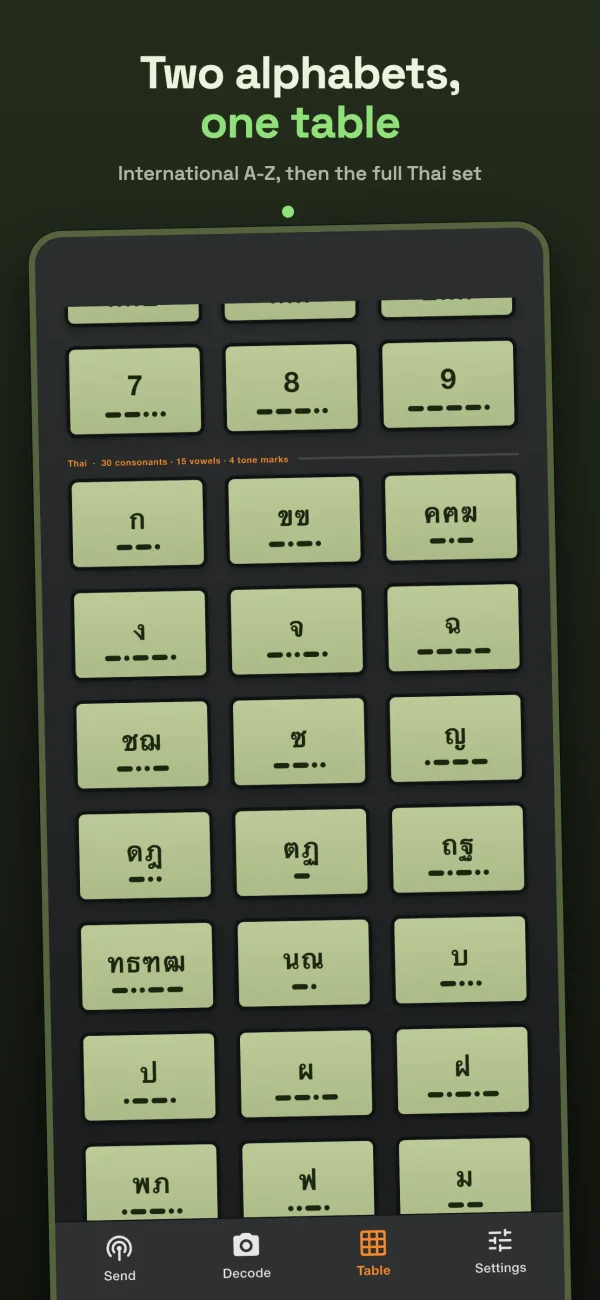
THAI MORSE CODE
Thailand has had its own Morse standard since 1 November 1912, created so telegraph operators could send Thai without transliterating it first. It is still used by Thai amateur-radio operators today. A Morse app that only knows A–Z simply cannot carry a Thai sentence.
• Type in Thai and Blinkode encodes it — no mode switch to find, it reads what you typed
• Mixed Thai and English in one message encodes correctly end to end
• Full Thai reference table with the source of the standard shown on screen
• Because the standard gives one code to letters that sound alike, Blinkode warns you which letters will arrive as another — no silent surprises
• Characters outside the standard (Thai numerals) are flagged, not dropped in silence
APPLE WATCH
Morse was built to be received by feel. Blinkode plays decoded messages as dot-and-dash haptics on your wrist, so you can read a signal without looking at a screen, without sound, and without light.
• Replay any message your iPhone decoded, as timed taps
• Trigger the iPhone flashlight from your wrist
• Practice mode: feel a letter, guess it — the way operators actually learn
WIDGETS AND THE ACTION BUTTON
The moment you actually need Morse is the moment you do not want to unlock, find an app and type.
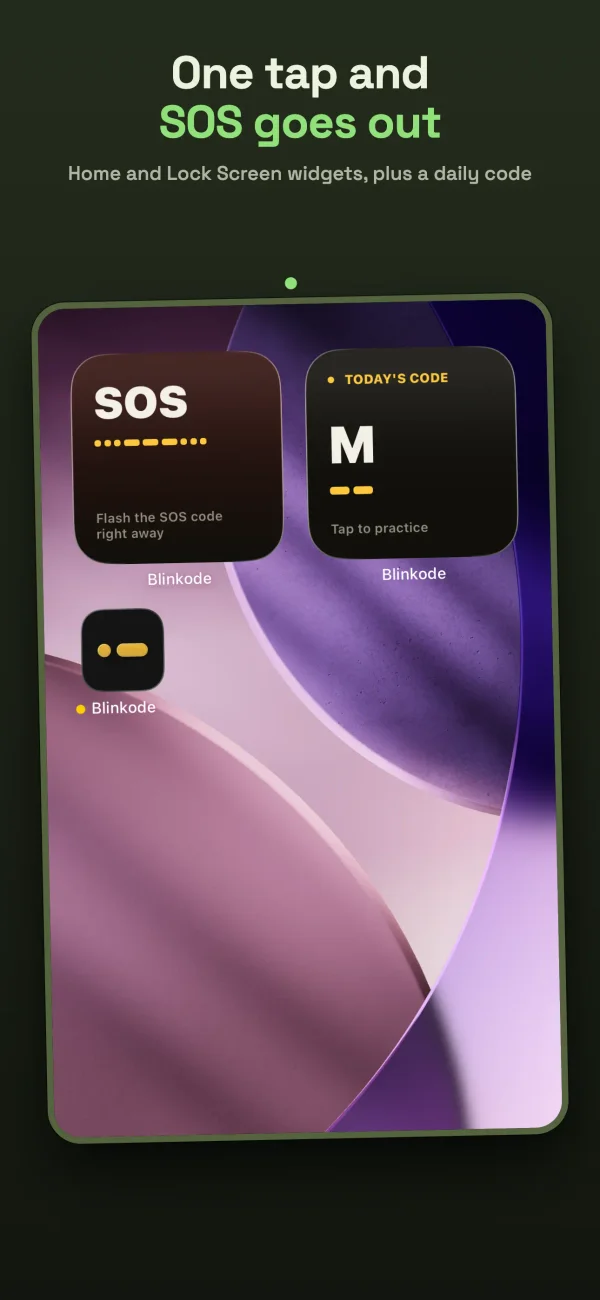
• SOS widget on the Home Screen or Lock Screen — one tap opens straight into sending, no menus
• Put the same SOS in Control Center, or on the Action button of iPhone 15 Pro and later
• SOS sent this way never counts against the free daily limit
• "Today's code" widget teaches you one Morse letter a day — in Thai or A-Z, matching the alphabet you use in the app
• All widgets are free, no Pro needed
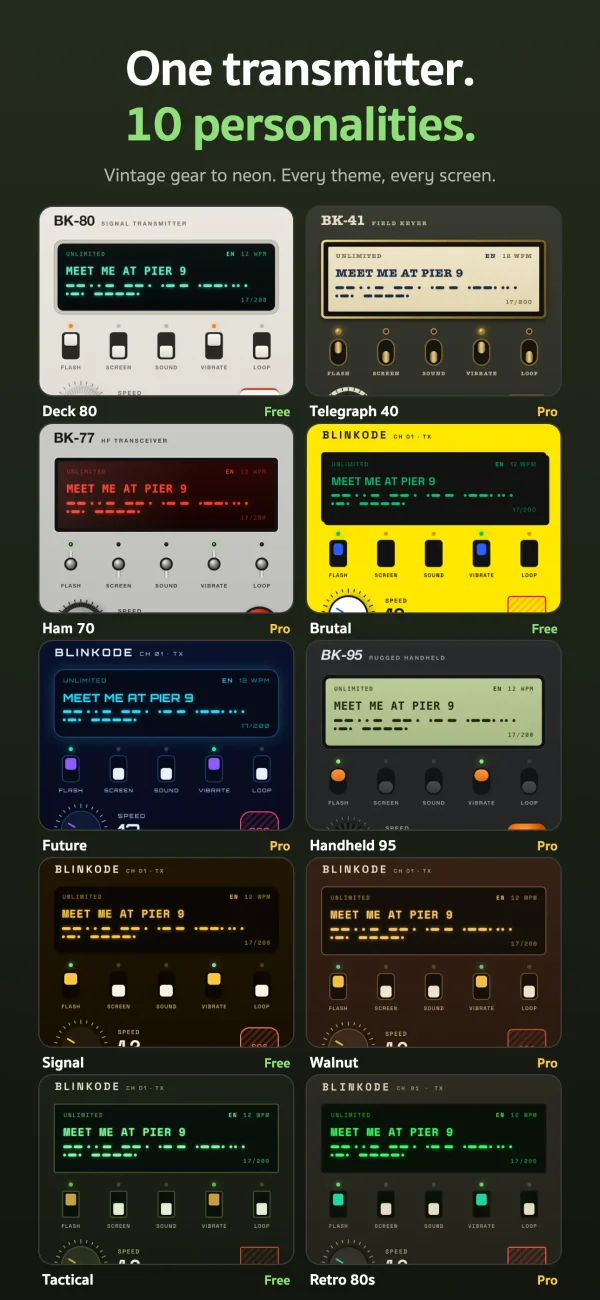
10 LOOKS, ONE TRANSMITTER
A full transmitter panel: display, rocker switches, speed dial and transmit key.
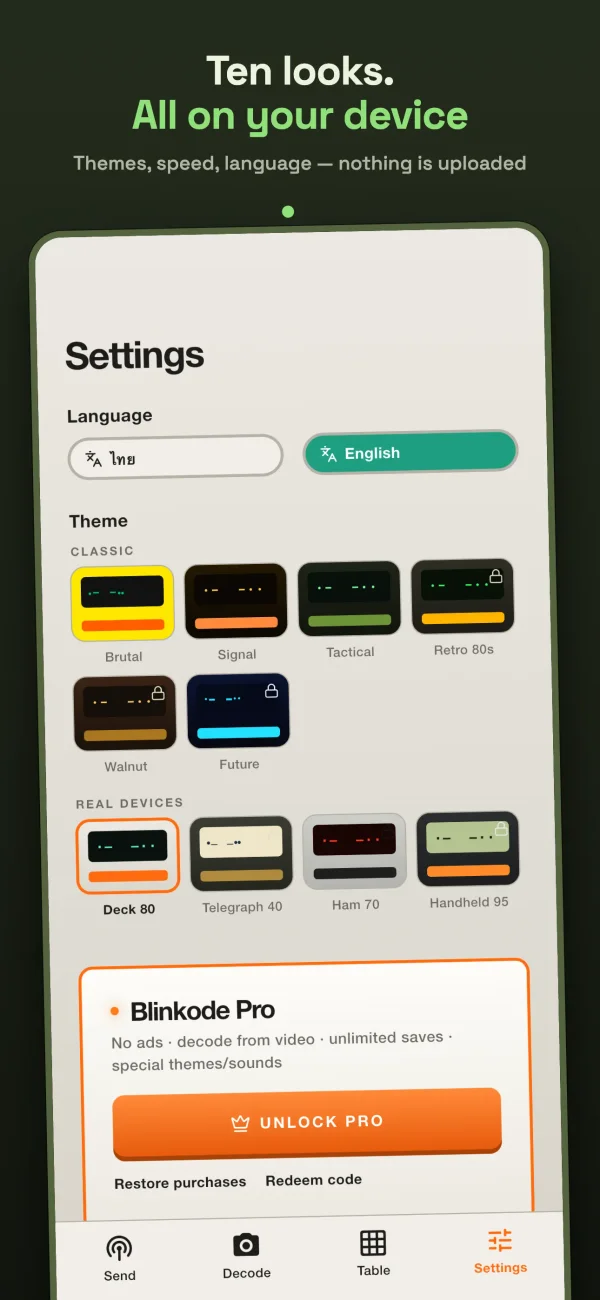
• 6 classic themes, from bold Brutal to neon Future
• 4 Real Device themes styled after hardware of their era: Deck 80, Telegraph 40, Ham 70 and Handheld 95
SEND
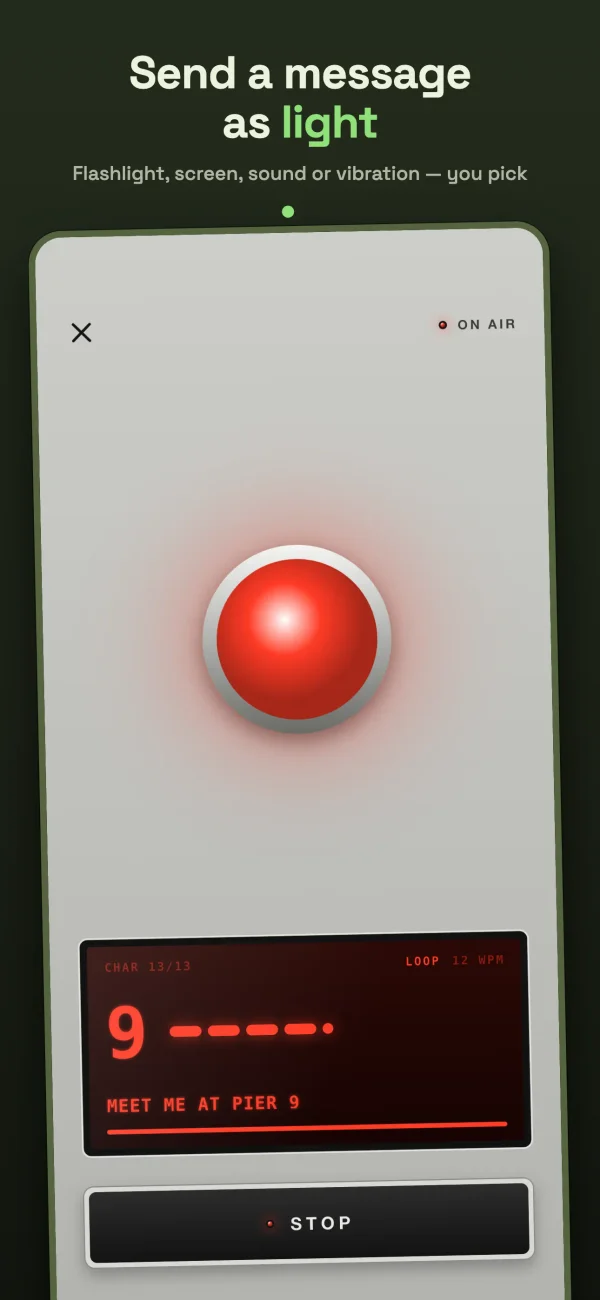
• Flashlight, on-screen flash, sound or vibration
• 5 to 30 WPM • loop mode • hold-to-send SOS
DECODE
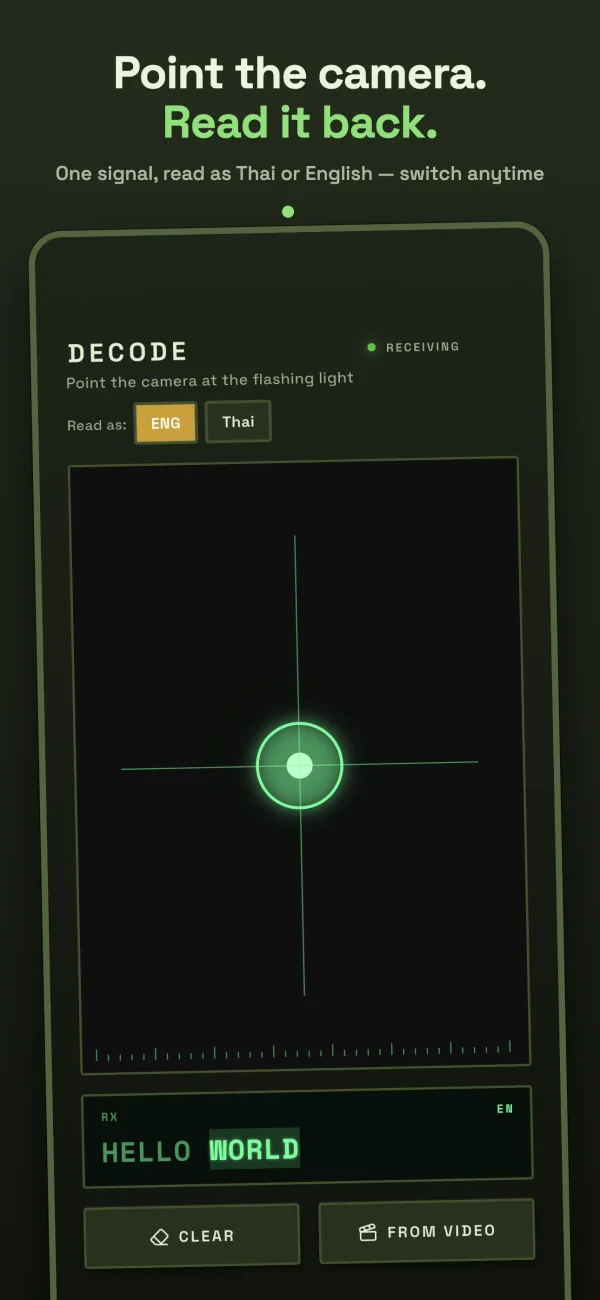
• Point the camera at a flashing light and read it back live
• Auto speed detection
• The same signal can be Thai or English — switch how it is read with one tap, no need to capture again
• Read blinks from a video clip you already filmed (Pro)
FREE
• 5 signals a day • unlimited decoding • full reference tables • 4 themes
BLINKODE PRO
• Remove all ads • unlimited signals • video decoding • unlimited history • all 10 themes
Weekly, yearly or one-time lifetime — yearly saves over 90% compared with weekly.
PRIVATE BY DESIGN
Works fully offline. Camera frames and video clips are never saved or uploaded.
Blinkode Pro is offered as an auto-renewable subscription (weekly or yearly) or a one-time lifetime purchase. Subscriptions renew automatically unless cancelled at least 24 hours before the end of the current period; manage or cancel anytime in your Apple ID settings.
Terms of Use (EULA): https://www.apple.com/legal/internet-services/itunes/dev/stdeula/
Privacy Policy: https://www.blinkode.siamclaw.com/privacy-policy
Note: the flashing-light signal may affect people with photosensitive epilepsy — please use with care. SOS is a signalling aid, not a certified rescue device.
What’s new
Version 1.1.0 · Nov 2, 2026
A whole new look.
• Redesigned as a real transmitter: display, rocker switches, speed dial and transmit key
• 10 themes, including 4 new Real Device looks: Deck 80 (free), Telegraph 40, Ham 70 and Handheld 95
• SOS in the app is now press-and-hold, so it can't fire by accident
• Redeem code: enter an Apple offer code from the paywall or Settings
App privacy
What Sarayut Rungraung declares on the App Store about how this app handles data.
-
Data used to track you
May be used to track you across apps and websites owned by other companies.
- Identifiers
- Usage data
-
Data linked to you
May be collected and linked to your identity.
- Identifiers
- Usage data
Privacy practices may vary, for example with the features you use or your age.
Information
- Seller
- Sarayut Rungraung
- Category
- Utilities
- Version
- 1.1.0
- Updated
- Nov 2, 2026
- Released
- Sep 27, 2026
- Size
- 29.4 MB
- Requires
- iOS 15.0 or later
- Age rating
- 4+
- In-app purchases
- Yes
- Languages
- English, Thai
- Copyright
- © 2026 Sarayut
You might also like
-
 Morse-Code-English-ToolScan, Translate & Play
-
 NetInspectorLocal Network Scanner
-
 Frequency Analyzer: dB MeterSound Spectrogram, SPL & FFT
-
 DNSwitch - DNS SwitcherSwitch DNS instantly
-
 mDNSShark: Network ScannerBonjour Browser, WiFi & LAN
-
 PSKReporter Client: FT8 MapHam radio propagation & spots
-
 Coptic KeyboardBohairic / Sahidic
-
 Mini Walkie TalkieOnline / Offline encrypted PTT
-
 EV Charger Map: Station FinderFind Nearby Fast EV Chargers
-
 Custom Keyboard Fonts FontsifyAuto Paste, Kaomoji, Symbols