- Age rating4+
- CategoryProductivity
- DeveloperStephan Scheeren
- LanguagesGerman
- Size10.1 MB
Links to the official App Store page
Download.org hosts no file of Blitztext – Voice Keyboard. The button opens its official App Store page, published by Stephan Scheeren. Listing last checked on Nov 26, 2026.
Screenshots

About
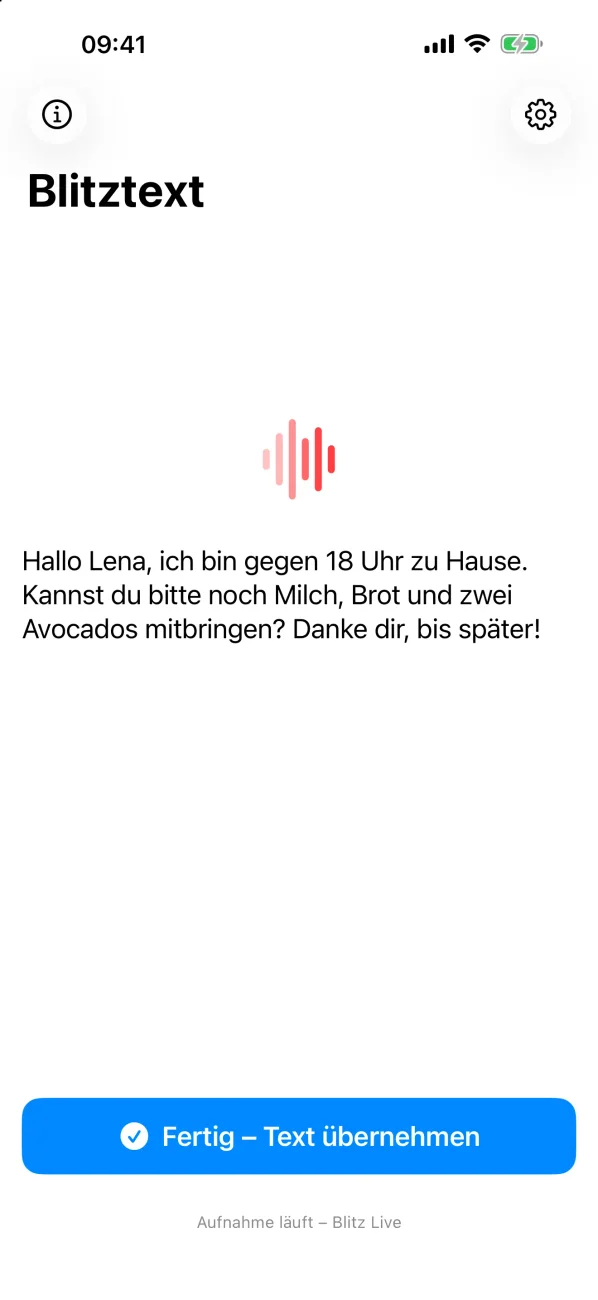
Blitztext brings fast German dictation to EVERY app – messages, mail, notes, wherever you are typing.
Please note: Blitztext is made for German. Speech recognition is set to German and the app interface is in German.
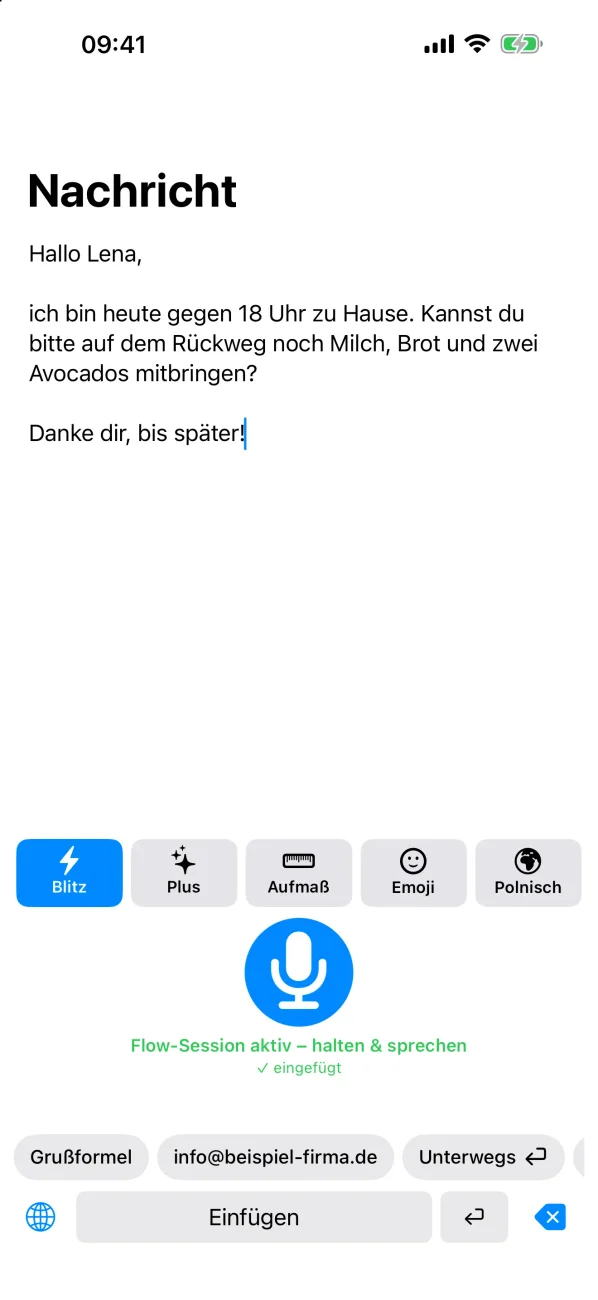
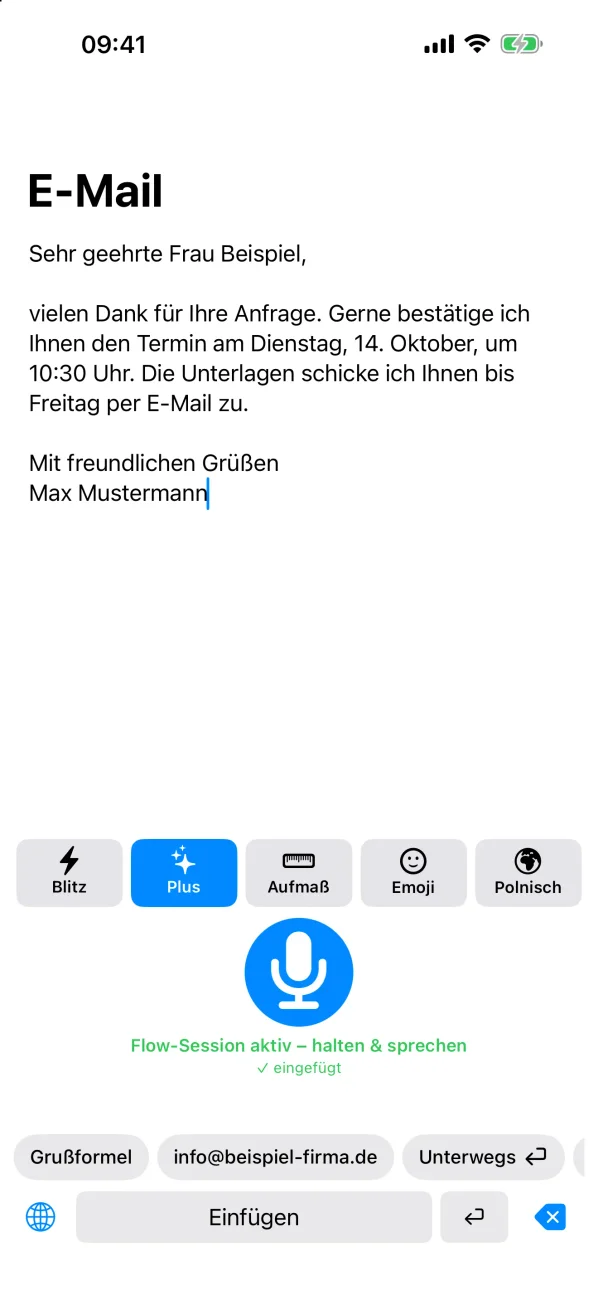
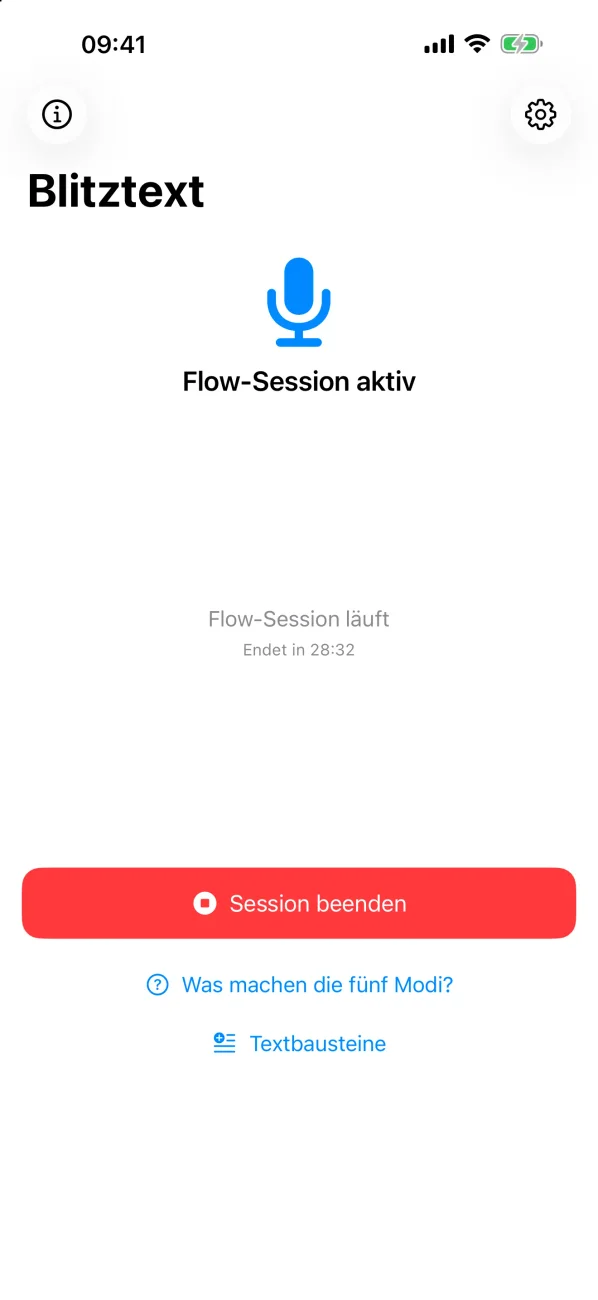
Instead of the built-in iOS dictation, Blitztext uses its own keyboard with push-to-talk: hold the microphone key, speak, release – the text appears automatically at the cursor.
STANDARD: COMPLETELY FREE & ON-DEVICE
In “Blitz Live” mode, speech recognition runs directly on your iPhone/iPad (Apple’s own on-device technology). No cloud, no subscription, no waiting – your voice never leaves the device.
FEATURES
• System-wide dictation through its own keyboard – works in any app
• Push-to-talk: hold the mic, speak, release
• “Blitz Live” engine: free, on-device, no internet connection needed
• “Parakeet”: additional on-device speech recognition, no internet needed, also Polish (model approx. 480 MB, downloaded once)
• Add your own vocabulary (e.g. technical terms, names)
• Choose how long Blitztext stays ready to dictate after the keyboard closes
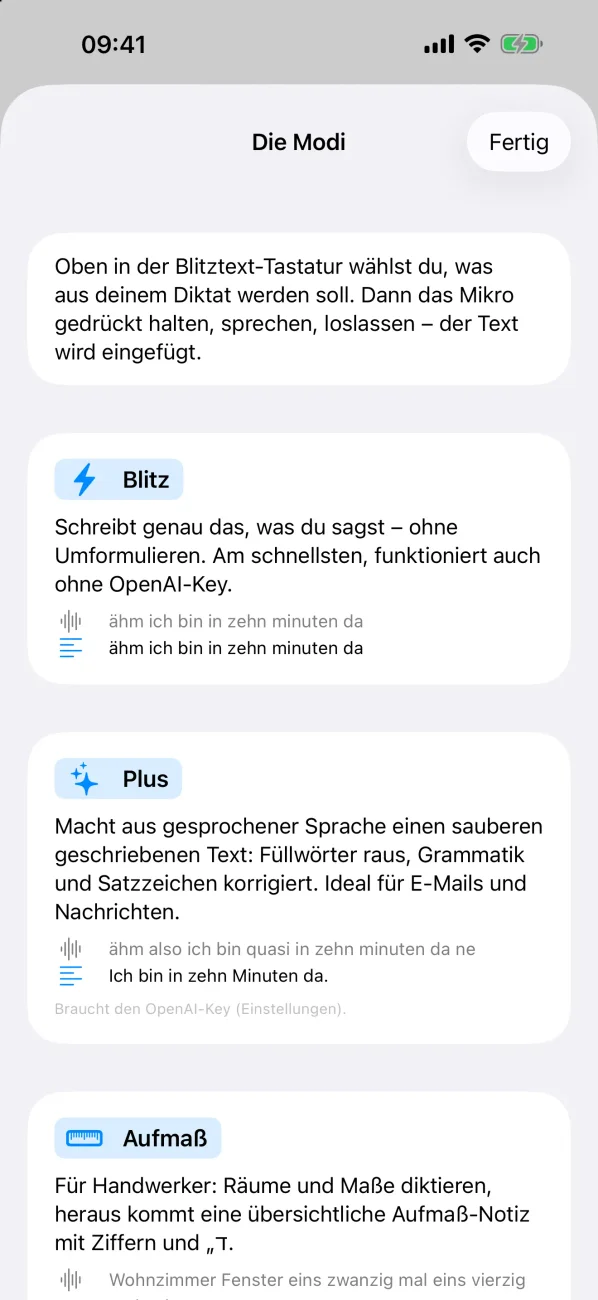
THE MODES – AT THE TOP OF THE KEYBOARD
• Blitz: writes exactly what you say – fast, without rewording
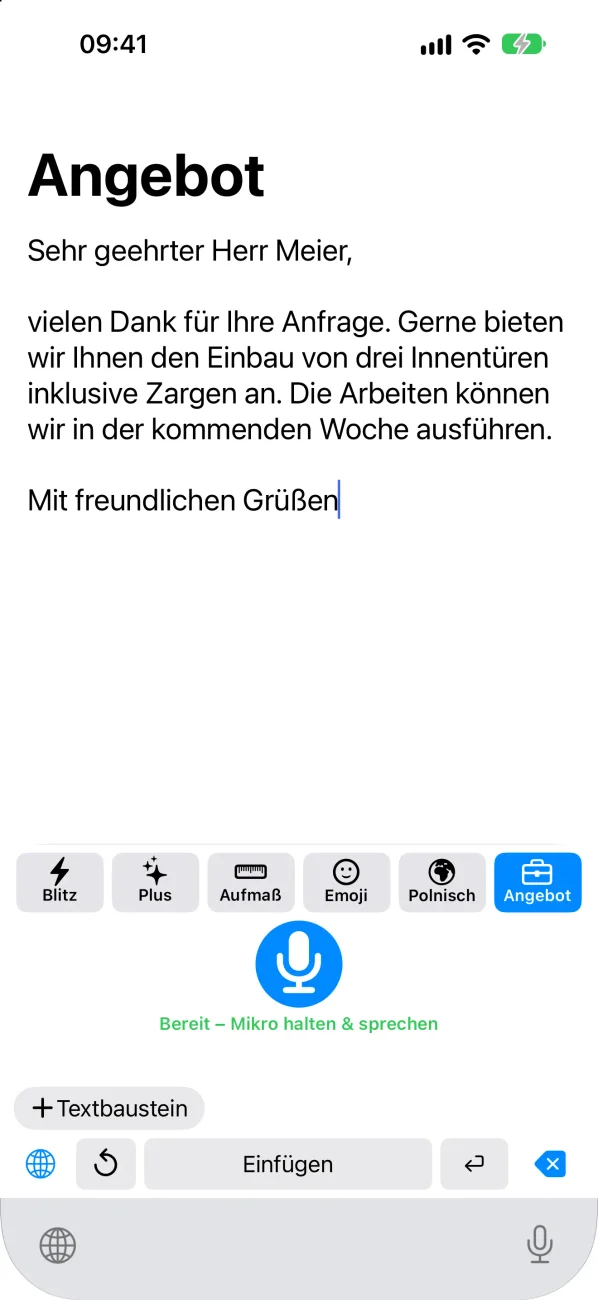
• Plus: turns spoken language into clean text – filler words removed, grammar and punctuation corrected, ideal for e-mails
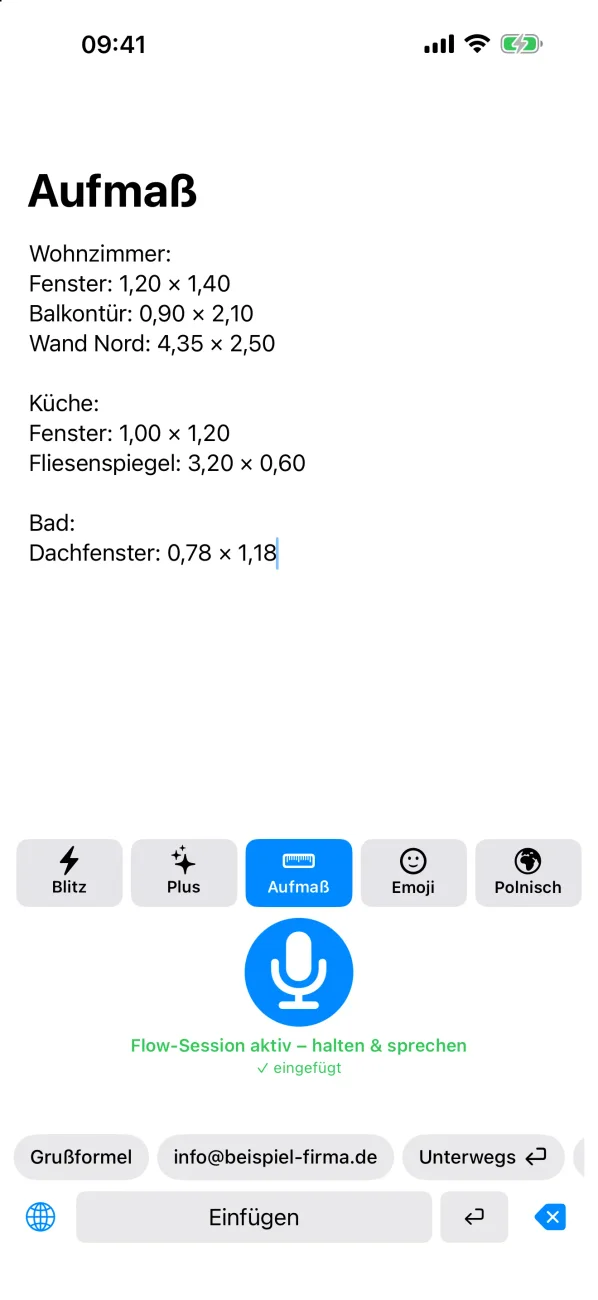
• Aufmaß: for tradespeople – dictate rooms and measurements and get a clear measurement note (“Window: 1.20 × 1.40”)
• Emoji: your text with matching emojis
• Translate: speak German, a clean text is inserted in Polish, English, Dutch, Turkish, Romanian, Ukrainian, Russian, Italian, Spanish or French – choose the language in settings or by long-pressing the key
Plus, Aufmaß, Emoji and Translate run right on your iPhone without a key (iOS 26 with Apple Intelligence) – or with your own optional OpenAI, Claude or Google Gemini key.
• Insert manually at any time via a button in the keyboard
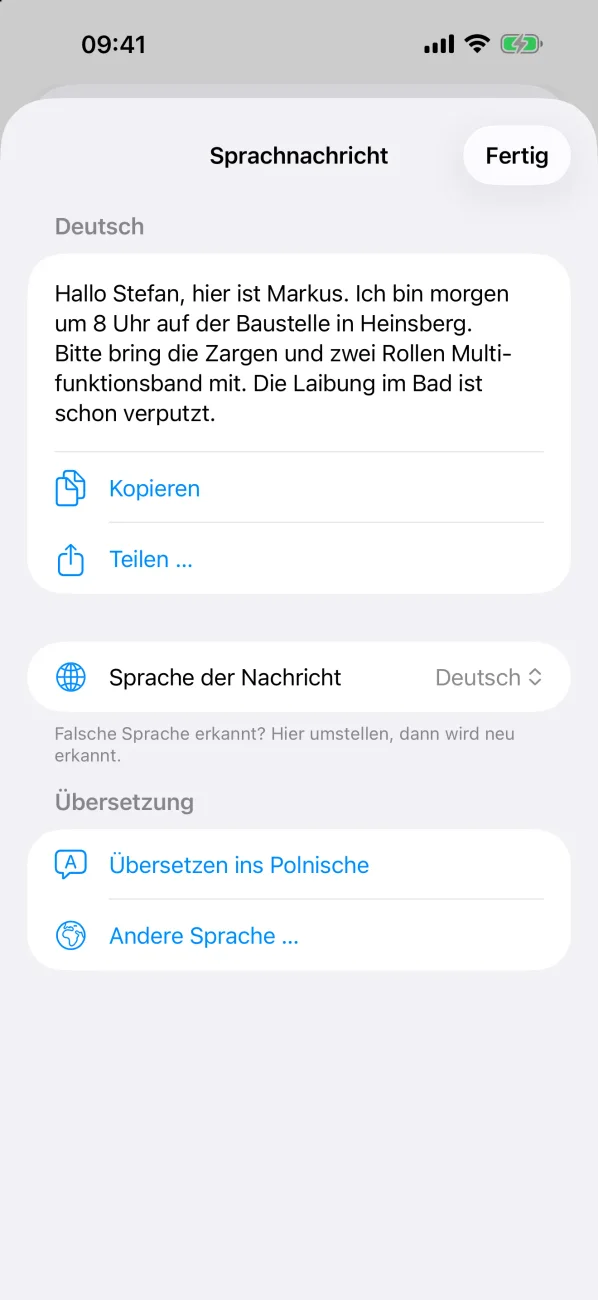
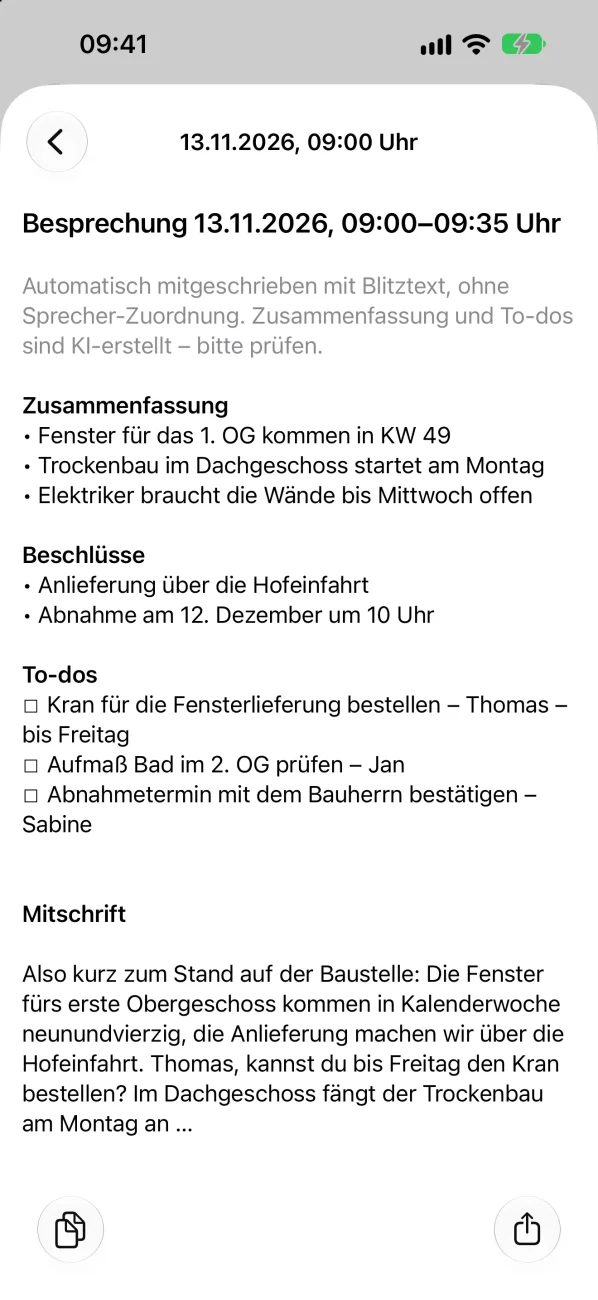
• Voice message to text: share a voice message or audio file (e.g. from WhatsApp, Voice Memos or Files) with Blitztext – copy, share or translate the text, also from other languages into German
• Text snippets: insert your own fixed texts (e-mail, address, chat commands) with one tap
• Choose which modes appear in the keyboard
• For iPhone and iPad
OPTIONAL: YOUR OWN KEY
If you like, you can add your own key (OpenAI, Claude or Google Gemini) in the settings. This adds cloud transcription (OpenAI), and Plus, Aufmaß, Emoji and Translate then run through the service you chose – usually a little better than on the iPhone. Completely optional – Blitztext works without a key as well.
PRIVACY
In standard mode your voice never leaves the device – no servers, no analytics, no advertising. Details in the privacy policy.
For iPhone and iPad.
What’s new
Version 1.0.28 · Nov 25, 2026
• Tippen und Diktieren in einer Tastatur: Mit der neuen Tastatur-Taste unten in Blitztext erscheint eine normale deutsche Tastatur (QWERTZ mit ä, ö, ü und ß, Zahlen und Sonderzeichen). Das Mikrofon bleibt oben rechts – halten, sprechen, loslassen wie gewohnt. So lassen sich Namen und Fachwörter, die eine Spracherkennung nicht kennt, einfach dazwischen tippen.
• „Modi“ oben links holt die bekannte Ansicht mit Modi, Textbausteinen und großem Mikrofon zurück. Blitztext merkt sich, welche Ansicht Sie zuletzt benutzt haben.
• Einfachere Einstellungen: Oben steht nur noch der kostenlose Weg mit Apple direkt auf dem Gerät – ohne Konto und ohne Schlüssel. Eigene KI-Schlüssel und die Wahl der Spracherkennung finden Sie unter „Für Fortgeschrittene“.
App privacy
What Stephan Scheeren declares on the App Store about how this app handles data.
-
Data linked to you
May be collected and linked to your identity.
- Contact info
- User content
- Diagnostics
-
Data not linked to you
May be collected but is not linked to your identity.
- User content
Privacy practices may vary, for example with the features you use or your age.
Information
- Seller
- Stephan Scheeren
- Category
- Productivity
- Version
- 1.0.28
- Updated
- Nov 25, 2026
- Released
- Jul 9, 2026
- Size
- 10.1 MB
- Requires
- iOS 17.0 or later
- Age rating
- 4+
- Languages
- German
- Copyright
- © 2026 Scheeren Digital
You might also like
-
 Blitztext by BlackboatProductivity
-
 Klartext – Dictation KeyboardAI voice to text in any app
-
 Sprecho: Speech to TextVoice dictation, EU privacy
-
 Outspoken: Voice DictationSpeech to Text, Everywhere
-
 Habit Tracker & Streak GoalsPlan routines. Build momentum.
-
 PDF to Markdown: PDF LiftPDF Import, Scan, MD Editor
-
 Sussurro Whisper Audio to TextLocal AI speech transcription
-
 VIA HealthTechRecord therapy sessions
-
 digiplan AufmassProductivity
-
 Next WorktimeZeiterfassung Nextcloud