Bloom: Expense Tracker
Budget planner & money manager
Designed for iPhone, iPad, Mac
- Age rating4+
- CategoryFinance
- DeveloperRodrigo Valle Pinto
- LanguagesGerman+ 8 more
- Size76.3 MB
Links to the official App Store page
Download.org hosts no file of Bloom: Expense Tracker. The button opens its official App Store page, published by Rodrigo Valle Pinto. Listing last checked on Nov 23, 2026.
Screenshots


About
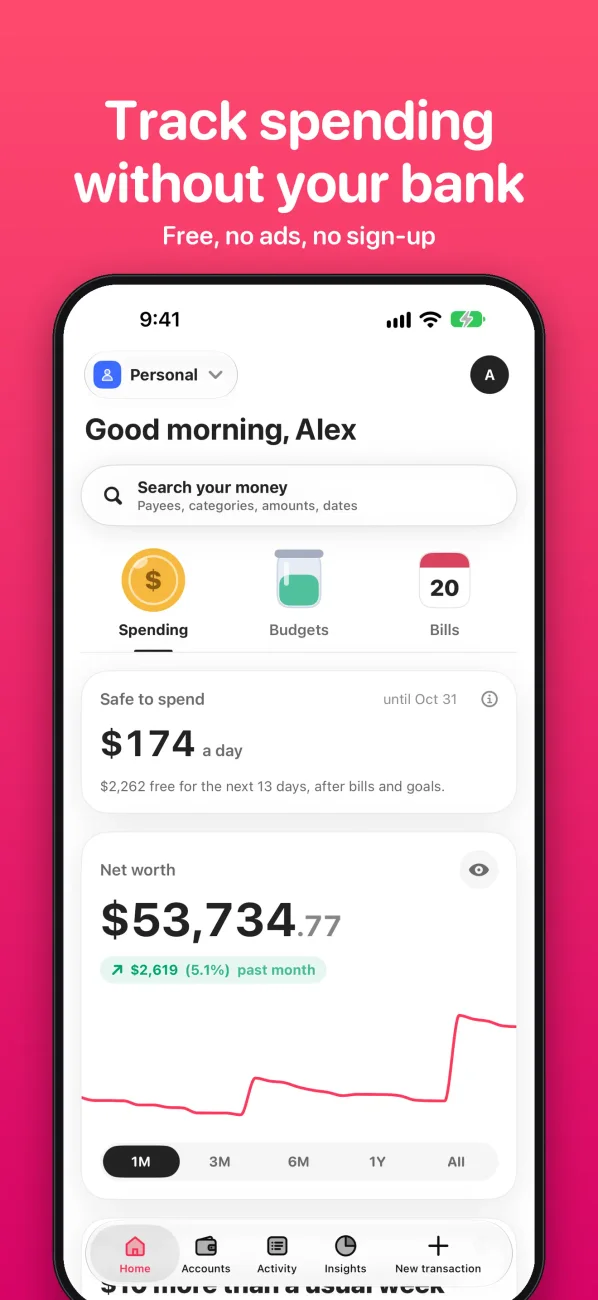
Track spending without linking your bank. Bloom is free, with no ads and no sign-up: log every expense in seconds, build a budget and see where your money goes.
LOG IN SECONDS
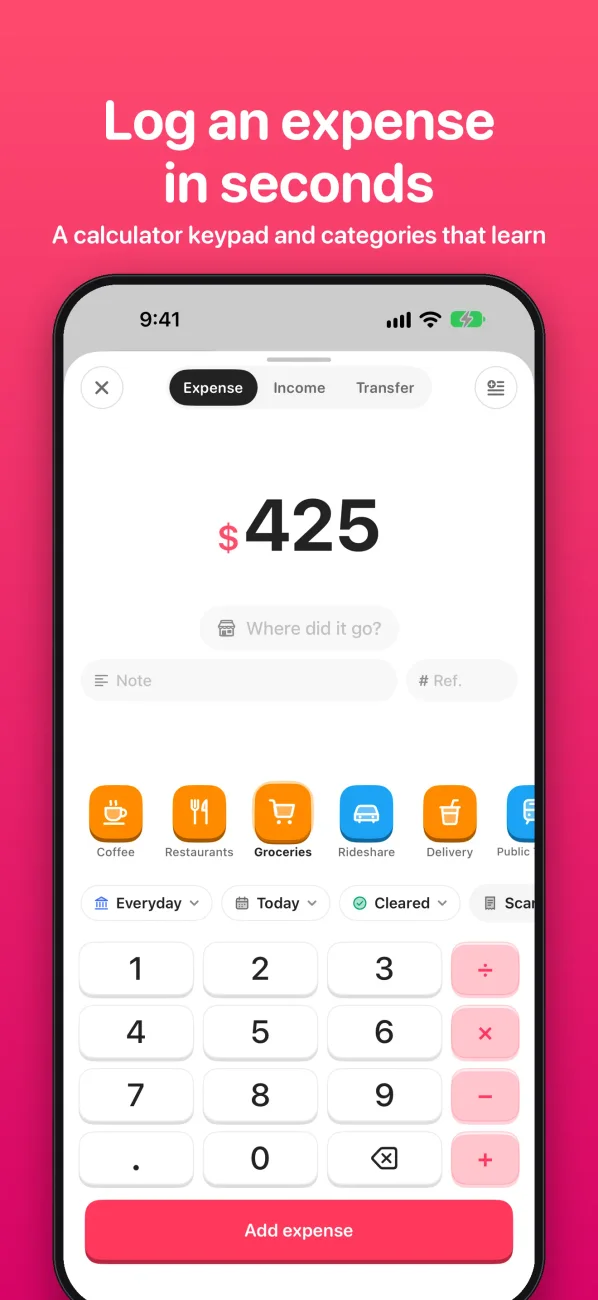
• A dedicated keypad with a built-in calculator for expenses, income and transfers.
• Categories and payees that learn from what you do.
• Notes, references and a photo or PDF of the receipt on every transaction.
• Favorites, a Quick Add widget, Control Center and Siri.
EVERY ACCOUNT AND CARD
• Checking, savings, cash, credit cards, investments and loans.
• Running balance on every transaction and reconciliation against your statement.
• Any currency, with exchange rates that update by themselves.
BUDGETS AND SAVINGS
• Category budgets with a daily pace.
• "Safe to spend": what's left for today, no guessing.
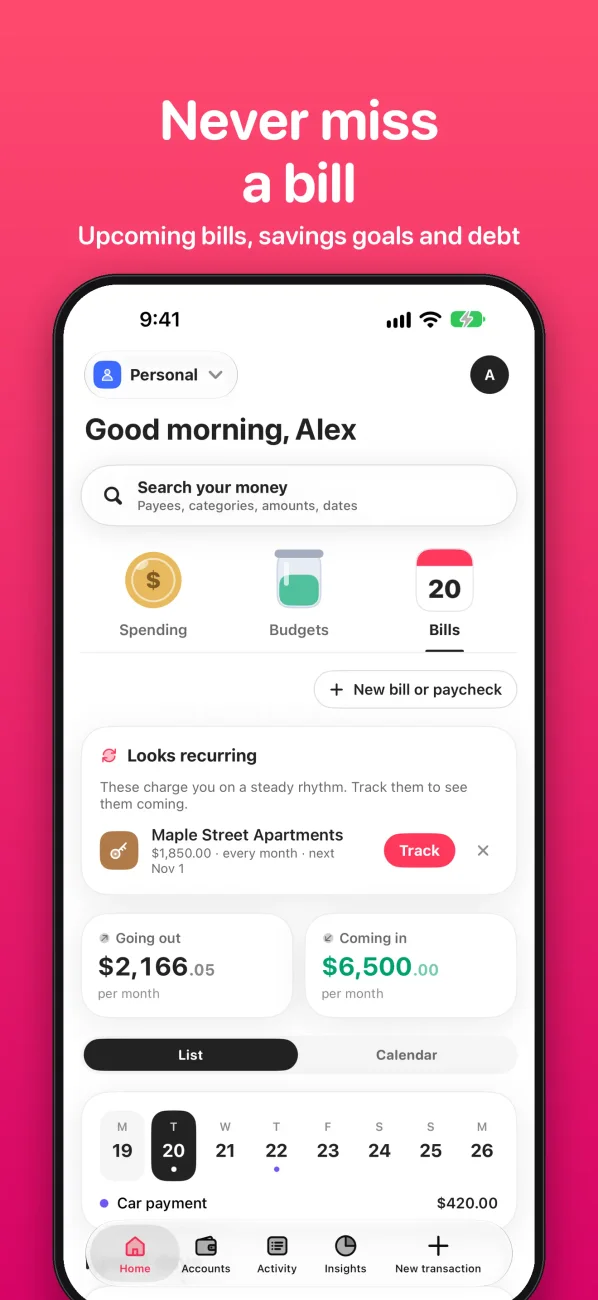
• Upcoming bills, savings goals and a debt payoff plan.
UNDERSTAND YOUR MONEY
• Reports: spending by category, income vs. expenses and net worth.
• A recap of every month, and search that understands dates and amounts.
• Export to CSV or PDF.
FOR COUPLES AND FAMILIES
• Share a workspace, or just some accounts, with your partner through iCloud.
• Keep personal, business and household money apart in separate workspaces.
ON ALL YOUR DEVICES
• iPhone, iPad, Apple Watch and a native Mac app.
• Widgets on the Home Screen, Lock Screen and Mac desktop.
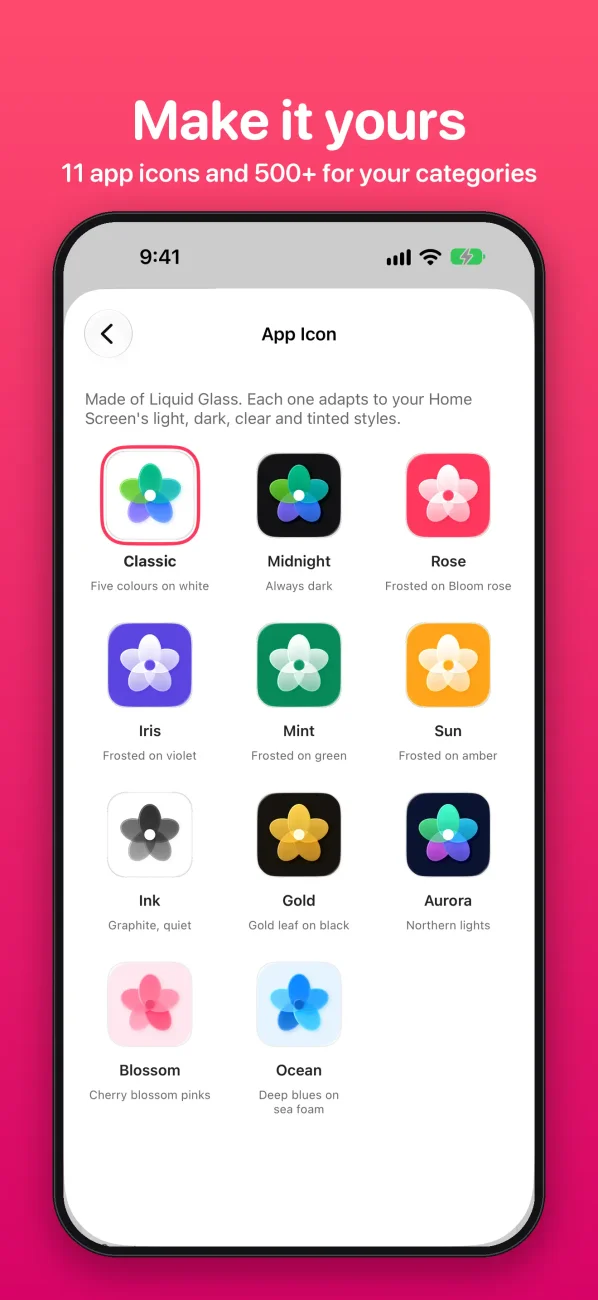
• 11 app icons and more than 500 icons for your categories.
YOUR DATA IS YOURS
Bloom has no servers and no sign-up. Everything lives on your device and in your private iCloud, with daily automatic backups. Lock it with Face ID.
Coming from MoneyWiz, a spreadsheet or another app? Import your history from CSV.
Bloom is free, with no ads.
What’s new
Version 1.9.7 · Nov 18, 2026
• Buttons read clearly in Dark Mode: “Set balance” when adjusting or reconciling an account is no longer white on white.
• Buttons you can't tap yet show grey with readable text, instead of white on light grey.
• Numbers, notices and badges on dark or light backgrounds stand out better.
App privacy
What Rodrigo Valle Pinto declares on the App Store about how this app handles data.
-
Data not collected
The developer does not collect any data from this app.
Privacy practices may vary, for example with the features you use or your age.
Information
- Seller
- Rodrigo Valle Pinto
- Category
- Finance
- Version
- 1.9.7
- Updated
- Nov 18, 2026
- Released
- Sep 30, 2026
- Size
- 76.3 MB
- Requires
- iOS 26.0 or later
- Age rating
- 4+
- Languages
- German, English, French, Italian, Japanese, Korean, Portuguese, Spanish, Simplified Chinese
- Copyright
- © 2026 Rodrigo Valle Pinto
You might also like
-
 Dostatok: Budget & ExpensesPrivate Money & Bill Tracker
-
 Bloom: Money & Budget TrackerPrivate expense & bill tracker
-
 myCompteeComptes perso et partagés
-
 Conta - Your Pro Finance AppManage your personal finance
-
 Bezant: Budget & ExpenseSpend Tracker & Money Planner
-
 CashWhisper: Expense TrackerBudget Planner & Money Tracker
-
 Budler: Budget Expense TrackerAI money coach & spending log
-
 Finoria – Finances & budgetFinance
-
 Freeboard: Personal FinanceKnow what’s really available
-
 Finik: Secure BudgetFinance