
Bloomling: Puzzles & Safe Web
Logic puzzles, math & stories
Designed for iPhone, iPad
Free · In-app purchases
- Age rating4+
- CategoryEducation
- DeveloperRUEI YI WU
- LanguagesEnglish+ 1 more
- Size8.8 MB
Links to the official App Store page
Download.org hosts no file of Bloomling: Puzzles & Safe Web. The button opens its official App Store page, published by RUEI YI WU. Listing last checked on Nov 15, 2026.
Screenshots
About
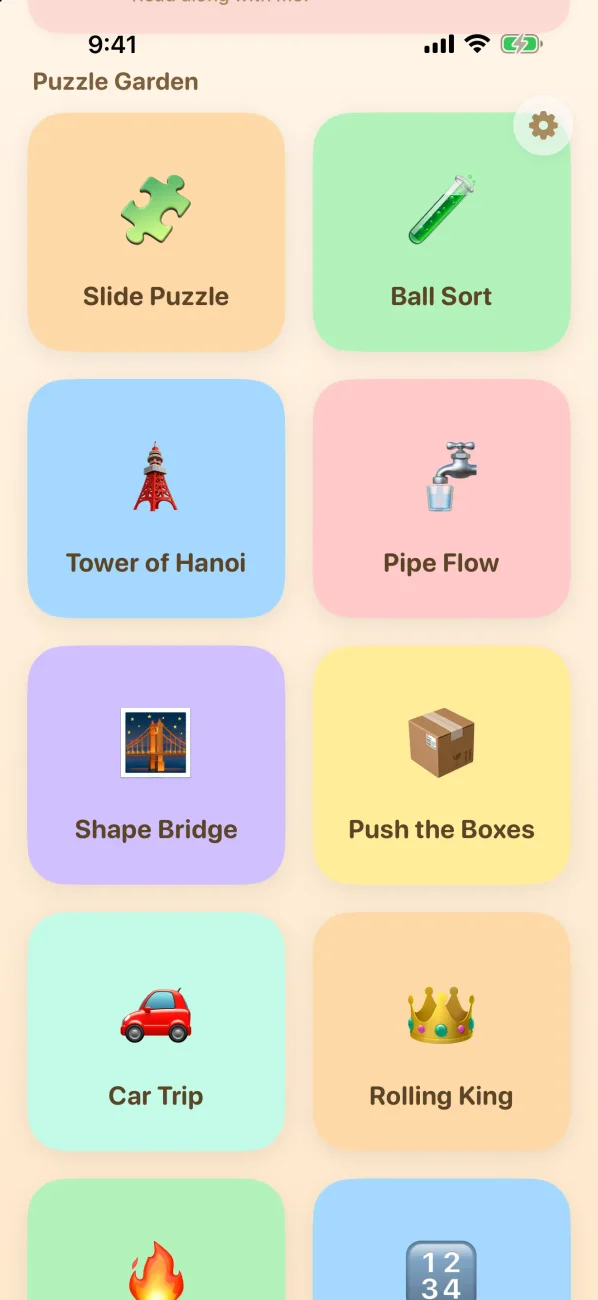
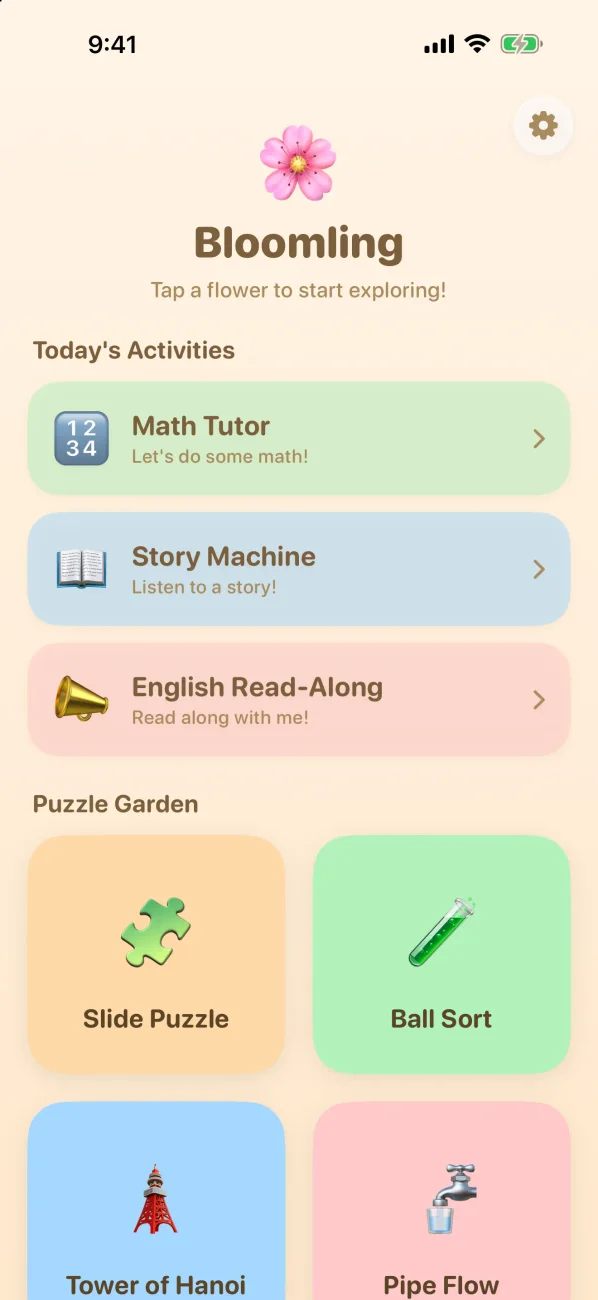
Bloomling is one warm little garden with three things inside: 11 logic puzzles made by the developer, a set of fully offline learning activities, and a walled-garden web area you control - only the pages you hand-pick can open, and everything else is gently blocked.
HAND-MADE LOGIC PUZZLES (NO ADS, NO SIGN-IN)
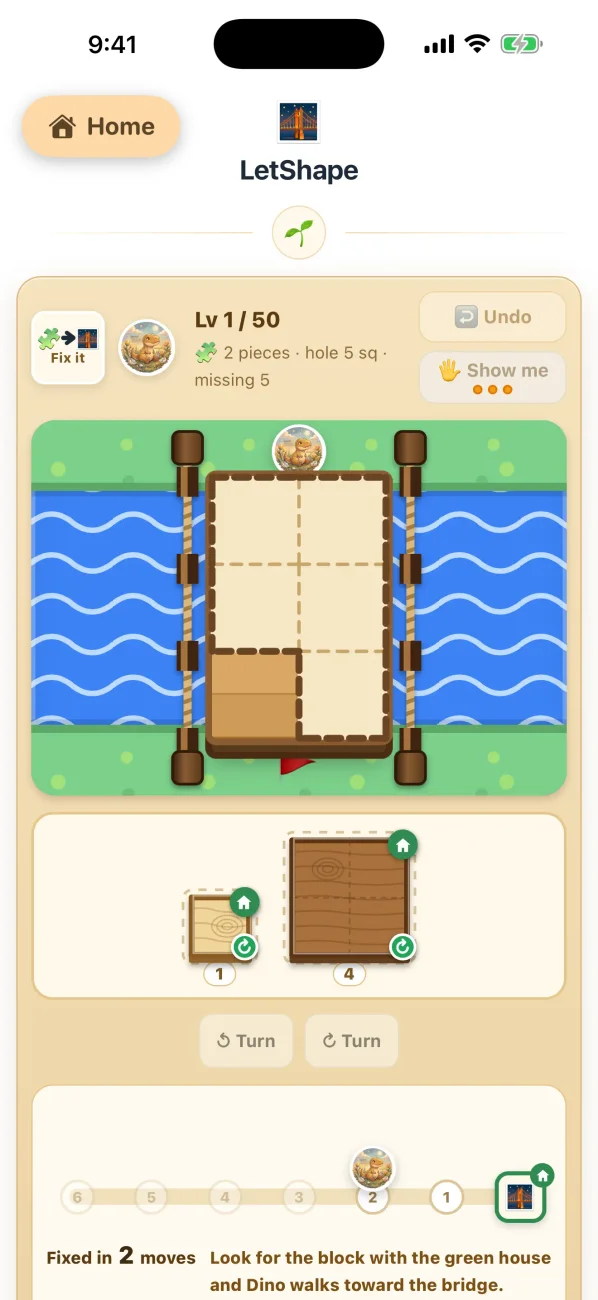
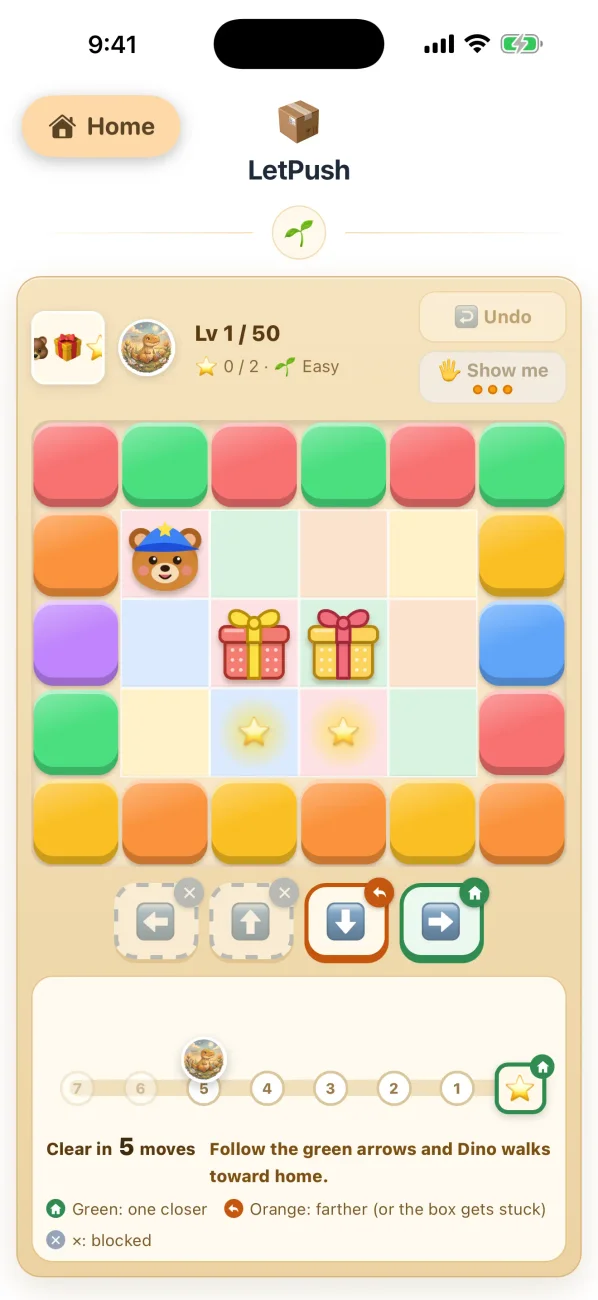
• Slide Puzzle, Ball Sort, Tower of Hanoi, Pipe Flow, Shape Bridge, Push the Boxes, Car Trip, Rolling King, Matchstick Math, Smart Squares, Marble Run
• 50-120 levels each, from gentle to tricky, every one machine-verified to be solvable; Easy mode hints the next move and every move can be taken back
• They train spatial reasoning, cause and effect, debugging and number sense - not reaction speed
• One card per game, ready to play; no in-app purchases inside the games, no lucky draws, no timers
BUILT-IN LEARNING ACTIVITIES (OFFLINE, NO NETWORK NEEDED)
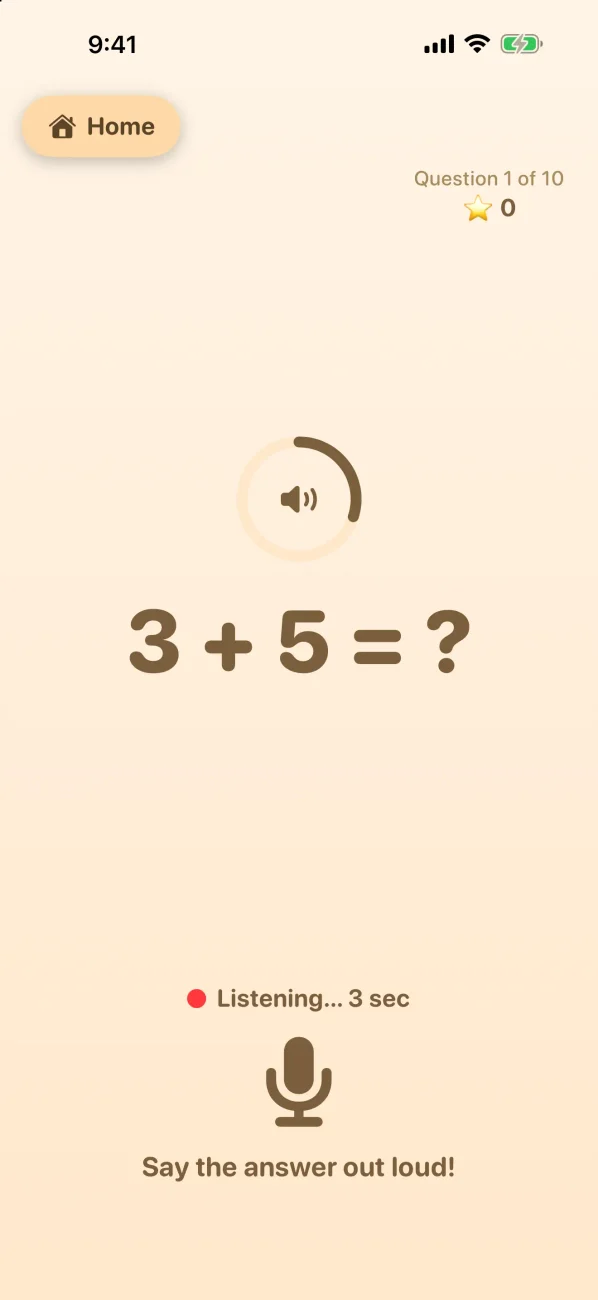
• Math Tutor: generates arithmetic questions and reads them aloud; answer by voice or by tapping. Voice is recognized entirely on-device - audio is never uploaded or stored
• Story Machine: original bundled stories, narrated entirely with on-device speech
• Read-Along: follow along sentence by sentence, in English and Chinese
All three sit right at the top of the home screen the moment the app opens - no setup required.
THE WALLED-GARDEN WEB AREA
• Strict allow-list: only the exact URLs you add will open - even other pages on the same domain stay blocked (the one exception is the developer's own Puzzle Garden, where the child can move between games and tap Back)
• No search box, no address bar, no outbound links - tapping anything outside your list just shows "Ask a grown-up for this page"
• YouTube videos and playlists, and single Instagram posts: embedded in a locked, distraction-free view you can't navigate out of
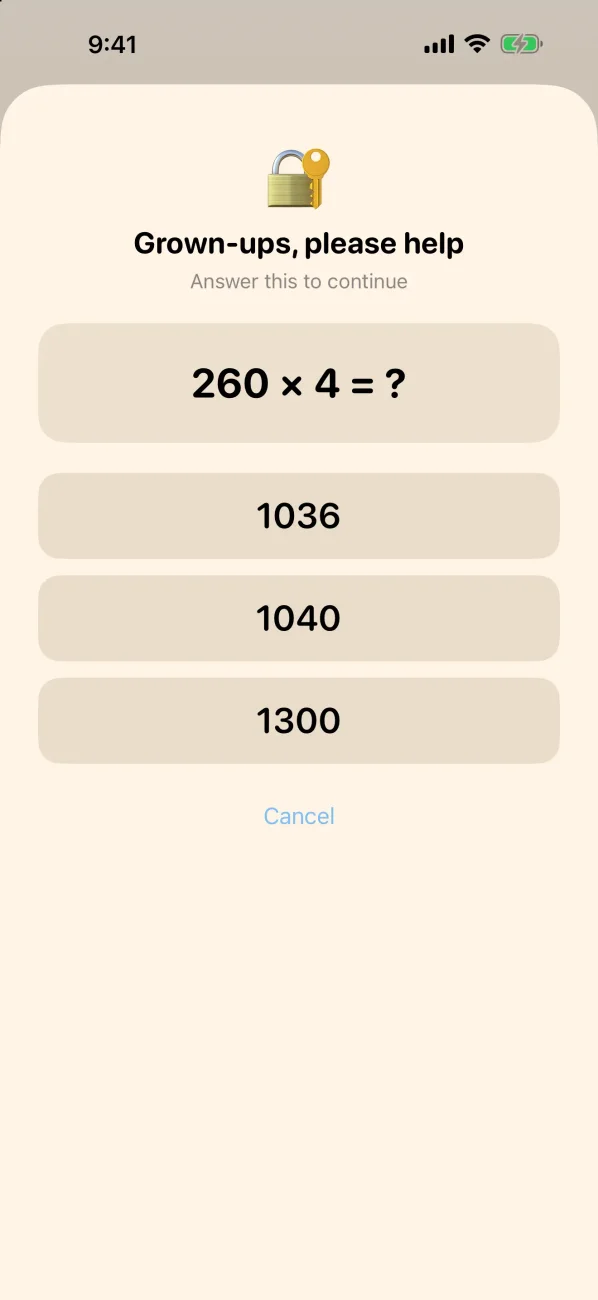
• Parent settings behind a gate: adding / editing / deleting / reordering sites requires solving a multiplication problem, or entering a 4-digit passcode you set
• Adding a card is quick: paste a URL and see a green check (tap it to preview), a red cross or a duplicate warning right away; the card name can be filled in from the page title or typed by hand
TOOLS FOR PARENTS
• Groups: sort web cards into groups you name; each group is its own section on the home screen, and the order of the sections (including Today's Activities) can be rearranged by drag and drop
• Per-weekday scheduling: choose which days of the week each card and activity appears
• Usage review: see which pages were opened and for how long, by day, week or month - stored only on the device
• Clear browsing data: wipe the cache and website data left by the web area in one tap
• Cross-device setup: configure on another device, then send it over via AirDrop or the same Wi-Fi - no Apple account, no cloud
• Export the list as a plain-text file (.md), edit and group it on a Mac with any editor, then import it back
• Text editor: the whole web list as one page of text - copy it all as a backup, or paste a list and save
• One app for iPhone and iPad
YOU CAN RELAX
• 100% ad-free
• No third-party analytics, ad, or tracking SDKs (all Apple-native)
• Collects no personal data; all settings and records stay only on your device
• Every feature costs nothing and there is no paywall; the only purchase is an optional tip jar in the grown-ups area, and it unlocks nothing
Offline learning activities, plus one little garden you trust - explore with peace of mind.
What’s new
Version 1.4.20261023 · Oct 23, 2026
What's new in this update:
- iPhone Duo support: the app fills the cover screen when folded and the large screen when open.
- Usage review now shows each day, week or month, with a daily bar chart and the average per day. Tap a bar to jump to that day.
- Time is counted only while the app is on screen; leaving the app or locking the device no longer keeps the timer running.
- Exported usage records now have one row per day, ready for a spreadsheet.
App privacy
What RUEI YI WU declares on the App Store about how this app handles data.
-
Data not collected
The developer does not collect any data from this app.
Privacy practices may vary, for example with the features you use or your age.
Information
- Seller
- RUEI YI WU
- Category
- Education
- Version
- 1.4.20261023
- Updated
- Oct 23, 2026
- Released
- Jul 14, 2026
- Size
- 8.8 MB
- Requires
- iOS 17.0 or later
- Age rating
- 4+
- Price
- Free
- In-app purchases
- Yes
- Languages
- English, Traditional Chinese
- Copyright
- © 2026 RexCode
You might also like
-
 99乘法大挑戰:九九乘法練習Education
-
 筆順學堂Education
-
 Tutor247 - 你的專屬AI家教Education
-
 StatYou Home: Chores & HabitsKids’ Homework & Chore Rewards
-
 九九星球:乘法大冒險Education
-
 Vocabloot: Learn VocabularySpanish, Korean, Japanese +
-
 Kids Learn - ABC & NumberLearn ABC & Number with Voice
-
 Sobo MathHK P4–P6 Math · Cantonese
-
 GoldenGap - Family ScheduleSchool & academy timetables