
Blur Frame: Video Edit
Mosaic and Blur Video Maker
Designed for iPhone, iPad, iPod touch
Free · In-app purchases
- Age rating4+
- CategoryPhoto & Video
- Developer江 邱
- LanguagesEnglish+ 29 more
- Size43.8 MB
Links to the official App Store page
Download.org hosts no file of Blur Frame: Video Edit. The button opens its official App Store page, published by 江 邱. Listing last checked on Nov 22, 2026.
Screenshots

About
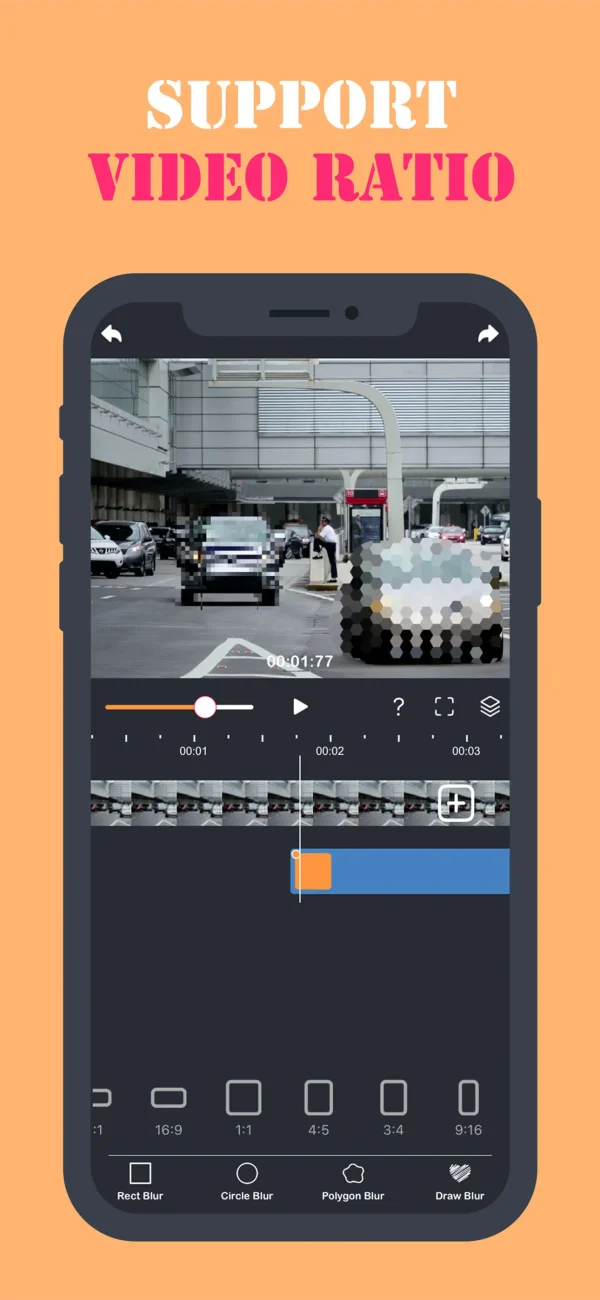
[Blur Buddy] editor apply blurry pixelated effect on video to blur out certain parts of a video. This editor is helpful app to blur the video part through touch blur.
To create blurry effects on the specified part of video, Blur Buddy editor has following features:
- Blur Buddy instantly blur any part of the video you want using timeline slider.
- Support removal object function.
- Support zoom in and zoom out the selected blur part of video.
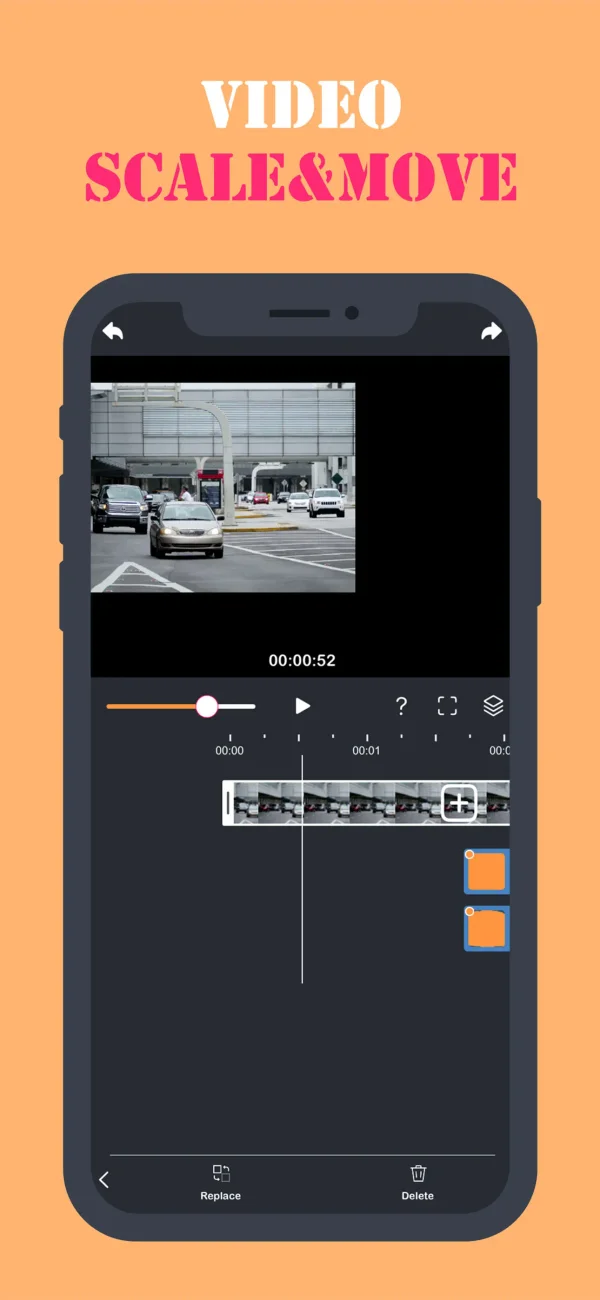
- Support move, scale and ratio of video.
- Support video transitions and trim function.
[Blur Buddy] editor apply blurry pixelated effect on video to blur out certain parts of a video. This editor is helpful app to blur the video part through touch blur.
To create blurry effects on the specified part of video, Blur Buddy editor has following features:
- [Blur Buddy] instantly blur any part of the video you want using timeline slider.
- Support zoom in and zoom out the selected blur part of video.
- Support move, scale and ratio of video.
UNLIMITED ACCESS MEMBERSHIP SUBSCRIPTION:
- You can subscribe for unlimited access to all features and content offered for purchase within [Blur Buddy].
- Subscriptions are billed weekly or annually at the rate selected depending on the subscription plan. Alternatively, a one-time payment plan is available (this is not a subscription).
- Subscriptions auto-renew at the cost of the chosen package, unless cancelled 24-hours in advance prior to the end of the current period. The subscription fee is charged to your iTunes
account at confirmation of purchase. You may manage your subscription and turn off auto-renewal by going to your Account Settings after purchase. Per Apple policy, no cancellation of the current subscription is allowed during active subscription period. Once purchased, refunds will not be provided for any unused portion of the term.
Terms of use: https://www.thinkingskillsapps.com/TermsOfUse.html
Privacy policy: http://www.thinkingskillsapps.com/PrivacyPolicy.html
What’s new
Version 1.5 · Jan 14, 2024
- Updated blur filter and rotation function.
- Changed app name.
App privacy
What 江 邱 declares on the App Store about how this app handles data.
-
Data not collected
The developer does not collect any data from this app.
Privacy practices may vary, for example with the features you use or your age.
Information
- Seller
- 江 邱
- Category
- Photo & Video
- Version
- 1.5
- Updated
- Jan 14, 2024
- Released
- Apr 18, 2023
- Size
- 43.8 MB
- Requires
- iOS 12.0 or later
- Age rating
- 4+
- Price
- Free
- In-app purchases
- Yes
- Languages
- English, Arabic, Catalan, Czech, Danish, Dutch, Finnish, French, German, Greek, Hebrew, Hungarian + 18 more
- Copyright
- © Mickey 2023
You might also like
-
 Privacy Guard: Video & PhotoLicense Plates & Face Blur
-
 Video Blur & Face CensorPixelate & Mosaic Videos
-
 Video Auto BlurPhoto & Video
-
 Video Blur Maker: Censor FaceAuto Hide Person Background
-
 Instant Blur - Photo PrivacyAdd Blur / Mosaic effect by AI
-
 blur video, blur face in videovideo blur effect censor video
-
 Video Blur Editor - PixelateDraw to hide faces & plates
-
 Videomash: video & reel editorReel templates with transition
-
 Video Mosaic - Blemish RemoverBlur or Erase Video, Editor
-
 FaceHaze: Blur Faces in VideosAuto-blur Faces with AI