
Blur & Mosaic
Hide faces in photos & video
Designed for iPhone
Free · In-app purchases
- Age rating4+
- CategoryPhoto & Video
- DeveloperFORTE, Inc.
- LanguagesEnglish+ 32 more
- Size13.9 MB
Links to the official App Store page
Download.org hosts no file of Blur & Mosaic. The button opens its official App Store page, published by FORTE, Inc. Listing last checked on Nov 27, 2026.
Screenshots


About
Photos and videos. It follows the face and hides it for you.
Blur & Mosaic hides the faces in your photos and videos.
One button finds the faces and covers them, and in video it keeps following each face as it moves.
There is no fixing it frame by frame.
For the shot you want to post with someone in it who never asked to be. For the video of your kid you want to send without leaving their face in it. It takes a few taps.
■ What it does
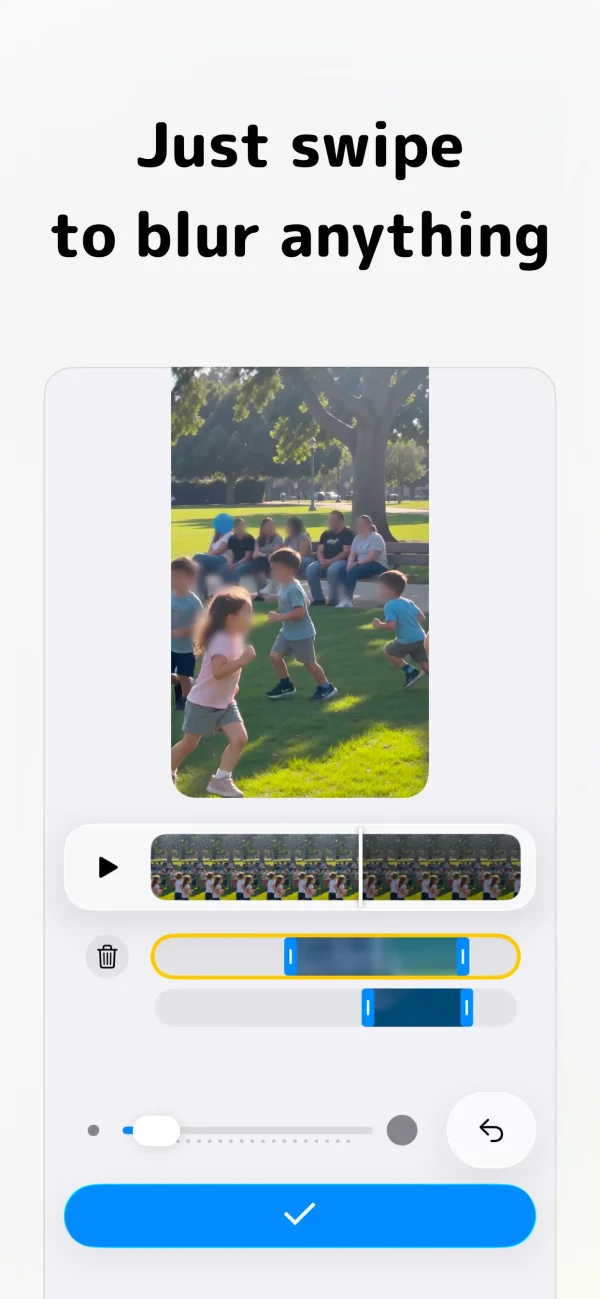
[In video, it follows the face and keeps it covered]
・The cover sticks to the face as it moves
・No frame-by-frame work. Even a long take — just leave it running
・It keeps treating a face as the same person when they turn away, or leave the frame and come back
[It finds the faces for you]
・One button covers every face in the shot
・In video you get a list of everyone who appears, so you choose who to hide and who to leave
・Photos and videos work the same way
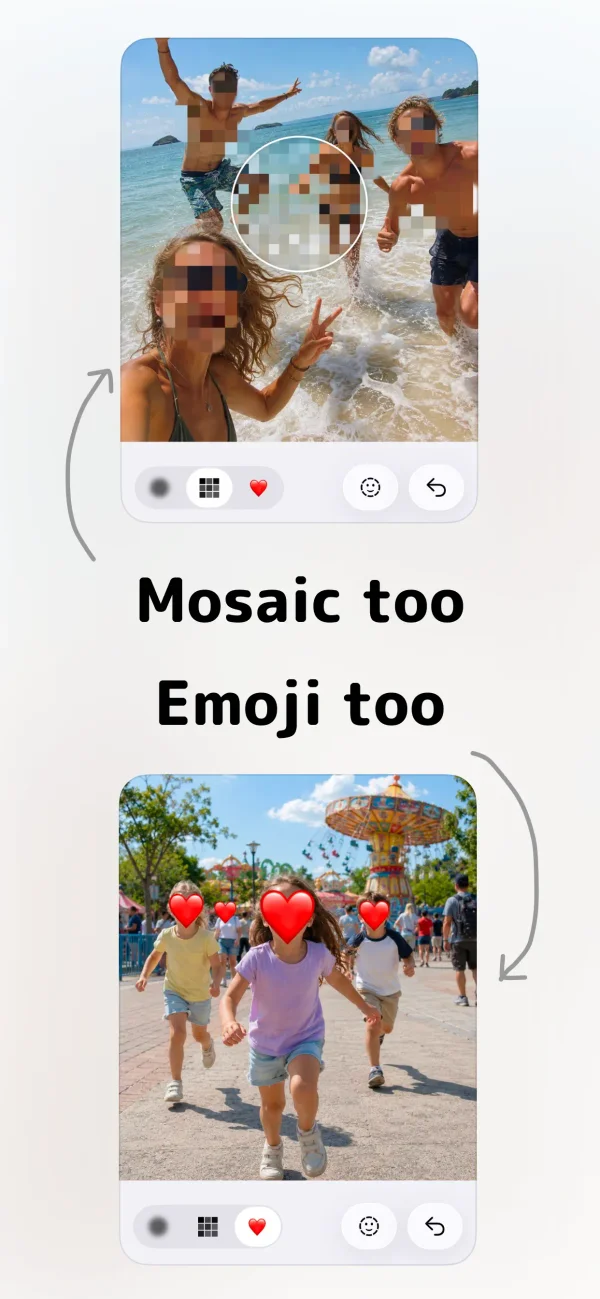
[Three ways to hide]
・Blur … soft
・Mosaic … solid
・Emoji … drop an emoji over the face. 1,900 to pick from
[Trace with your finger for everything else]
・Hide more than faces: name plates, documents, a screen in the background
・Change the strength and the brush size as you go
・The eraser brings back anything you covered too much
■ When it helps
・Posting a photo or video on social media
・Sending family a video of your kid with the face hidden
・Taking personal details out of a screenshot
・Removing an address or a name from a listing photo
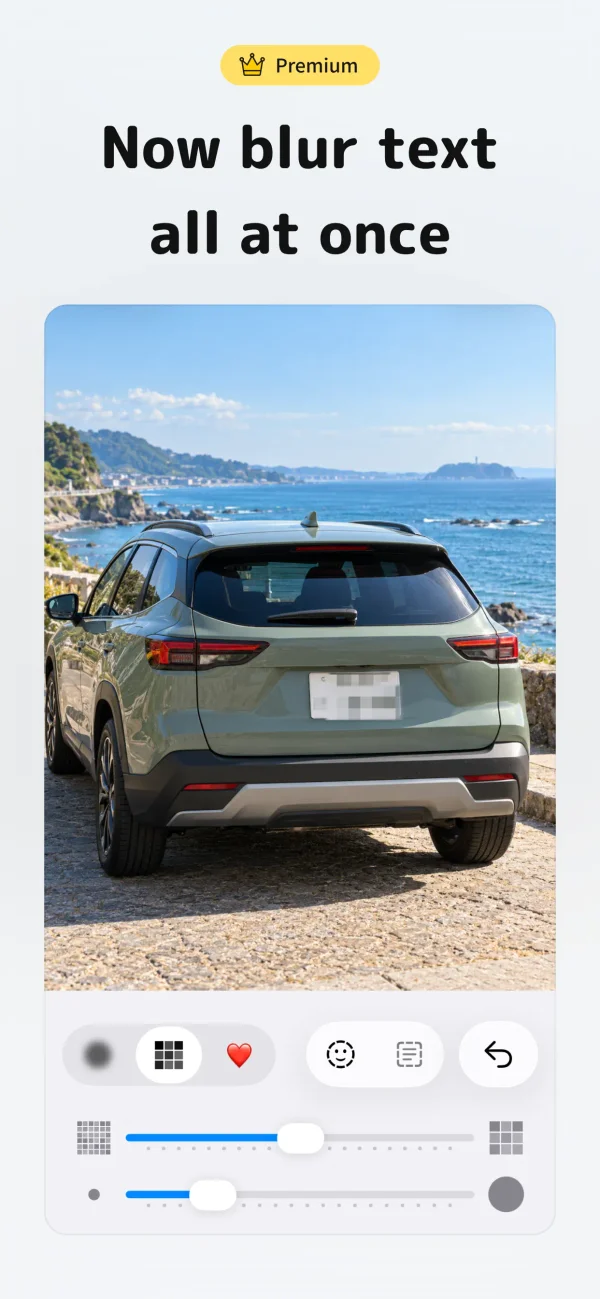
・Posting a photo with a car's license plate in it
■ It all happens on your iPhone
Every bit of the hiding runs on your iPhone. Your photos and videos are never sent anywhere.
The original is left exactly as it was, and the edited copy is saved separately.
■ Premium (one-time purchase)
・Hide the text in a photo all at once: license plates, name plates, documents
・No more ads
・Hide videos up to 10 minutes without trimming (1 minute for free)
・Pay once. No monthly charges
What’s new
Version 1.5.4 · Nov 26, 2026
• In “Requests & bug reports”, you can now add an email address for our reply and attach up to 5 photos
• Tapping outside a text field now closes the keyboard
• Fixed an issue where some videos could not be saved
App privacy
What FORTE, Inc. declares on the App Store about how this app handles data.
-
Data used to track you
May be used to track you across apps and websites owned by other companies.
- Location
- Identifiers
- Usage data
-
Data linked to you
May be collected and linked to your identity.
- Contact info
- User content
-
Data not linked to you
May be collected but is not linked to your identity.
- Location
- User content
- Identifiers
- Usage data
- Diagnostics
Privacy practices may vary, for example with the features you use or your age.
Information
- Seller
- FORTE, Inc.
- Category
- Photo & Video
- Version
- 1.5.4
- Updated
- Nov 26, 2026
- Released
- Sep 7, 2026
- Size
- 13.9 MB
- Requires
- iOS 26.0 or later
- Age rating
- 4+
- Price
- Free
- In-app purchases
- Yes
- Languages
- English, Arabic, Catalan, Croatian, Czech, Danish, Dutch, Finnish, French, German, Greek, Hebrew + 21 more
- Copyright
- © 2026 FORTE, Inc.
You might also like
-
 BlurOne: Blur Video, Face BlurCensor, Pixelate & Hide Faces
-
 Deface: Blur Faces in VideoCensor, Pixelate & Hide Photo
-
 Blur Face Video - TrackBlurRedact, pixelate & hide people
-
 BlurQ: Face Blur Photo & VideoCensor, Pixelate & Mosaic Tool
-
 Blur Face - photo & videoCensor, Mosaic, Pixelate, Hide
-
 Face Blur on PhotoBlurry Faces in Seconds
-
 Blur Video & MosaicBlur Faces & Pixelate Videos
-
 Blur Photo Editor & MosaicFace Blur & Blur Background
-
 Blur Photo Editor: blur effectTouch Blur Effect
-
 Blur ImagePhoto & Video