
Boat Manager: Log, Maintenance
Logbook, Maintenance and Costs
Designed for iPhone, iPad, Mac
Free · In-app purchases
- Age rating4+
- CategoryTravel
- DeveloperJohn Tattersfield
- LanguagesEnglish
- Size61.5 MB
Links to the official App Store page
Download.org hosts no file of Boat Manager: Log, Maintenance. The button opens its official App Store page, published by John Tattersfield. Listing last checked on Nov 29, 2026.
Screenshots



About
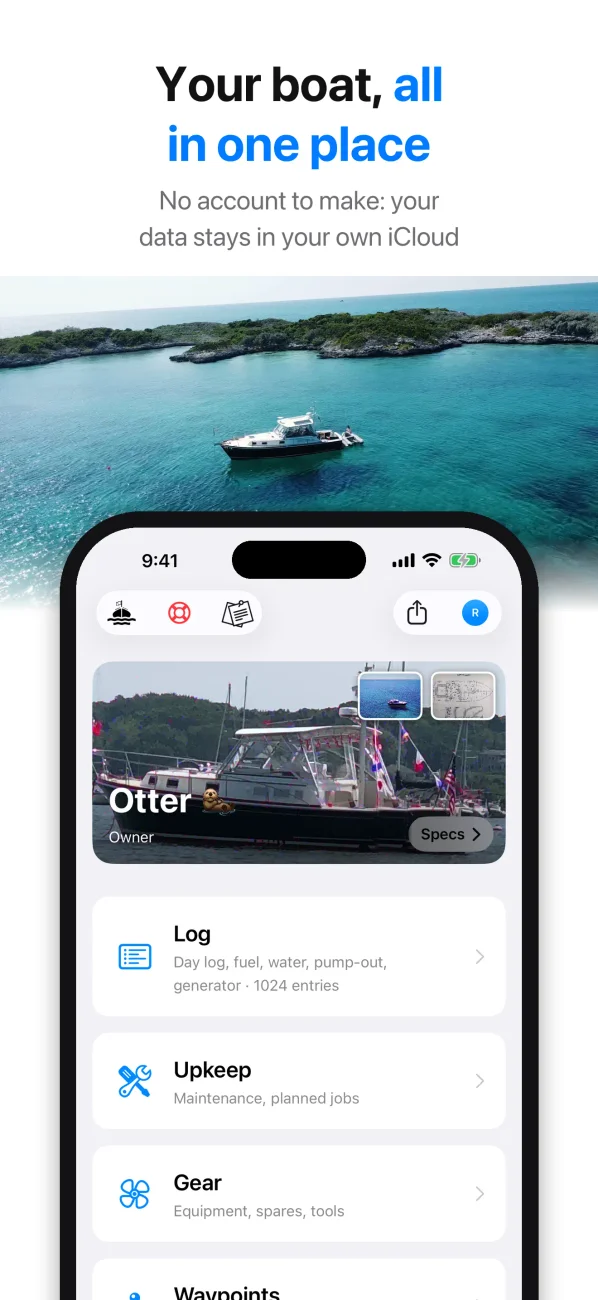
Every detail of every boat you run, in one place: the log, upkeep, gear, papers, costs and crew, on iPhone, iPad and Mac.
Built by a former USCG-credentialed Master Mariner and ex-Royal Navy officer, over several thousand miles underway.
NEW IN 2.0
• A simpler set of screens: your boat on its own page, with the Helm, Find, a + for anything new and Show
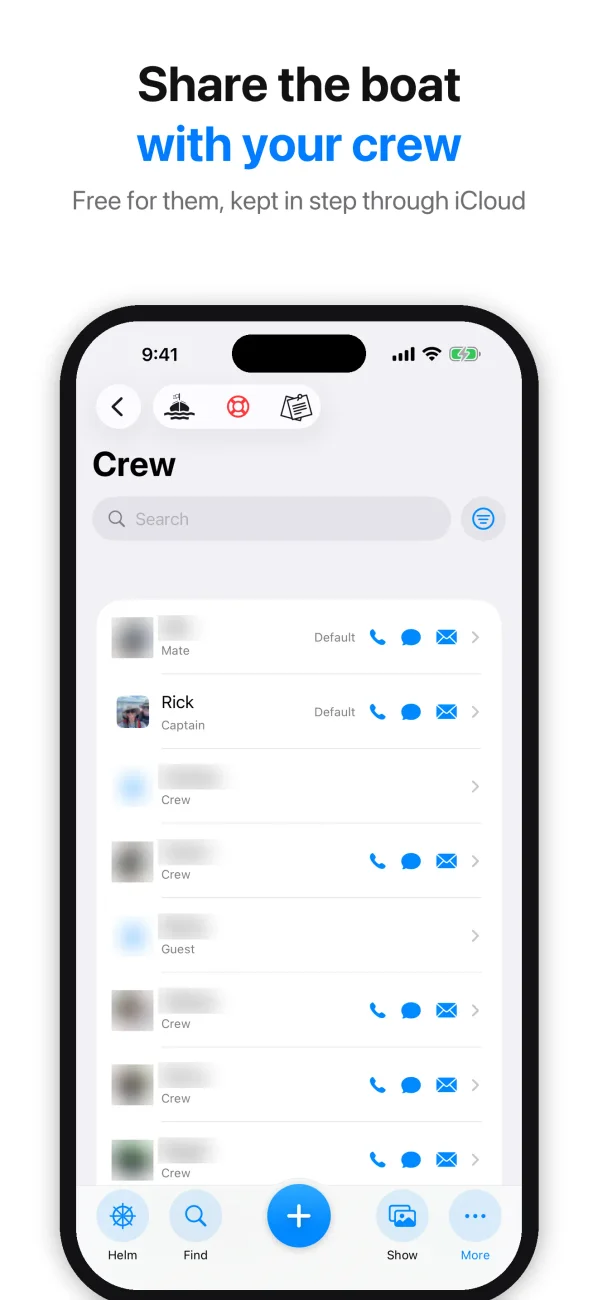
• Share a boat with your crew, free for them
• One search across the log, gear, spares, papers, jobs, people and places
MAKE IT YOURS
• Arrange the screens, the Helm, the + menu, the sidebar and every form
• Pin the places you use most to the bar on iPad and Mac
• Your layout follows you to every device through iCloud
• Guided entry, a step at a time, for logs, upkeep, expenses, reminders and float plans
YOUR BOATS
• Any number of boats: your main boat, a tender, and the boats you've owned or served on
• Specs, admin details, dimensions and capacities
• A fuel-consumption curve fitted to your own data, to estimate what's left in the tank
LOGBOOK
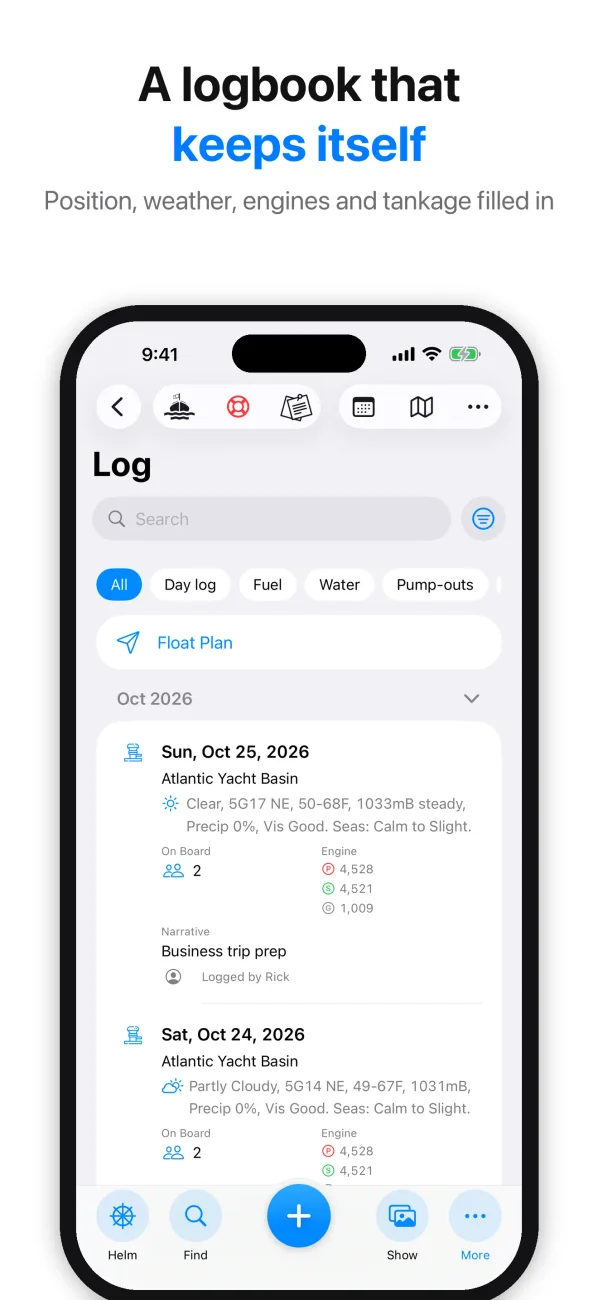
• Captain's daily log, fuel, water, pump-out and optional generator logs
• Position, Apple Weather and NOAA tides filled in with each entry
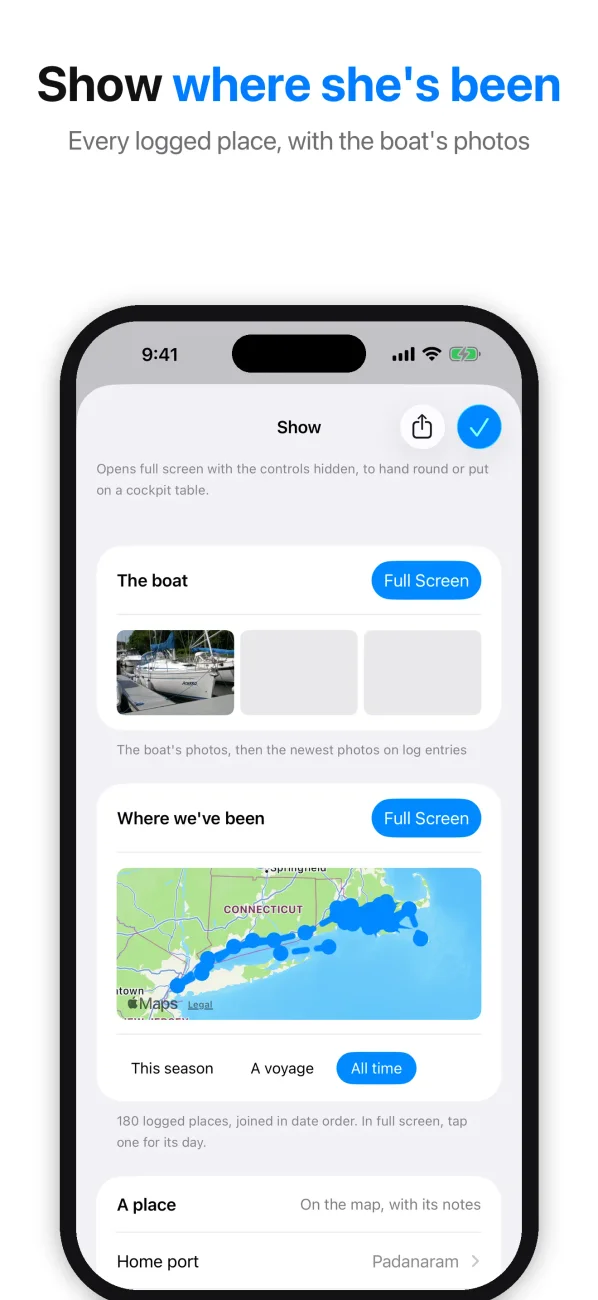
• Every passage on a map and a calendar; waypoints and routes in and out by GPX
• Sea service summaries for USCG CG-719S
THE HELM
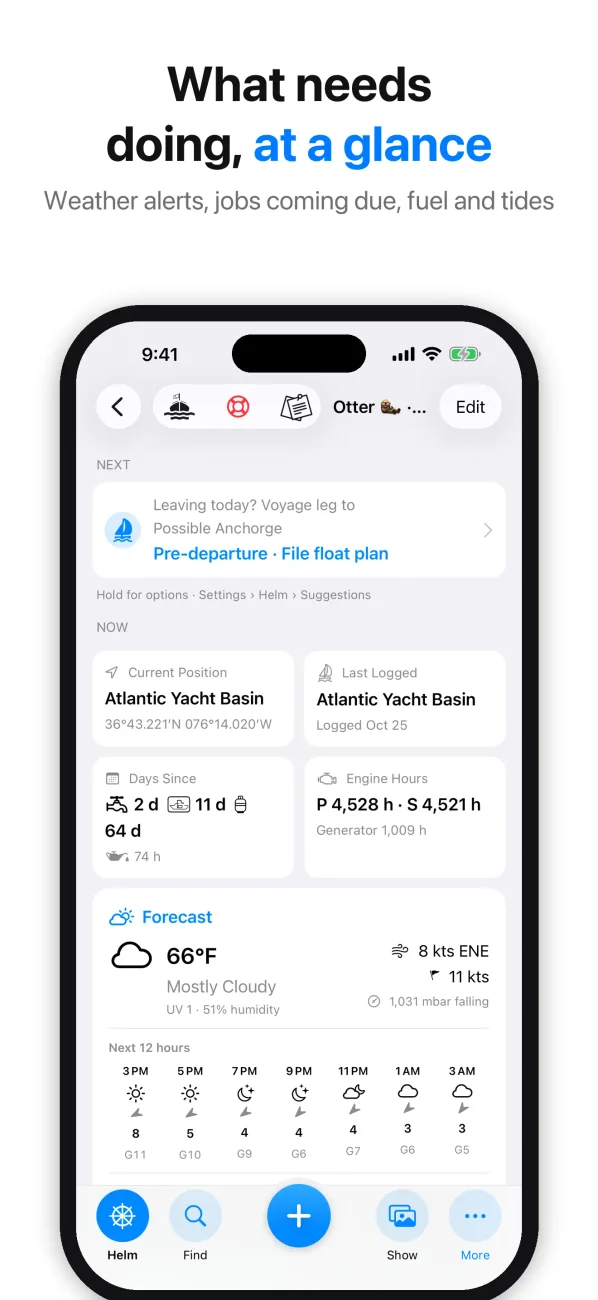
• Position, weather, NWS alerts, tides, engine hours, fuel and what is due
• Cards when something needs doing: a gale warning, today's float plan, jobs coming due
CREW
• Share a boat as Writes the Log, Crew or View Only; it comes aboard their Boat Manager through iCloud
• Crew don't pay: your subscription covers your boats
• Each log entry, to-do and expense says who wrote it; crew keep their own time aboard
• Crew lists from Apple Contacts, with every log entry each person was aboard for
VOYAGES
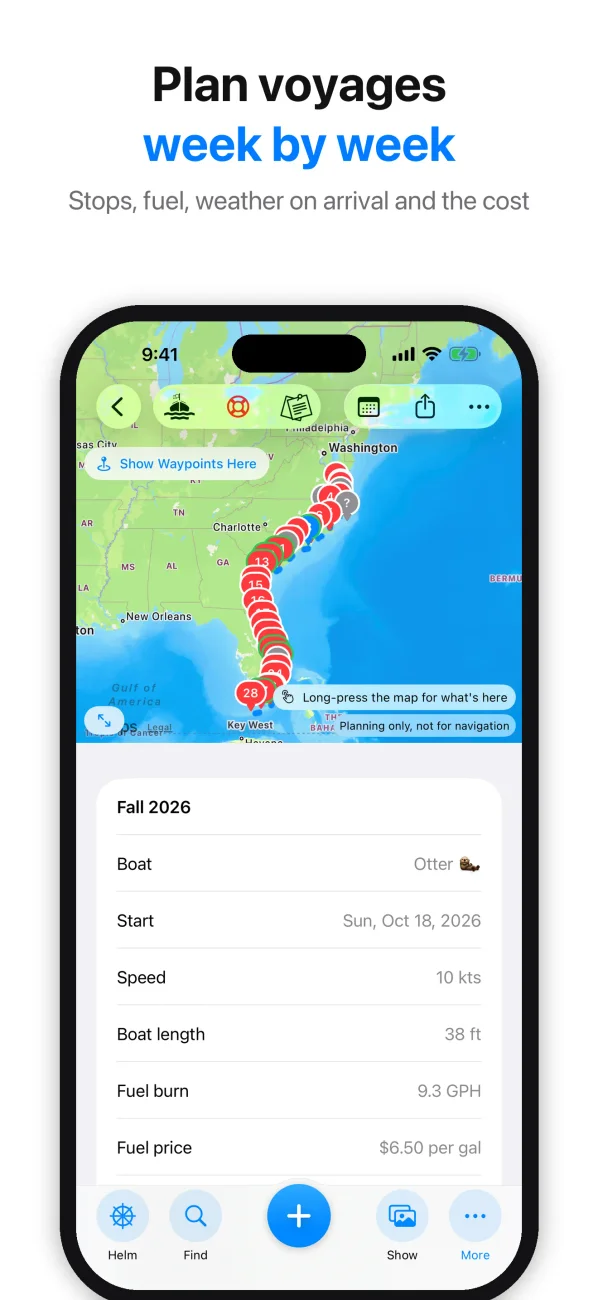
• Plan the coming weeks and months: stops, days between, fuel, weather on arrival and the cost
• Mark a day that can't move, compare alternatives side by side, send the stops to your calendar
UPKEEP & PLANNING
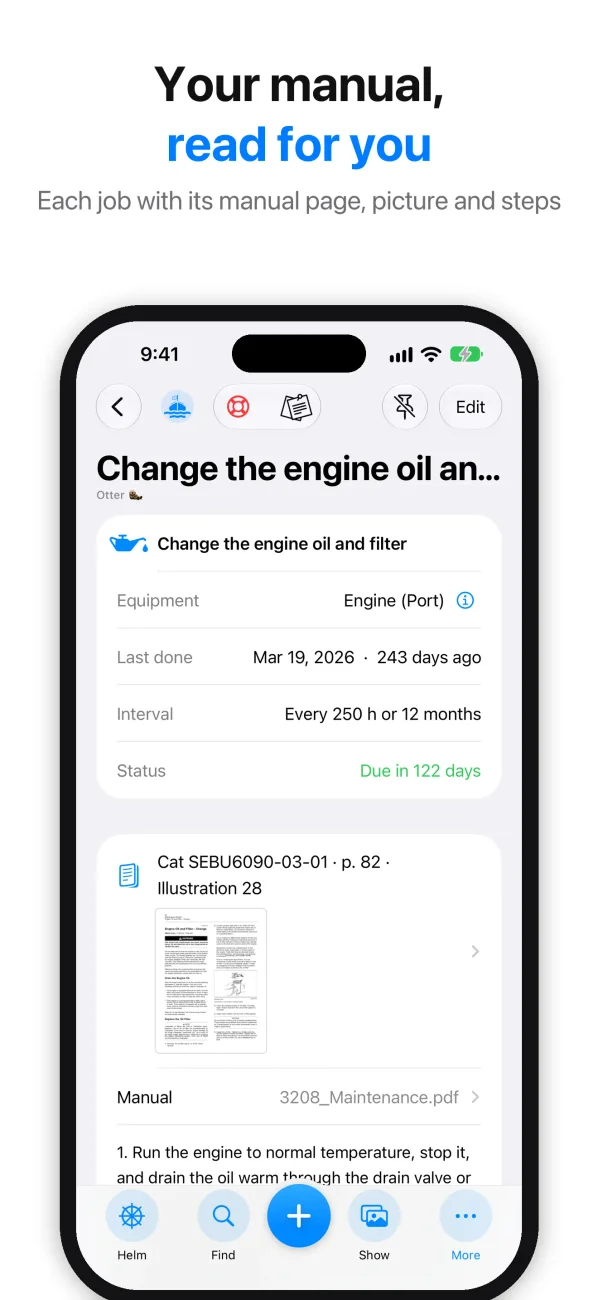
• Over a hundred planned-maintenance jobs, by date or engine hours: log, reschedule or skip
• An Outlook of what falls due month by month, budgets included
• Projects for a refit or haul-out; ready-to-run checklists, and your own
GEAR, SPARES & PAPERS
• Every piece of equipment with its full service history, spares and tools
• Registration, insurance, manuals, receipts, photos and videos, attached where they belong
• Expiry dates with a reminder ahead and one-tap renewal
SAFETY
• The USCG Vessel Safety Check and Required Equipment list, ready to run: a report, a task for every failure and a PDF
• Hurricane Plan and Storm Prep checklists
• USCG-inspired float plans and an arrival message, sent by Messages or Mail in one tap
WHAT THE BOAT COSTS
• Every cost an expense, with its receipt: fuel, berths, labour, parts, insurance
• The last 12 months by category, recurring bills, and spend at each marina and vendor
• PDF or CSV for your taxes or your bookkeeper
WAYPOINTS & ANALYSIS
• Waypoints for liveaboards: berth, power, water, pump-out and what's ashore, filled from Apple Maps
• Days underway, speeds, distances, fuel and carbon footprint, charted
• Data Health finds what cannot be right in your logs and proposes the fix
APPLE ECOSYSTEM
• No account to make: your data stays in your own iCloud, synced across iPhone, iPad and Mac, and works offline
• Apple Reminders, Calendar, Contacts and Weather; CSV import and export of everything
• Dark Mode for night watches
Everything is free for the first 30 days. After that it is $0.99 per month or $9.99 per year, billed through your Apple Account and cancellable at any time.
Note: the emergency and float-plan features are aids, not a substitute for a VHF/DSC radio, an EPIRB, or leaving a float plan with someone ashore.
Terms of Use: https://www.apple.com/legal/internet-services/itunes/dev/stdeula/
Privacy Policy: https://boatmanager.app/privacy
Support & Feedback: support@boatmanager.app | https://boatmanager.app/help
What’s new
Version 2.1.4 · Nov 28, 2026
Engine hours you can trust; bring in a checklist you already have; voyages you've sailed kept apart from your plans; Siri for each Log Note button and for fishing; and the UK and Canada.
ENGINE HOURS YOU CAN TRUST
A reading lower than the last, more than 24 hours a day since it, or far too high is flagged as you type and asked about before it's saved. Correct a reading and the boat's counter follows it down, and each job keeps the reading it was done at, so a later change to that day's log doesn't move it. Meter Replaced starts a new meter without counting the old one's hours twice. Gear with a meter of its own, and a part of the starboard engine or the generator, now counts on its own hours, not the port engine's. A Service Checklist run records the hours too.
WHEN AN HOURS JOB FALLS DUE
A job by hours says about when it falls due, from the hours you usually run, and when its counter was last read. With Remind Me of What's Due on, Upkeep's jobs are announced a week before they fall due, by hours or by months. The Helm's Since Oil Change comes from the engine's own oil-change job, and its Engine Hours tile says when hours have gone unlogged for two days underway.
MORE TO SAY TO SIRI
Each Log Note button is something to say: “Anchor down in Boat Manager” or “Log dolphins in Boat Manager” writes the line the button writes, with the time and position, and asks aloud what the button asks. “Log a catch in Boat Manager”, “Start fishing” and “Stop fishing” do what their buttons do. Log a Note understands more ways of saying it, so a note no longer ends up in Apple's Notes.
READ A CHECKLIST
Bring in a checklist you already have, from a PDF, a scan, a photo of the page or pasted text. Boat Manager reads it on your device, turns each line into a step and each heading into a section or a checklist of its own, and shows you every step to check before it's saved. From the + on Safety Checks and Checklists.
THE UK AND CANADA
Set to the UK: County and Postcode, SSR number, the Met Office forecast and radar, Admiralty EasyTide, HM Coastguard and 999 on a float plan, and tides for 61 places round the coast, worked out on your device as a guide, not for navigation. Set to Canada: Environment Canada's radar, and C-Tow offered on Call for a Tow. RYA, ICC, Pleasure Craft Operator Card and SVOP are among the credentials, and worked-out distances and wind follow your units.
VOYAGES
Voyages you've sailed are kept apart from your plans. Boat Manager finds them in your log; keep one to name it, add notes and set its first and last days. What happened stays the log's: tap a passage to change its log entry. Plan a Voyage Like This makes a new plan with the same stops, from a day you choose, and the log can be filtered by voyage. Notices to Mariners along a voyage and at each stop, chosen in My Settings. Tides at each stop, and Arrive near high or low water, which says when the tide can't be met in daylight. Each voyage's row shows its route, the voyage under way sits at the top, and a marina's rate can be a flat night.
FISHING
Fishing has a page of its own to turn it on, from This Boat or Arrange, saying what it adds and what stays private. Tackle, the Fish Guide, Licenses and Export sit at the top of Fishing, where a long list of trips can't push them out of reach. On a shared boat, the Fish Caught note never says where.
GENSET ON AND OFF
Two new Log Note buttons. Tap GenSet on and GenSet off as it runs, and the log offers the hours run between them, as it does for Engine on and off.
FIND, HELP AND MORE
Find goes to a date: type 23 May 2023 or 23/5/2023 for that day's log. It searches your tools and tackle, and the Fish Guide too. Help lists all of Boat Manager's answers by topic. Read My Manual can start from the Library. Each float plan shows its route, and Use Again starts the next one like it. Set to the UK, Checklists links the RNLI and RYA's free checklists.
App privacy
What John Tattersfield declares on the App Store about how this app handles data.
-
Data linked to you
May be collected and linked to your identity.
- Purchases
-
Data not linked to you
May be collected but is not linked to your identity.
- Location
- Contact info
- Contacts
- User content
Privacy practices may vary, for example with the features you use or your age.
Information
- Seller
- John Tattersfield
- Category
- Travel
- Version
- 2.1.4
- Updated
- Nov 28, 2026
- Released
- Jun 3, 2025
- Size
- 61.5 MB
- Requires
- iOS 18.0 or later
- Age rating
- 4+
- Price
- Free
- In-app purchases
- Yes
- Languages
- English
- Copyright
- © 2026 NINW LLC
You might also like
-
 Skipper: Ship's LogbookTrack and log every boat trip
-
 Nebo - Boat Logging Made Easy.Auto Boat Log, Connect & Share
-
 Waterway GuideTrusted Boating Resource
-
 noforeignlandSocial networking for sailors
-
 SeaPeople: Boat TrackerMarine Weather & Route Planner
-
 Aqua Map BoatingMarine navigation and fishing
-
 Argo Navigation: Boat GPS, MapMarine Charts, Weather & Tides
-
 DockwaDock and mooring reservations
-
 Simrad: Companion for BoatersGreat nautical charts
-
 Savvy Navvy: Boat NavigationGPS, Nautical Charts, Boating