
- Age rating17+
- CategoryHealth & Fitness
- DeveloperYUTAKA IZUMIYAMA
- LanguagesJapanese+ 1 more
- Size5.4 MB
Links to the official App Store page
Download.org hosts no file of Nukuro - Body Temp & Weight. The button opens its official App Store page, published by YUTAKA IZUMIYAMA. Listing last checked on Nov 27, 2026.
Screenshots

About
"Nukuro comes from the Japanese words nukumori (warmth) and kiroku (record). Designed to bring a sense of calm and clarity to your daily routine, Nukuro makes tracking your body temperature and weight effortless."
Track your body temperature and weight with calm and clarity.
Nukuro is a minimalist health log designed to make daily temperature and weight tracking effortless. Inspired by the Japanese words nukumori (warmth) and kiroku (record), Nukuro removes clutter and complicated menus so you can focus on what matters most—your daily well-being.
Why Nukuro?
• Fast & Effortless Entry: Log your temperature and weight in seconds.
• Clean Visual Charts: Spot trends and subtle changes at a glance.
• Calm, Minimalist Design: Built with a soothing interface that feels natural to use every morning and night.
Whether you are monitoring a fever, keeping a daily wellness routine, or managing your weight, Nukuro provides a quiet, reliable space for your health records.
Start your simple daily health habit with Nukuro today.
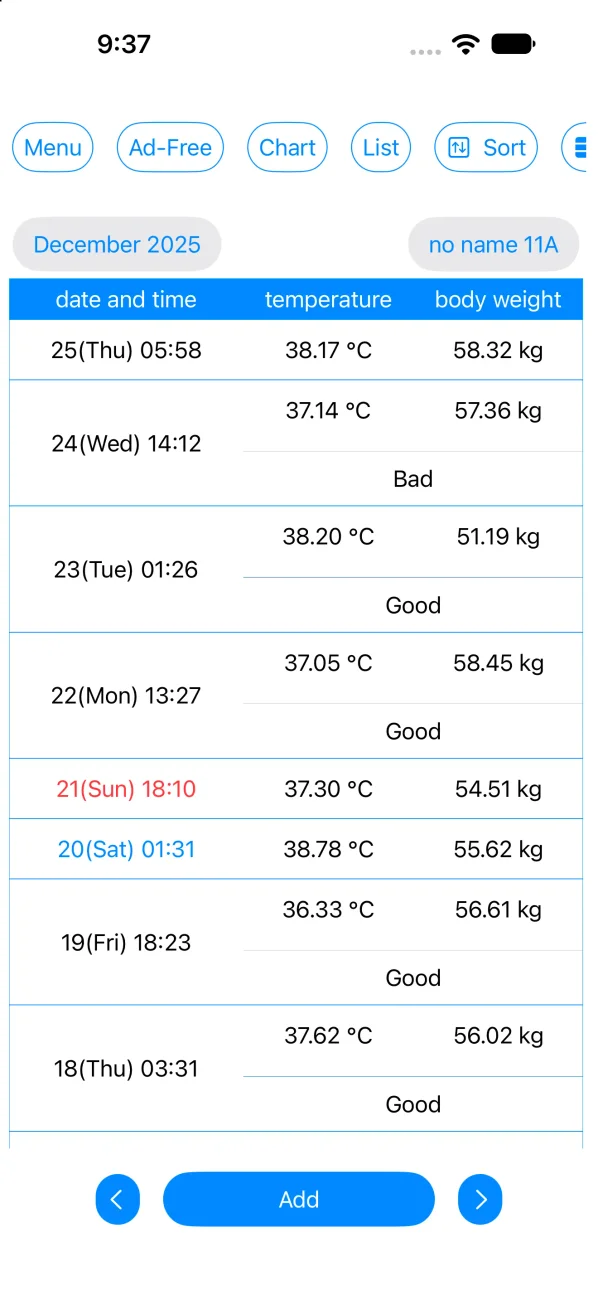
This is an app for recording body temperature and weight and displaying it as charts.
You can record body temperature and weight by a date.
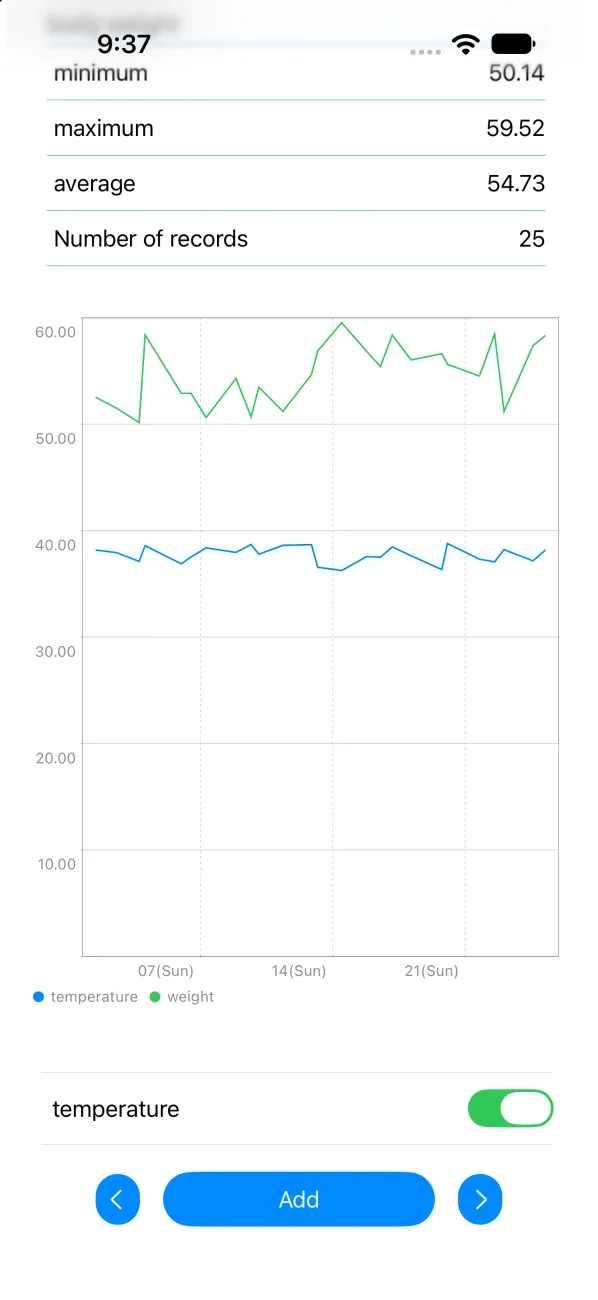
When body temperature and weight are recorded, they are displayed as charts.
You can check the body temperature and weight for each record in line charts.
▼Record body tempearature and weight
1. Tap the Add button.
2. Select the date and tap Next.
3. Select the time and tap Next.
4. Enter your body temperature, weight and any notes, then tap OK.
▼body temperature Weight charts
1. Tap the chart icon at the top.
2. Tap the chart you want to display from the Monthly chart, Yearly chart, Last 3 months chart, Last 6 months chart, or Full period chart.
▼Delete one record
1. Tap the record you want to delete.
2. Tap Delete from the menu.
3. Confirm the record you want to delete and press the Delete button.
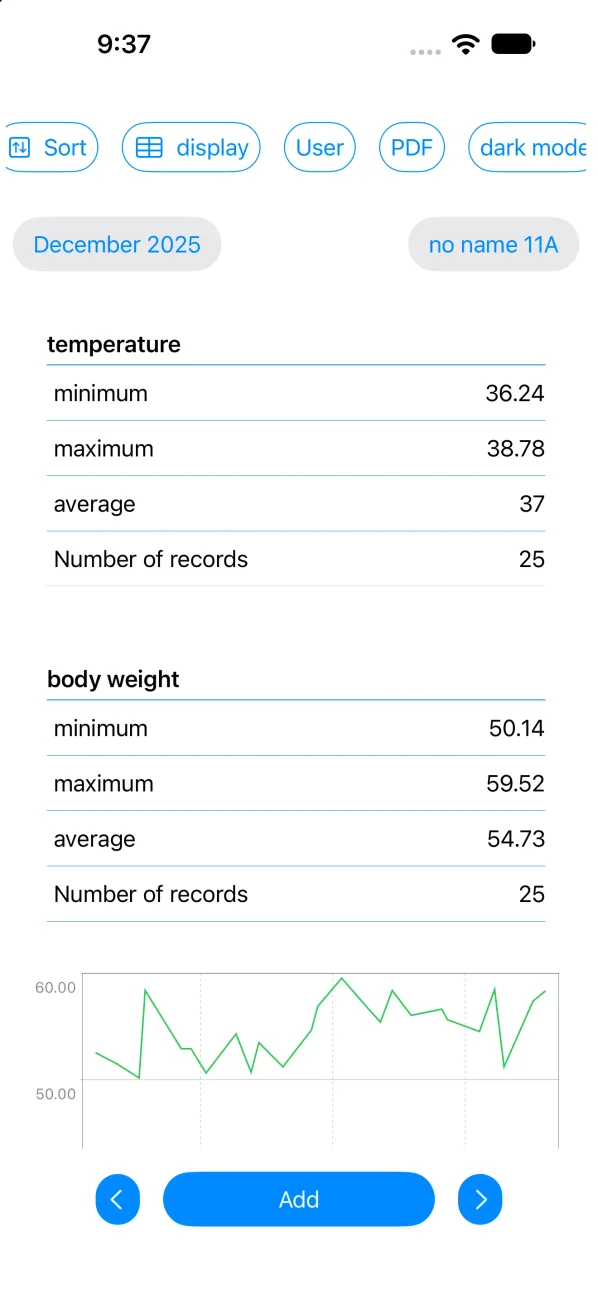
▼Sort
Press the ↑↓ button at the top
to sort the table by date and time.
▼Show/hide table
Press the table button at the top
to show/hide the table.
▼Add/Edit/Switch Users
1. Tap the user icon at the top.
2. Add a name from Add User to record them separately.
3. To edit, tap Edit/Delete User and the editing screen will open.
4. Tap the user name in User Selection to switch users.
▼Create PDF file (top right menu)
Create a PDF file.
You can create a PDF file by specifying the year and month.
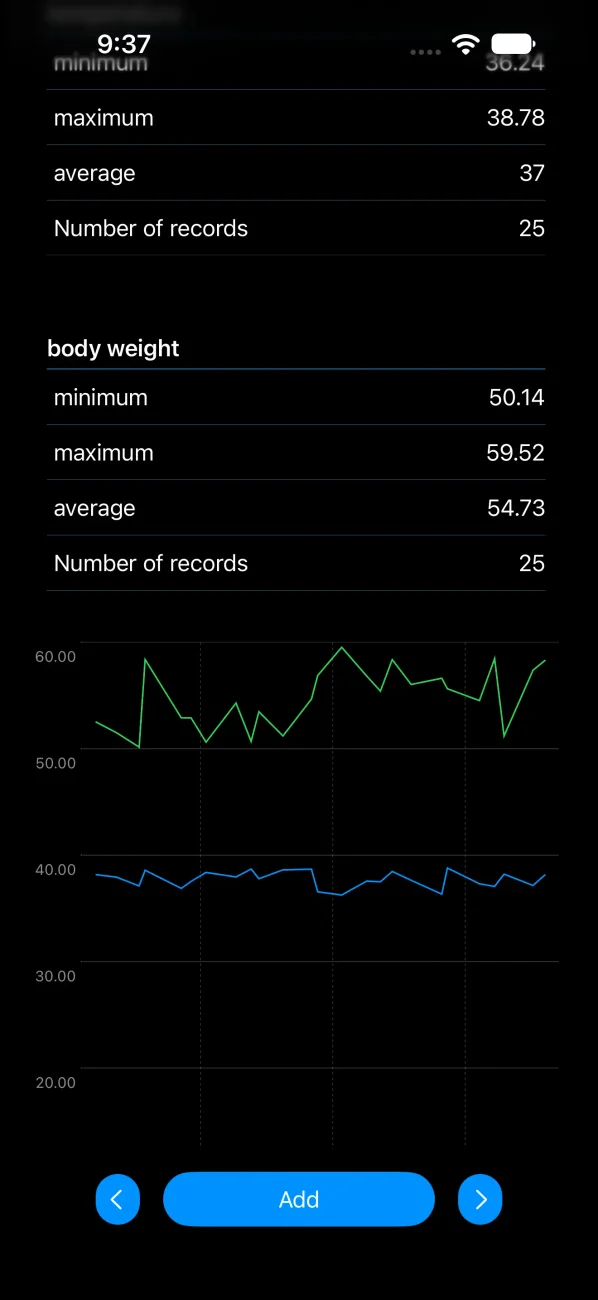
▼Dark mode (menu on the top right)
Select dark mode ON/OFF from the menu on the top right.
Pressing dark mode will switch the screen display to a black-based color scheme.
Pressing light mode will return to the normal white-based screen display.
▼Delete all records (menu on top right)
You can completely delete all records by erasing all data from the menu on the top right.
All app records stored on iCloud will be completely deleted.
・Data transfer when changing device
If you are a user with the same Apple ID,
the records are stored in iCloud,
so the same records will be displayed on the new iPhone/Ipad.
It may take some time for the app data to be reflected when you launch it for the first time.
【Terms of Use】
This app complies with the Apple Standard Terms of Use (EULA).
Please refer to the link below for details:
https://www.apple.com/legal/internet-services/itunes/dev/stdeula/
What’s new
Version 26.11.10 · Nov 26, 2026
change app screen
App privacy
What YUTAKA IZUMIYAMA declares on the App Store about how this app handles data.
-
Data used to track you
May be used to track you across apps and websites owned by other companies.
- Location
- Identifiers
- Usage data
- Diagnostics
-
Data linked to you
May be collected and linked to your identity.
- Location
- Identifiers
- Usage data
- Diagnostics
Privacy practices may vary, for example with the features you use or your age.
Information
- Seller
- YUTAKA IZUMIYAMA
- Category
- Health & Fitness
- Version
- 26.11.10
- Updated
- Nov 26, 2026
- Released
- Jun 17, 2025
- Size
- 5.4 MB
- Requires
- iOS 18.6 or later
- Age rating
- 17+
- In-app purchases
- Yes
- Languages
- Japanese, English
- Copyright
- © 2025 Yutaka Izumiyama
You might also like
-
 ヘルスケア入力Health & Fitness
-
 VitalinHealth & Vitals Journal
-
 けんしん手帳:健康診断・人間ドック・がん検診の記録・予約Medical
-
 マッチョプ - 筋トレ記録×ジム巡りHealth & Fitness
-
 健康診断ノートHealth & Fitness
-
 みんなの服薬|自分も家族も介護も服薬管理Health & Fitness
-
 Urine Log: Voiding DiaryBladder Diary & Bowel Tracker
-
 SproWeight LiteHealth & Fitness
-
 血圧管理手帳+Health & Fitness
-
 RevMed RMC-6236-303Medical