
- Age rating4+
- CategoryUtilities
- Developerjun murase
- LanguagesJapanese
- Size1.8 MB
Links to the official App Store page
Download.org hosts no file of BookViewer. The button opens its official App Store page, published by jun murase. Listing last checked on Nov 12, 2026.
Screenshots



About
The developer has not provided this text in your language.
BookViewerは、PDFファイルや画像フォルダ(ZIP)を読み込み、Kindleのようにスワイプで読めるリーダーアプリです。
【主な機能】
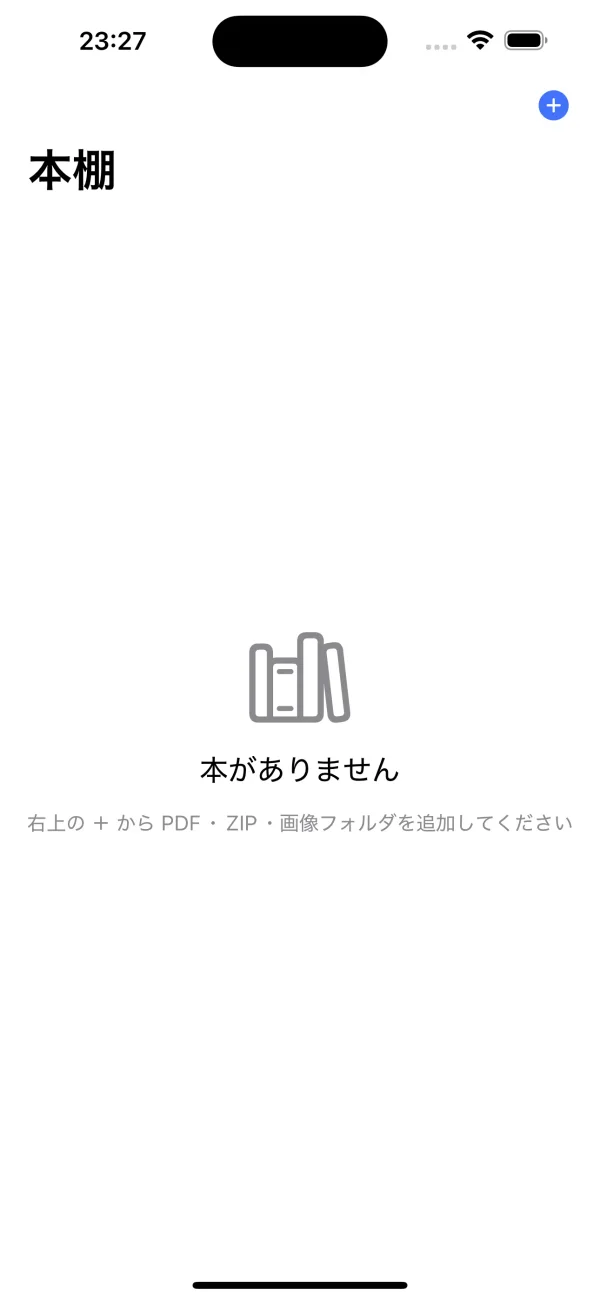
■ 本棚(ライブラリ)
インポートした本を一覧表示。サムネイルとタイトルで管理できます。
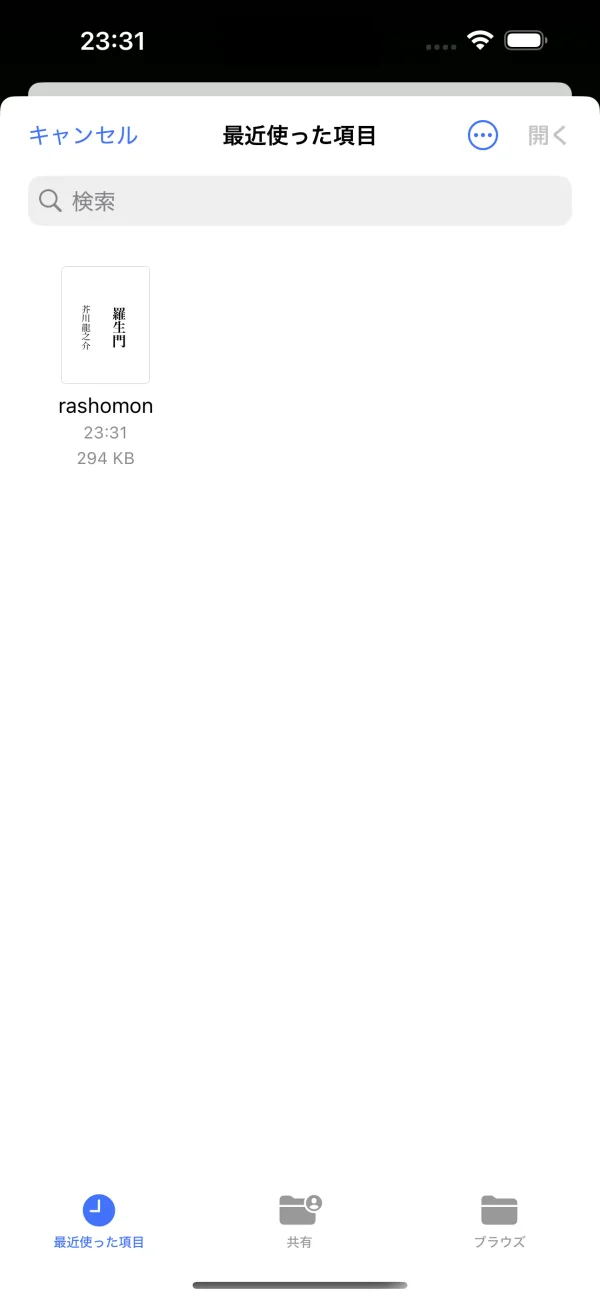
■ ファイルの追加
「+」ボタンから、PDF・ZIP・画像フォルダを選択して追加。
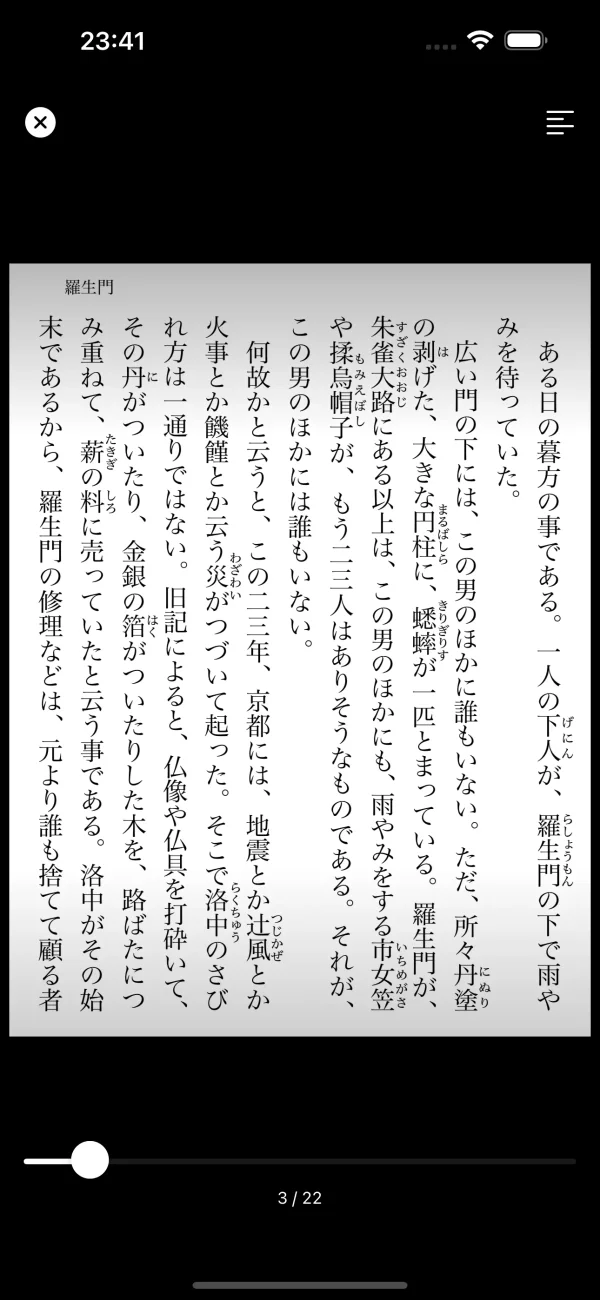
■ 読書画面
・左右スワイプでページめくり(Kindle風)
・画面タップでメニュー表示/非表示(閉じる・シークバー)
・下のスライダーで好きなページへジャンプ
・ページ数・進捗を表示
■ 読み方の切り替え
・左開き:一般的な本のように左から右へ
・右開き:漫画のように右から左へ(ボタンで切り替え)
■ 画像の拡大
画像の本では、ピンチやダブルタップで拡大・縮小できます。
■ 続きから読む
最後に開いたページを自動保存。次に開いたときは続きから読めます。
【対応形式】
・PDF(.pdf)
・ZIP(中身の画像を連番で表示)
・画像フォルダ(画像が入ったフォルダをそのまま選択可能)
App privacy
What jun murase declares on the App Store about how this app handles data.
-
Data linked to you
May be collected and linked to your identity.
- Contact info
- User content
Privacy practices may vary, for example with the features you use or your age.
Information
- Seller
- jun murase
- Category
- Utilities
- Version
- 1.0
- Updated
- Mar 18, 2026
- Released
- Mar 18, 2026
- Size
- 1.8 MB
- Requires
- iOS 16.0 or later
- Age rating
- 4+
- Languages
- Japanese
- Copyright
- © 2026 Jun
You might also like
-
 Folio - PDF Two-Page ReaderRead scanned books in spreads
-
 ZinemaUtilities
-
 メモる NoteUtilities
-
 猫耳ビューアーNAS とローカルのマルチメディアビューアー
-
 かんたん燃費Utilities
-
 **CalcMemo - 電卓つきメモ帳**Utilities
-
 DataPocketOrganize data by date & folder
-
 CountDownList - Days UntilWedding, trip & widget timer
-
 Parail - 2画面ブラウザ・画面分割Utilities
-
 TSUZURU- Markdown taking-note app -