
- Age rating4+
- CategoryProductivity
- DeveloperChai & Byte
- LanguagesEnglish
- Size33.0 MB
Links to the official App Store page
Download.org hosts no file of BorrowHub. The button opens its official App Store page, published by Chai & Byte. Listing last checked on Nov 12, 2026.
Screenshots

About
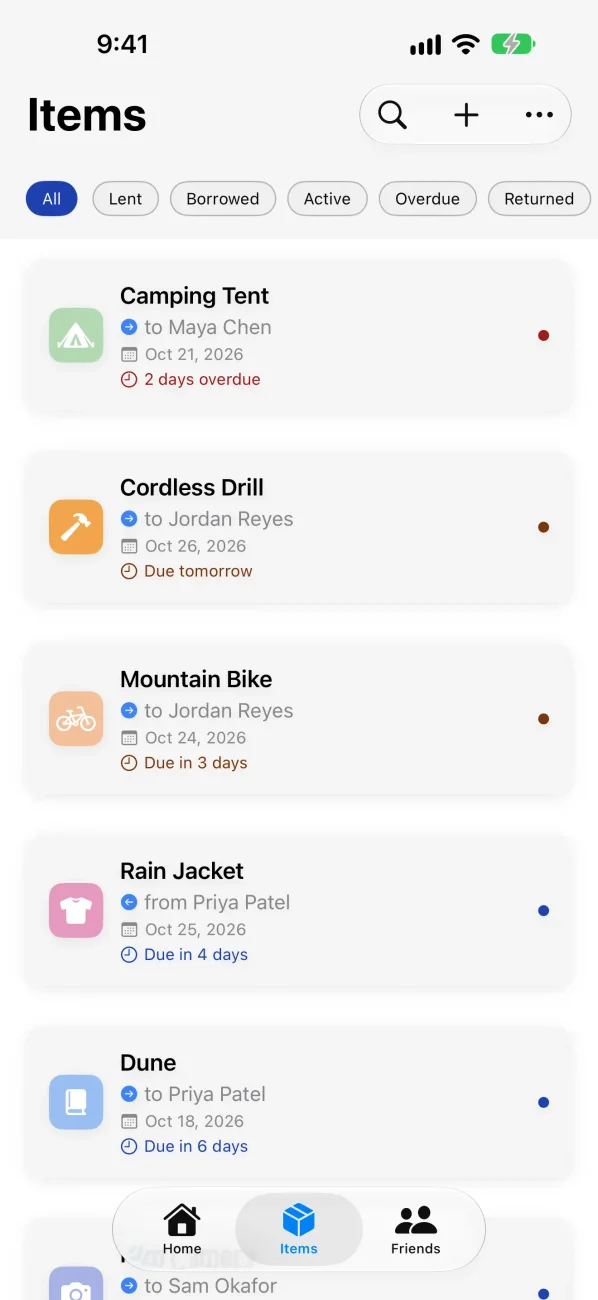
Lent a book, a tool or a game to a friend and lost track of it? BorrowHub keeps a list of every physical item you lend, who has it and when it is due back, so you do not have to rely on memory. Physical items only: no money, no payments.
LEND IN A FEW TAPS
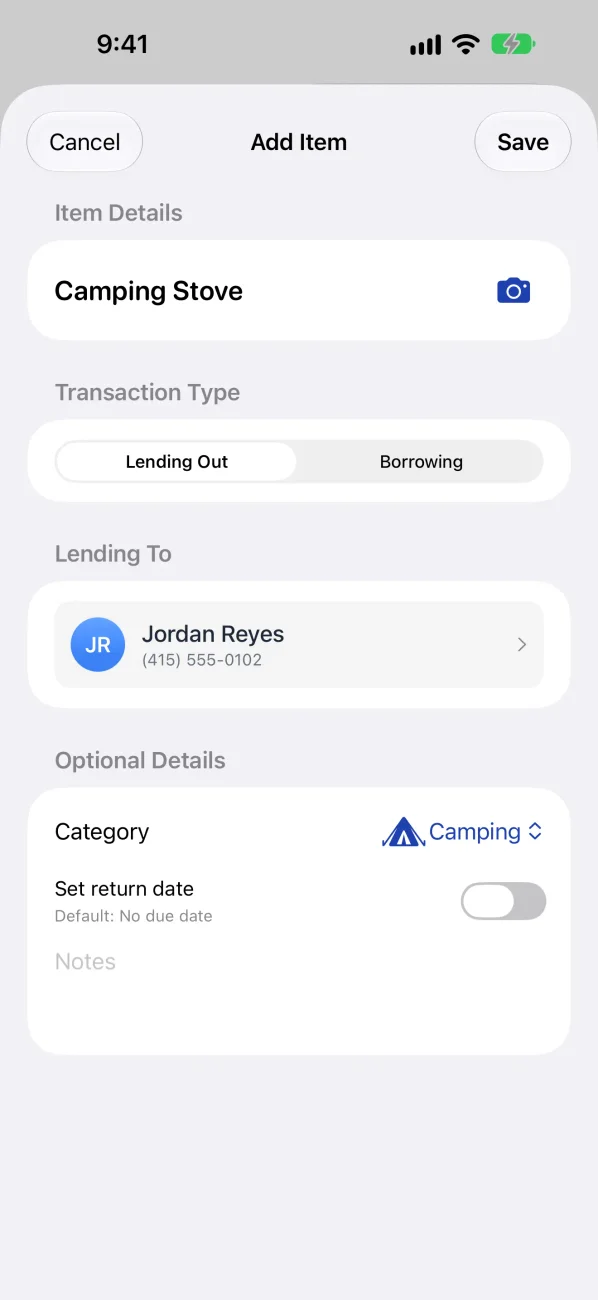
Tap "+", type what you are lending, pick a friend and Save. A due date is optional. BorrowHub suggests a category from the name you type, or you can take a photo and it suggests the item and its category.
GET IT BACK
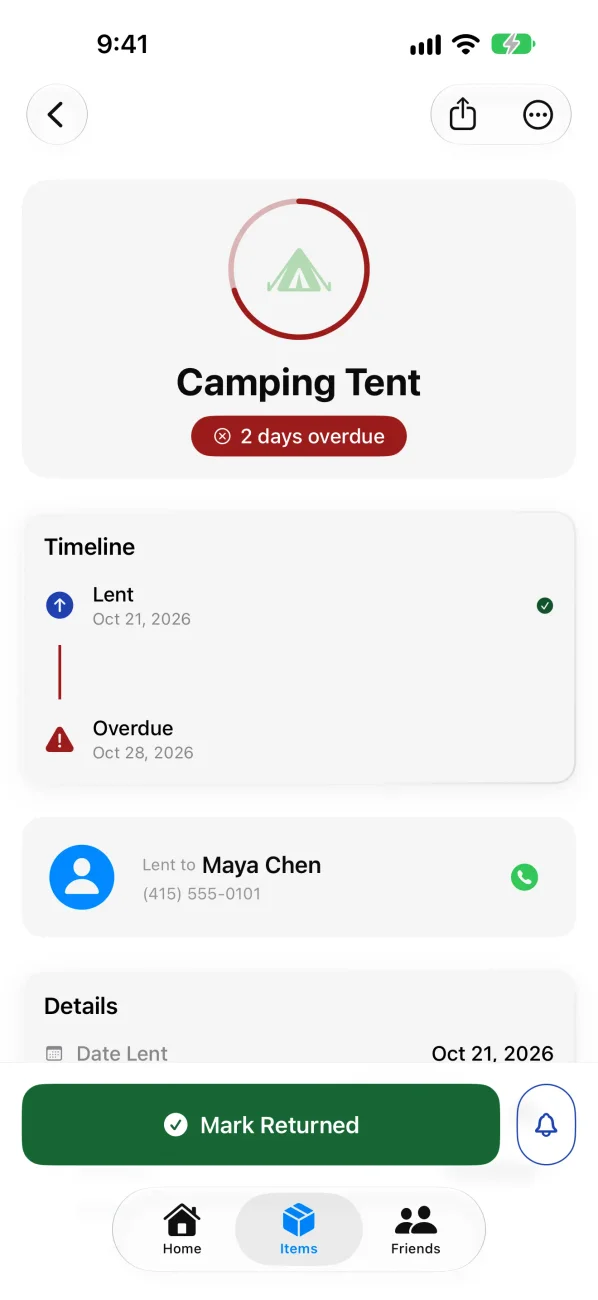
When it comes back, swipe the item left in Items. A full swipe returns it, and Undo is one tap away. Returned items sit under their own heading, newest first. Need to nudge someone? Open the item and tap the bell, or shake your phone while viewing the item. The reminder goes as a push notification, or as a message you share if your friend is not on BorrowHub yet.
REMINDERS ON YOUR TERMS
Get a notification before something is due (you choose how many days ahead) and a push reminder when it is overdue.
FRIENDS BY NAME OR PHONE
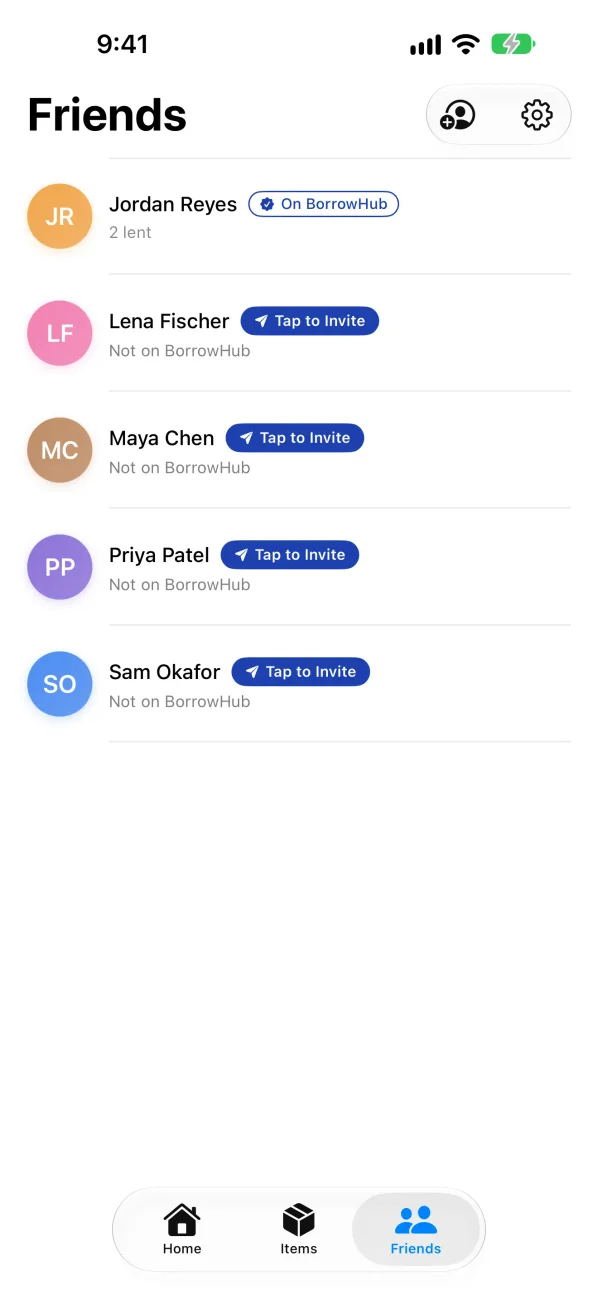
A name is enough to add a friend. Add a phone number if you want BorrowHub to link them to their account when they join. Tap to Invite sends an invitation, and the friend then shows as Invited. A friend is just your own entry: nobody has to accept anything for you to keep track of what you lent.
WORKS OFFLINE
Add an item, add a friend or mark something returned with no connection. BorrowHub saves it on your phone and syncs when you are back online. A friend you add offline is created once, without duplicates.
STATISTICS AND WIDGET
Statistics shows how much you have lent, what is out now, how often things come back and which friends return them on time. The home-screen widget shows your active and overdue counts at a glance.
BUILT FOR IPHONE DUO
On the iPhone Duo, BorrowHub fills the outer display and uses the system's vertical tab bar. On the opened display in landscape, a list sits beside the details. It also runs on every other iPhone, in light and dark mode.
SIGN IN WITH YOUR PHONE NUMBER
No email and no password. Links such as borrowhub:// open the right item or friend in the app.
PRIVACY
Matching your contacts sends hashed versions of their phone numbers, which the server does not store. A phone number you attach to a friend is stored so accounts can link. Your QR "My Code" carries your display name and an account id, never your phone number. Read the full policy at chaiandbyte.com/borrowhub-privacy.html.
PERFECT FOR
- Bookworms who share their collection
- Neighbors who swap tools
- Friends who borrow chargers, games or kitchen gear
- Anyone tired of the "wait, who has my...?" moment
Download BorrowHub and always know where your stuff is.
What’s new
Version 1.8.0 · Nov 3, 2026
What's new in BorrowHub 1.8:
- Built for iPhone Duo: the app fills the outer display and uses the system's vertical tab bar and toolbar. Opened wide, lists and details sit side by side; opened tall, they show one at a time, like on iPhone.
- Swipe left all the way on an item to return it. A "Returned - Undo" notice appears, and returned items sit under their own Returned heading, newest first.
- Returning an item and tapping Undo now work offline too: they are saved on your phone and sent when you reconnect.
- Friends you add stay in sync: add someone while offline and they are saved once you reconnect, without duplicates. A friend you invited stays marked Invited after a refresh.
- Reminders work the same way everywhere: confirm, then send a push, or share a message if your friend is not on BorrowHub yet.
- Adding an item suggests a category from the name you type.
- Statistics shows honest numbers and clear empty states.
- A short explanation now comes before iOS asks to send notifications.
- The home-screen widget shows your current counts.
- Sign-in uses your phone number only; BorrowHub no longer asks for an email.
- If your session expires, you go to sign-in and your items and friends stay on your phone.
- Notifications load reliably, and tapping a "friend joined" notification opens the friend.
- Cleaner Home, Items, item detail and Settings, in light and dark.
Physical items only. No money, ever.
App privacy
What Chai & Byte declares on the App Store about how this app handles data.
-
Data linked to you
May be collected and linked to your identity.
- Contact info
- Contacts
- User content
- Identifiers
- Diagnostics
-
Data not linked to you
May be collected but is not linked to your identity.
- Usage data
Privacy practices may vary, for example with the features you use or your age.
Information
- Seller
- Chai & Byte, LLC
- Category
- Productivity
- Version
- 1.8.0
- Updated
- Nov 3, 2026
- Released
- Jan 23, 2026
- Size
- 33.0 MB
- Requires
- iOS 17.0 or later
- Age rating
- 4+
- Price
- Free
- Languages
- English
- Copyright
- © 2026 Chai & Byte
You might also like
-
 EfferyNotes not meant to last
-
 Item NestKnow where everything lives
-
 Personal Credit TrackerEasy to use interface
-
 Tracly: Home OrganizerHome Inventory Tracker
-
 OrderLink: Group Order & SplitShare lunch costs & coffee run
-
 Password Manager by UmakhanProuser-friendly interface
-
 QR Code Generator Studio ProMake dynamic QR codes
-
 Payment Tracker: Debt & CreditSimple Ledger for Payments
-
 Password Manager - SafeBoxPasswords Vault & Lock Safe
-
 Passsword Manager VaultMaster PIN : Password Reminder