- Age rating4+
- CategoryEntertainment
- DeveloperHYBE Co., Ltd
- LanguagesEnglish+ 12 more
- Size35.6 MB
Links to the official App Store page
Download.org hosts no file of BOYNEXTDOOR Light Stick. The button opens its official App Store page, published by HYBE Co., Ltd. Listing last checked on Nov 12, 2026.
Screenshots


About
[Key Features]
1. Smartphone Bluetooth Connection
With the Light Stick turned off, Press the buttons of the Light Stick simultaneously for 2 seconds to enter Bluetooth mode. (It will blink in blue)
Turn on your smartphone’s Bluetooth mode and pair it with the Light Stick.
2. Concert mode
Enter your concert ticket information and pair your Light Stick.
You can enjoy various stage effects during the concert.
This menu will be enabled several days prior to a concert.
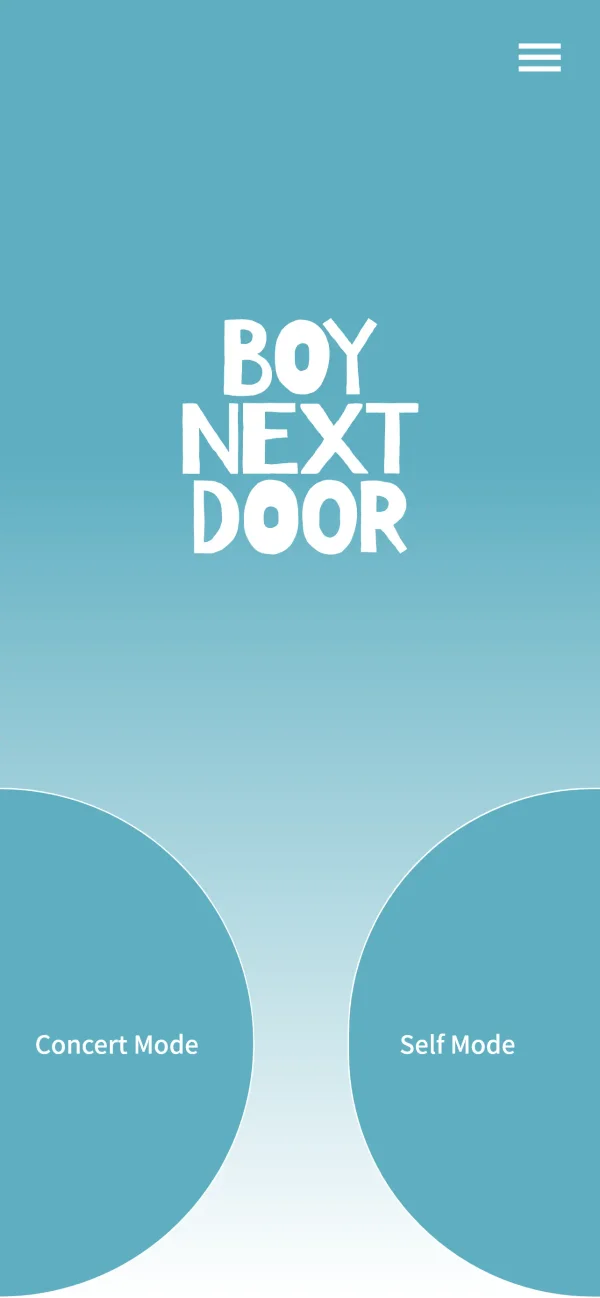
3. Self mode
After pressing the "Self Mode" button on the home screen of the app, connect the smartphone and the Light Stick with Bluetooth.
You can change the color, brightness, and blinking effect of your Light Stick from the app.
[Important Pre-Concert Information]
- Pairing using the app can be done approximately one or two days before the concert. Please check your ticket before pairing your Light Stick.
- You can proceed with concert pairing by tapping [Concert Mode] in the latest version of the Light Stick app.
- Please keep the Light Stick firmware updated to the latest version. If there is an update, a separate notice will be posted on the official channel.
- On-site congestion on the day of the concert may delay the firmware update and pairing speed or cause them to fail. Please complete the firmware update and pairing before coming to the concert venue.
- Replace old batteries with new alkaline batteries before using your Light Stick. (three AAA batteries)
- Using old batteries without replacing them with new ones may cause the Light Stick to fade, or flash in different colors then go off during the concert. Please prepare extra batteries.
- The Light Stick will remain paired during the concert even if the batteries are replaced, and the light effect will continue automatically.
※ Required access permission
To use the app and the Light Stick, the following permissions are required:
• NFC : Required to check ticket information.
• Bluetooth : Required to connect to the Light Stick.
What’s new
Version 1.3 · Feb 5, 2026
- minor bug updated
App privacy
What HYBE Co., Ltd declares on the App Store about how this app handles data.
-
Data not collected
The developer does not collect any data from this app.
Privacy practices may vary, for example with the features you use or your age.
Information
- Seller
- HYBE Co., Ltd
- Category
- Entertainment
- Version
- 1.3
- Updated
- Feb 5, 2026
- Released
- Apr 2, 2024
- Size
- 35.6 MB
- Requires
- iOS 14.0 or later
- Age rating
- 4+
- Price
- Free
- Languages
- English, Arabic, French, German, Indonesian, Japanese, Korean, Portuguese, Simplified Chinese, Spanish, Thai, Traditional Chinese + 1 more
- Copyright
- © ⓒ KOZ ENTERTAINMENT & HYBE. ALL RIGHTS RESERVED.
You might also like
-
 P1H OFFICIAL LIGHT STICKEntertainment
-
 TREASURE LIGHT STICKEntertainment
-
 BABYMONSTER LIGHT STICKEntertainment
-
 IVE OFFICIAL LIGHT STICKEntertainment
-
 MOMENTICA.Your beloved, ever-glowing
-
 LiNC(링크)LiNC with Stars, LiNC
-
 WAKEONE x NEMOZTAG & PLAY! WAKEONE x NEMOZ
-
 Nemoz 네모즈Next CD, NemoAlbum : Tag&Play!
-
 Plus Chat for K-POPPlus Your Day with Faves!
-
 FandomChartEntertainment