Breakthrough Alarm
Exact-date task alarms
Designed for iPhone
Free · In-app purchases
- Age rating4+
- CategoryProductivity
- DeveloperDennis Yang
- LanguagesEnglish
- Size3.3 MB
Links to the official App Store page
Download.org hosts no file of Breakthrough Alarm. The button opens its official App Store page, published by Dennis Yang. Listing last checked on Nov 23, 2026.
Screenshots


About
Never miss the important thing you promised yourself you would do. Breakthrough Alarm schedules task alarms that interrupt like an alarm, not a quiet reminder.
Use it for paperwork, calls, errands, appointments, deadlines, routines, and anything that needs to break through your day.
Key features:
- Schedule alarms for a specific future date and time
- Repeat alarms on your choice of weekdays, daily, weekly, monthly, or yearly
- Create alarms with Siri or the Shortcuts app
- See the task title directly on the alarm
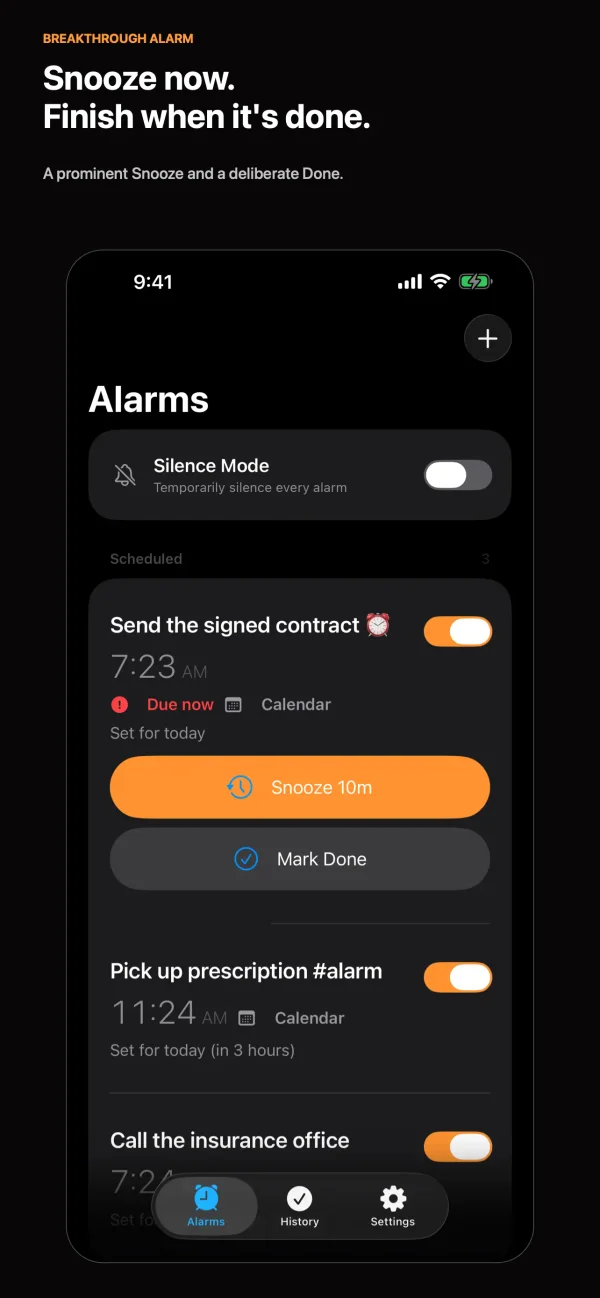
- Snooze from the alarm presentation or with phone buttons
- Choose a default snooze duration for each alarm
- Mark the task Done inside Breakthrough Alarm only when it is actually handled
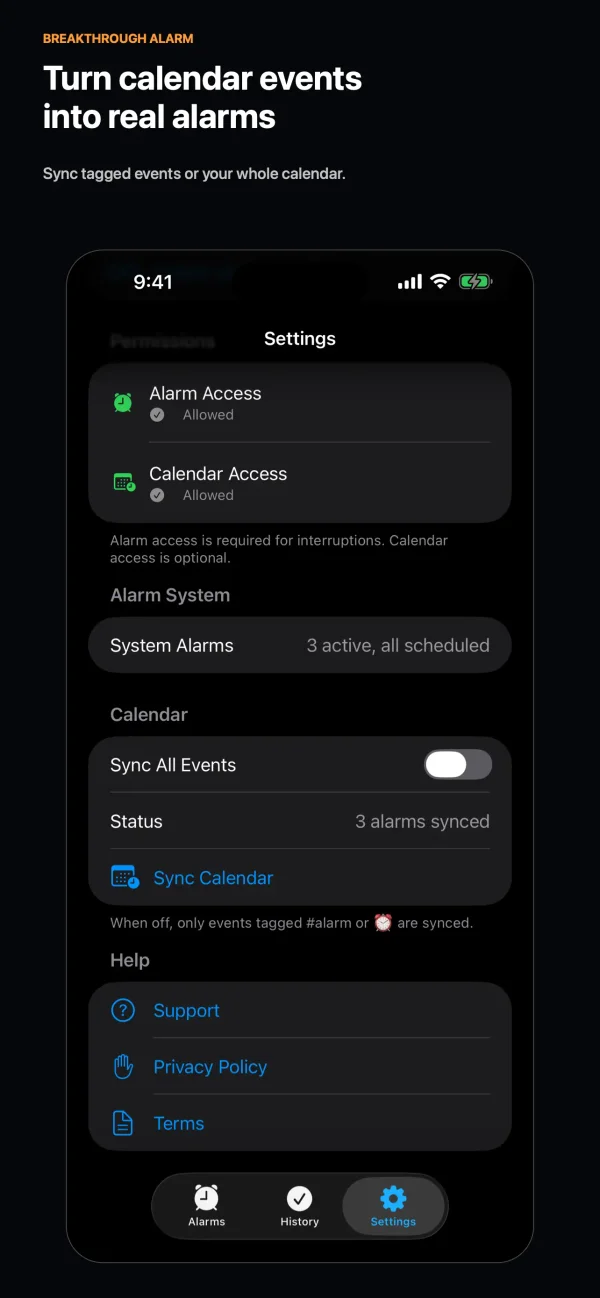
- Sync tagged Apple Calendar events using #alarm or the alarm clock emoji
- Optionally turn every calendar event into an alarm
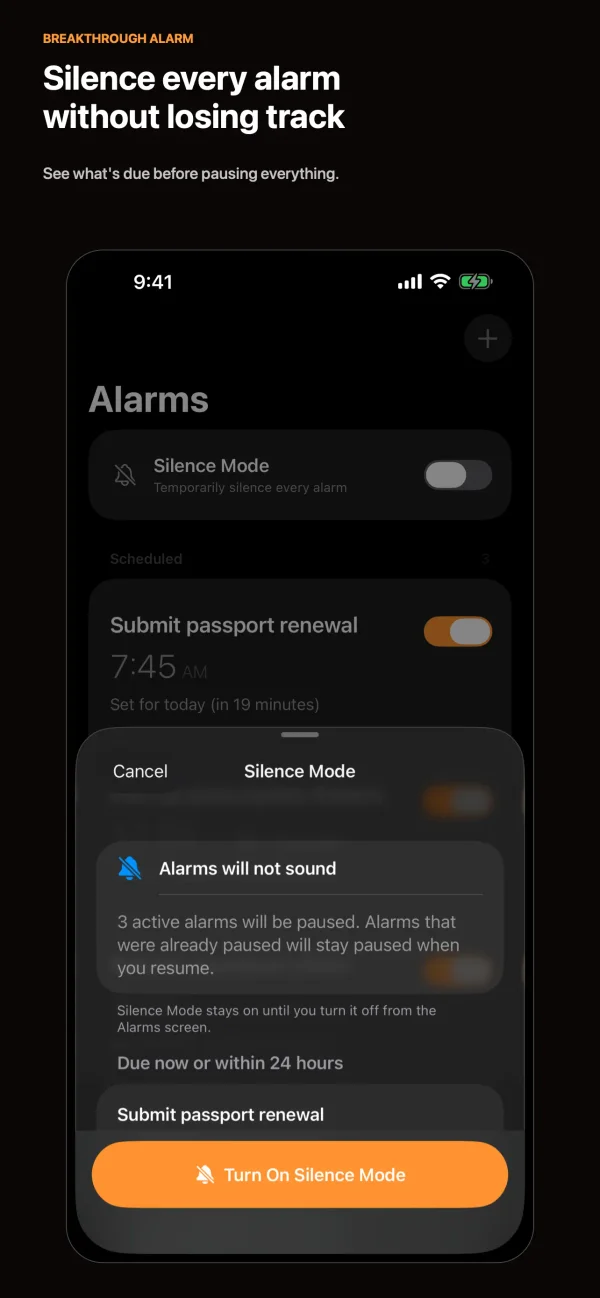
- Temporarily silence all alarms while previewing what is due within 24 hours
- Review, duplicate, delete, or clear completed-alarm history
- Choose from multiple alarm sounds and preview bundled tones
- See upcoming alarms or several snoozed tasks from Home Screen widgets
- Store alarm data locally on your device
Use up to five active alarms for free. A one-time in-app purchase unlocks unlimited active alarms. Calendar access is optional and used only for calendar sync.
Requires iOS 26 or later and AlarmKit access.
What’s new
Version 0.2.69 · Nov 17, 2026
Better control of your calendar alarms.
- Choose and preview a sound for an alarm synced from Calendar. Open the alarm and tap Alarm Sound. Your event stays unchanged.
- Fixed an issue that could leave you stuck in the calendar editor. Save, Cancel, and Close now return you to the app reliably.
- Changing an alarm sound keeps paused alarms paused and preserves a snoozed alarm's return time.
App privacy
What Dennis Yang declares on the App Store about how this app handles data.
-
Data not collected
The developer does not collect any data from this app.
Privacy practices may vary, for example with the features you use or your age.
Information
- Seller
- Dennis Yang
- Category
- Productivity
- Version
- 0.2.69
- Updated
- Nov 17, 2026
- Released
- Jul 8, 2026
- Size
- 3.3 MB
- Requires
- iOS 26.0 or later
- Age rating
- 4+
- Price
- Free
- In-app purchases
- Yes
- Languages
- English
- Copyright
- © 2026 Dennis Yang
You might also like
-
 Dorii: Shift Schedule AlarmsTurn roster photos into alarms
-
 AlaaamProductivity
-
 Reminder Alarm & DeadlinesBill, Birthday & Date Alerts
-
 Cal2Alarm: Alarm from CalendarCanvas deadlines & GCal alarms
-
 GoalPilot – DreamsLive your dream life.
-
 ClutterBuddyWhat you need when you need it
-
 Swift Alarm: Smart Wake UpReal alarms & routines
-
 Cue CardsProductivity
-
 ToDo Alarm: Reminder via AlarmSchedule, snooze, finish tasks
-
 Easy Reminders with SnoozeProductivity