- Age rating4+
- CategoryProductivity
- DeveloperWitdono Witdono
- LanguagesEnglish
- Size2.4 MB
Links to the official App Store page
Download.org hosts no file of Brenda's Note. The button opens its official App Store page, published by Witdono Witdono. Listing last checked on Nov 18, 2026.
Screenshots

About
Brenda's Note — Your Digital Notebook for iPad
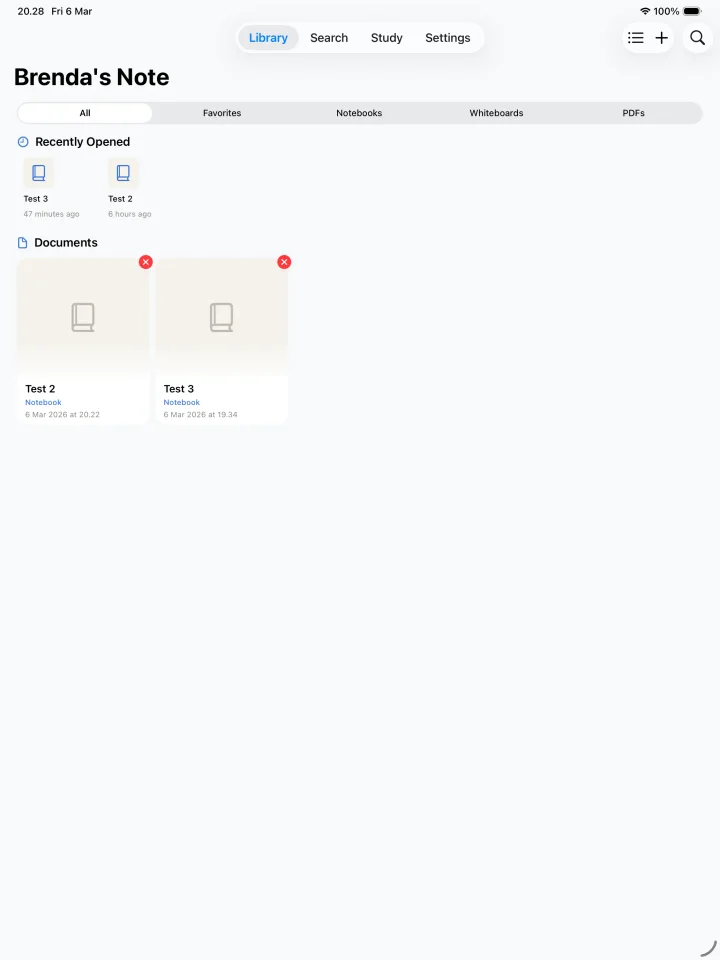
Turn your iPad into the ultimate note-taking companion. Whether you're jotting down lecture notes, sketching ideas on a whiteboard, or annotating PDF documents, Brenda's Note gives you the tools to capture your thoughts naturally with Apple Pencil.
NOTEBOOKS & WHITEBOARDS
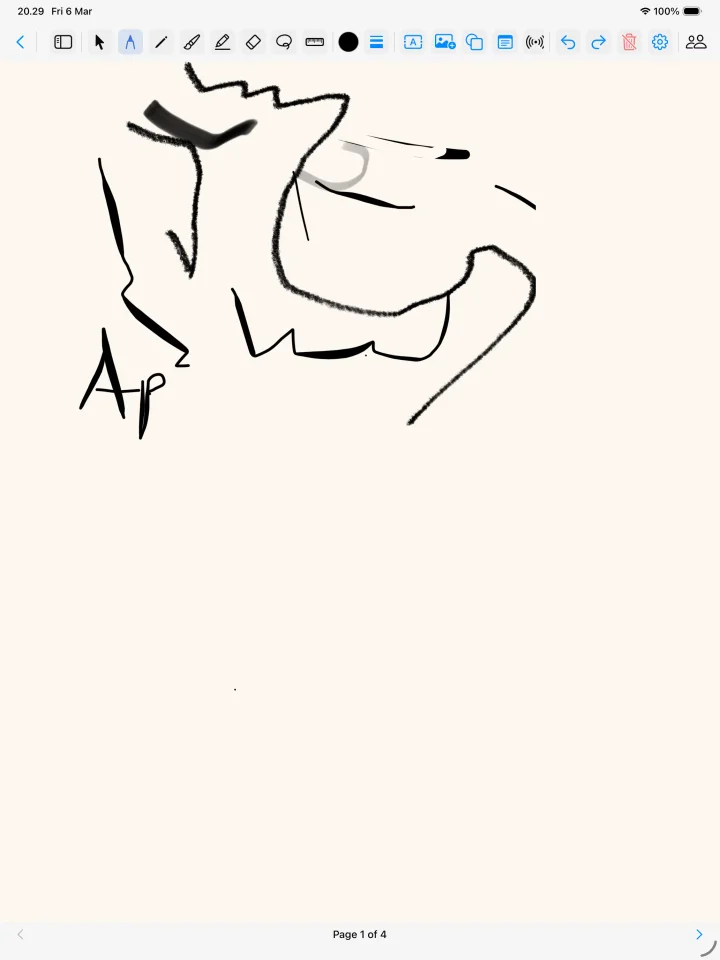
Create multi-page notebooks with various paper templates — lined, grid, dotted, or blank. Switch to whiteboard mode for unlimited creative space.
PDF ANNOTATION
Import PDF documents and annotate them directly. Highlight key passages, add handwritten notes in the margins, and navigate with ease using the built-in outline viewer.
HANDWRITING RECOGNITION
Search across all your notes using handwriting recognition powered by Apple's Vision framework. Find what you wrote, even in your own handwriting.
SMART ORGANIZATION
Keep everything tidy with folders and subfolders. Mark your most-used notes as favorites for quick access. All your notes are sorted by recent activity so you always pick up where you left off.
BUILT FOR iPAD & APPLE PENCIL
Designed from the ground up for iPad with full Apple Pencil support — pressure sensitivity, tilt, and all the drawing tools you need: pen, pencil, marker, eraser, ruler, and lasso.
What’s new
Version 1.1 · Apr 28, 2026
Goodnotes-style upgrades for typed objects + smarter collaboration.
NEW
• Tap-to-place text — boxes drop where you tap (no more re-positioning)
• Inline format toolbar appears below the text you're editing (color, size, B/I, alignment)
• Auto-grow text width as you type
• Universal object selection — tap any text/sticky/image to select with any tool active
• Lasso multi-select — wrap items, then drag/delete the whole group together
• Pinch-to-zoom on the notebook canvas (0.5×–4×)
• Long-press Undo to Redo (frees toolbar space)
• Hover tooltips on every toolbar button (Magic Keyboard pointer)
TOOL UPGRADES
• Eraser: Stroke (whole-line) and Pixel modes
• Highlighter: Straight Lines toggle that snaps to the ruler
• Pen: Pressure Sensitivity toggle
• Color: Opacity slider applies to every ink tool
COLLABORATION
• New Wi-Fi mode option alongside Bluetooth — pick the right transport for your network
• Connection stability rebuilt: 45-second heartbeat, transient-blip grace period, exponential-backoff reconnect, foreground re-trigger when iPad wakes
POLISH
• Sticky notes: bigger drag border, less keyboard interference
• New Document sheet auto-expands so the keyboard never covers the form
• Done button on the keyboard accessory bar for both text and sticky elements
• Canvas backgr
App privacy
What Witdono Witdono declares on the App Store about how this app handles data.
-
Data not collected
The developer does not collect any data from this app.
Privacy practices may vary, for example with the features you use or your age.
Information
- Seller
- Witdono Witdono
- Category
- Productivity
- Version
- 1.1
- Updated
- Apr 28, 2026
- Released
- Mar 11, 2026
- Size
- 2.4 MB
- Requires
- iOS 17.0 or later
- Age rating
- 4+
- Price
- Free
- Languages
- English
- Copyright
- © 2026 Witdono Witdono
You might also like
-
 Documenta – Word ProcessorWrite and edit Word & ODT docs
-
 inkeptFlashcards & Notes
-
 Sorcerer's NoteRecord your note and upload
-
 LibretoNotes, Planner, Sketch & PDF
-
 Pronotes: Notes & PDFWrite, record & replay notes
-
 Amazing Notes: Lecture & PDFClass notes, PDF & audio
-
 Emily's NotesA clean, simple notes app
-
 Nib - Handwritten DiaryYour daily writing companion
-
 BlueNotess: AI Notes & PDFHandwritten notes & PDF
-
 Oaklet Notes: EncryptedHandwrite & type. No account.