
- Age rating4+
- CategoryEducation
- DeveloperBresser GmbH
- Size194.4 MB
Links to the official App Store page
Download.org hosts no file of Bresser PushTo. The button opens its official App Store page, published by Bresser GmbH. Listing last checked on Nov 12, 2026.
Screenshots
About
BRESSER PushTo: Your Smart Telescope Navigation
Download the official BRESSER PushTo App and transform your mobile device into a precise telescope controller and a comprehensive star guide. Astronomy has never been this simple and rewarding!
The BRESSER PushTo App is the essential companion for your BRESSER Smart Telescope (compatible with PushTo EQ-3, EXOS-2, and other smart models). It seamlessly connects via Bluetooth to your mount, giving you fingertip control and guiding you through the night sky with unmatched ease.
Key Features and Benefits
1. Intuitive PushTo Navigation
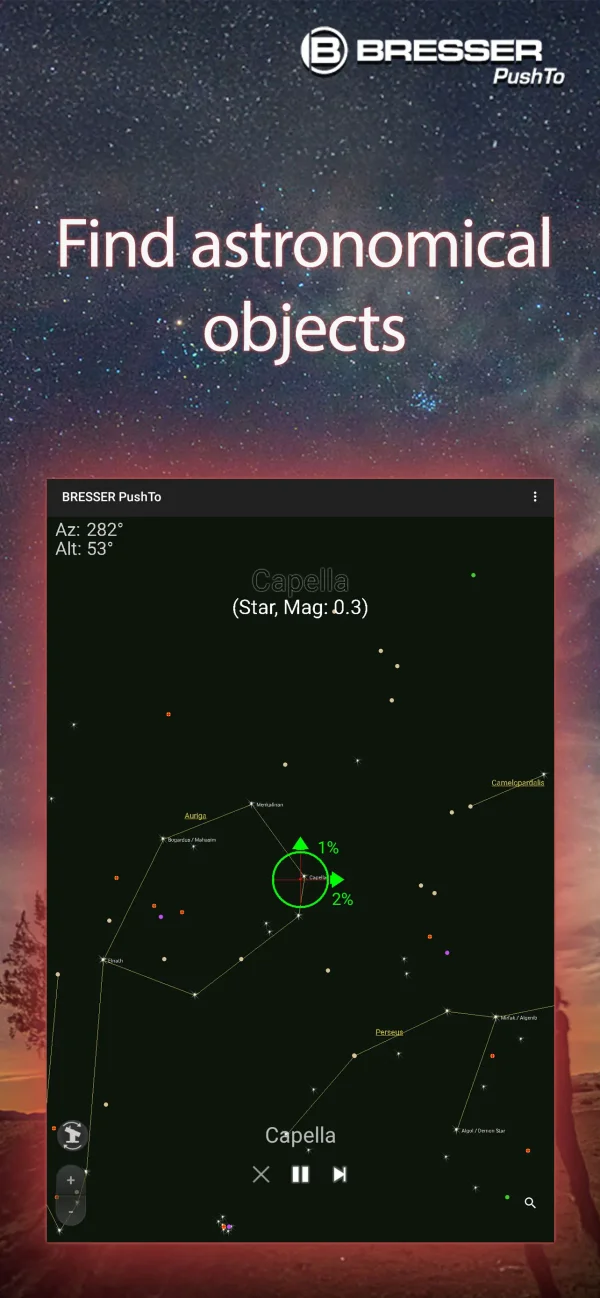
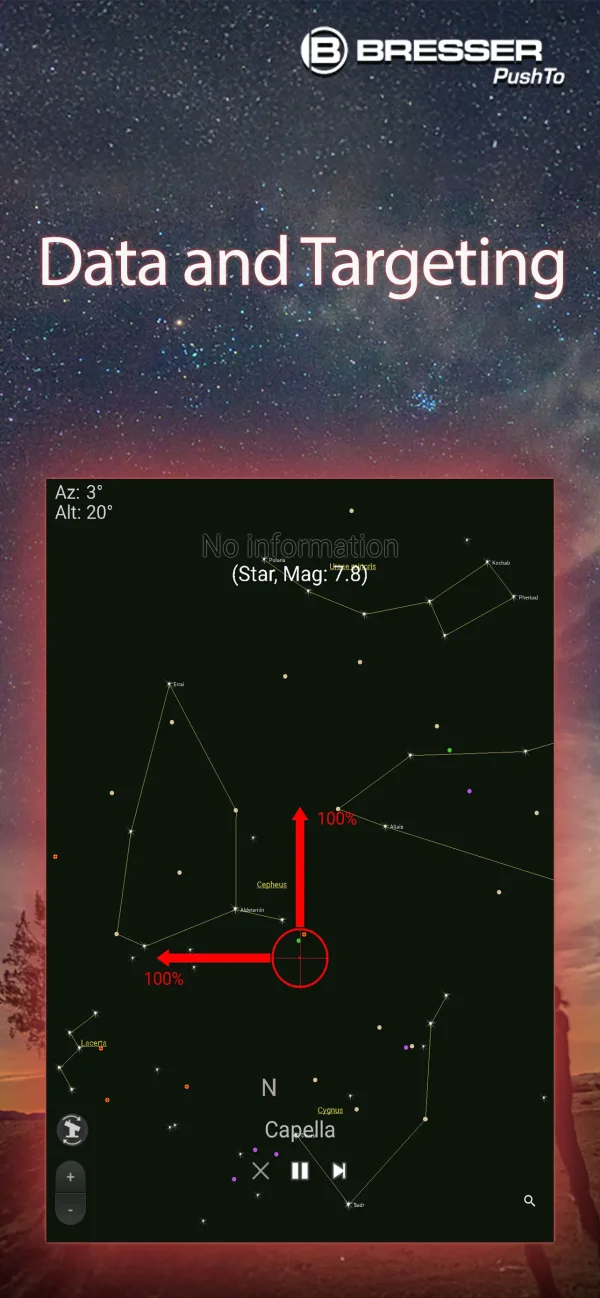
Say goodbye to complex star-hopping! The app simplifies finding celestial objects dramatically: Simple Setup: Complete the quick telescope initialization process directly within the app. Real-Time Guidance: The app uses the telescope's built-in sensors to show its exact position on your screen's star map. Precise Targeting: Select your desired object, and the app displays a digital crosshair guiding you to move the telescope by hand until the object is perfectly centered in your eyepiece. Slip Clutches: Benefit from the built-in slip clutches on the mount axes, allowing you to manually move and adjust the telescope quickly and smoothly.
2. Extensive Celestial Database
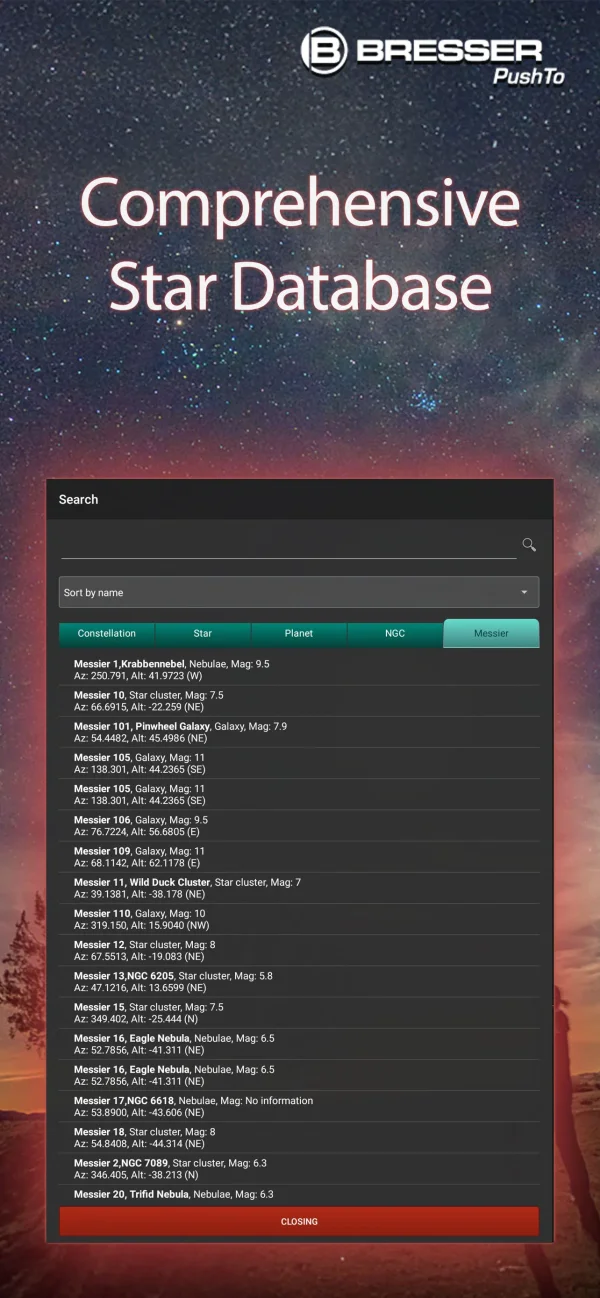
Access a universe of observation targets instantly: Thousands of Objects: Explore a vast catalog of stars, planets, and deep-sky treasures. Smart Filtering: Easily search and filter targets by common astronomical catalogs: Messier (M), NGC, Stars, and Planets. Quick Search: Use the search bar to rapidly locate specific targets like "Moon," "Jupiter," or "M42."
3. Detailed Object Information
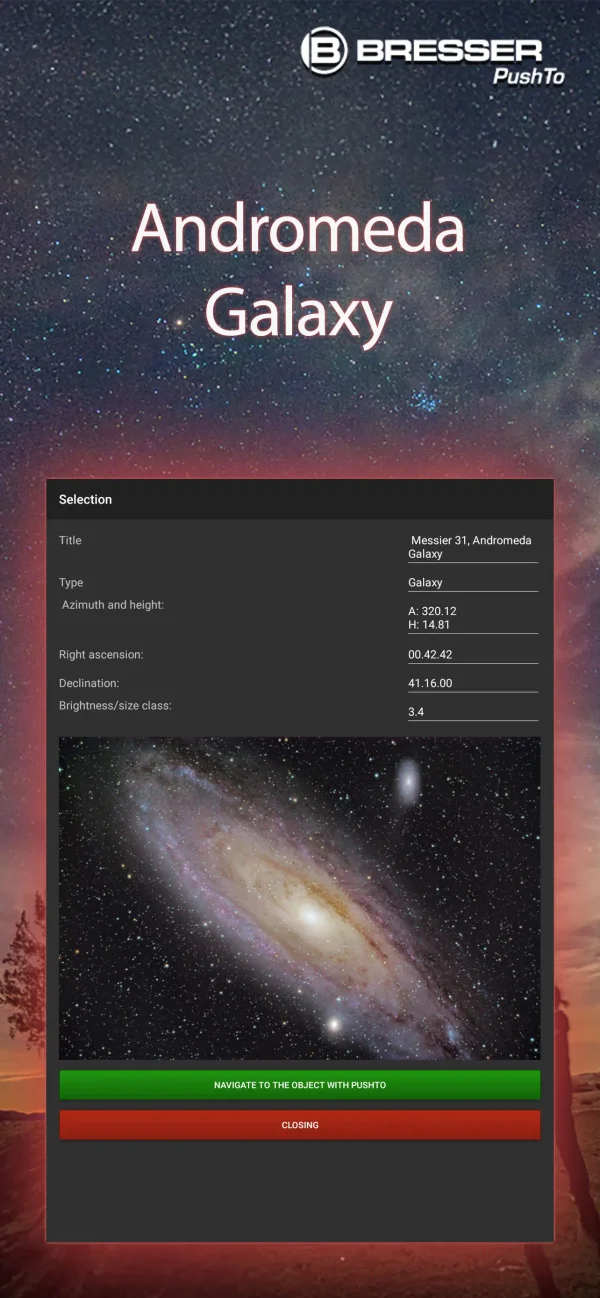
Knowledge meets observation. Before you view it, learn about it: Full Data: Select any object to view its title, type, brightness (magnitude), Right Ascension (RA), and Declination (Dec). Direct Control: Initiate the PushTo navigation sequence instantly from the object's detail screen. What's Visible: Identify and select objects currently above the horizon at your location.
4. Designed for the Beginner and Expert
Whether you're taking your first steps into astronomy or looking for a more efficient way to locate targets, the PushTo app delivers: Ease of Use: The simple interface and guided setup ensure quick success for absolute beginners. Full Control: Experts will appreciate the precise coordinates and reliable control over the telescope mount.
Explore Astrophotography
The BRESSER PushTo system empowers you to capture what you see: Lunar Snapshots: Use the included smartphone adapter (with the BRESSER PushTo NT-76/350 model) to easily take your first photos of the Moon. Planetary Imaging: The app's precise guidance helps keep fast-moving celestial bodies centered, making them easier to image.
Stop spending time searching and start spending time observing! Download the BRESSER PushTo App today and unlock the full potential of your smart telescope.
What’s new
Version 1.2 · Jun 25, 2026
Supports now a new Version of a telescope
App privacy
What Bresser GmbH declares on the App Store about how this app handles data.
-
Data not collected
The developer does not collect any data from this app.
Privacy practices may vary, for example with the features you use or your age.
Information
- Seller
- Bresser GmbH
- Category
- Education
- Version
- 1.2
- Updated
- Jun 25, 2026
- Released
- Nov 30, 2025
- Size
- 194.4 MB
- Requires
- iOS 14.1 or later
- Age rating
- 4+
- Copyright
- © Bresser GmbH
You might also like
-
 AR-Telescope-BBresser Sky Guide
-
 StarHop NavigatorManual telescope push-to guide
-
 AstroHelmFind Objects & Plate Solve
-
 Telescope Eyepiece CalculatorMagnification & TFOV
-
 EZ PUSH-TOEducation
-
 AstroFinderTelescope pointing solved
-
 Telescope Log: DarksiteStargazing Planner & Night Sky
-
 ESA Heritage MissionsEducation
-
 Telescope: Night Sky GuideStargazing Guide & Sky Catalog
-
 The Sky Pro by RedshiftProfessional Astronomy