
- Age rating4+
- CategoryCard
- DeveloperJan Bergstrom
- LanguagesEnglish
- Size4.4 MB
Links to the official App Store page
Download.org hosts no file of Bridge game score. The button opens its official App Store page, published by Jan Bergstrom. Listing last checked on Nov 24, 2026.
Screenshots
About
Bridge IMP/VP protocol for four-player bridge card games
The Bridge Game Score app is aimed at the one million members of the World Bridge Federation (WBF) in four-player IMP/VP matches in national and club leagues.
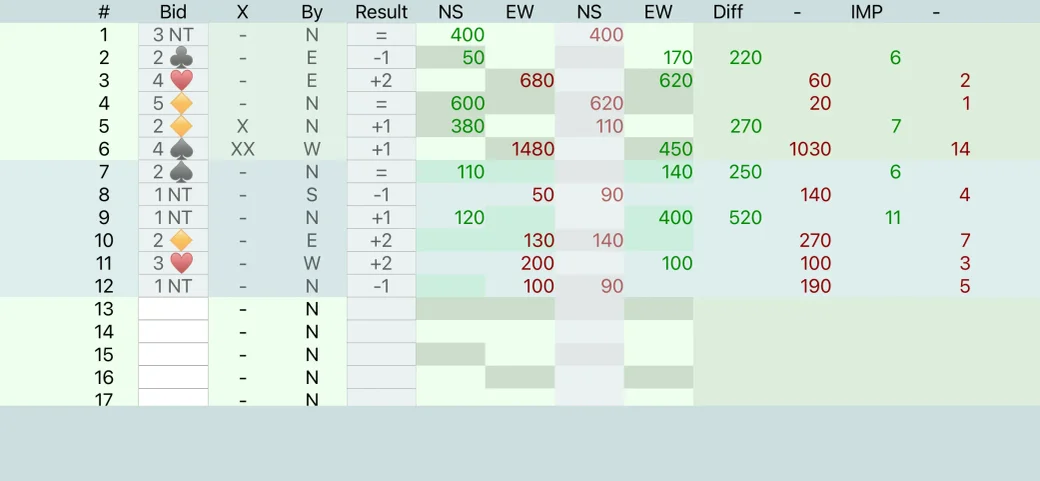
With Bridge Game Score you can record your IMP/VP scores on your smartphone or tablet instead of using a paper score sheet. The app looks like a typical WBF score sheet, is therefore self-explanatory and meets established WBF regulations.
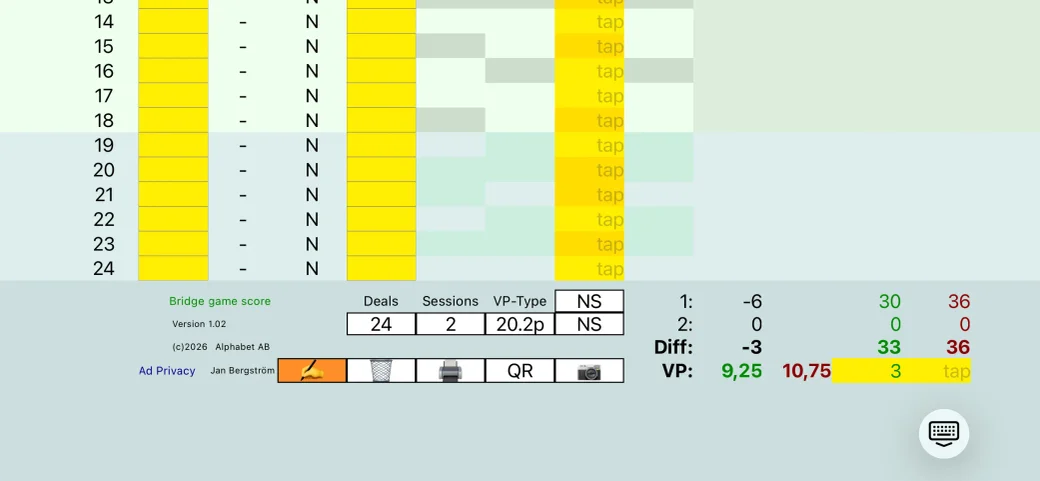
The app's interface resembles a standard scoreboard. First, you need to enter the number of game deals, sessions, and the VP scoring system you use. Then, you need to specify whether each round is played North-South (NS) or East-West (EW). After that, you can start the game.
You can enter a winning contract by selecting it from the list, setting a double, and then clicking on the hand's holder. After completing the hand, you need to enter the game result from the list, and the program will automatically calculate the game score.
If an error occurs, use the "Edit" button on the left. This button disables the scoreboard's anti-tampering protection and allows you to edit the information highlighted in yellow. Clicking the "Edit" button again will restore the protection mode.
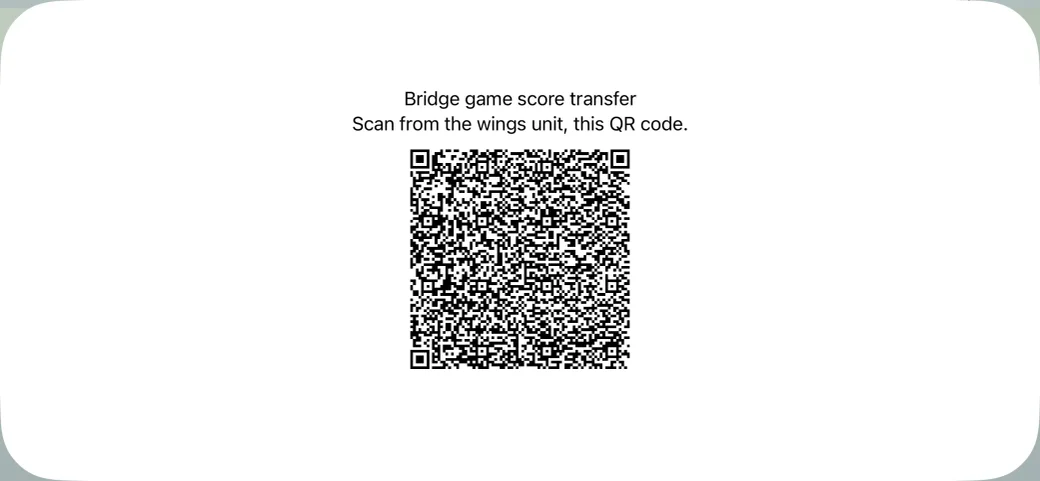
After the session, if your teammate has the Bridge Game Score app installed, you can use the QR code button to display a QR code containing your score. Your teammate's phone can read the QR code, eliminating the need for manual data entry. The reverse process updates your scoresheets. The QR code upload function only applies to completed deals and is a secure way to upload scores. No Wi-Fi or internet connection is required.
Alternatively, you can manually enter your teammate's positive and negative scores, and the program will automatically calculate IMPs and VPs. To do this, click the "Edit" button in the lower left corner.
If a team has IMPs that need to be transferred or penalty points that need to be noted, you can mark them on the right after clicking the "Edit" button.
You can also create PDF files (which can be sent via email) and print the scoresheet using the "Print" button. These files can be used for future match analysis. By scanning the QR code to upload data, it also includes your teammates' contract information, making your analysis more comprehensive.
When starting a new match, press the reset button and confirm: Protocol has been reset. You can now set the NS/EW direction for this match and restart the game.
What’s new
Version 1.13 · Nov 23, 2026
Improved readability, larger font size
App privacy
What Jan Bergstrom declares on the App Store about how this app handles data.
-
Data not collected
The developer does not collect any data from this app.
Privacy practices may vary, for example with the features you use or your age.
Information
- Seller
- Jan Bergstrom
- Category
- Card
- Version
- 1.13
- Updated
- Nov 23, 2026
- Released
- Apr 9, 2026
- Size
- 4.4 MB
- Requires
- iOS 18.6 or later
- Age rating
- 4+
- Languages
- English
- Copyright
- © Alphabet AB Sweden, Jan Bergström
You might also like
-
 Bridge Scoring HelperCard
-
 Card Sensei: Learn & PlayBridge, Rummy, Whist & War
-
 BridgeSCScorecard
-
 Bridge Coach - BrigidBridge Companion
-
 Bridge@HomeTournament scoring at home
-
 Punto: Bridge & Spades ScoresBridge & Spades Scorekeeper
-
 BridgeGap: Bridge CommunityBridge the gap between users
-
 Contract Bridge CalculatorCalculates a deal's score
-
 Bridge CounterCard
-
 Atuto — Bridge DealerGenerate any bridge hand