BridgeVox: Interpreter & Notes
Live translation, notes, terms
Designed for iPhone, iPad, iPod touch
In-app purchases
- Age rating4+
- CategoryProductivity
- DeveloperHaerim Bae
- LanguagesEnglish
- Size39.4 MB
Links to the official App Store page
Download.org hosts no file of BridgeVox: Interpreter & Notes. The button opens its official App Store page, published by Haerim Bae. Listing last checked on Nov 23, 2026.
Screenshots


About
Interpreting is where it starts, not where it ends.
BridgeVox is your own personal interpreter — it learns your terms, remembers every
conversation, and keeps it as a searchable, question-ready record. It interprets
50+ languages in real time, saves the original and translation side by side, and
turns them into automatic summaries, glossaries, and cross-conversation answers
(Ask Vox).
THREE MODES
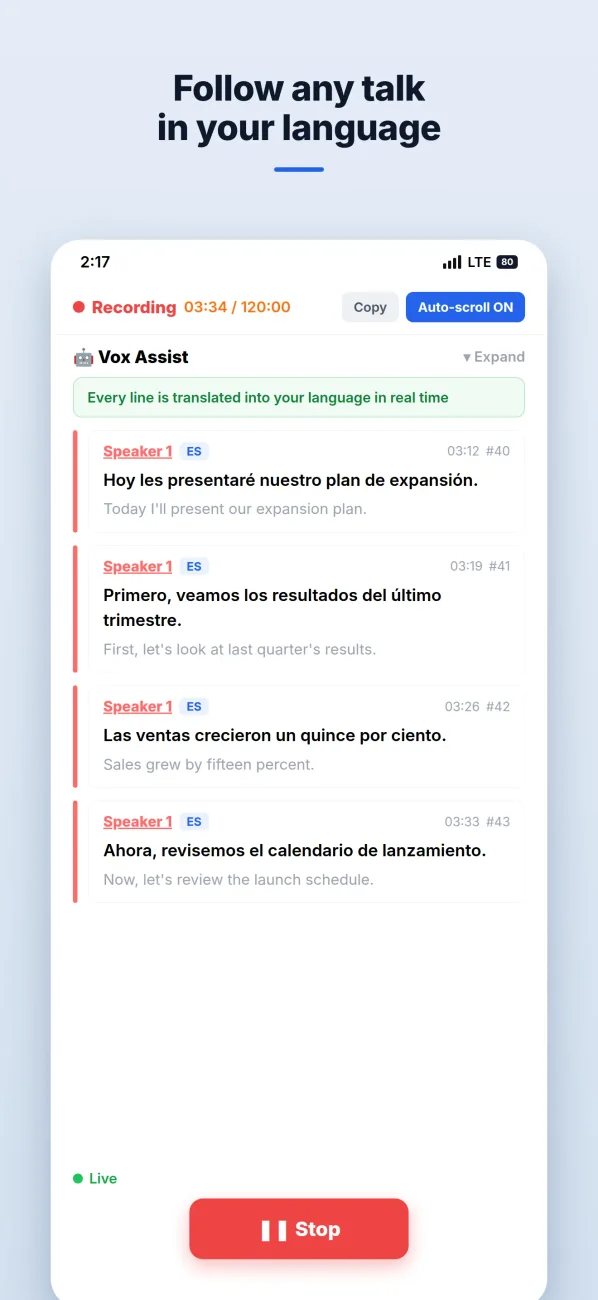
• Interpret — recognize up to 4 languages at once in a single conversation.
Everyone speaks their own language; it all flows as one. Also for following a
foreign-language talk, seminar, or presentation in your language the moment
it's spoken.
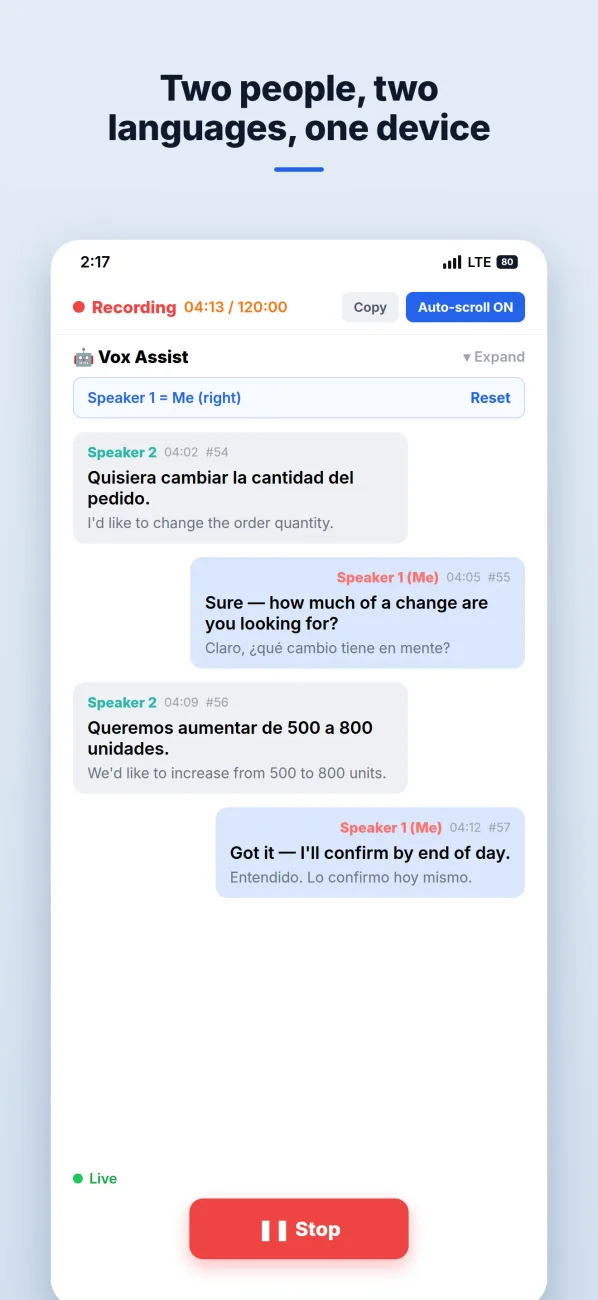
• Conversation — two-way interpreting on one device, face to face. You speak,
they hear their language; they speak, you hear yours.
• Record — single-language transcription with no translation. Lectures,
interviews, and solo notes, captured and summarized the same way.
NOTES THAT WRITE THEMSELVES
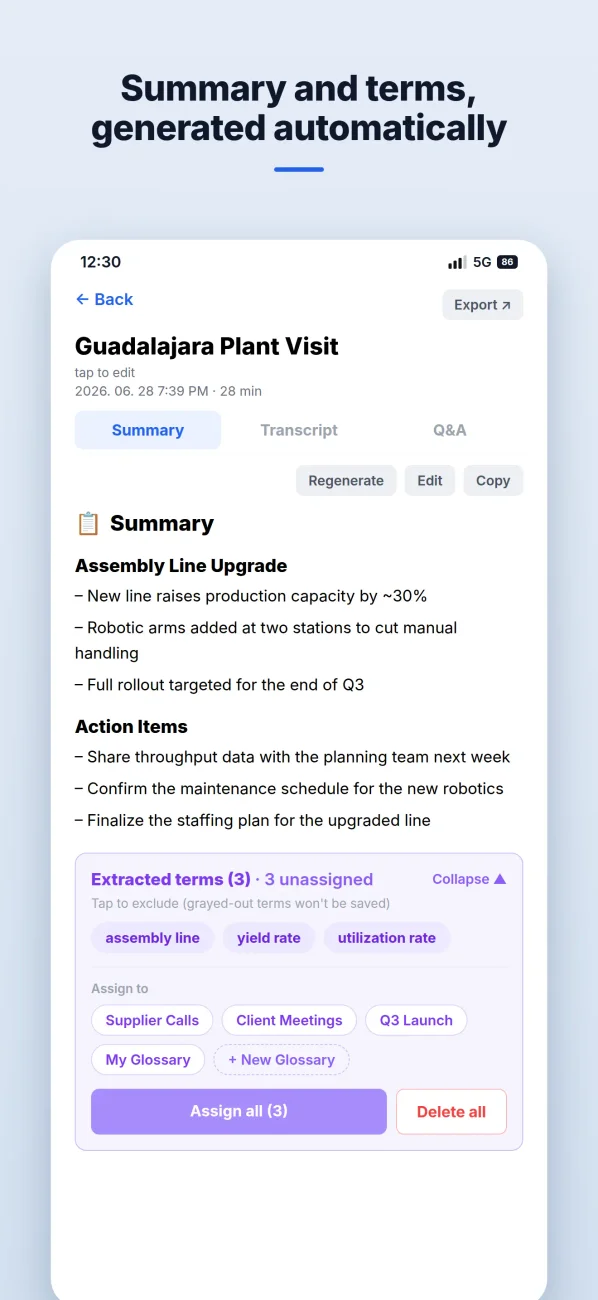
When a conversation ends, a summary with key points and action items is generated
automatically. Technical terms that came up are auto-extracted, ready to save to
your glossary.
YOUR JARGON, CAPTURED
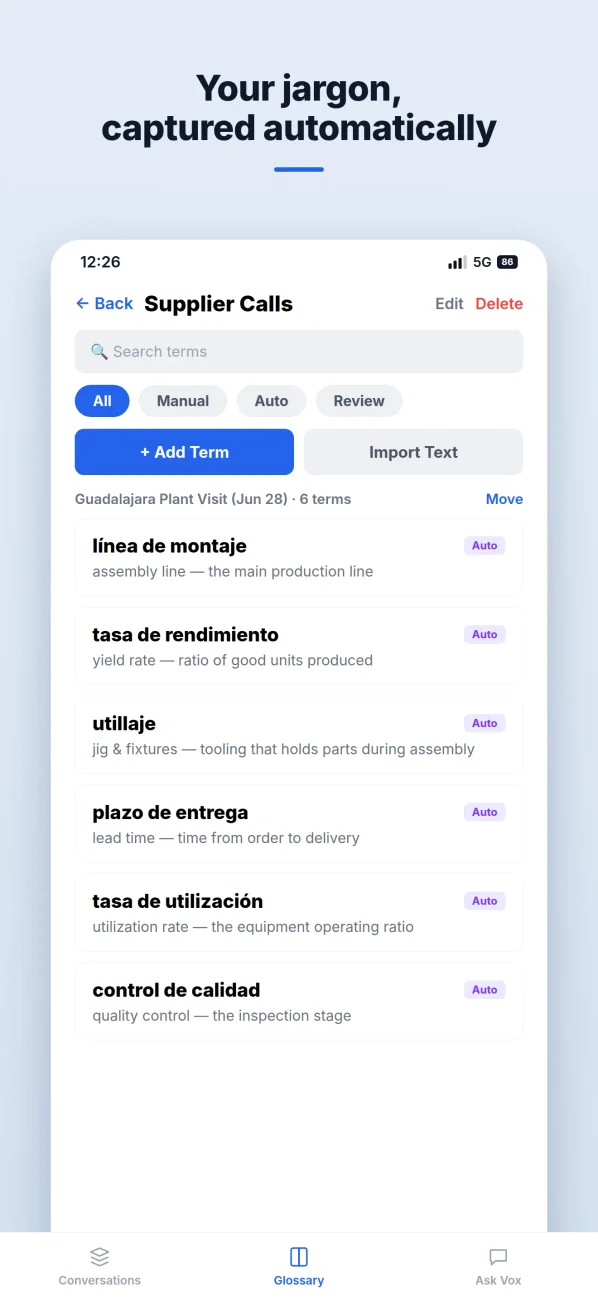
Generic translators break on industry terms. BridgeVox builds a glossary from your
own conversations — product names, technical terms, project vocabulary. Extracted
terms are yours to review and edit on the spot, and once saved they carry into the
translation of later conversations.
ASK VOX — YOUR PAST CONVERSATIONS, ONE QUESTION AWAY
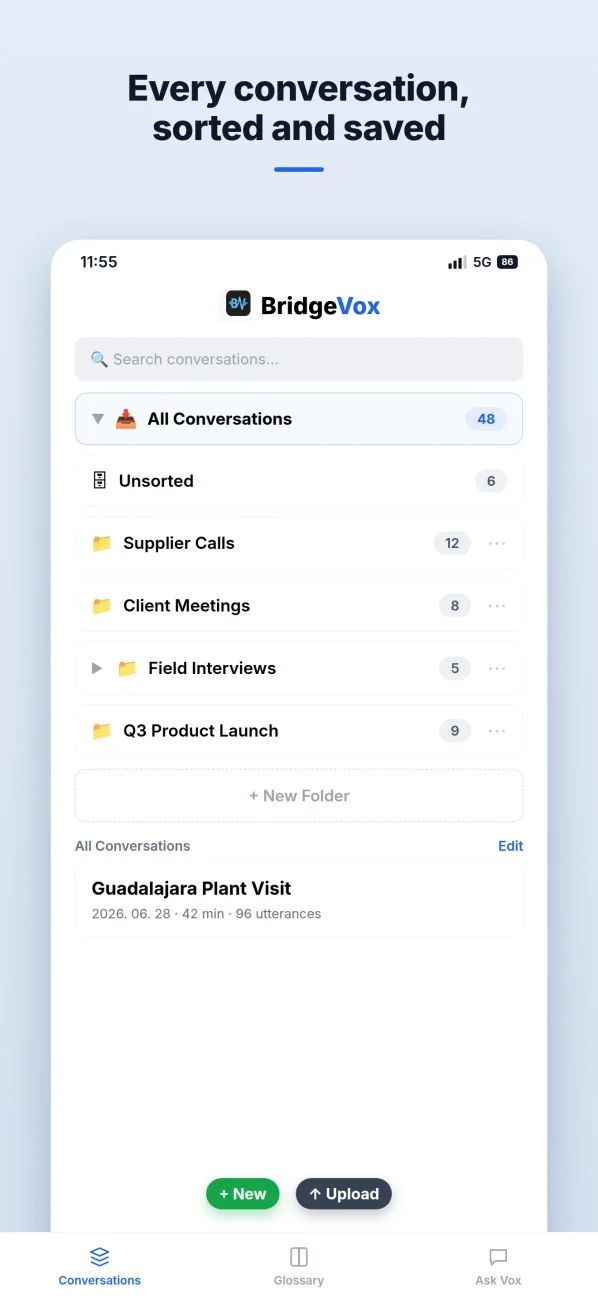
Organize conversations into folders and ask the whole folder a question. "When was
the deadline we agreed last month?" Ask Vox answers and cites the exact moment it
was said.
BUILT FOR PEOPLE WHO WORK AND STUDY ACROSS LANGUAGES
• Professionals working with overseas clients and suppliers
• Engineers with frequent business trips and site visits
• Sales meetings, interviews, and consultations that need interpreting
• Attending foreign-language talks, conferences, and seminars
• Students studying abroad — follow lectures in your language and review them later
FEATURES
• Real-time speech recognition with speaker labels
• Real-time translation across 50+ languages (up to 4 at once)
• Three modes: Interpret, Conversation, and Record
• Automatic meeting summaries and action items
• Automatic term extraction and per-project glossaries you can edit
• Ask Vox — search across folders with cited sources
• Upload and transcribe recorded audio files
• Folder organization and full-text search
• App in English, Korean, Japanese, Spanish, and Chinese
PRICING
Start free, no card required. The free trial includes 40 minutes with real-time
translation, speaker separation, automatic summaries, and Ask Vox. Upgrade to Lite
for 400 minutes a month, Pro for 1,200 minutes and audio file transcription, or Max
for unlimited interpretation.
Session length per conversation: 40 minutes on trial, 60 on Lite, 120 on Pro,
180 on Max.
Your conversations disappear. Your knowledge shouldn't. Try BridgeVox free today.
Terms of Use (EULA): https://bridgevox.ai/terms
Privacy Policy: https://bridgevox.ai/privacy
What’s new
Version 1.1.3 · Sep 14, 2026
• Max plan: unlimited real-time interpretation
• In-app bug reporting
• Various UI fixes and stability improvements
App privacy
What Haerim Bae declares on the App Store about how this app handles data.
-
Data linked to you
May be collected and linked to your identity.
- Contact info
- User content
- Identifiers
- Usage data
Privacy practices may vary, for example with the features you use or your age.
Information
- Seller
- Haerim Bae
- Category
- Productivity
- Version
- 1.1.3
- Updated
- Sep 14, 2026
- Released
- Jul 28, 2026
- Size
- 39.4 MB
- Requires
- iOS 15.1 or later
- Age rating
- 4+
- In-app purchases
- Yes
- Languages
- English
- Copyright
- © 2026 BridgeVox
You might also like
-
 名前を付けて保存Productivity
-
 ChangeMe: Habit TrackerRoutine Manager, Goal Tracker
-
 Voice Notes, AI Speech to TextRecord. Transcribe. Summarize.
-
 LOG TODO - To Do List, PlannerDaily checklist & routines
-
 PhotoMemo-写真からメモを作成-Productivity
-
 Glit - Web Novel WritingEditor for Episodes & Chapters
-
 Abang-Ideas and BrainstormingBe Creative with Random Words