
Browser: MultiTab Workspace
Private, Without Ads & Secure
Designed for iPhone, iPad
Free · In-app purchases
- Age rating4+
- CategoryUtilities
- DeveloperKODEREAD SOLUTIONS LLP
- LanguagesEnglish
- Size62.1 MB
Links to the official App Store page
Download.org hosts no file of Browser: MultiTab Workspace. The button opens its official App Store page, published by KODEREAD SOLUTIONS LLP. Listing last checked on Nov 12, 2026.
Screenshots


About
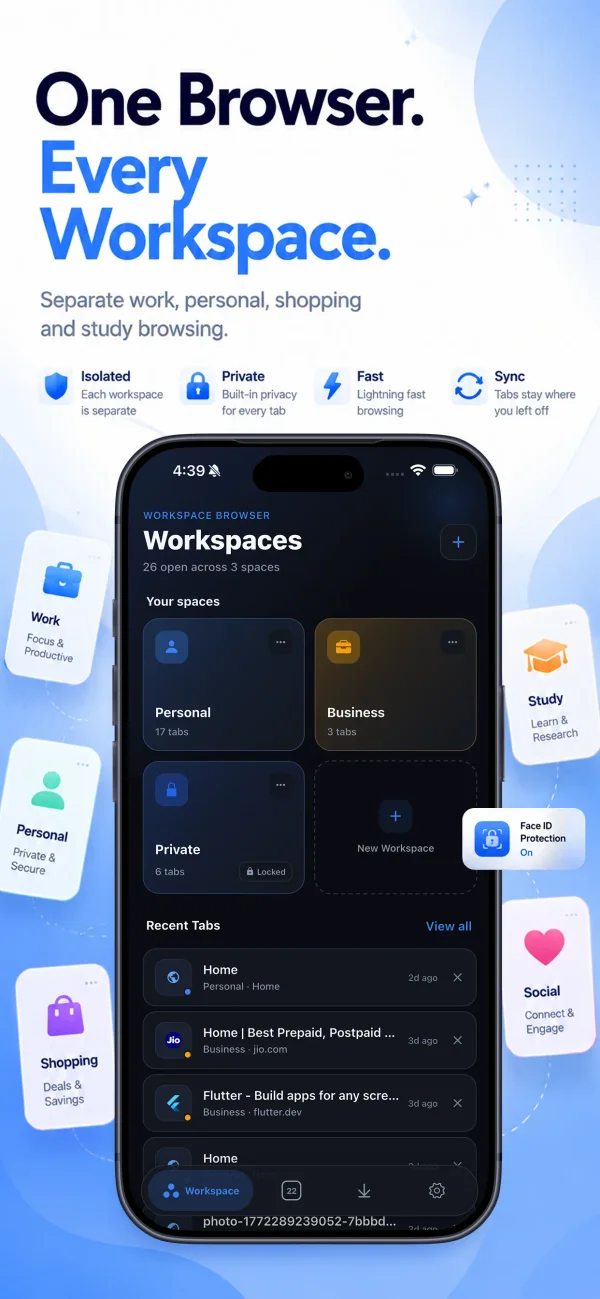
One Browser. Multiple Workspaces. Total Control.
MultiTab is a private workspace browser designed for people who use multiple accounts, tabs and online identities.
Keep work, personal, client, shopping, research and private browsing separate in one browser.
Stay signed in to different accounts, keep your tabs organized, block ads and trackers, protect your browsing with Face ID, and keep everything in the right workspace.
PRIVATE WORKSPACES:
Create separate spaces for every part of your digital life:
• Work
• Personal
• Business
• Private
• Shopping
• Study
• Social
• Research
• Client accounts
Each workspace keeps your browsing environment separate, keeping accounts and activity organized by context.
MULTIPLE ACCOUNTS, WITHOUT THE CONSTANT LOGOUT
Use the same websites with different accounts.
Keep personal and work accounts signed in separately. Switch workspaces without repeatedly logging out.
Perfect for:
• Work and personal accounts
• Multiple client accounts
• Business and social profiles
• Research projects
• Shopping accounts
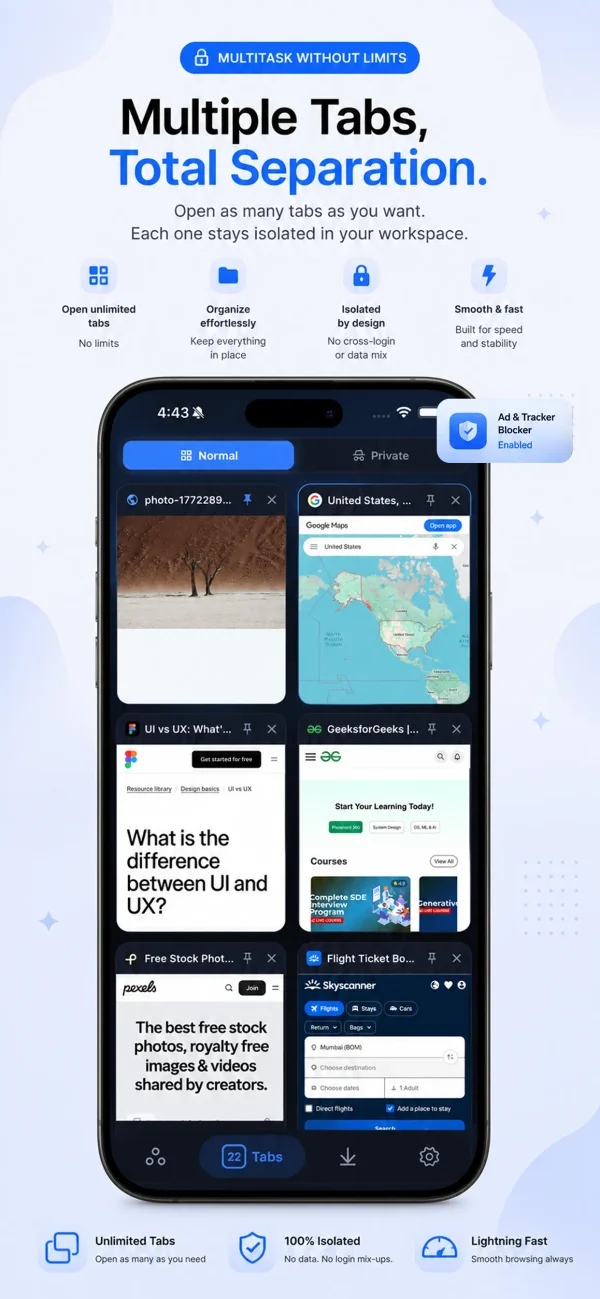
MULTI-TAB BROWSING
Open as many tabs as you need and keep everything organized.
• Unlimited tabs
• Tab previews
• Pin important tabs
• Search open tabs
• Normal and Private tabs
• Persistent browsing sessions
• Easy tab switching
Your tabs stay where you left them, without the clutter.
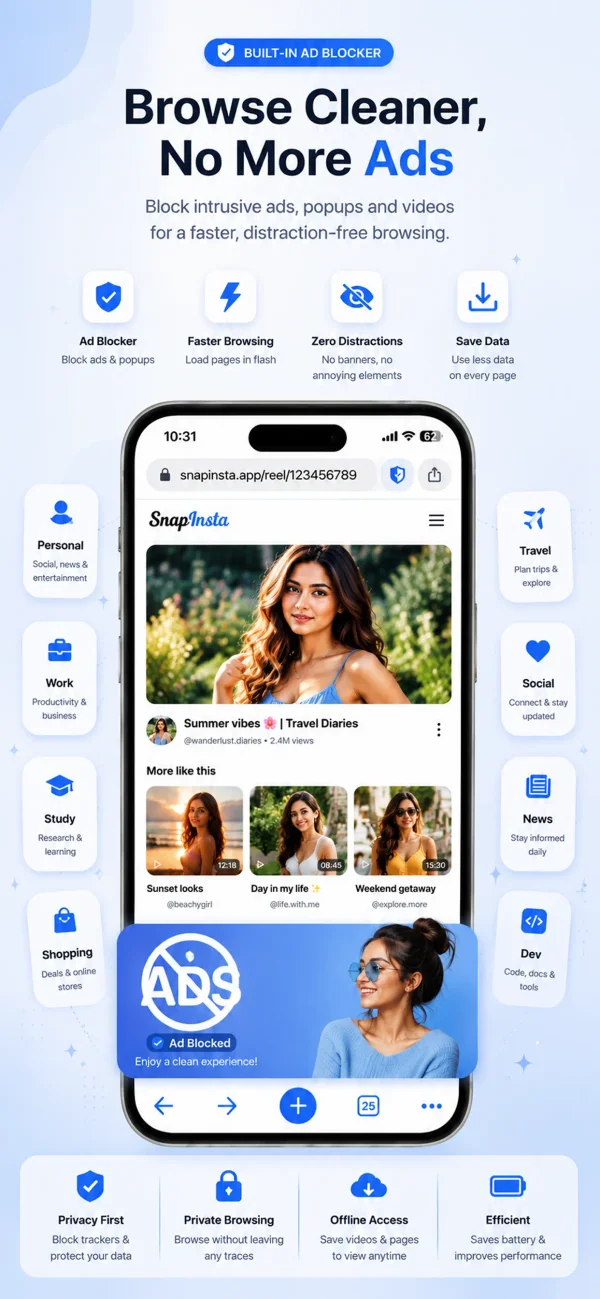
AD-FREE BROWSING
Browse with fewer distractions.
Built-in ad blocking helps remove intrusive ads, pop-ups and unwanted elements for a cleaner web.
Premium users can enjoy ad-free browsing throughout the app.
TRACKER & PRIVACY PROTECTION
Take more control over your browsing.
• Tracker blocking
• Private tabs
• Face ID / passcode app lock
• Workspace locking
• Secure password storage
• Clear browsing data when needed
Take more control over your browsing sessions and personal data with MultiTab.
SECURE PASSWORD VAULT
Save your website logins and use Autofill when you need them.
Keep passwords organized and protected, with control over which websites can save credentials.
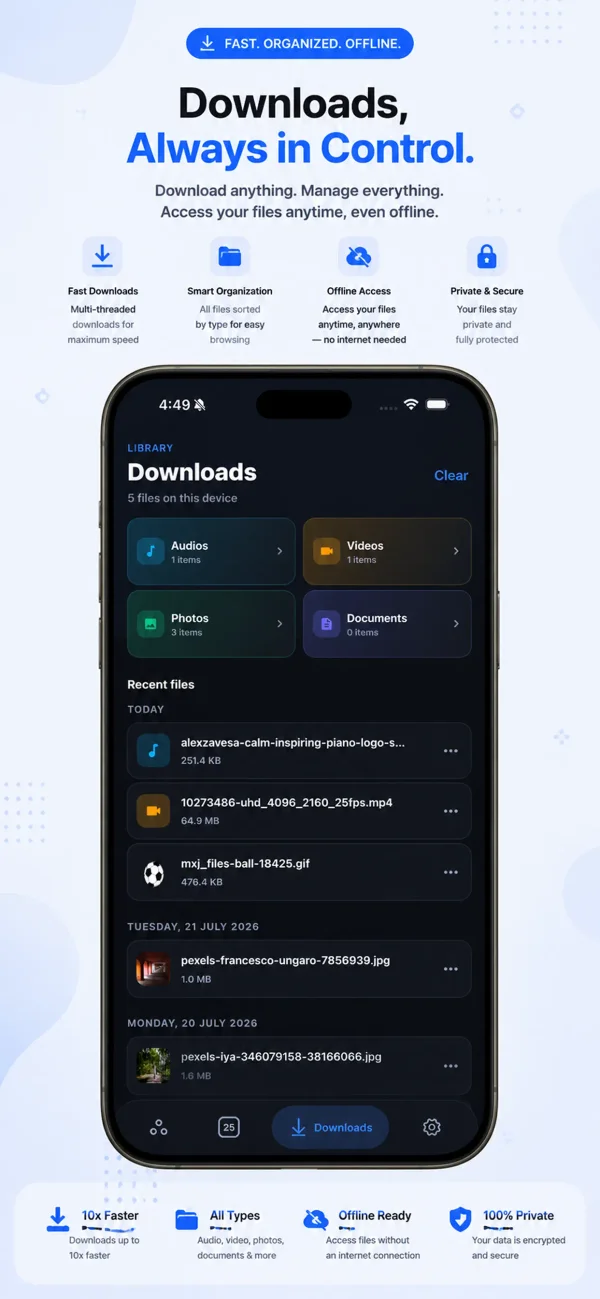
DOWNLOAD ANYTHING
Save files directly from the browser.
• Videos
• Images
• Audio
• Documents
• Other files
Organize downloads by type and access saved files later.
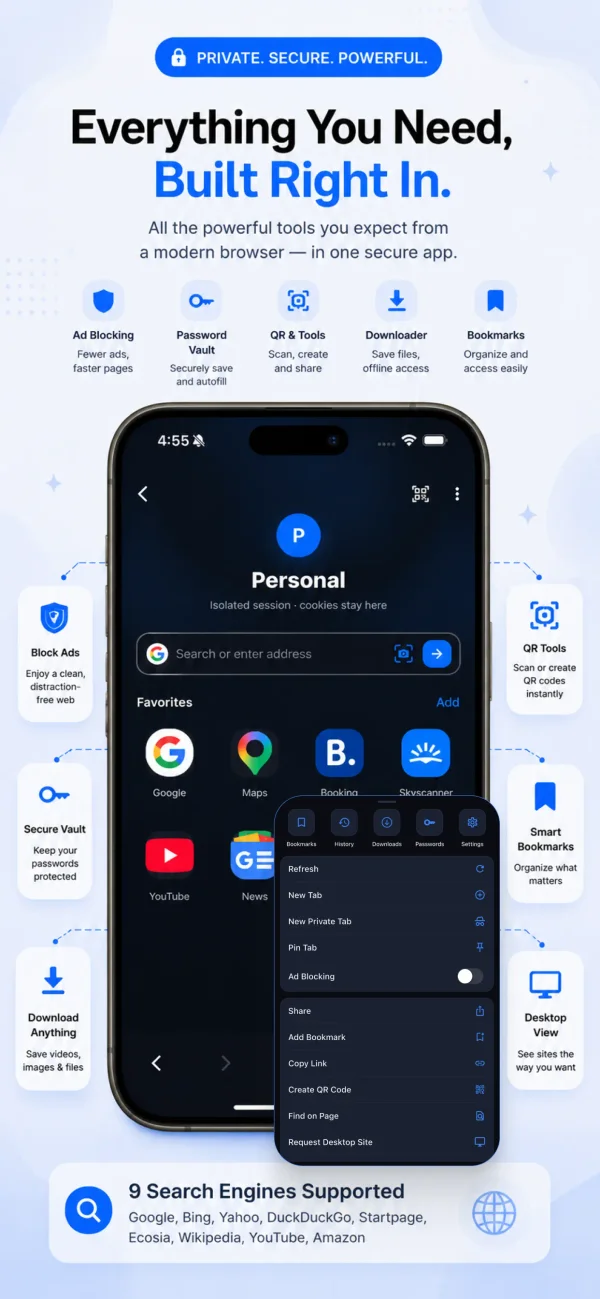
SMART BROWSER TOOLS
Useful tools are built right into the browser:
• QR code scanner
• QR code generator
• Visual search
• Search multiple engines
• Find on page
• Request desktop websites
• Bookmarks
• Page sharing
• Save pages as PDF
• Download manager
CHOOSE YOUR SEARCH ENGINE
Choose the search engine that works best for you.
Supported options include Google, Bing, Yahoo, DuckDuckGo, Startpage, Ecosia, Wikipedia, YouTube and Amazon.
BUILT FOR YOUR WAY OF BROWSING
Use MultiTab for:
Work — Keep business browsing and personal browsing separate.
Clients — Manage different client accounts without mixing sessions.
Personal — Keep your everyday browsing in its own workspace.
Private — Protect sensitive browsing with private tabs and workspace locks.
Study & Research — Organize sources, tabs and projects separately.
Shopping — Keep shopping sessions and research in their own space.
WHY MULTITAB?
One browser can do it all.
Stop juggling browsers and logging in and out. Create a workspace for each context and keep everything organized.
Multiple accounts. Separate sessions. Private browsing. Ad blocking. One browser.
Start using MultiTab today.
PREMIUM
Unlock Premium features such as unlimited workspaces, ad-free browsing and additional browser capabilities.
Subscription options may include weekly, monthly and yearly plans. A free trial may be available.
Payment is charged to your Apple ID account at confirmation of purchase. Subscriptions renew automatically unless canceled at least 24 hours before the end of the current billing period. You can manage or cancel your subscription in your Apple ID account settings.
Privacy Policy: https://koderead.com/privacy-policy/
Terms of Use: https://www.apple.com/legal/internet-services/itunes/dev/stdeula/
What’s new
Version 1.0.1 · Nov 4, 2026
- Bug fixes
App privacy
What KODEREAD SOLUTIONS LLP declares on the App Store about how this app handles data.
-
Data used to track you
May be used to track you across apps and websites owned by other companies.
- Usage data
-
Data not linked to you
May be collected but is not linked to your identity.
- Usage data
Privacy practices may vary, for example with the features you use or your age.
Information
- Seller
- KODEREAD SOLUTIONS LLP
- Category
- Utilities
- Version
- 1.0.1
- Updated
- Nov 4, 2026
- Released
- Jul 27, 2026
- Size
- 62.1 MB
- Requires
- iOS 17.0 or later
- Age rating
- 4+
- Price
- Free
- In-app purchases
- Yes
- Languages
- English
- Copyright
- © 2026 Koderead Solutions LLP. All rights reserved.
You might also like
-
 Privacy Browser : Secure WebPrivate & Secure Browsing
-
 Vadax PROBrowse Without Annoying Ads
-
 Lean BrowserThe browser that forgets
-
 Gram Browser – Private AdblockVideo Manager & Offline Player
-
 Portal BrowserWeb Bluetooth, phone or tablet
-
 Brilliance Private BrowserScreenshot-proof browsing
-
 DefaultAI: Default browserDefault browser
-
 oXBrowser - Extension BrowserUtilities
-
 Olana Browser & DownloaderPrivate Browser & Ad Blocker
-
 AI Browser: Cited Search, ReadReader, Private Tabs, Ad Block