
- Age rating4+
- CategoryProductivity
- DeveloperBarend Emmerzaal
- LanguagesEnglish+ 1 more
- Size3.5 MB
Links to the official App Store page
Download.org hosts no file of BucketLList. The button opens its official App Store page, published by Barend Emmerzaal. Listing last checked on Nov 21, 2026.
Screenshots


About
BucketLList brings your tasks and notes to iPhone — and keeps them in step with your Mac. Organize everything into buckets and lists, capture ideas the moment they arrive, and stay in flow with a built-in Pomodoro timer. Fast, private, and fully bilingual in English and Dutch.
BUILT TO WORK WITH YOUR MAC
• Buckets, lists, tasks and notes sync over iCloud, automatically
• Start something on your Mac and finish it on the train
• Notes keep their formatting in both directions
• Your own iCloud account — no sign-up, no extra account to manage
ORGANIZE YOUR WAY
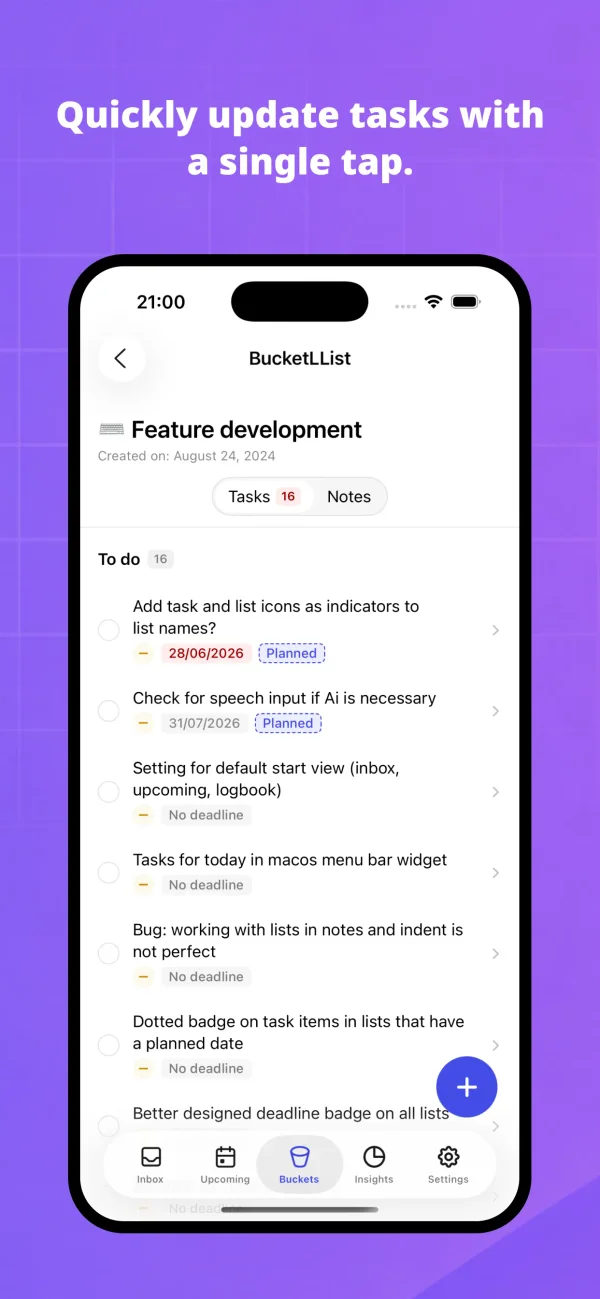
• Group work into buckets and lists, with an Inbox for anything uncategorized
• Tasks with priorities, complexity, tags, deadlines and planned dates
• Reorder with a drag; move any task or note to another list with a long press
• Filter everything by bucket, priority or tag
NOTES THAT TRAVEL WITH YOU
• A real rich-text editor: bold, italic, underline and strikethrough
• Headings, bulleted and numbered lists, and clickable links
• The formatting bar sits above the keyboard, right where your thumbs are
• Pin the notes you keep returning to, and tag them to find them later
KEEP PRIVATE NOTES PRIVATE
• Mark any note private and lock it behind Face ID or Touch ID
• Locked notes show their title only — the preview stays hidden in lists
• Auto-lock after a set time, and immediately when you leave the app
• The lock travels with the note to every device
STAY FOCUSED WITH POMODORO
• Start a timer on any task, straight from the list
• Set your own session length and a daily focus goal
• A sound and a notification tell you when a session ends
• Follow the countdown on your Lock Screen and in the Dynamic Island
CAPTURE IT BEFORE YOU FORGET
• Quick capture is one tap away, from any screen
• Speak your task — on-device speech recognition turns it into text
• Everything lands in your Inbox, ready to sort whenever you like
SEE WHERE YOUR TIME GOES
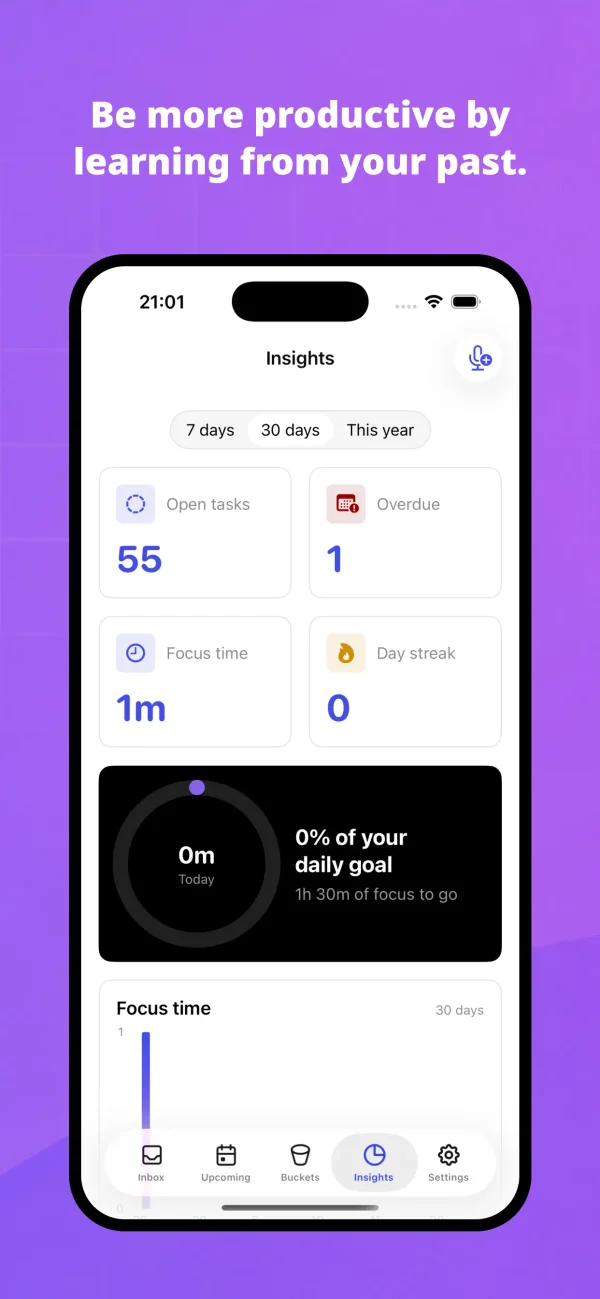
• A dashboard for the last 7 days, 30 days or this year
• Open tasks, overdue items, focus time and your daily streak
• Focus-time and completed-per-day charts, plus focus per bucket
• A daily focus ring tracks progress toward your goal
NEVER MISS A DEADLINE
• A reminder before a deadline arrives
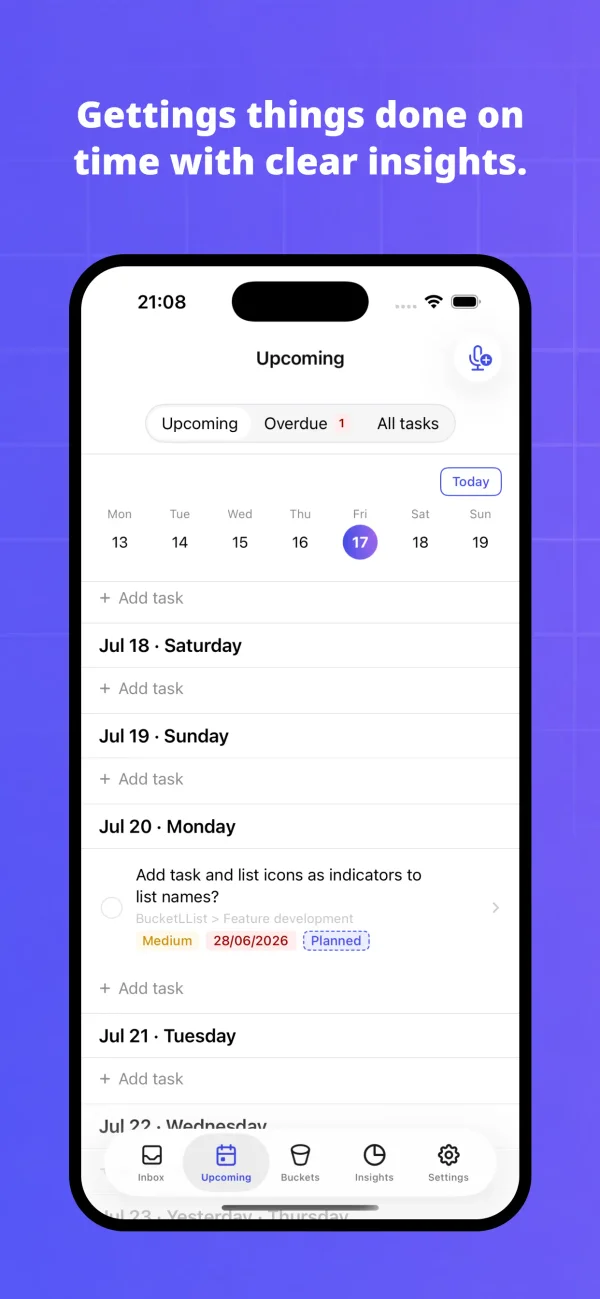
• An Upcoming view that groups what's next
• A separate list for anything that slipped past its date
• A logbook of everything you have already finished
PRIVATE BY DESIGN
• Your data lives in your own iCloud account and nowhere else
• Speech recognition runs on-device
• No tracking, no ads, no analytics
MADE FOR iPHONE
• Native, fast and light, with full Dark Mode support
• Switch between English and Dutch in a tap
• Thoughtful, distraction-free design
BETTER TOGETHER
Pair it with BucketLList for Mac to add mind maps, roadmaps, a Kanban board and on-device AI planning — all working from the same iCloud data.
Download BucketLList and turn your to-dos into done.
App privacy
What Barend Emmerzaal declares on the App Store about how this app handles data.
-
Data not collected
The developer does not collect any data from this app.
Privacy practices may vary, for example with the features you use or your age.
Information
- Seller
- Barend Emmerzaal
- Category
- Productivity
- Version
- 1.2.0
- Updated
- Aug 7, 2026
- Released
- Jun 24, 2026
- Size
- 3.5 MB
- Requires
- iOS 26.0 or later
- Age rating
- 4+
- Price
- Free
- Languages
- English, Dutch
- Copyright
- © 2026, Barend Emmerzaal
You might also like
-
 ConTextureNovels, notes, and research
-
 Tevik NotesTevik Notes
-
 What's Next To DoPrioritizing To Do List
-
 Kosshi OutlinerMarkdown, images, device sync
-
 iLoggerProductivity
-
 TreeNotes - Tree OutlinerOrganize ideas in a tree
-
 Icedrive – Cloud StorageSecure Cloud Storage
-
 Smile App LauncherA minimalistic dumbphone
-
 Raycast: Keyboard, AI and moreProductivity on the go
-
 Merlin AI: AI Chat AssistantWith ChatGPT, Gemini & Claude