Budget Tracker - Brim
Spending, Bills & Savings
Designed for iPhone, iPad
Free · In-app purchases
- Age rating4+
- CategoryFinance
- DeveloperLazare Kolebka
- LanguagesEnglish+ 20 more
- Size187.4 MB
Links to the official App Store page
Download.org hosts no file of Budget Tracker - Brim. The button opens its official App Store page, published by Lazare Kolebka. Listing last checked on Nov 24, 2026.
Screenshots


About
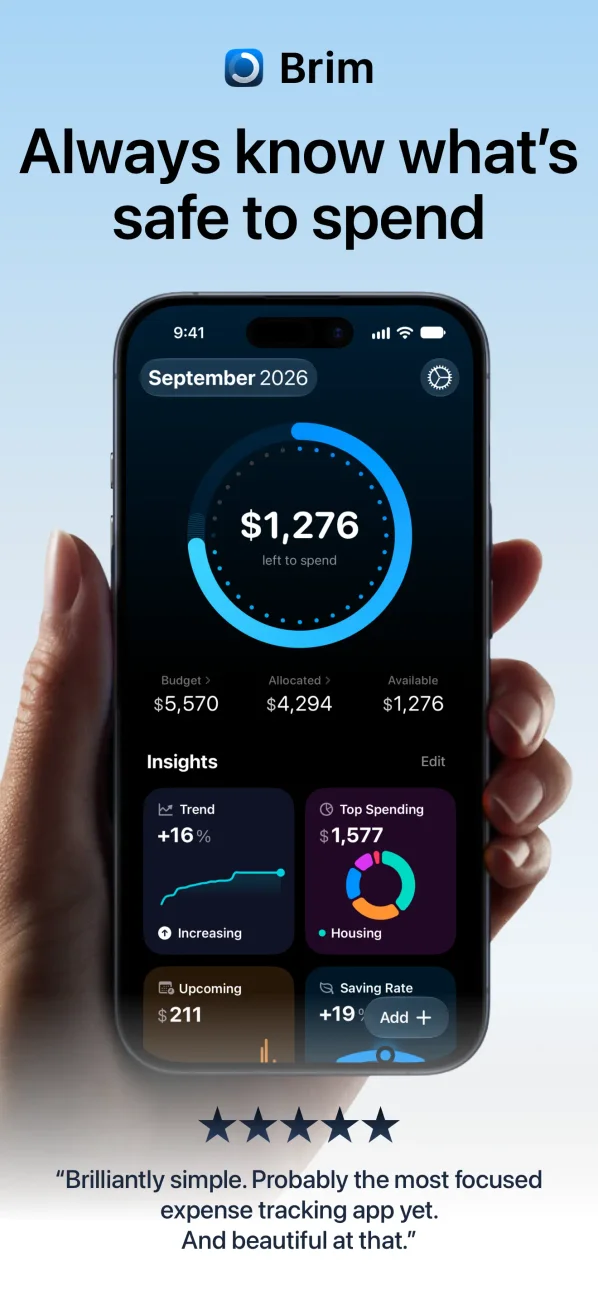
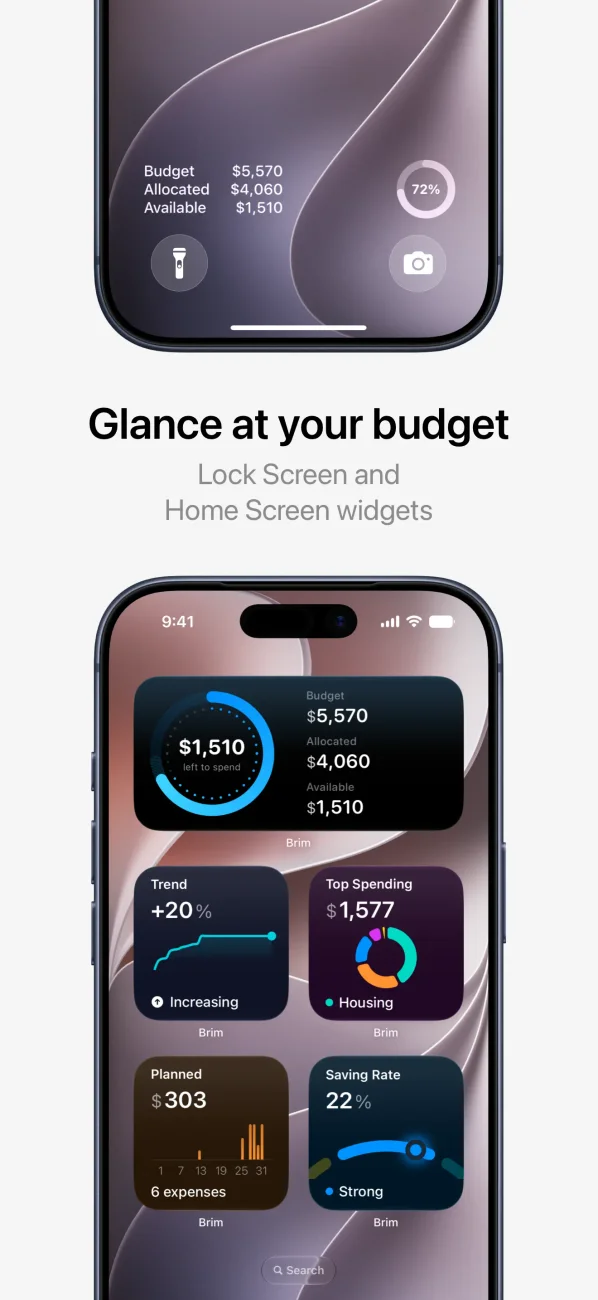
What's safe to spend right now?
Not your bank balance. What's left after bills, subscriptions, and savings - before the next payday. No bank connection required. Ever.
No account. No sign-in. Brim shows you one honest number, and it never leaves your iPhone.
SET UP ONCE. KNOW EVERY DAY.
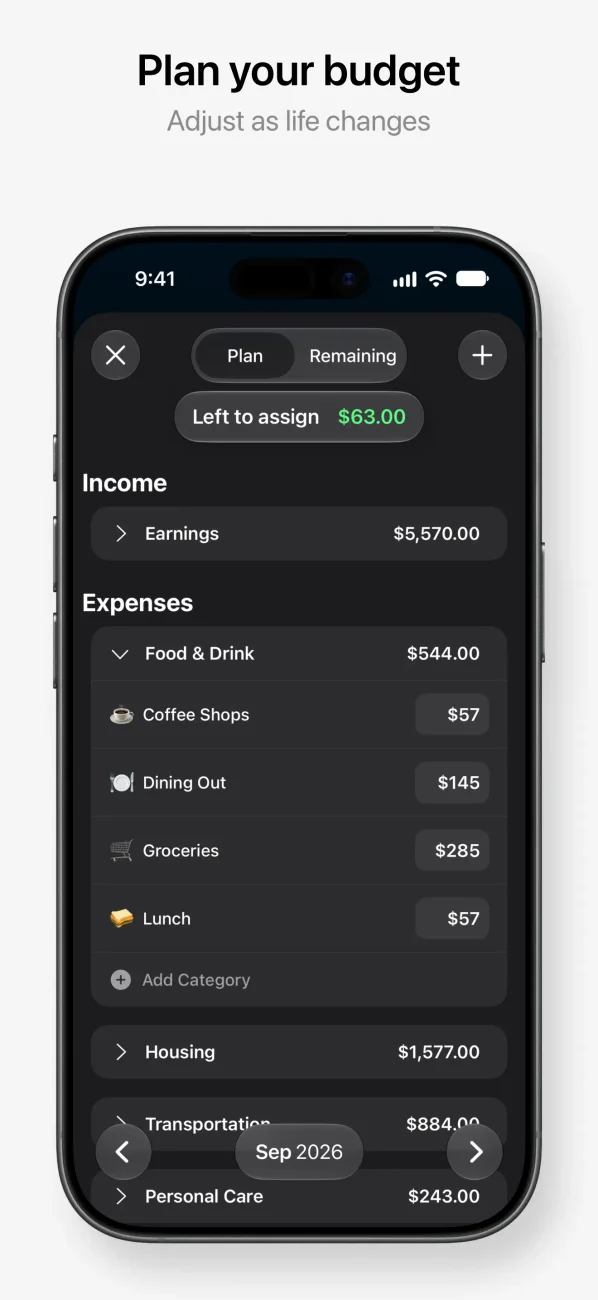
Add your bills, subscriptions, and recurring expenses once. Brim deducts them automatically - that number on your home screen is what's actually yours to spend.
No mental math. No guessing before you spend.
NO BANK CONNECTION. STILL AUTOMATIC.
Brim never connects to your bank. Set up an Apple Pay automation once, and every tap to pay logs itself as an expense - no manual entry, ever.
BUILT FOR REAL LIFE
Salary on the 29th. Freelance month. Two paychecks at different times. Brim plans on what you actually expect to earn, and adjusts as reality unfolds.
ASK SIRI AI
Ask Siri what's left in your budget, or for any category, like "Ask Brim what I have left for Coffee Shops." Ask Siri to add a transaction, hands free.
Search your transactions right from Spotlight.
UNDERSTAND YOUR MONEY, AT A GLANCE
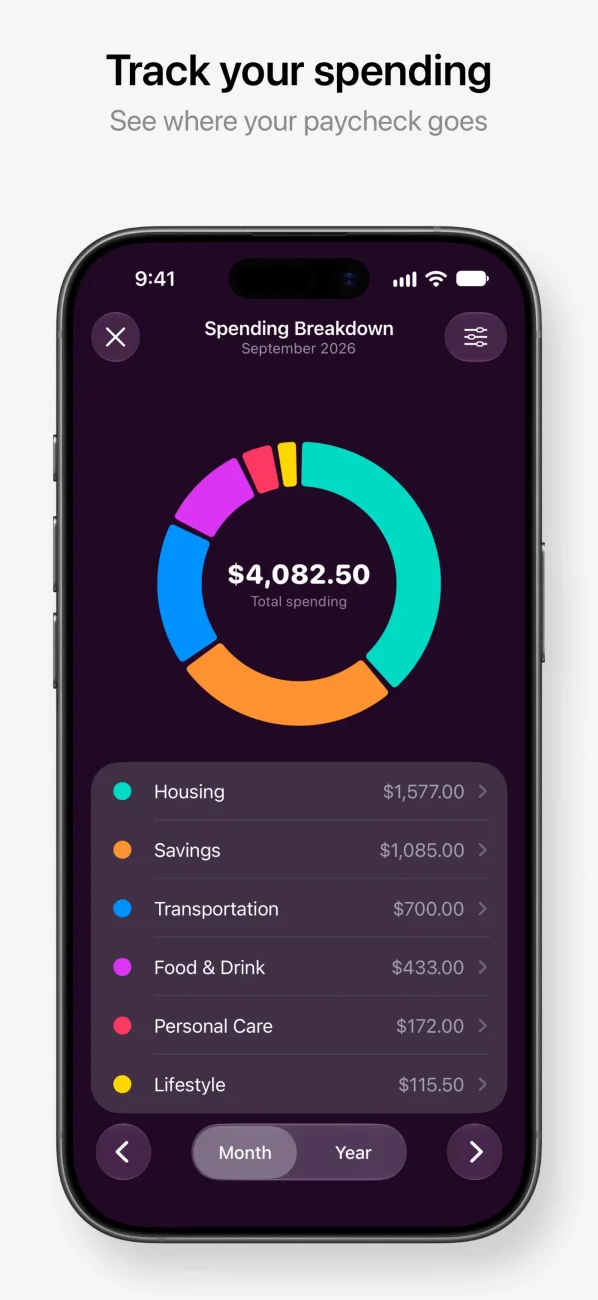
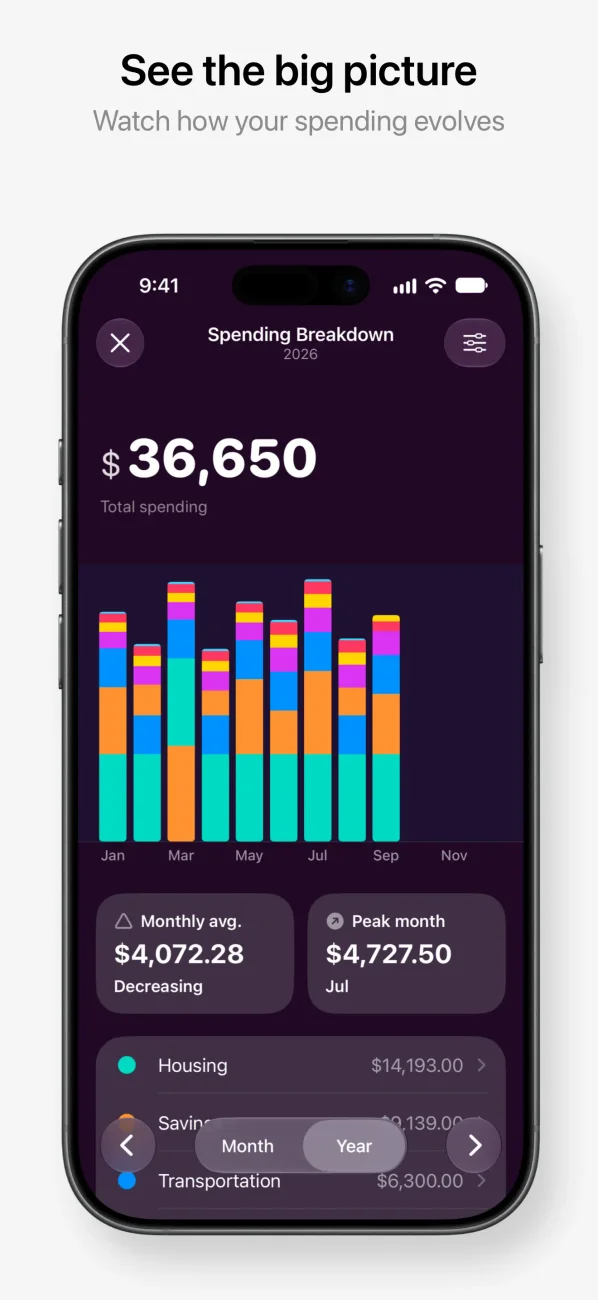
Six charts, each with one job.
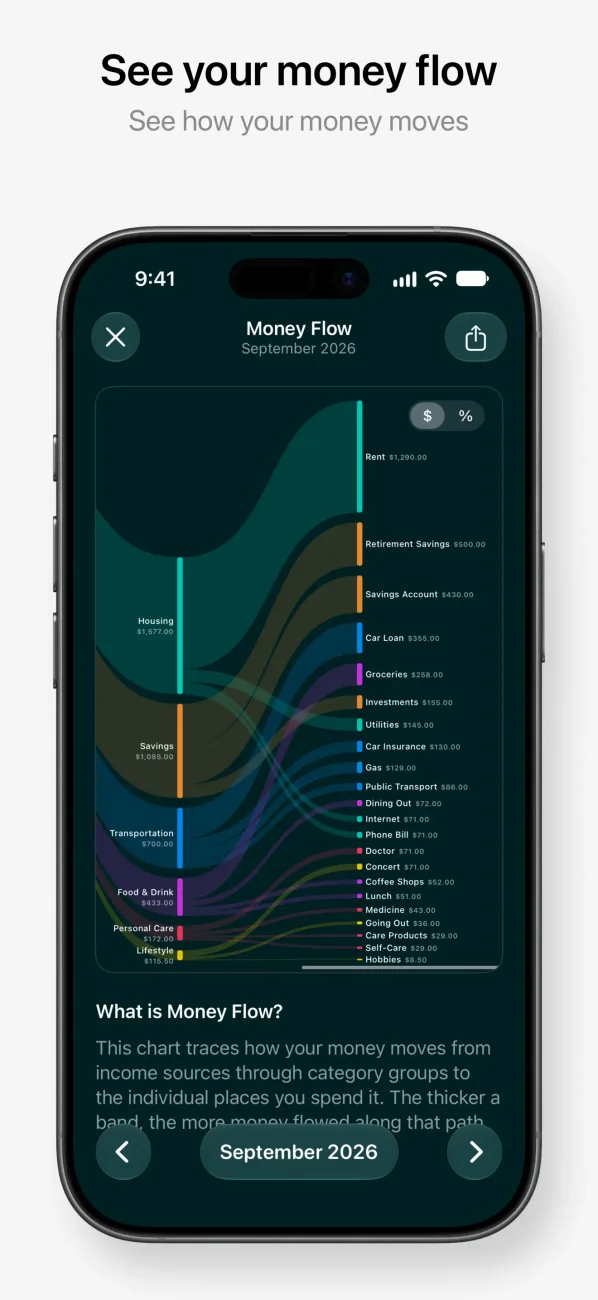
• Spending Breakdown - watch your paycheck flow from income to every category
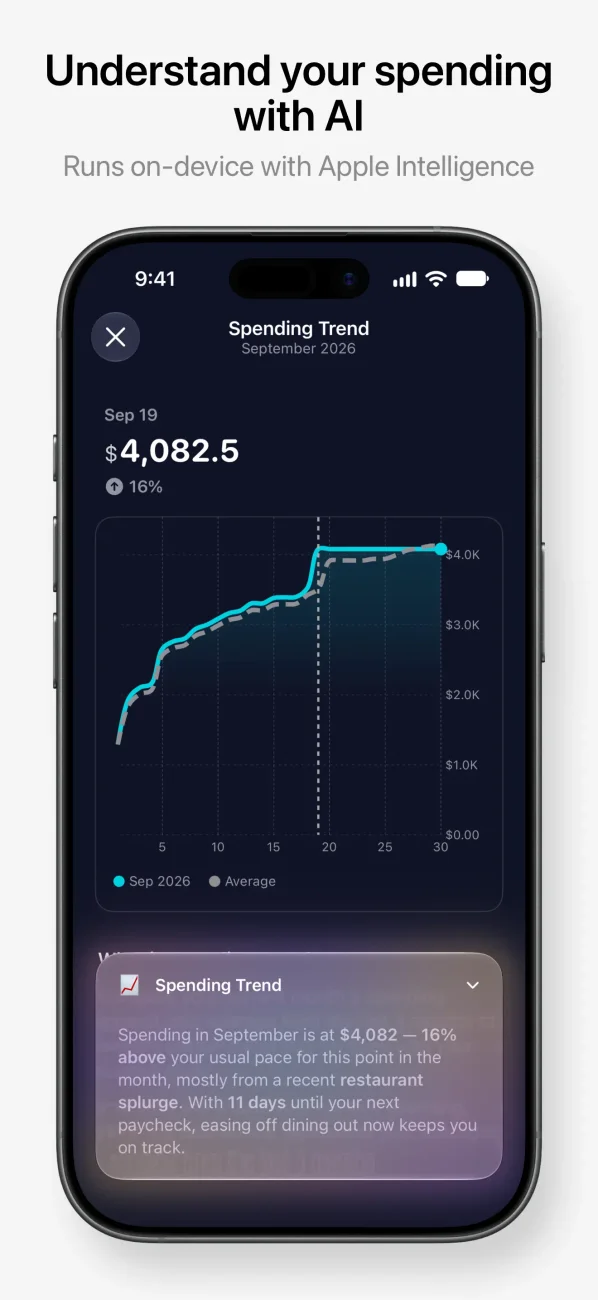
• Spending Trend - is this month better or worse than your usual?
• Top Spending - which categories are absorbing the most?
• Saving Rate - are you on track? Benchmarks included, not a vague thumbs-up
Tap any chart. Apple Intelligence tells you what it means, in one sentence, on your device.
ONE TAP TO ADD AN EXPENSE
Tap once inside the app. Pick a category. Done.
Or set up an Apple Pay automation in iOS Shortcuts and let your purchases log themselves. Whichever feels less like work.
Brim also suggests the right emoji when you create a new category - small touch, but it makes the app feel like yours.
YOUR ACCOUNTS, OVER TIME
See your balance for every account or just one, from a week to all time. Touch the chart to read any day, and Apple Intelligence sums up what's on screen in one sentence.
Add the Accounts widget, or ask Siri for your balance.
WORKS WHILE YOU'RE NOT LOOKING
• 9 Home Screen widgets, plus Lock Screen widgets
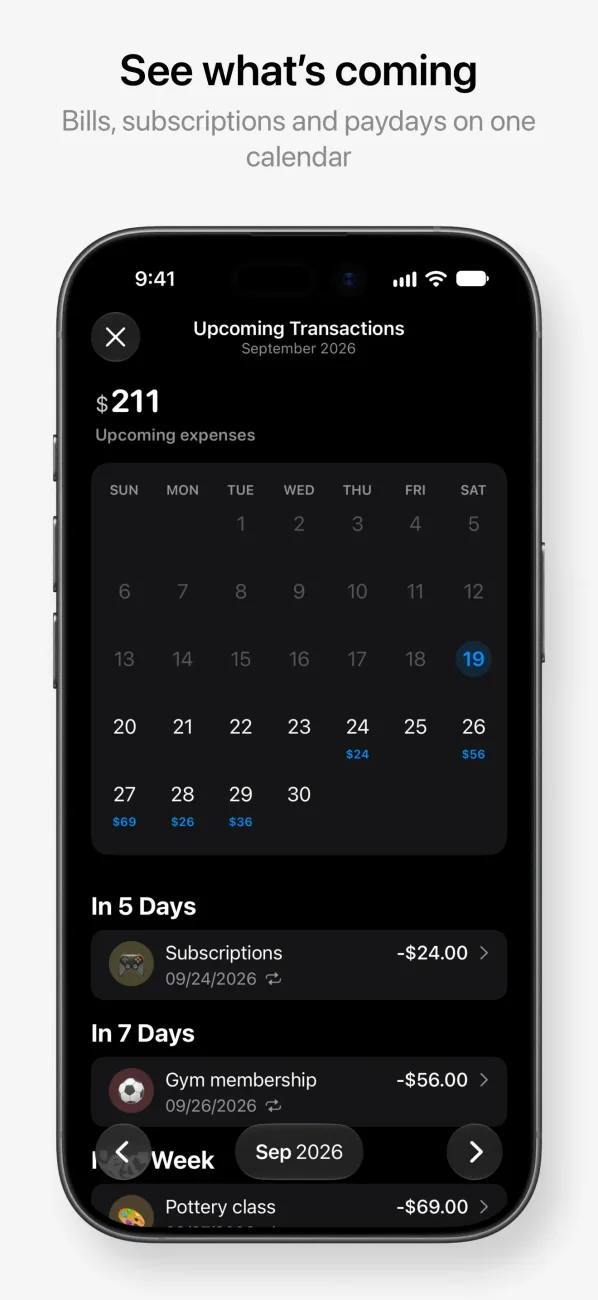
• Browse what's ahead in the new Upcoming calendar
• A reminder before a recurring payment goes out
• Apple Pay automation via Shortcuts
• Recurring bills auto-deducted every month
PRIVATE BY DESIGN. NO SIGN-IN, EVER.
Open Brim and start. No account to create, no email, no password. Your financial data lives on your device. iCloud sync goes through your personal account - we never see it. The AI features run on-device too - your transactions never leave your iPhone.
BUILT TO BE FAST
Opens instantly. No loading screen. Just your number, right there.
Logging an expense on the go takes three seconds. That's the whole point.
DATA YOU OWN
• CSV import from other budget apps
• CSV export anytime
• 180+ currencies supported
BUILT WITH YOU
Made by one indie developer who uses Brim every day. Vote on the roadmap, email feedback, help shape what comes next.
- Lazare
Privacy: https://getbrim.app/privacy
Terms: https://getbrim.app/terms
What’s new
Version 1.6.1 · Nov 23, 2026
Your weekly report.
Starting Monday, a short story of your week: what you spent, and what's still to come.
Every Monday morning, a notification tells you it's ready, and a card on Home shows last week's biggest payments.
Also: small fixes that make Brim more reliable.
- Lazare
App privacy
What Lazare Kolebka declares on the App Store about how this app handles data.
-
Data not linked to you
May be collected but is not linked to your identity.
- Purchases
- Identifiers
- Usage data
Privacy practices may vary, for example with the features you use or your age.
Information
- Seller
- Lazare Kolebka
- Category
- Finance
- Version
- 1.6.1
- Updated
- Nov 23, 2026
- Released
- Jan 24, 2026
- Size
- 187.4 MB
- Requires
- iOS 18.6 or later
- Age rating
- 4+
- Price
- Free
- In-app purchases
- Yes
- Languages
- English, Arabic, Czech, Dutch, Filipino, French, German, Greek, Hindi, Indonesian, Italian, Japanese + 9 more
- Copyright
- © 2026 Lazare Kolebka
You might also like
-
 Costify: Expense TrackerTrack, split & manage expenses
-
 Control: Budget TrackerExpense & Money Manager
-
 Kelo: Bill Organizer & BudgetSubscriptions, expense tracker
-
 Expensa: Expense TrackerBudget Planner & Money Manager
-
 Qalta AI: Expense TrackerBudget Planner, Voice & Scan
-
 Budjetly: Budget PlannerSpending Tracker Bills Manager
-
 Fineyo: Expense TrackerBudget Planner & Spending
-
 Goose: Manual Expense TrackerIncome & Budget Spend Forecast
-
 Subbie - Money CalendarMoney App for ADHD
-
 SyncSpendExpenses, syncs with Notion