BuffCat: Strength Training Log
3D Form Guides & Muscle Maps
Designed for iPhone
Free
- Age rating4+
- CategoryHealth & Fitness
- DeveloperJuyong Bak
- LanguagesEnglish+ 9 more
- Size110.2 MB
Links to the official App Store page
Download.org hosts no file of BuffCat: Strength Training Log. The button opens its official App Store page, published by Juyong Bak. Listing last checked on Nov 23, 2026.
Screenshots


About
Every set counts. Your cat shows it.
BuffCat turns your strength training into a 3D cat that changes with every workout. Log your sets, track recovery and see your progress. No account. No ads.
■ A cat built by your workouts
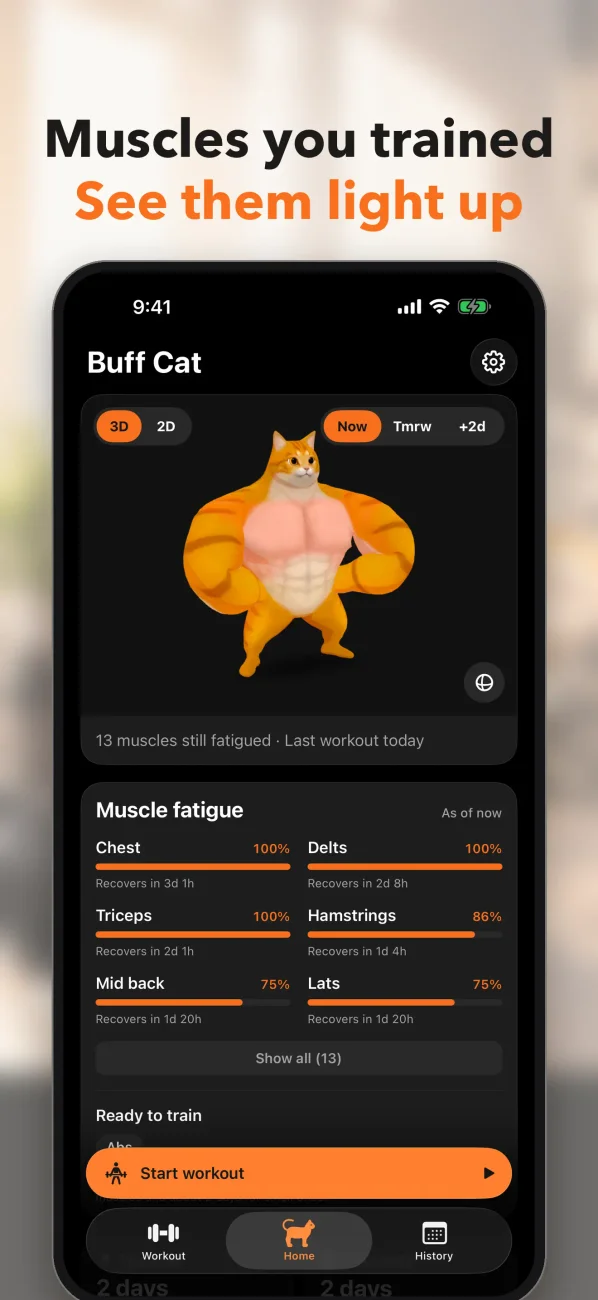
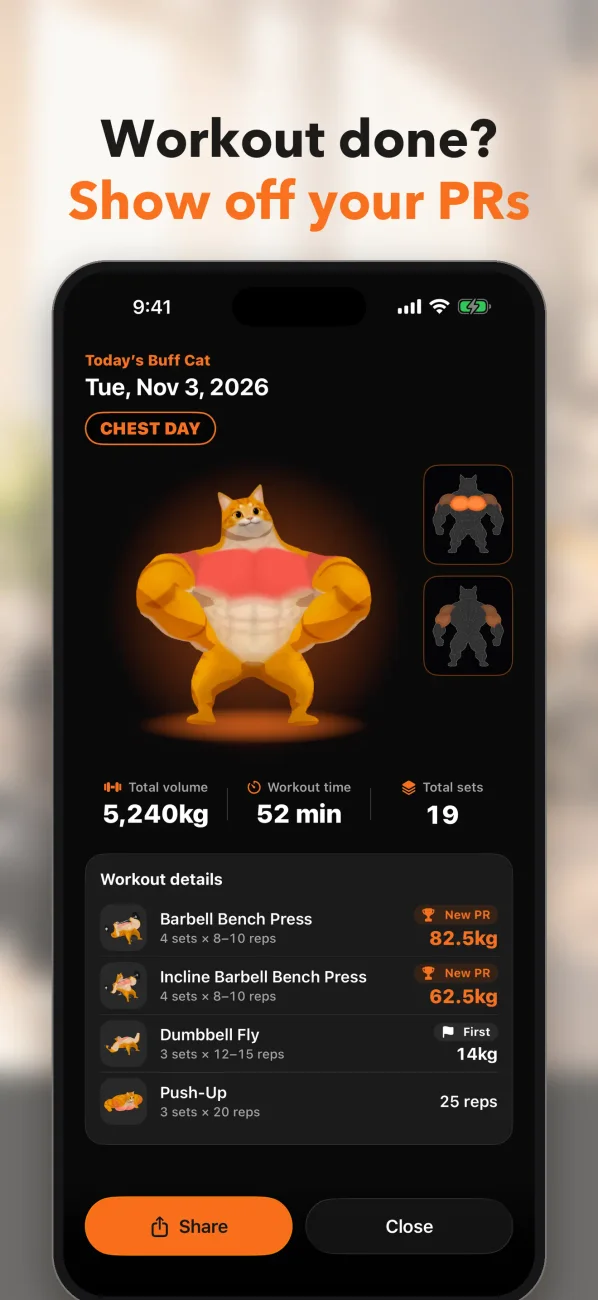
• The muscles you train show up on your 3D Buff Cat.
• Buff Cat strikes a bodybuilding pose to show off your most-trained muscles.
• Once your muscles recover, Just Cat returns to rest on all fours.
• Work out again and watch it transform back into Buff Cat.
■ Finish with a flex
• After your workout, Buff Cat stars in a highlight scene.
• Your results card shows volume, workout time, total sets and new PRs.
• Save or share Today's Buff Cat as a vertical image.
■ Know what's recovered
• See each muscle's fatigue on your 3D cat and on front and back muscle maps.
• Check your recovery for now, tomorrow and the day after.
• See at a glance which body parts are ready to train.
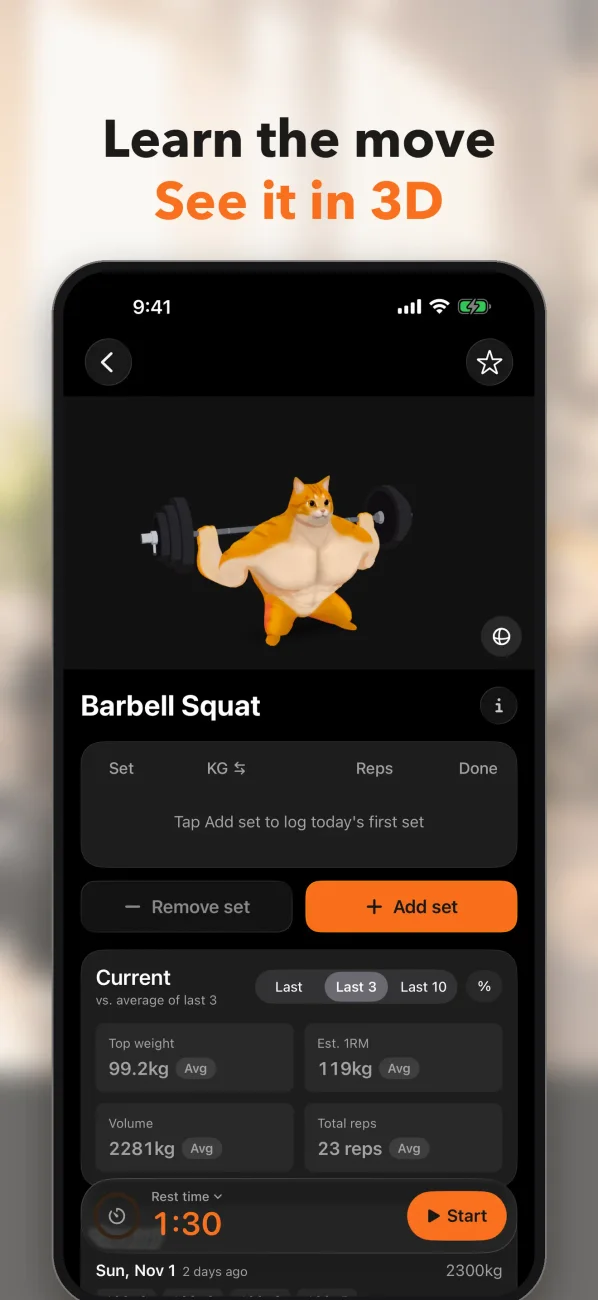
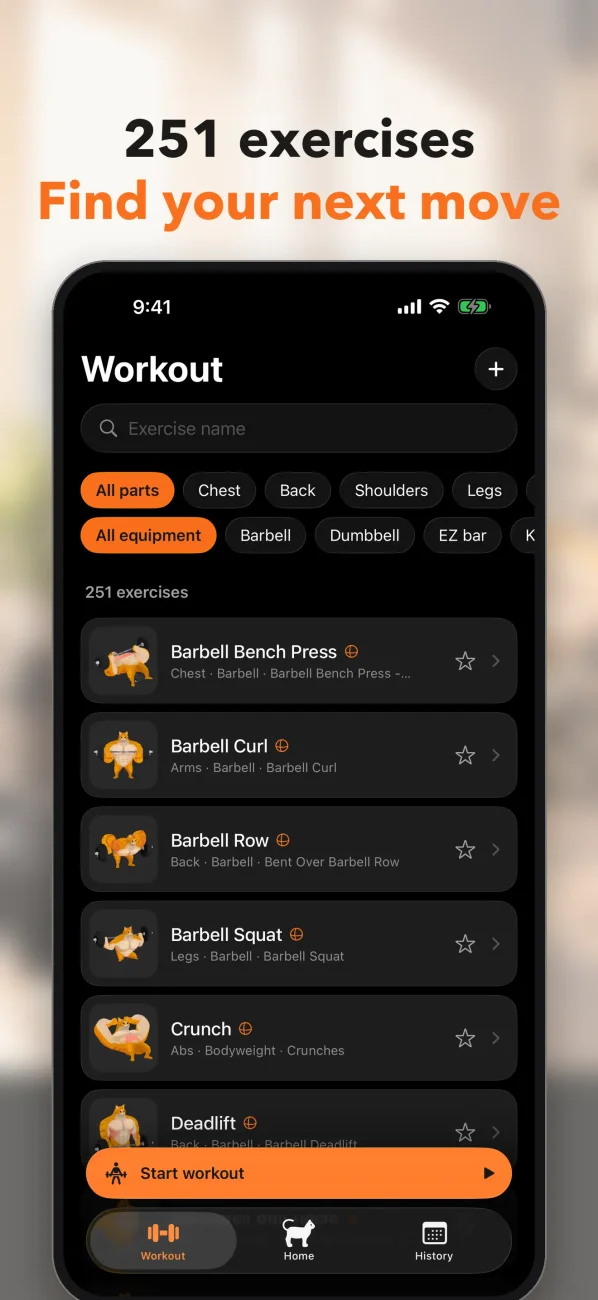
■ 251 exercises in 3D
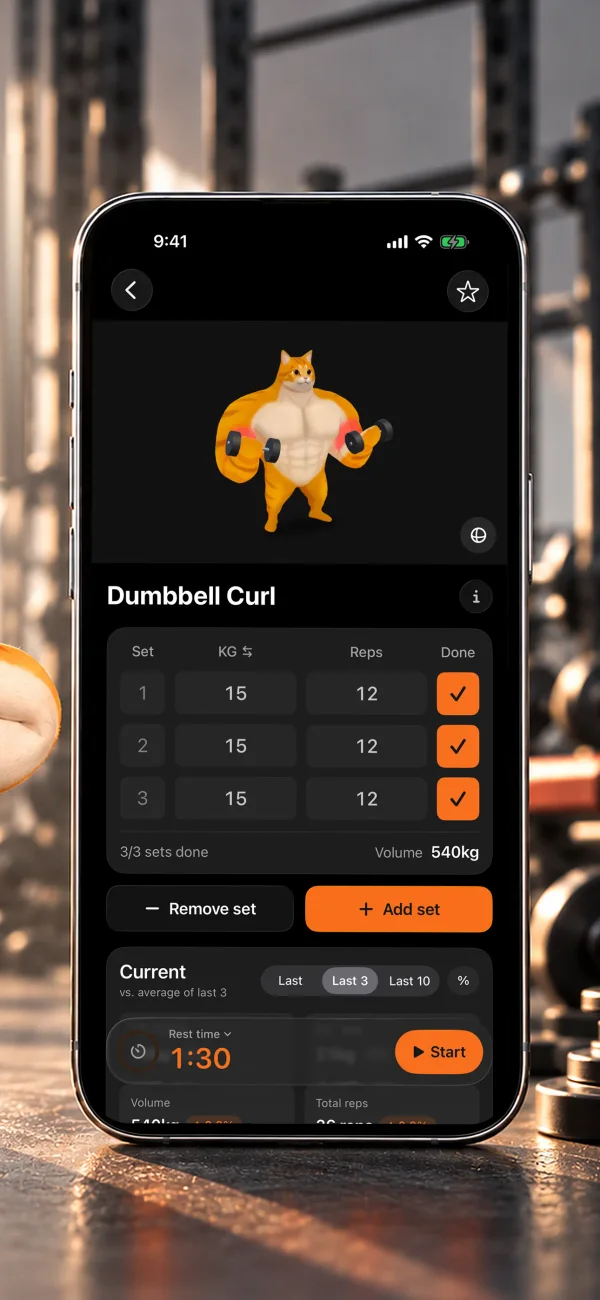
• Explore 3D form animations for barbell, dumbbell, machine, cable and bodyweight exercises.
• See each exercise's primary and secondary muscles on a muscle map.
• Filter by body part and equipment, and save your favorites.
• Can't find yours? Create a custom exercise and choose the muscles it works.
■ Routines and supersets
• Save your go-to workouts as named routines and start them right away.
• Repeat a past workout just as you did it.
• Link exercises into supersets and move through them round by round.
■ Log your sets. Know your numbers.
• Track weight × reps, reps alone, time or cardio minutes.
• Mark warm-up, drop and failure sets.
• Compare your performance with your last workout and recent average.
• New PRs are detected automatically and marked with a trophy.
• See your estimated 1RM, top weight and volume in kg or lb.
■ On your wrist and Lock Screen
• Follow your workout on Apple Watch, complete sets and adjust weight and reps.
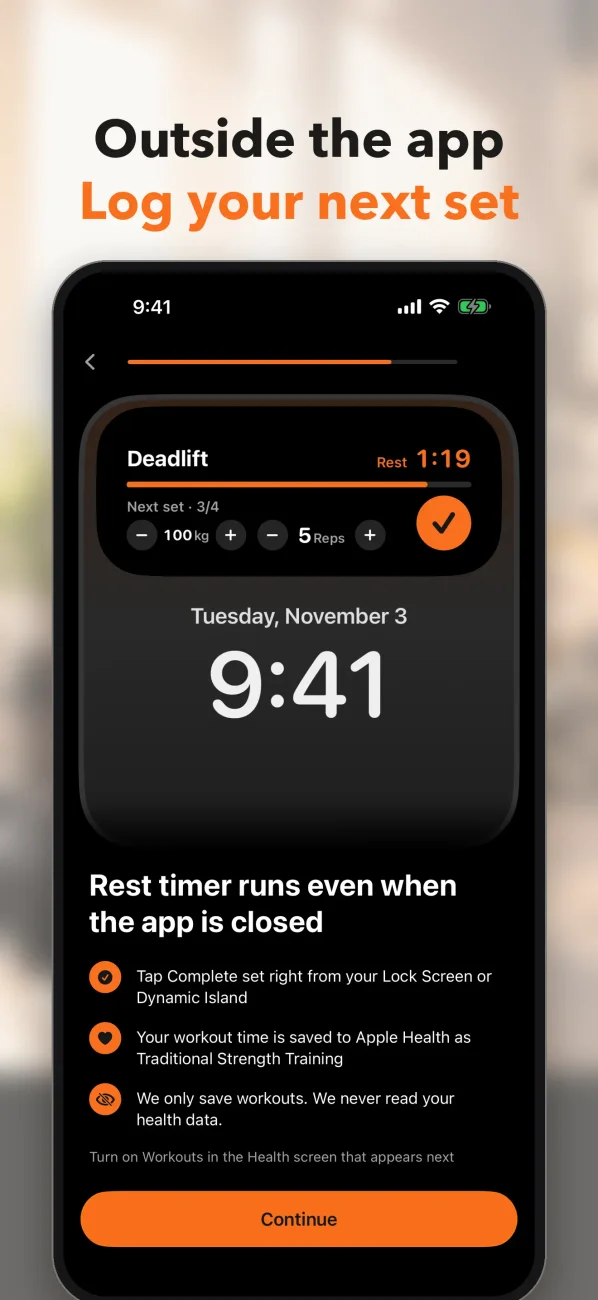
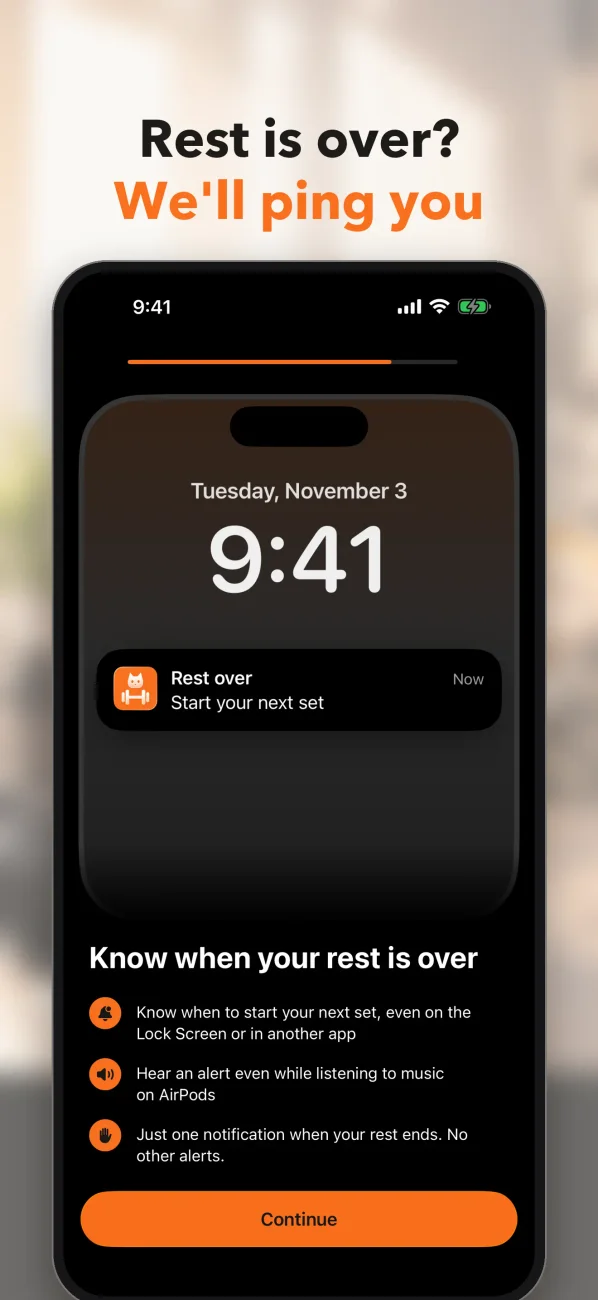
• Your rest timer starts automatically after each set and plays a sound when it ends.
• Check your rest timer on the Lock Screen and Dynamic Island, then adjust or complete your next set right there.
■ See the bigger picture
• Check your training balance with a hexagon chart for the past week or month.
• Track weekly volume, your most-done exercises and your weekly streak.
• Look back on a full year of activity on a heatmap.
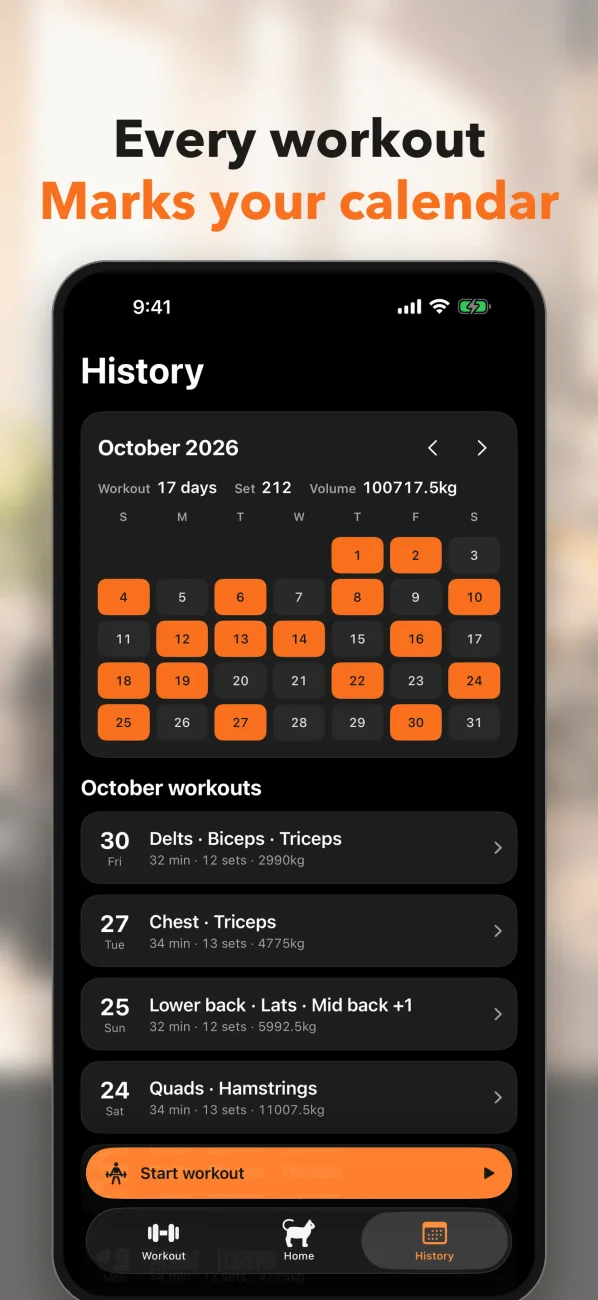
• Browse your workout calendar and edit or delete past workouts.
■ Your history goes with you
• Import your history from other workout apps via CSV, and export all of it as CSV too.
• Keep your data in sync with iCloud.
• Save completed workouts to Apple Health as strength training.
Get your next set in. Give Buff Cat a reason to flex.
What’s new
Version 1.0.4 · Nov 14, 2026
• Tap the muscle fatigue card on Home to see each muscle's state, recovery and last workout. Tap a muscle for its fatigue chart and the last 7 days of training
• New strength progress: follow each body part over time, see muscle and exercise rankings, and check how your estimated 1RM, best weight and volume have grown on each exercise
• Finish a workout and a title tells you which workout number it was, with a burst of confetti
• Recent records now sit side by side by date. Swipe through your last 10 workouts, with how many days ago and that day's total
• Adding a set now fills in the weight and reps from the same set of your last workout
• Collapse the Current Record, Recent Records and Exercise Progress cards by tapping their titles
• New start/stop timer for time-based sets like planks and cardio. It keeps running even if you close the app, and you can check and finish it from the Lock Screen, Dynamic Island or Apple Watch
• Fixed cardio-only workouts getting stuck on "Getting ready" and never starting
• Your share image now lists every exercise from your workout
• Polished machine exercise animations: levers, grips and arm pads now fit the body more naturally
• The Home Screen widget now updates right away for sets finished from the Lock Screen or Apple Watch
• The keypad now slides all the way down smoothly, and Home no longer switches back to the 2D figure after a transformation
App privacy
What Juyong Bak declares on the App Store about how this app handles data.
-
Data not collected
The developer does not collect any data from this app.
Privacy practices may vary, for example with the features you use or your age.
Information
- Seller
- Juyong Bak
- Category
- Health & Fitness
- Version
- 1.0.4
- Updated
- Nov 14, 2026
- Released
- Oct 27, 2026
- Size
- 110.2 MB
- Requires
- iOS 26.1 or later
- Age rating
- 4+
- Price
- Free
- Languages
- English, French, German, Italian, Japanese, Korean, Portuguese, Simplified Chinese, Spanish, Traditional Chinese
- Copyright
- © 2026 SunDragon