
Burnlist — Tasks & Boards
Burn through your to-do list
Designed for iPhone, iPad, Mac
Free · In-app purchases
- Age rating4+
- CategoryProductivity
- DeveloperPorcellus, Inc.
- LanguagesEnglish
- Size3.5 MB
Links to the official App Store page
Download.org hosts no file of Burnlist — Tasks & Boards. The button opens its official App Store page, published by Porcellus, Inc. Listing last checked on Nov 18, 2026.
Screenshots
About
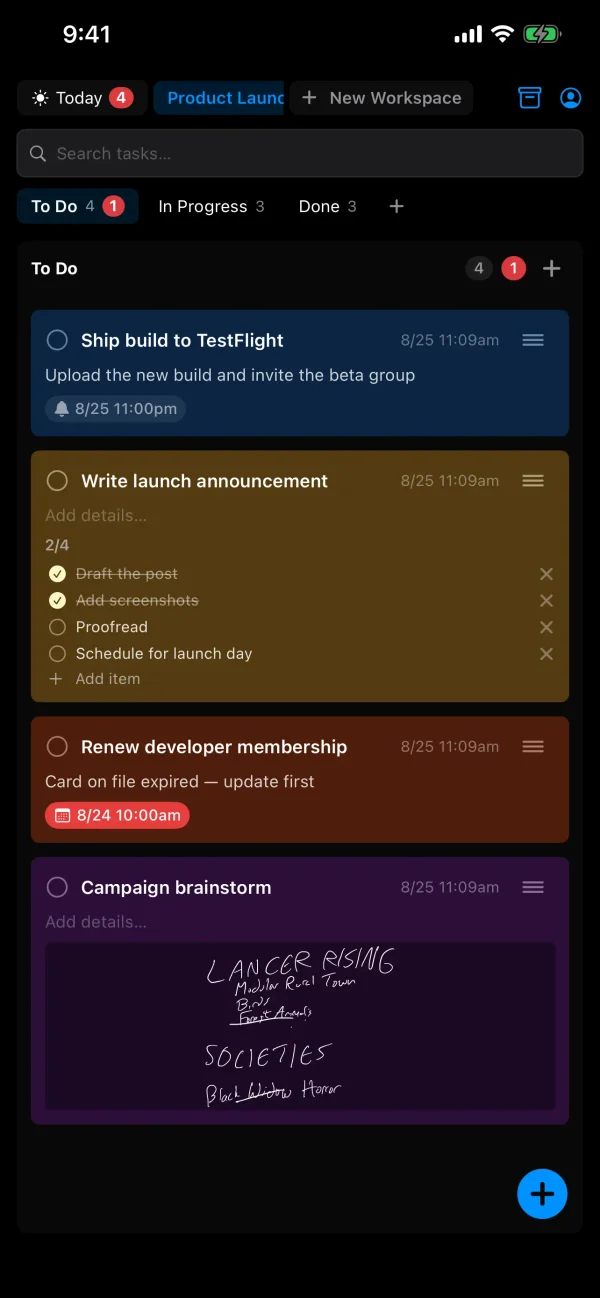
Burnlist is the to-do app that makes finishing things feel good. Scribble tasks with Apple pencil. Organize tasks into boards, drag them with a fingertip.
Syncs to iPhone and Mac to edit and view tasks from anywhere (though without the pencil features)
WORK THE WAY YOU THINK
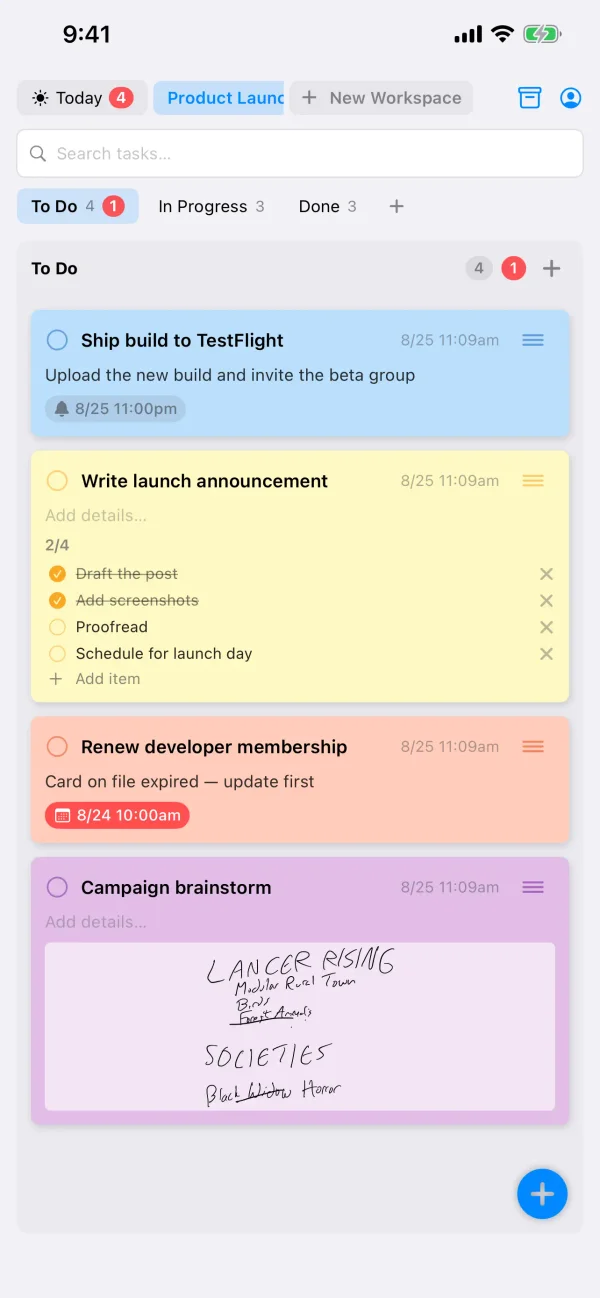
• Boards with columns — view side-by-side (kanban style) or as tabs
• Separate workspaces for work, home, groceries, anything
• Start from templates: Project Board, Weekly Planner, Groceries
• Drag and drop that actually feels good — instant, no long-press
BUILT FOR APPLE PENCIL
• Scribble a task in your own handwriting — it becomes searchable text
• Scribble directly on any task card, or add a sketch.
• Handwriting search finds what you scribbled, even weeks later
STAY ON TOP OF IT
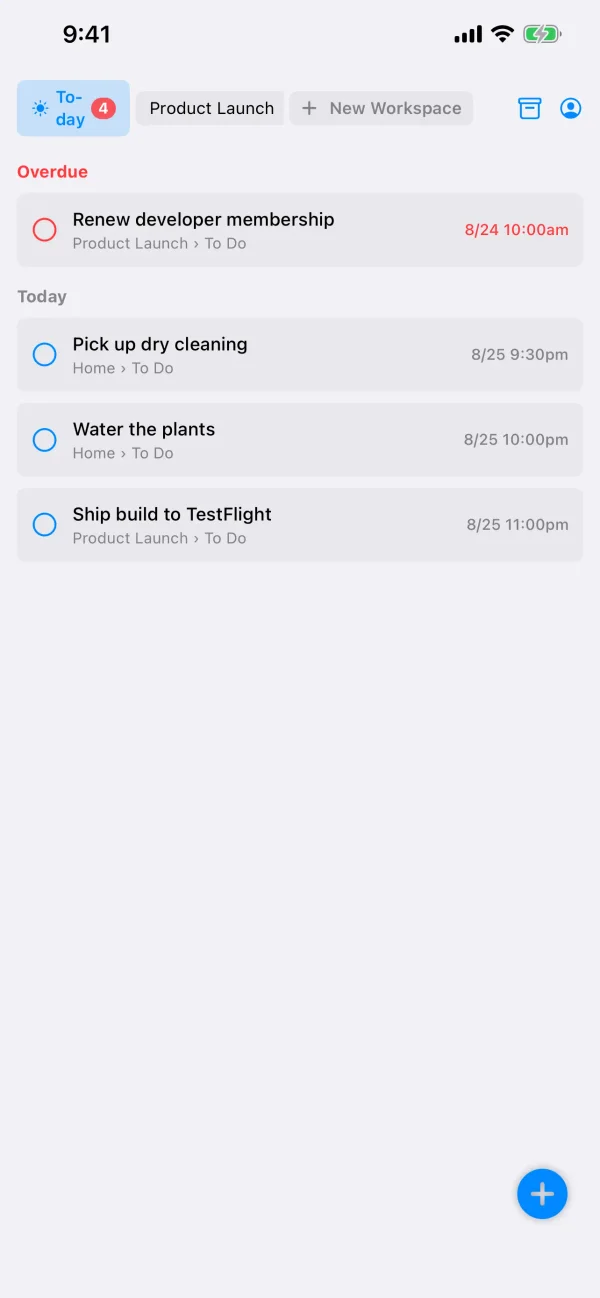
• Today view gathers everything due or overdue across all boards
• Due dates, reminders, and repeating tasks
• Complete or snooze straight from the notification
• Checklists inside tasks, with progress at a glance
SEE YOUR PROGRESS
• Done tasks auto-archive after 3 days — boards stay clean
• A burndown chart of your completions, day by day
• A satisfying flame every time you finish something
YOURS, EVERYWHERE
• Free forever on this device — no account required
• Burnlist Pro (one-time purchase, no subscription): sync across
Mac, iPhone, and iPad, plus unlimited workspaces
• Add tasks from the share sheet, Siri, and Shortcuts
• Full backup export and import — your data is never locked in
• Light and dark mode, with task colors that adapt
What’s new
Version 1.1 · Sep 14, 2026
8 new color themes
Multi-line note titles with Enter key
Grid appearance selector
Bug fixes and performance improvements
App privacy
What Porcellus, Inc. declares on the App Store about how this app handles data.
-
Data not collected
The developer does not collect any data from this app.
Privacy practices may vary, for example with the features you use or your age.
Information
- Seller
- Porcellus, Inc.
- Category
- Productivity
- Version
- 1.1
- Updated
- Sep 14, 2026
- Released
- Sep 7, 2026
- Size
- 3.5 MB
- Requires
- iOS 16.0 or later
- Age rating
- 4+
- Price
- Free
- In-app purchases
- Yes
- Languages
- English
- Copyright
- © 2026 Porcellus Inc.
You might also like
-
 Inkline — Handwritten NotesHandwritten notes, real tasks.
-
 All Done: To Do List & NotesHandwriting planner & tasks
-
 NexTime: Date ReminderCalendar for important days
-
 PenciloFocus Tasks, Notes & AI
-
 Note-Due: Tasks & NotesTasks & Notes together at last
-
 Tratto - Handwritten todo listHandwrite Your Tasks
-
 Stop Scrolling - Refocus LifeZen Time - Screen Time Control
-
 ADHD Tool - Do ThisFocus on One Task
-
 Plana - Handwriting PlannerHandwritten planner & calendar
-
 Simple Calculator・Easy & CoolProductivity