- Age rating4+
- CategoryUtilities
- DeveloperEduardo Almeida
- LanguagesEnglish+ 5 more
- Size9.1 MB
Links to the official App Store page
Download.org hosts no file of Burst Timers. The button opens its official App Store page, published by Eduardo Almeida. Listing last checked on Nov 18, 2026.
Screenshots

About
Burst Timers is an interval timer that keeps count so you can focus on the effort. Set how many segments you want, how long to work and how long to rest, and press Start. It's made for HIIT, sprints, circuits and stretching, and works for anything that alternates between work and rest.
SET UP IN SECONDS
• Choose 1 to 100 segments, with work and rest from 1 second to 10 minutes each
• Big + and − buttons; touch and hold to change values quickly
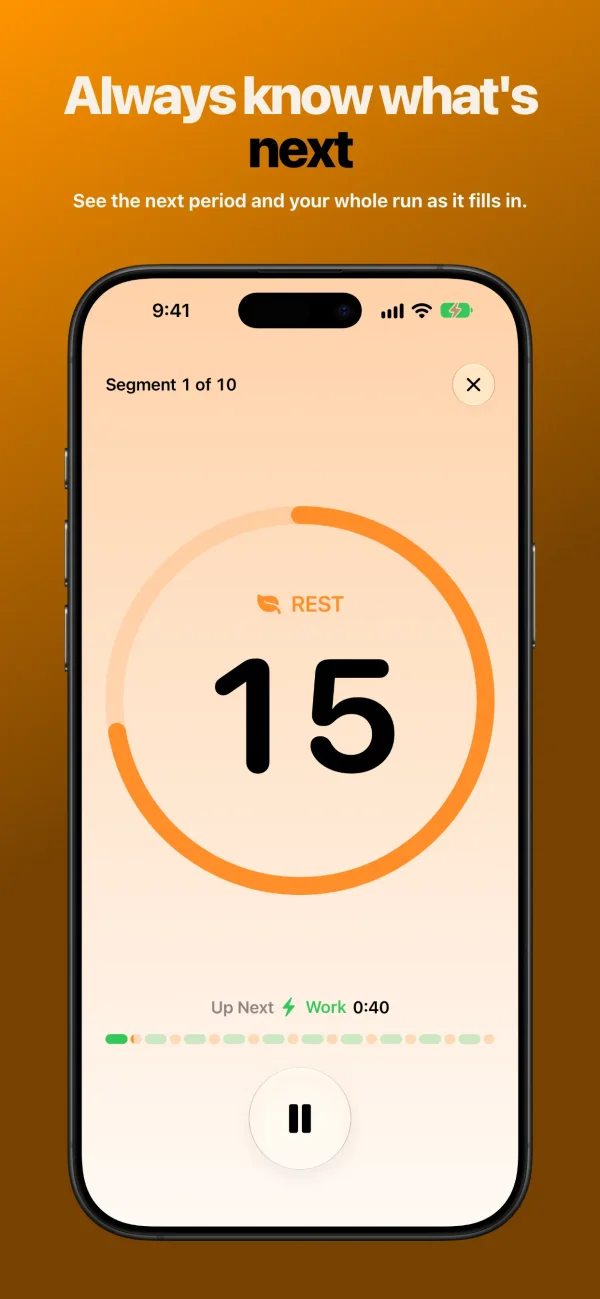
• See the total length of your run, and a colored bar with every period in order
• Your last run is remembered for next time
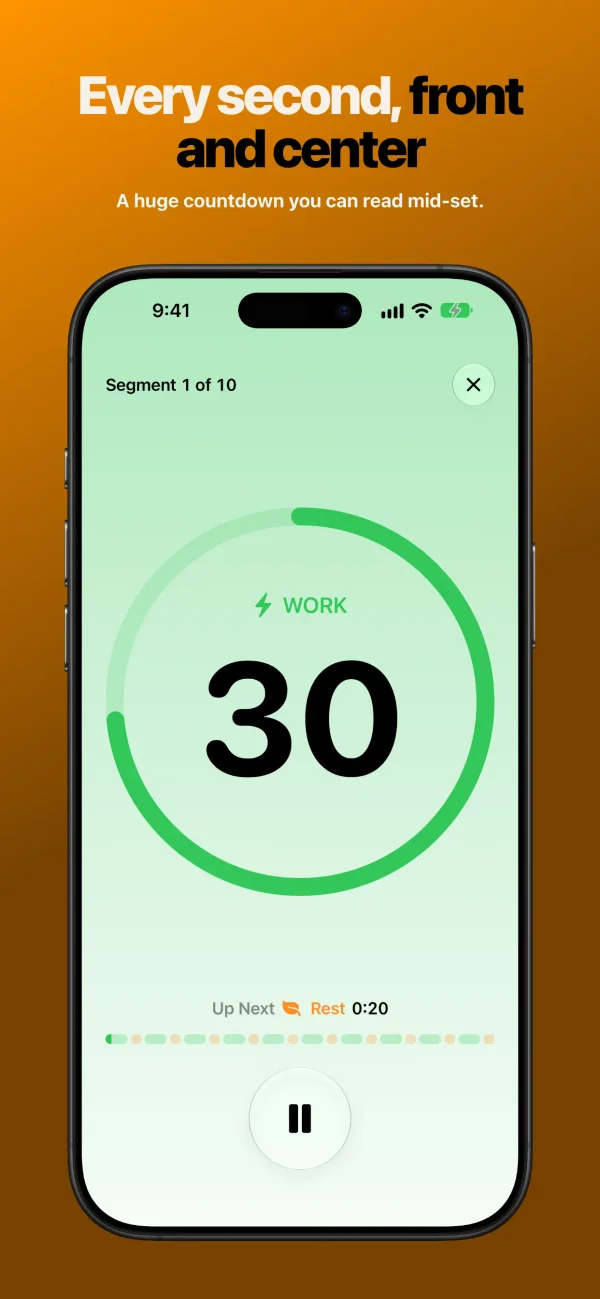
EVERY SECOND, FRONT AND CENTER
• A huge countdown inside a ring that empties as the period runs out
• The screen takes on the color of the current period, so you can tell work from rest at a glance
• Up Next shows what's coming, and a progress bar fills in as you go
• Pause, resume or end a run at any time
• The screen stays on while you train
NEVER MISS A SWITCH
• A different sound for work, rest and the end of the run
• Sounds play in Silent Mode and mix with your music and podcasts instead of stopping them
• Haptics on iPhone and Apple Watch
• VoiceOver announces each new period
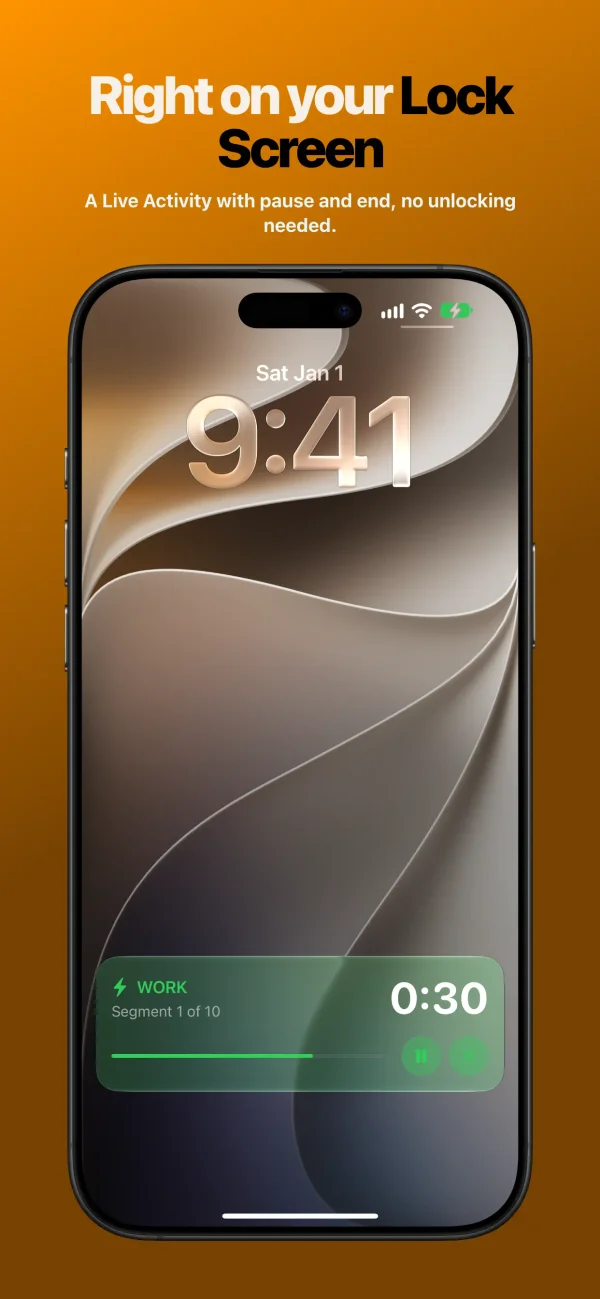
ON YOUR LOCK SCREEN
• A Live Activity shows the countdown on the Lock Screen and in the Dynamic Island
• Pause, resume or end the run without unlocking your iPhone
• When you're in another app or your iPhone is locked, the screen lights up and plays a sound at each change
• Follow along in the Smart Stack on your paired Apple Watch
ON YOUR WRIST
• The Apple Watch app works on its own, no iPhone needed
• Set every value with the Digital Crown
• Pause and resume with a double tap on supported models
• A different haptic for work and rest, so you don't have to look
• Keeps going with your wrist down
• Optional colored backgrounds for work and rest
• Complications to start from your watch face
ON YOUR MAC
• The time left in the menu bar, with start, pause and end one click away
• Close the window and keep going from the menu bar
• The Dock icon shows the current period and the time left
• Keyboard shortcuts for everything: ⌘↩ to start, ⇧⌘P to pause, ⌘. to end
ON YOUR IPAD
• A countdown big enough to read from across the room
• Keyboard shortcuts when a keyboard is connected
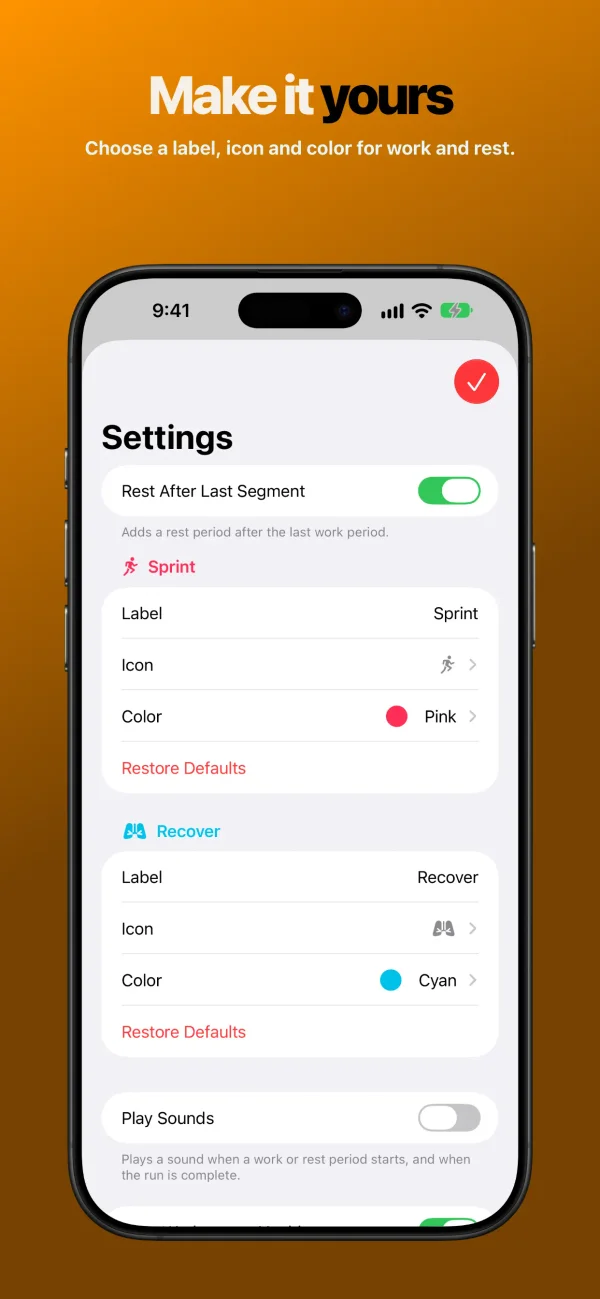
MAKE IT YOURS
• Rename Work and Rest to Sprint and Recover, Push and Breathe, or anything you like
• Pick from 20 icons, including a bolt, flame, runner, dumbbell, swimmer and lungs
• Choose from 12 colors
• Your labels, icons and colors show up everywhere: the countdown, the Live Activity, the menu bar, the Dock and Apple Watch
• Copy them from iPhone to Apple Watch in one tap
• End with a cooldown rest, or finish as soon as the last work period is done
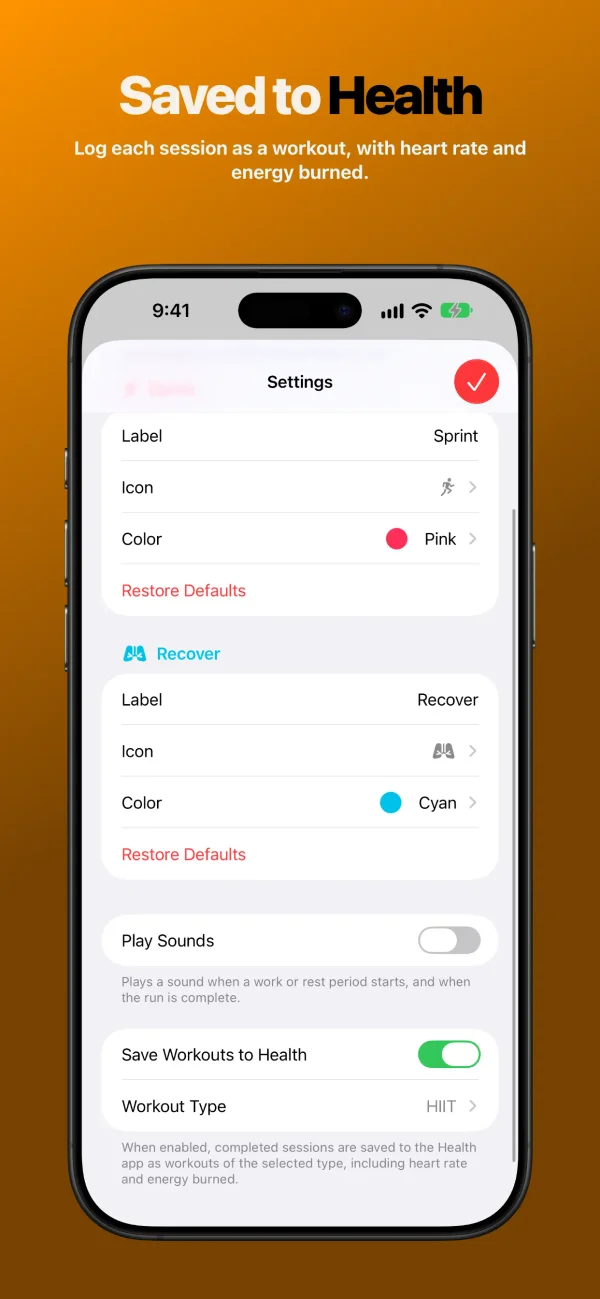
SAVED TO HEALTH
• Optionally save every run to Health as a workout on iPhone, iPad and Apple Watch
• Choose the workout type: HIIT, strength training, core, running, cycling, jump rope, yoga and many more
• Includes heart rate and active energy when available
• Paused time isn't counted, and accidental starts are left out
PRIVATE BY DESIGN
• No account or sign-in
• Your settings stay on your devices
Requires iOS 26, iPadOS 26 or macOS 26. The Apple Watch app requires watchOS 10.
What’s new
Version 3.2.2 · Nov 13, 2026
- Improvements to the live activity on iPhone Duo.
App privacy
What Eduardo Almeida declares on the App Store about how this app handles data.
-
Data not collected
The developer does not collect any data from this app.
Privacy practices may vary, for example with the features you use or your age.
Information
- Seller
- Eduardo Almeida
- Category
- Utilities
- Version
- 3.2.2
- Updated
- Nov 13, 2026
- Released
- Oct 17, 2021
- Size
- 9.1 MB
- Requires
- iOS 26.0 or later
- Age rating
- 4+
- Price
- $0.99
- Languages
- English, French, German, Italian, Portuguese, Spanish
- Copyright
- © 2021-2026 Bitten Apps
You might also like
-
 Color Calendar PlusHigh Visibility Calendar / UPG
-
 TapTimrHaptic repeating timer
-
 Instant Timer - Quick TimersA new kind of timer app
-
 MultiTimer GeniusUtilities
-
 Draw TimerA timer with hand-drawn input
-
 SwipeX: Cleaner - Clean PhotosDelete duplicate photos videos
-
 GIF to Mp4GIF Video Converter
-
 Life Dots: Visualize TimeVisualize your life in dots
-
 E-TenantUtilities
-
 EEC RemitUtilities