- Age rating4+
- CategoryMusic
- DeveloperMINJUNG CHO
- LanguagesEnglish
- Size4.8 MB
Links to the official App Store page
Download.org hosts no file of Busker Live FX. The button opens its official App Store page, published by MINJUNG CHO. Listing last checked on Nov 15, 2026.
Screenshots



About
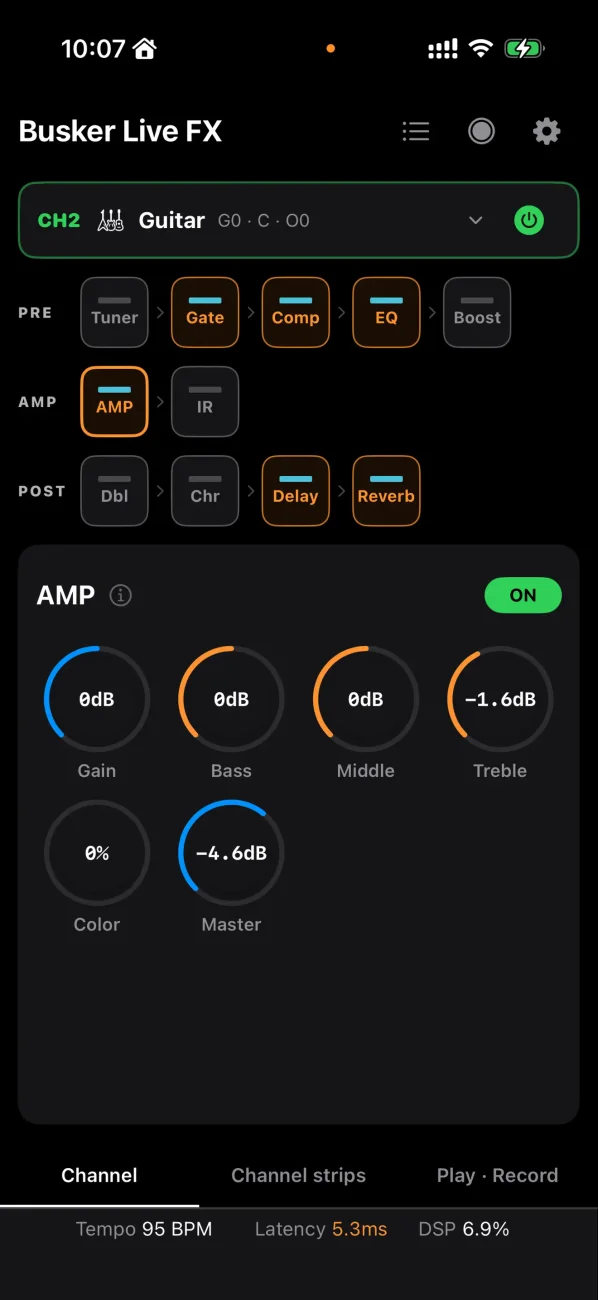
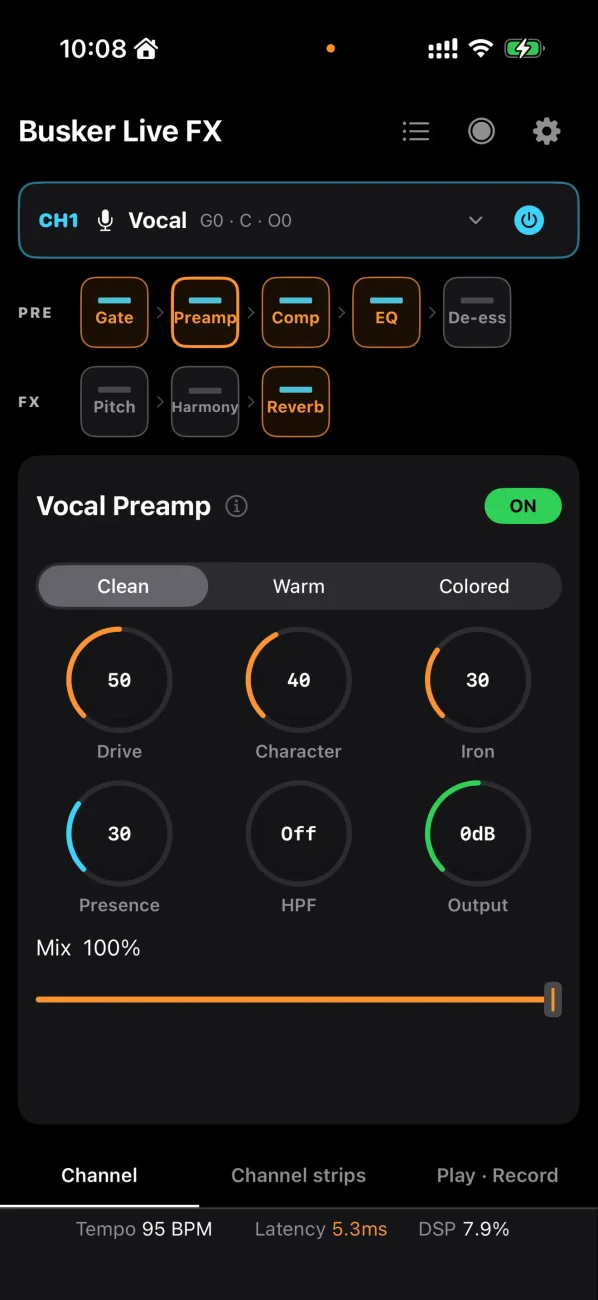
Busker Live FX is a live guitar and vocal multi-effects app for Mac, iPhone and iPad. Connect instruments and microphones through an external audio interface, then control effects, your mix, backing tracks, loops and performance recording in one app.
A console for each device
• Mac and landscape iPad: channel details, channel strips and MR/Looper/Record in three columns
• Portrait iPad: transport panels arranged side by side below the console
• iPhone: bottom tabs for channel details, channel strips and playback/recording
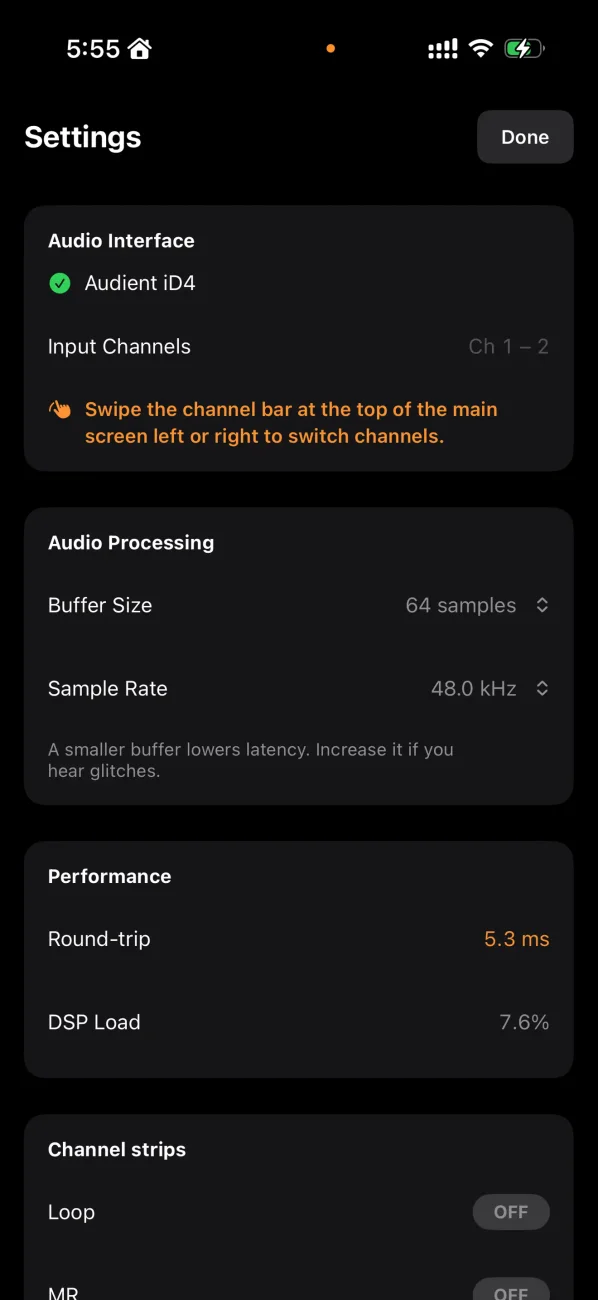
• Mac: select an external interface independently of the system default
Independent channels and effects
• Up to four inputs, depending on your interface, with Guitar or Vocal on each channel
• Guitar: Tuner, Gate, Compressor, EQ, Boost, NAM AMP, IR, Doubler, Chorus, Delay and Reverb
• Vocal: Gate, Preamp, Compressor, EQ, De-esser, Pitch Correction, two-voice Harmony and Reverb
• Input gain, Pan, output faders, Mute/Solo and stereo Main output
Perform and record
• One stereo loop up to 60 seconds, with overdubbing, Undo and Clear
• Import backing audio, see position and total time, and shift KEY by −3…+3 semitones
• Record enabled inputs, loaded MR, active loop and final MIX as stereo 24-bit WAV files
• Pause/resume within a Take; browse, preview and share individual files or a whole Take
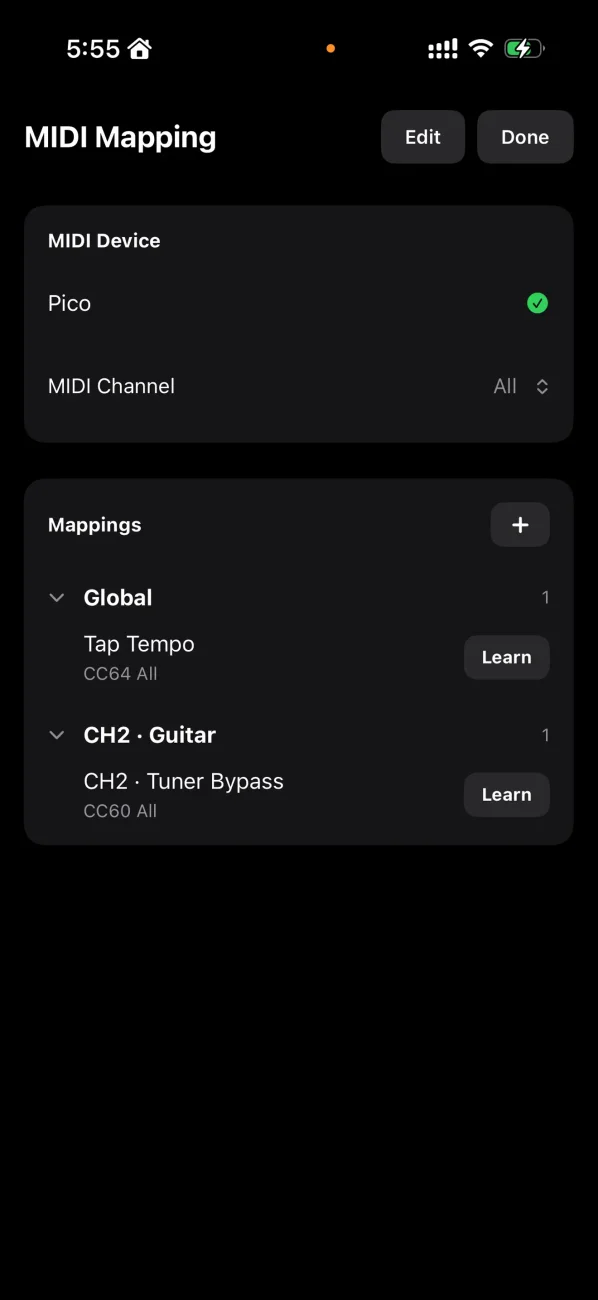
• MIDI mapping by input channel and Guitar/Vocal type, All MIDI channels and MIDI Learn
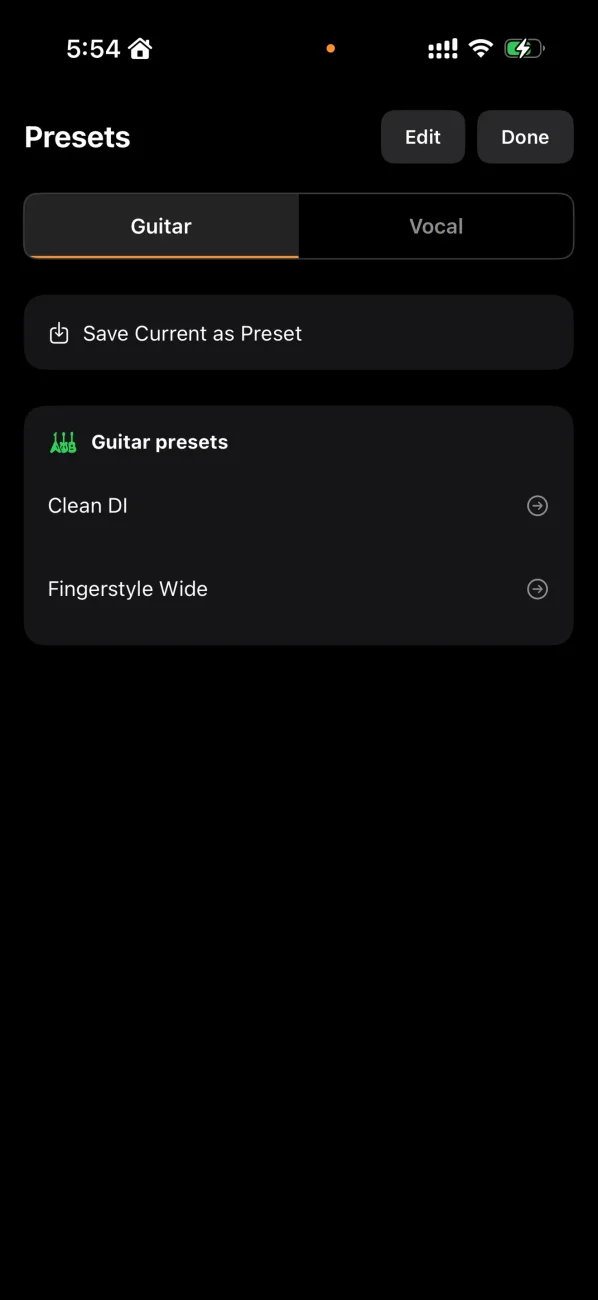
• Save presets, edit names together and delete from the library
All app features are free. No login or subscription is required. Presets and recordings are stored per device and do not automatically sync between devices.
Requirements
Requires iOS/iPadOS 17 or later, or macOS 14 or later, a compatible external audio interface and microphone permission. Built-in audio and AirPods are not treated as external interfaces for live input. Adapters, power and drivers depend on your interface. Latency and available processing capacity depend on your device, interface and buffer settings.
User manual: https://buskerlivefx.pickandtune.com/manual
Support: support@pickandtune.com
What’s new
Version 2.0.0 · Sep 15, 2026
Busker Live FX 2.0
• A new live console for Mac, iPhone and iPad
• Up to four independent Guitar/Vocal inputs with slim channel strips
• External interface selection on Mac, independent of the system default
• Guitar Doubler and vocal De-esser, Pitch Correction and Harmony
• Separate MR, Looper and Record panels, plus Tempo, Latency and DSP in the footer
• Stereo 24-bit WAV recording with per-channel files, pause/resume and a recording library
• MIDI groups by channel and Guitar/Vocal type, All channels and multiple actions per trigger
• Batch preset-name editing and improved touch/mouse controls
An external audio interface is required. All app features are free.
App privacy
What MINJUNG CHO declares on the App Store about how this app handles data.
-
Data not collected
The developer does not collect any data from this app.
Privacy practices may vary, for example with the features you use or your age.
Information
- Seller
- MINJUNG CHO
- Category
- Music
- Version
- 2.0.0
- Updated
- Sep 15, 2026
- Released
- Jun 30, 2026
- Size
- 4.8 MB
- Requires
- iOS 17.0 or later
- Age rating
- 4+
- Price
- Free
- Languages
- English
- Copyright
- © 2026 Pick and Tune Studio
You might also like
-
 VoltageControlEurorack controller in the DAW
-
 FrankenJazzJazz Progression Workshop
-
 TonkroSampler, Synth & Beat Studio
-
 Sampledex Effect ShiftMusic
-
 AmenBeatsRemix the classic drum breaks
-
 SimpleSampler: Loop StationSampler, Looper & Beat Maker
-
 AGRESSIVASynthesizer rack
-
 Audio ObjectA pocket-sized instrument
-
 ORPHEUS: Music SynthesizerGrid Instrument Play By Touch
-
 PocketDAW: Mobile StudioVocal studio & lyric writer