- Age rating4+
- CategoryUtilities
- DeveloperZiorentia LLC
- LanguagesEnglish+ 8 more
- Size31.1 MB
Links to the official App Store page
Download.org hosts no file of byeWatch. The button opens its official App Store page, published by Ziorentia LLC. Listing last checked on Nov 19, 2026.
Screenshots



About
byeWatch — Eight instruments in a pocket watch
A pocket watch that is more than a clock.
byeWatch brings eight different instruments into a single pocket-watch-inspired interface. Instead of searching for buttons, interact with the watch like a real mechanical instrument.
Turn the crown to move between instruments, and use the switches around the dial to control each one.
■ 8 INSTRUMENTS
• Astronomical
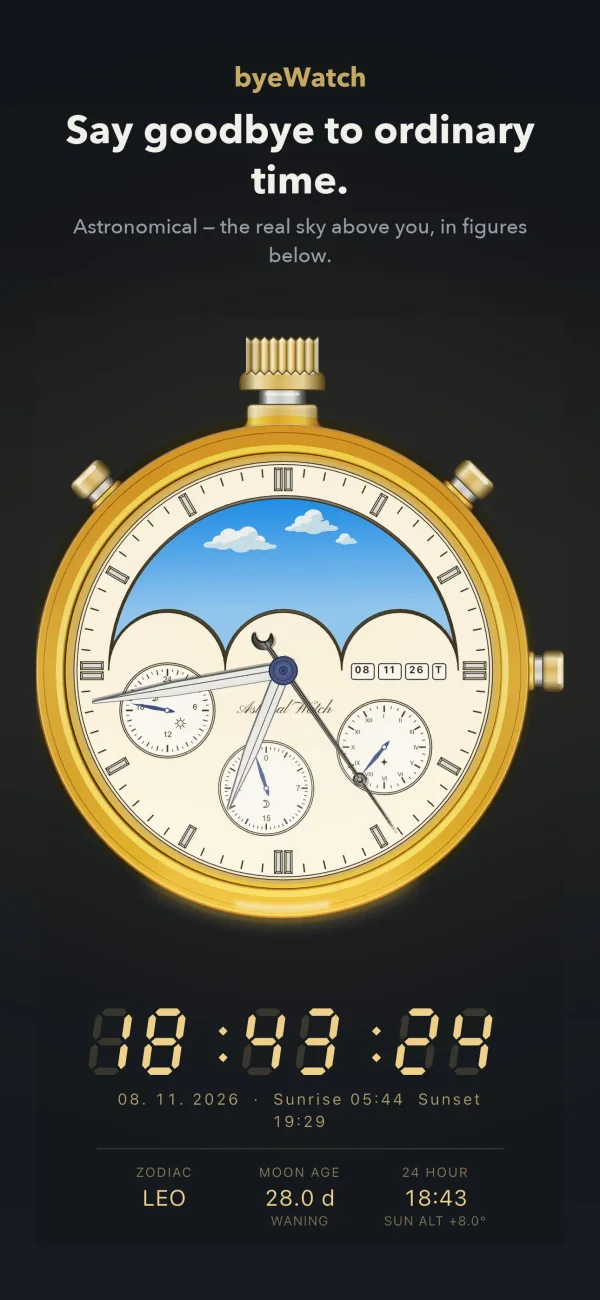
Track the Moon phase and tilt while the Sun and Moon move across the sky according to their actual altitude and hour angle for your location and date.
• Chronograph
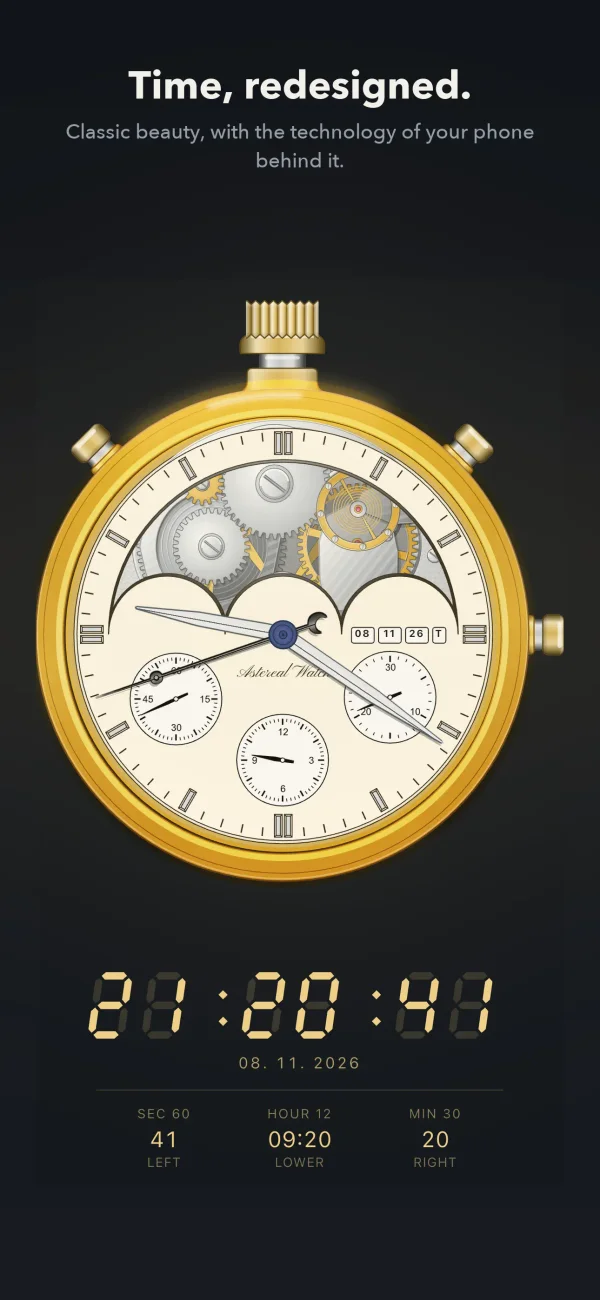
A classic chronograph with 60-second, 30-minute and 12-hour subdials. Watch the mechanical movement through the window, with a moving weight that reacts when you shake the device.
• World Clock
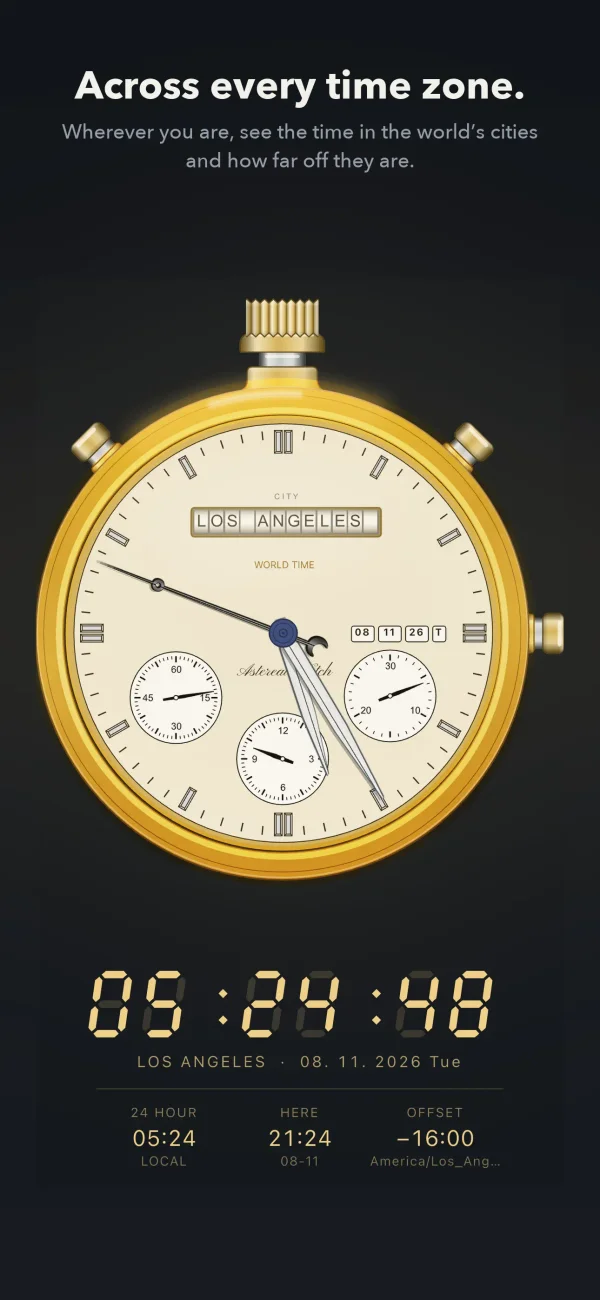
Rotate the city drum to select a city and see its local time, date, weekday, UTC offset and time zone.
• Stopwatch
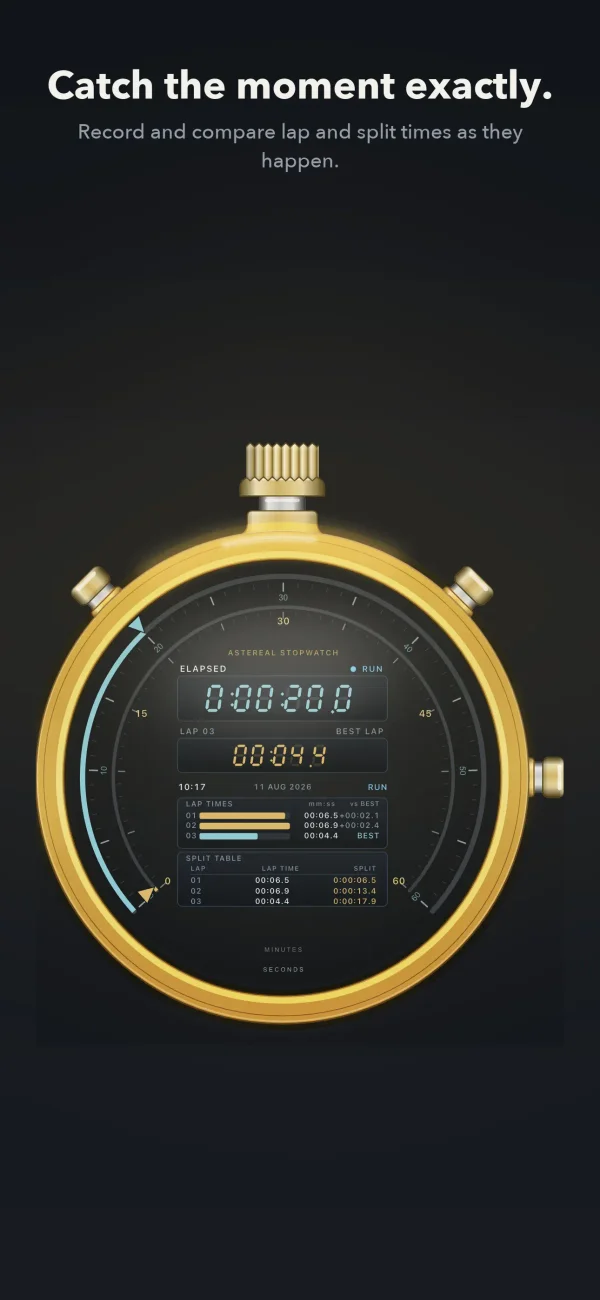
Measure time down to 1/10 second and record lap and split times.
• Sunrise & Sunset
See today's sunrise and sunset times and visualize the part of Earth currently illuminated by the Sun. Digital views include a 24-hour solar-altitude graph and an approximate tide curve.
• Compass
Points to true north rather than magnetic north. WMM 2025 coefficients are built into the app so magnetic declination can be calculated offline using your location and date.
• Barometer & Altimeter
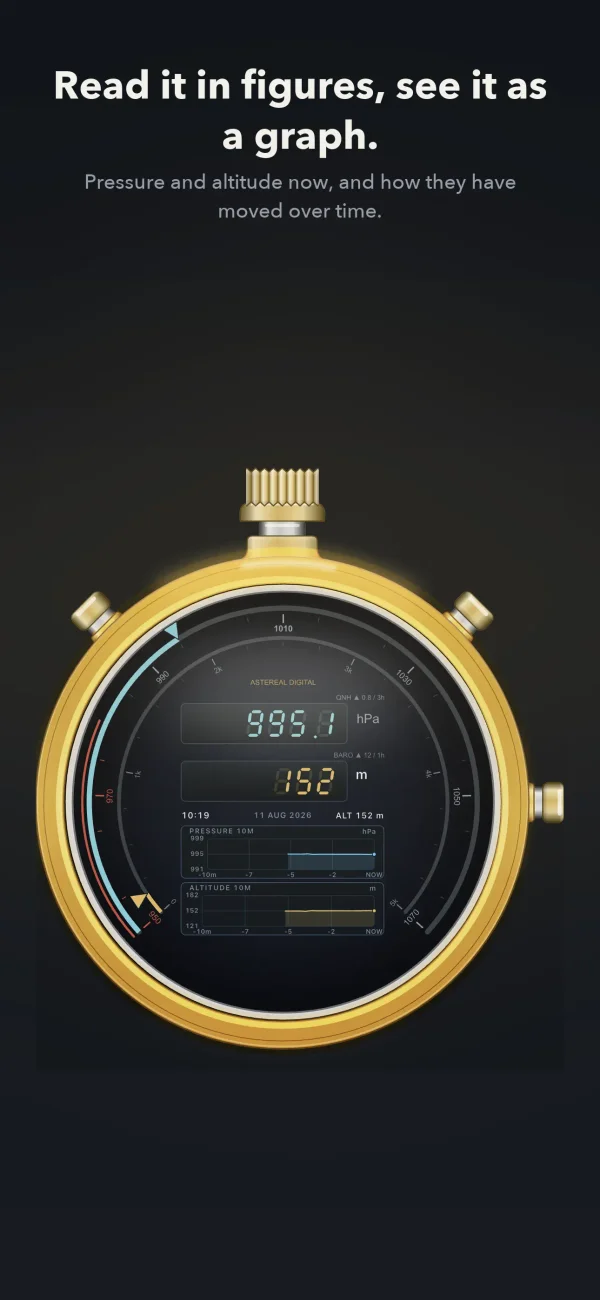
Read atmospheric pressure in hPa and mmHg and monitor whether pressure is rising or falling. Devices with a barometric sensor can also display barometric altitude.
• Metal Detector
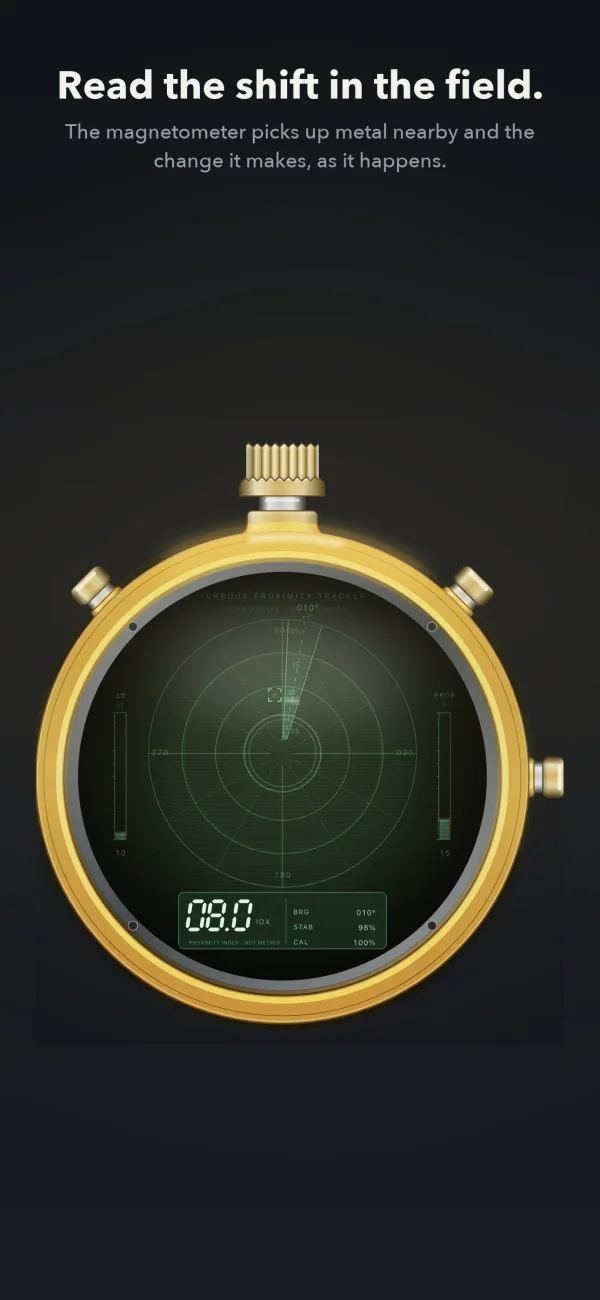
Uses the device's magnetometer to detect local magnetic anomalies and displays them as a relative proximity index.
■ INTERACT LIKE A WATCH
Turn the crown left or right to switch instruments.
Pull the crown downward to open settings.
Use the 11 and 1 o'clock switches for instrument-specific controls.
Use the 3 o'clock switch to reset.
Swipe the dial left or right to enter digital mode.
Swipe upward below the watch to reveal the information panel.
Rotate the device horizontally to open the landscape information panel.
■ MAKE IT YOUR WATCH
Customize the case color, dial color, hand design and index style.
Choose from silver, platinum, graphite, steel, gold, champagne, brass, rose gold, copper, navy, blue steel and teal.
Reorder the instruments or hide the ones you do not use.
■ ANALOG AND DIGITAL
Each instrument has its own visual language. When an analog dial is not enough, switch to digital mode for detailed graphs, tables and readings.
View solar-altitude graphs, pressure history, stopwatch lap records and a magnetic-anomaly scope.
In landscape mode, additional information such as battery, pressure, temperature, solar path, sunrise and sunset, Moon phase and coordinates can be displayed together.
■ DESIGNED WITH OFFLINE USE IN MIND
Location data is used on the device and is not transmitted outside it.
WMM 2025 coefficients are built into the app, allowing magnetic declination to be calculated without an internet connection.
■ SENSOR REQUIREMENTS
Compass and metal detector require a magnetometer.
Barometer and altimeter require a barometric sensor.
Sunrise/sunset and magnetic declination use optional location permission.
If a required sensor is unavailable, the instrument can still be opened and the app displays an appropriate notice.
■ IMPORTANT NOTICE
The metal detector is not a radar or professional metal-detection device. Its readings represent a relative magnetic proximity index, not a distance in meters.
It must not be used for buried-object detection, safety inspections or professional detection work.
byeWatch is a hobby instrument and is not intended for safety-critical navigation, aviation, surveying or other professional applications.
Requires iOS 16.0 or later.
Languages:
한국어 · English · 日本語 · 简体中文 · 繁體中文 · Deutsch · Français · Español · Italiano · Русский
What’s new
Version 1.1.0 · Aug 31, 2026
- Bug fixes -
• The crown sometimes ignored a turn.
• The metal detector's sub-dials sat slightly out of place.
• The pedometer's 3 o'clock pusher reset the step count but left calories and floors untouched.
• The step count occasionally dropped by one and climbed back.
• The Health access prompt appeared only in Korean; it is now in all nine languages.
- Feature updates -
• Added the pedometer. Steps, distance, calories, floors climbed and cadence, on an analogue face and a digital one. The 3 o'clock pusher starts a fresh count from zero.
• Added the counter — a hand tally counter. 11 o'clock subtracts, 1 o'clock adds, 3 o'clock resets. A four-digit drum rolls as the number changes, and after 9,999 it returns to 0.
• The counter's digital face shows counts per hour and a bar for every ten minutes. Drag sideways to look back.
• Both instruments have a readout panel — push the watch up from below.
• The step count now moves with every footfall.
• The moon in the landscape panel has its seas and a halo.
• Sub-dials have a rim, so the face reads as one piece.
App privacy
What Ziorentia LLC declares on the App Store about how this app handles data.
-
Data not collected
The developer does not collect any data from this app.
Privacy practices may vary, for example with the features you use or your age.
Information
- Seller
- Ziorentia LLC
- Category
- Utilities
- Version
- 1.1.0
- Updated
- Aug 31, 2026
- Released
- Aug 20, 2026
- Size
- 31.1 MB
- Requires
- iOS 16.0 or later
- Age rating
- 4+
- Price
- $2.99
- Languages
- English, French, German, Italian, Japanese, Korean, Russian, Spanish, Traditional Chinese
- Copyright
- © Copyright(C)2026 mygod2004@naver.com all rights reserved.
You might also like
-
 오늘열었나Utilities
-
 The Vroom SpeedometerUtilities
-
 qokedyVoynich Manuscript Explorer
-
 Water Fill TimerRelaxing Visual Timer
-
 OneShot Note - Notepad & MemoQuick notes and checklists
-
 Shh-!Worried about your noise?
-
 EZRecorder: Clear VoicePresets, Transcript & AI Recap
-
 OffDays AlarmSkip alarms on off days
-
 CollectBook: Photo CleanerOrganize your memories
-
 EchoRecorder - Voice RecorderVoice Memos,Audio,Playback