
ByteCutter
Split and merge files easily
Designed for iPhone, iPad, Mac
Free · In-app purchases
- Age rating4+
- CategoryUtilities
- DeveloperMarco Avizzano
- LanguagesEnglish+ 1 more
- Size6.9 MB
Links to the official App Store page
Download.org hosts no file of ByteCutter. The button opens its official App Store page, published by Marco Avizzano. Listing last checked on Nov 13, 2026.
Screenshots

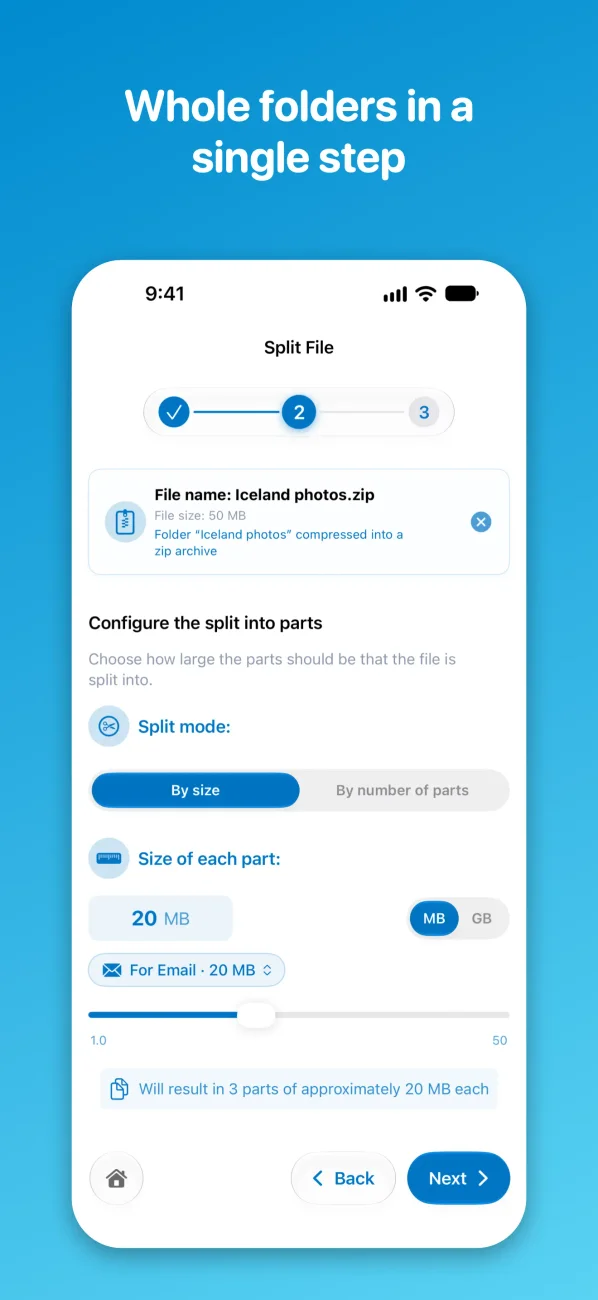
About
ByteCutter splits large files into smaller parts you can send anywhere, and puts them back together on any iPhone, iPad or Mac.
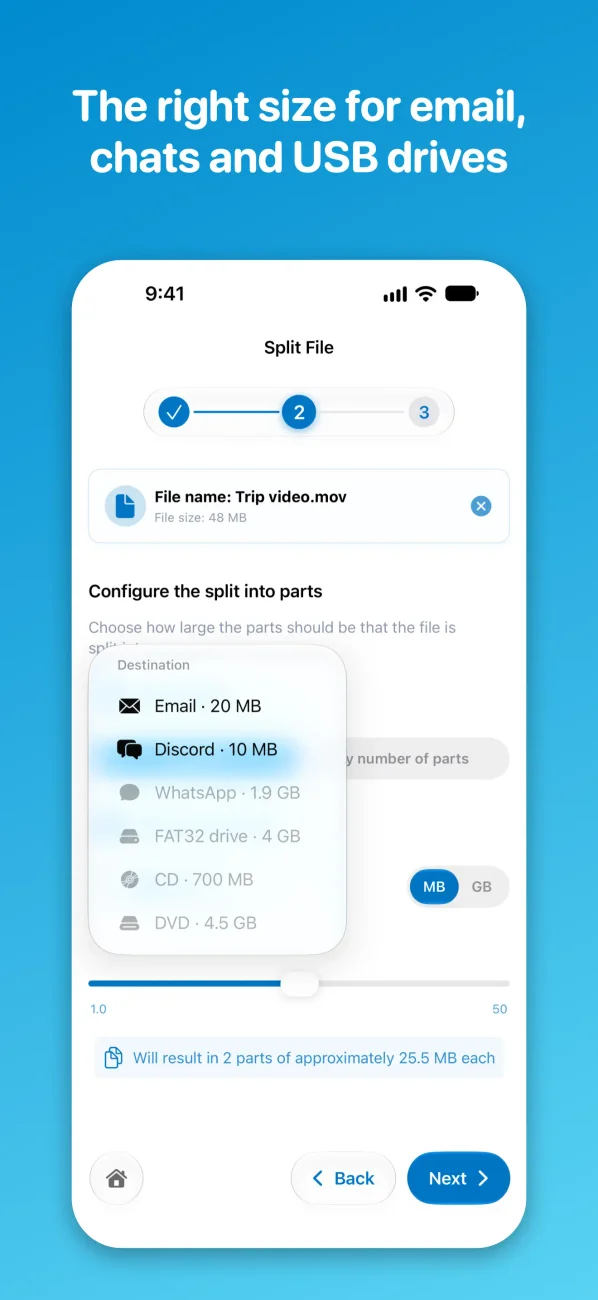
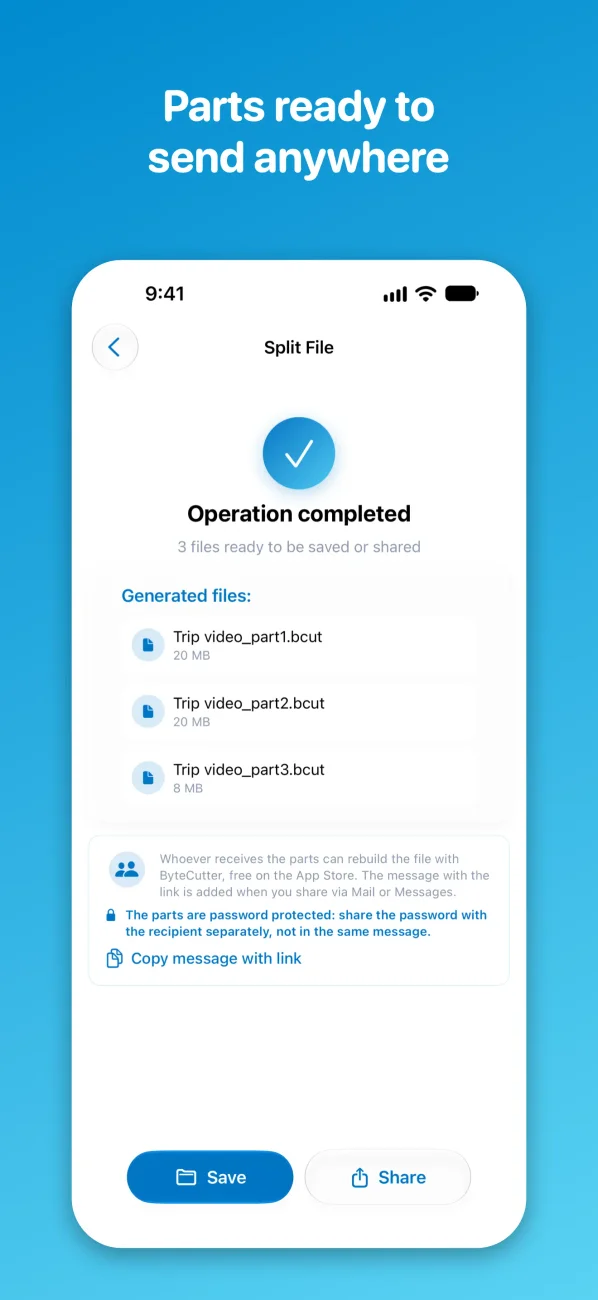
Email, chat apps and USB drives all have size limits. With ByteCutter you split a video, an archive or a backup into parts of the right size, send them however you like, and the recipient rebuilds the original file with a tap.
SPLIT AND MERGE
• Split any file by part size or by number of parts, with a simple step-by-step wizard
• One-tap destinations: Email, Discord, WhatsApp, FAT32 drives, CD and DVD
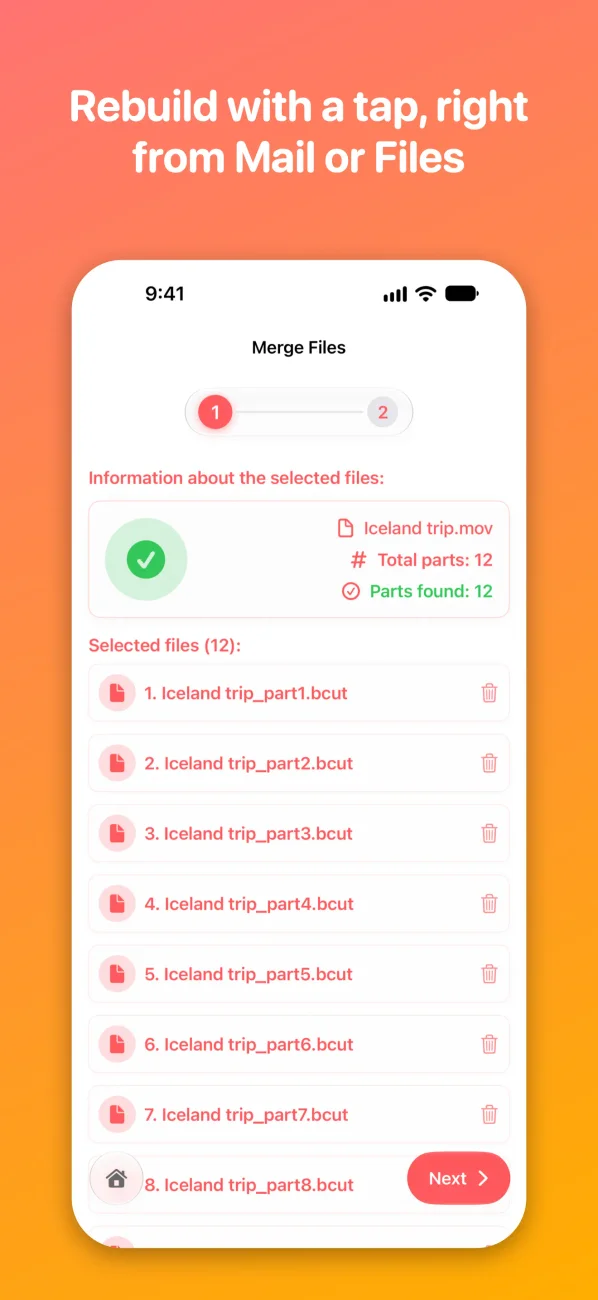
• Merge the parts back into the original file, verified piece by piece
• Received parts open straight in ByteCutter from Files, Mail or Finder, even one at a time
• Missing a part? ByteCutter finds it in a folder and adds it for you
RELIABLE BY DESIGN
• Every part carries a checksum: damaged or tampered parts are detected, never merged into a broken file
• Constant memory use, even with files of many gigabytes
• Free-space check before every operation
BYTECUTTER PRO
One-time purchase, no subscription. Works on iPhone, iPad and Mac and can be shared with Family Sharing.
• Files of any size (the free version splits files up to 2 GB)
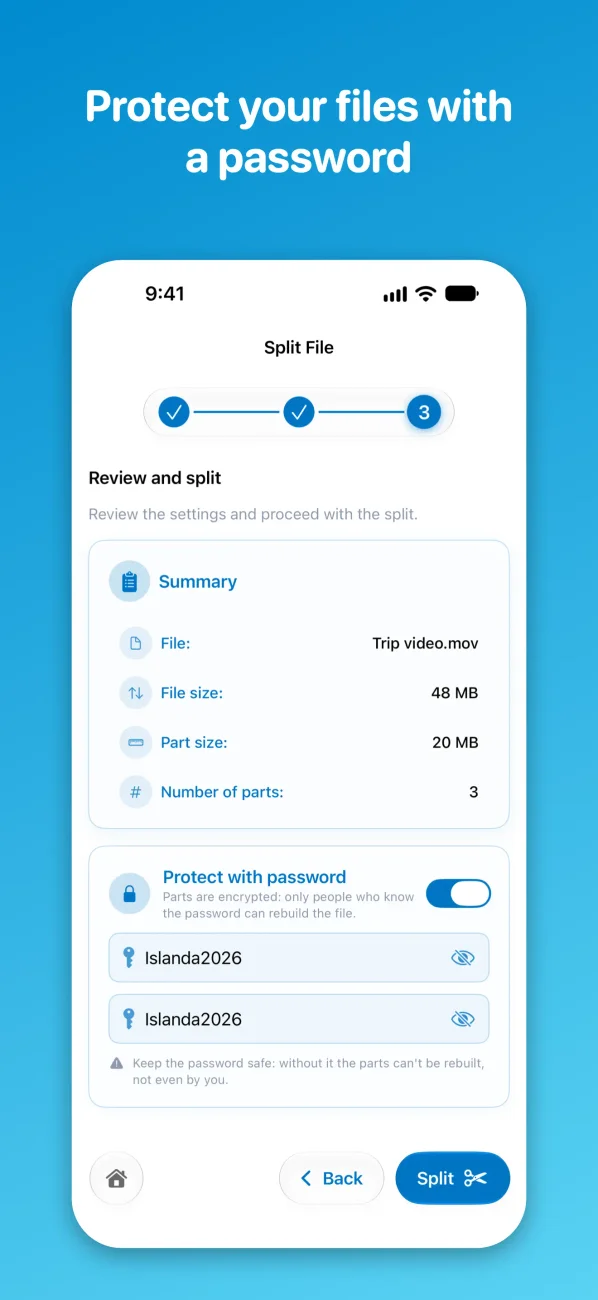
• Password protection with AES-256 encryption
• Split whole folders or several files at once
• "Split File" action for Shortcuts, Siri and Spotlight
MERGING IS ALWAYS FREE
Whoever receives your parts can rebuild the file with the free version of ByteCutter. No account, no limits. Password-protected parts just need the password.
PRIVATE BY DEFAULT
Everything happens on your device. ByteCutter has no server and collects no data.
Designed for iOS and macOS 26 with the new Liquid Glass look, and fully compatible with earlier versions.
What’s new
Version 2.0 · Sep 28, 2026
ByteCutter 2.0 is our biggest update ever.
A FRESH NEW LOOK
Split and Merge have been redesigned with Liquid Glass: controls float above your content and everything is clearer, on iPhone, iPad and Mac.
OPEN, SPLIT, SEND
• Got some parts? Tap them in Files, Mail or Finder and ByteCutter merges them, even if they arrive one at a time
• Missing a part? ByteCutter finds it in a folder for you
• Share any file from another app and ByteCutter is ready to split it
• One-tap destinations for Email, Discord, WhatsApp, FAT32 drives, CD and DVD
• Whoever receives your parts gets a link to download ByteCutter right in the message
SAFER AND MORE RELIABLE
• Every part is verified: no more broken merged files
• Constant memory use, even with multi-gigabyte files
• Free-space check before you start
• Fixed many crashes and freezes
NEW: BYTECUTTER PRO
A one-time purchase, no subscription, on all your devices and with Family Sharing:
• Files of any size
• Password protection with AES-256 encryption
• Whole folders and multiple files at once
• Split with Shortcuts, Siri and Spotlight
Merging parts is always free, for you and for whoever receives them.
App privacy
What Marco Avizzano declares on the App Store about how this app handles data.
-
Data not collected
The developer does not collect any data from this app.
Privacy practices may vary, for example with the features you use or your age.
Information
- Seller
- Marco Avizzano
- Category
- Utilities
- Version
- 2.0
- Updated
- Sep 28, 2026
- Released
- Apr 29, 2025
- Size
- 6.9 MB
- Requires
- iOS 17.6 or later
- Age rating
- 4+
- Price
- Free
- In-app purchases
- Yes
- Languages
- English, Italian
- Copyright
- © Marco Avizzano
You might also like
-
 Text Splitter for WhatsAppSplit text for WhatsApp Status
-
 Zip RAR 7z: TextAdviserFile Extractor & Opener
-
 YAYA ExtractorSupport RAR/7Z/ZIP/ISO
-
 SpeedZip: Unzip ZIP, RAR & 7ZCompress, Encrypt & Preview
-
 7zip RAR ZIP Extractor & Unzip7z, Unarchiver & File Opener
-
 xZipPreview without extracting
-
 fileSplitfiles apps splitter
-
 MoveUSBUtilities
-
 HandyKitUtilities
-
 RecoveryVault DemoSecretShield demonstration app