
Bytesweep: Clean & Transfer
Free up space & send files
Designed for iPhone
Free · In-app purchases
- Age rating4+
- CategoryUtilities
- DeveloperSheik S Faheen Ahmed
- LanguagesEnglish+ 13 more
- Size12.9 MB
Links to the official App Store page
Download.org hosts no file of Bytesweep: Clean & Transfer. The button opens its official App Store page, published by Sheik S Faheen Ahmed. Listing last checked on Nov 18, 2026.
Screenshots



About
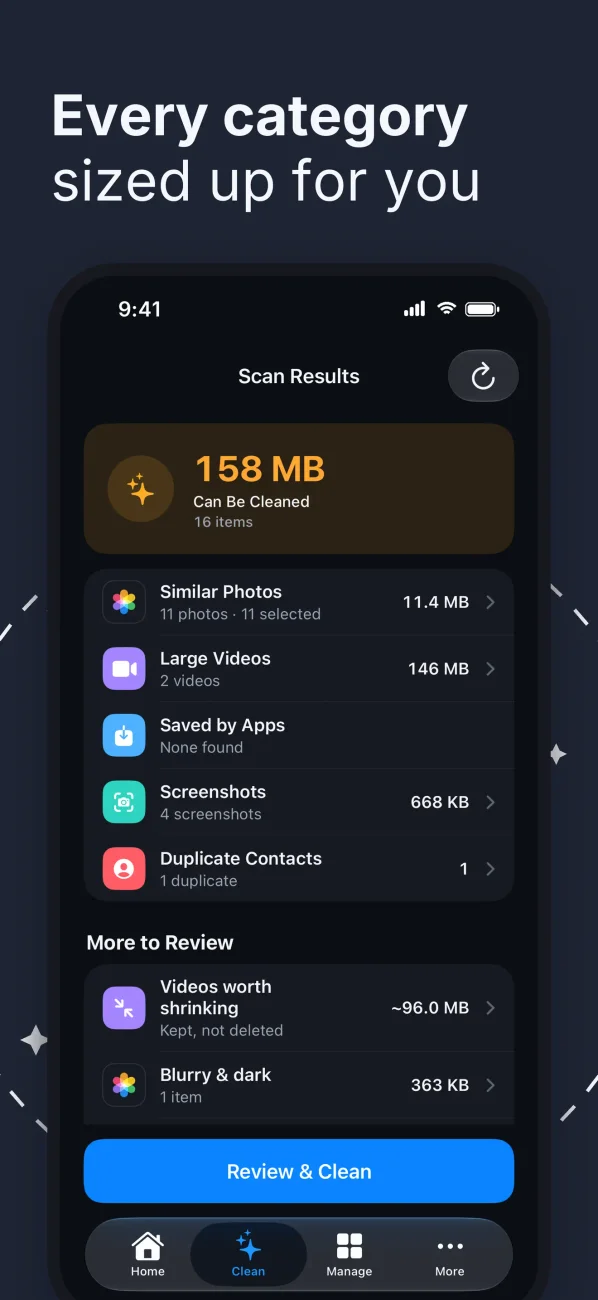
Free up space on your iPhone without losing a single photo you care about. Find similar shots and duplicates, shrink big videos, swipe through old months, and review everything before it goes.
SELECT, REVIEW, DELETE
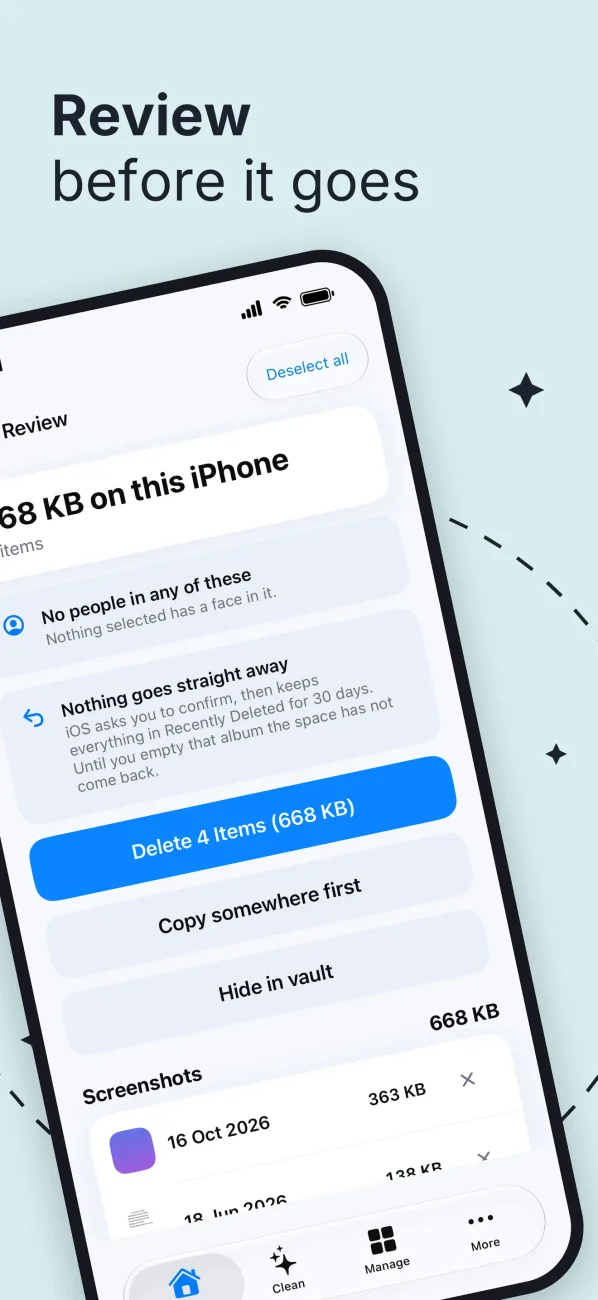
Every screen works the same way. Tap what you want gone, then Review shows it all together with its size. Nothing is deleted until you confirm there, and iOS keeps it in Recently Deleted for 30 days.
SIMILAR PHOTOS AND DUPLICATES
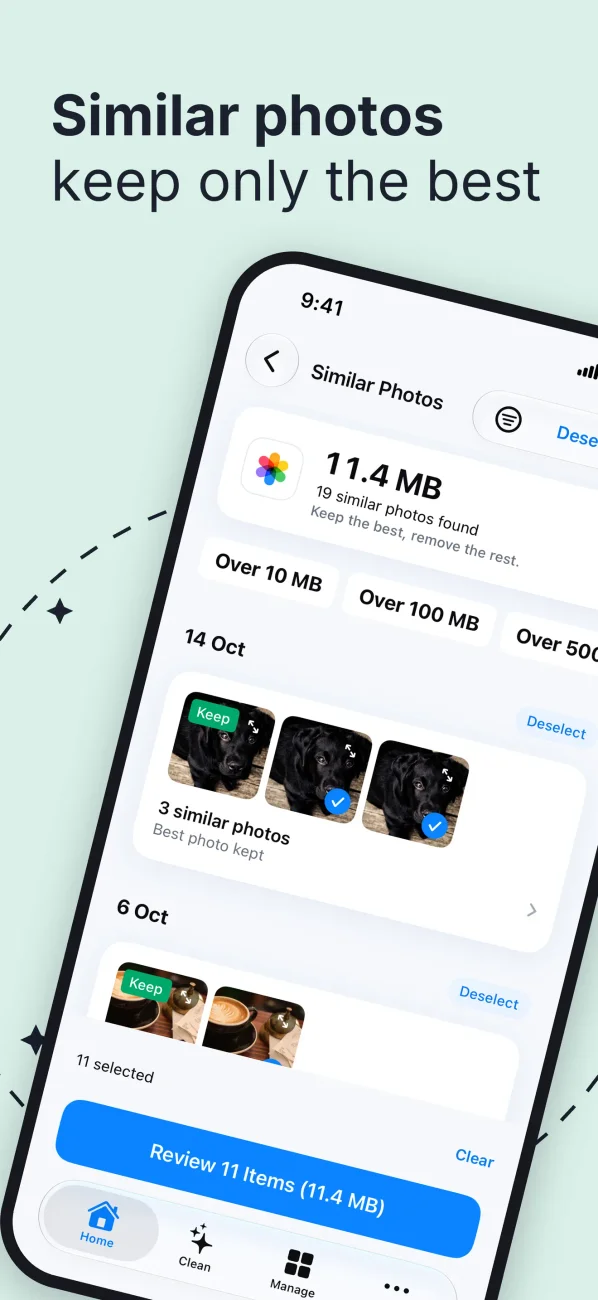
• Similar photos: near-identical shots grouped by day, so you keep the best one. Of equally sharp shots, the one with everyone's eyes open is kept
• Duplicate photos: keep the highest quality, the newest or the oldest
• Choose how strict the look-alike matching is: Strict, Normal or Loose
• Burst photos, screenshots, screen recordings, blurry photos and what other apps saved
• Filter any list by size and age to find the big, old things first
SHRINK VIDEOS AND PHOTOS
Keep the moment and get the space back. Bytesweep makes a smaller copy of a large video (HEVC, same resolution or down to 1080p) or a large photo (Smaller, Balanced or Sharper), checks it, and puts the original in Review for you to delete. Shrunk items say how much they saved, for example 52 MB to 32 MB. Shrink one, or shrink the whole list.
Keep a Live Photo as a still, with its date and place.
SWIPE REVIEW
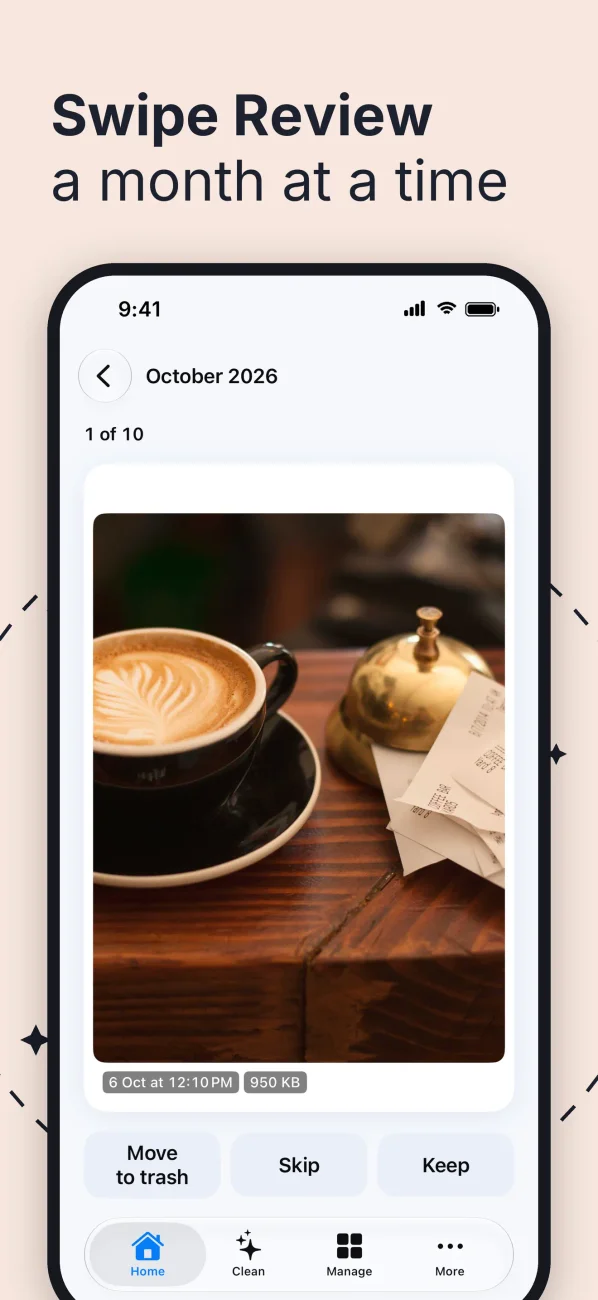
Pick a month and go through it one photo or video at a time. Swipe left to let it go, right to keep it, and undo any decision. Favorites and protected albums are left out. Ask Siri: "Start Swipe Review in Bytesweep".
FIND AND SORT
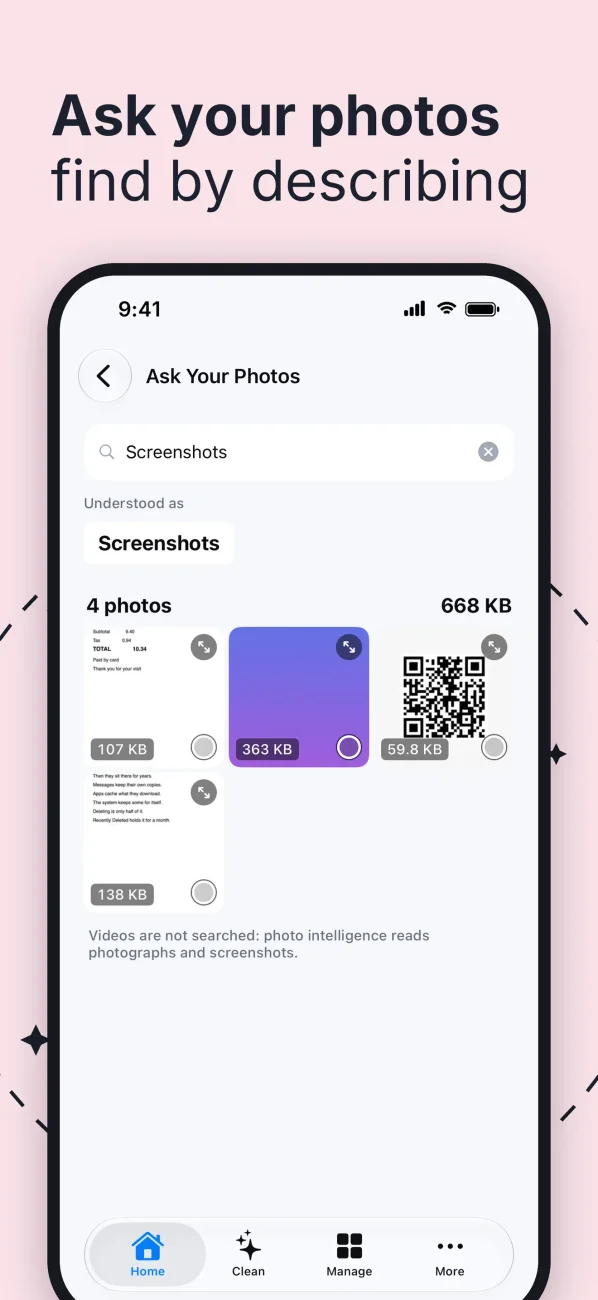
• Ask Your Photos: find a photo by describing it, read on this iPhone
• Photo Intelligence: receipts, documents, food, pets and more, grouped. Turn document photos into one searchable PDF
• Library by album, Places on a map, and a Selfies grid
• Privacy scan: see which photos carry a location or device details, and share copies without them
PRIVATE VAULT
Hide photos and videos in an encrypted vault on this iPhone, opened with Face ID, Touch ID or your passcode. Each item is sealed and checked before its original goes. The vault stays on this iPhone and is not in backups; the app says so before anything goes in.
CONTACTS, CALENDAR AND REMINDERS
Merge contacts saved twice, clear entries with no name or way to reach anyone, and remove old events, duplicate events and finished reminders. Nothing changes until you confirm. Calendars and reminders have no Recently Deleted, so removing there is permanent.
STORAGE AT A GLANCE
A storage ring on Home, a growth chart, reports you can export, a cleanup history, Home and Lock Screen widgets, a Control Center button and 10 Siri and Shortcuts actions. Also: a QR and barcode scanner, a document scanner and text recognition. Works on iPhone Duo.
THE HONEST PART
If your photos are optimized for iCloud, a 12 MB photo might take 200 KB on this iPhone. Deleting it frees 200 KB here and removes it from every device. Bytesweep shows you this before you delete.
No app on iOS can clear other apps' caches, "System Data" or what Messages and Safari store. Bytesweep shows where that space is.
PRICE
Scanning, browsing, selecting and swiping are always free. Every feature works free within your first 1 GB and 30 items, whichever comes first: deleting, shrinking, the vault, and cleaning contacts, calendars and reminders. After that, one purchase removes the cap: Bytesweep Pro. Pay once. No subscription, no renewal. Restore it on any iPhone signed in to the same Apple Account.
SEND TO YOUR DEVICES
Send photos, videos, files and notes to your Mac or PC with Bytesweep, on the same Wi-Fi. The other device asks before anything is saved. 10 sends are free.
PRIVACY
Everything happens on your iPhone. No account, no analytics and no server. The only connection the app makes is Send to Devices, straight to your own devices on your Wi-Fi, encrypted. Nothing leaves the device unless you send, share or export it.
What’s new
Version 1.4.0 · Oct 31, 2026
Send to Devices: send photos, videos, files and notes to your Mac or PC with Bytesweep, on the same Wi-Fi.
• Tick one device or several, then tap Send. Each gets the full-quality originals.
• Send or move your whole library. Moved photos go to Recently Deleted only after everything has arrived.
• No Wi-Fi? Scan the code another phone shows and join its network.
• Your Mac or PC can look through this iPhone's photos and delete what you pick, with your OK here.
• The other device asks first. Transfers are encrypted and go straight between your devices.
• Select All and Deselect All wherever you can tick items.
App privacy
What Sheik S Faheen Ahmed declares on the App Store about how this app handles data.
-
Data not collected
The developer does not collect any data from this app.
Privacy practices may vary, for example with the features you use or your age.
Information
- Seller
- Sheik S Faheen Ahmed
- Category
- Utilities
- Version
- 1.4.0
- Updated
- Oct 31, 2026
- Released
- Sep 22, 2026
- Size
- 12.9 MB
- Requires
- iOS 17.0 or later
- Age rating
- 4+
- Price
- Free
- In-app purchases
- Yes
- Languages
- English, Dutch, French, German, Italian, Japanese, Korean, Polish, Portuguese, Russian, Simplified Chinese, Spanish + 2 more
- Copyright
- © 2026 Faheen Ahamed
You might also like
-
 SweepContactsClean dead and dupe Contacts
-
 Freed: AI Photo CleanerDelete Duplicates, Free Space
-
 Real Image CompressorTrue JPEG Photo Compression
-
 Cleaner: Clean Up Guru StorageClever Cleanup Duplicate Photo
-
 Nom: Screenshot & File CleanerDelete downloads, free space
-
 InfoCard - Get More InfoDrag It! Drop It! Paste It!
-
 Storage Cleaner・Free Up SpaceClean iPhone & Delete Videos
-
 swypix: Photo Storage CleanerSwipe to Delete Screenshots
-
 Compresso - Video Image PDFVideo to Images and PDF
-
 DustFox: Photo Storage CleanerClean Up Phone & Duplicates