Caffeine Tracker: mCaffee
Coffee, Tea & Energy Drink Log
Designed for iPhone, iPad
In-app purchases
- Age rating4+
- CategoryHealth & Fitness
- DeveloperBrijkumar Savani
- LanguagesEnglish+ 25 more
- Size44.8 MB
Links to the official App Store page
Download.org hosts no file of Caffeine Tracker: mCaffee. The button opens its official App Store page, published by Brijkumar Savani. Listing last checked on Nov 12, 2026.
Screenshots
About
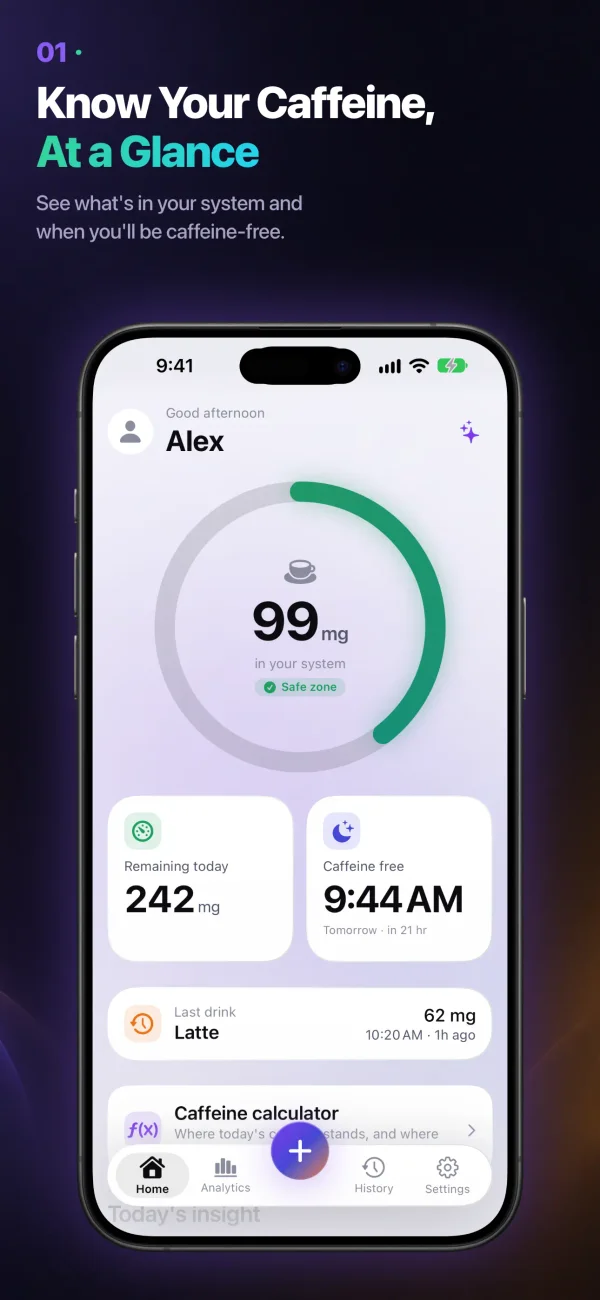
Most caffeine apps count cups. Caffeine Tracker answers the question that matters: how much is in you right now, and when will it be gone?
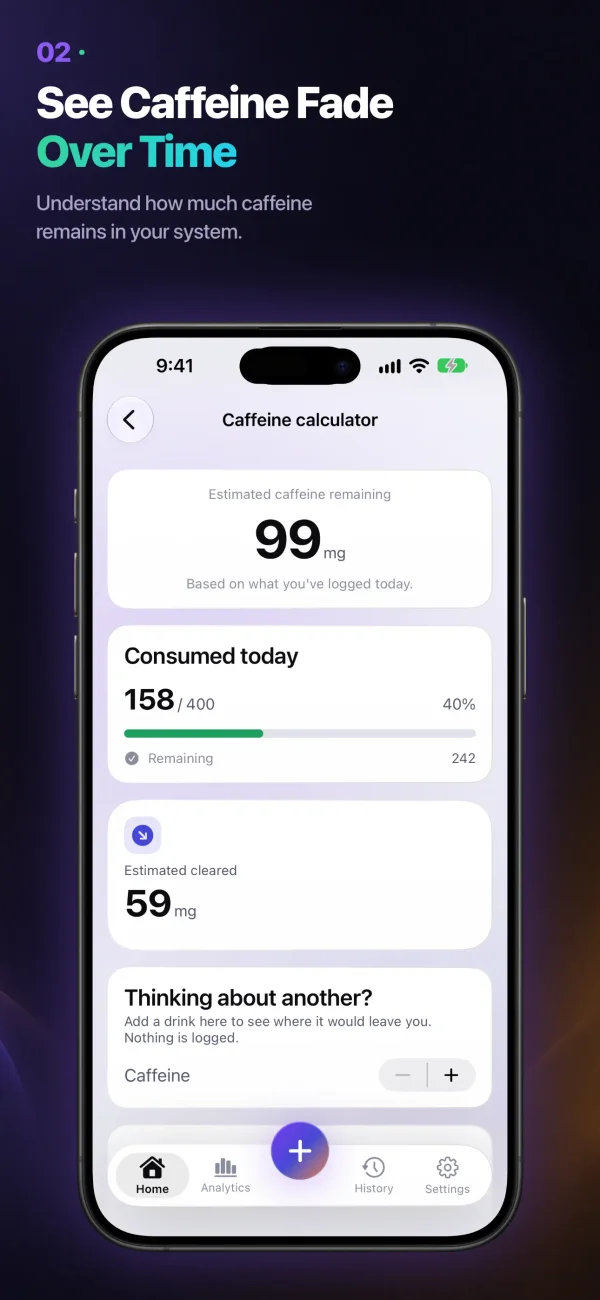
Every drink you log is placed on a decay curve built on the standard model of how the body clears caffeine, tuned to the sensitivity you report. Three coffees across a morning and three at once produce genuinely different curves — and Caffeine Tracker shows you the difference.
KNOW WHERE YOU STAND
• A live figure for the caffeine still in your system, all day
• Your predicted caffeine-free time, so you know when to stop
• A clear curve showing the rise and fall of every drink logged
• Daily limit tracking, with a warning before you cross it
LOG IN SECONDS
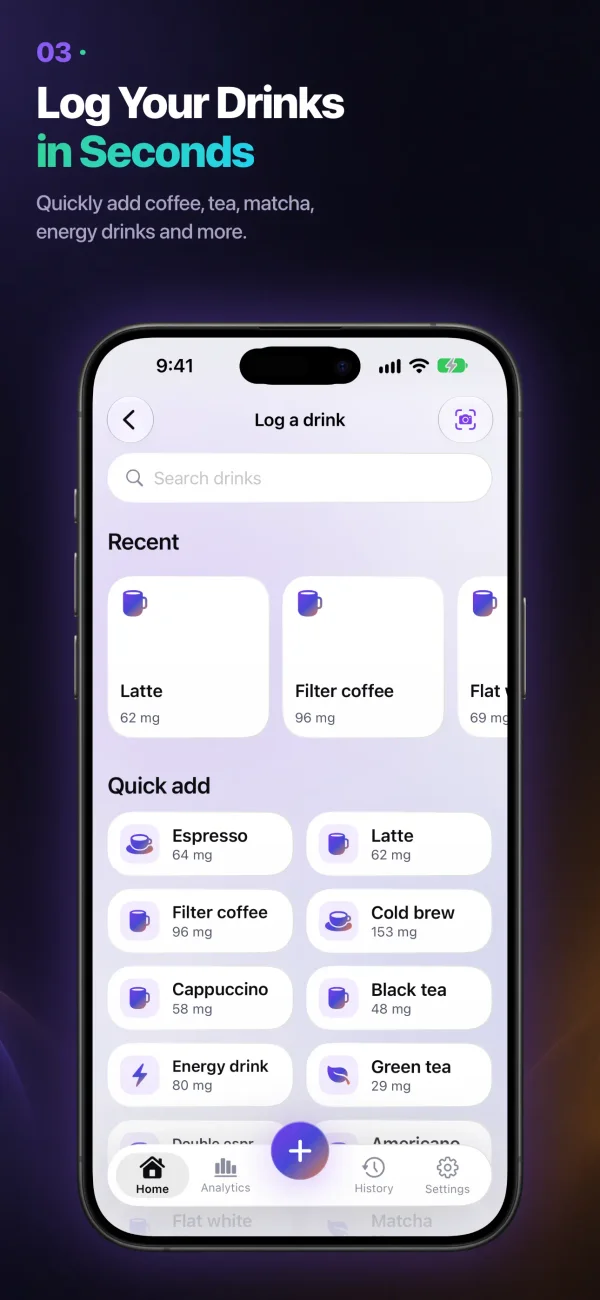
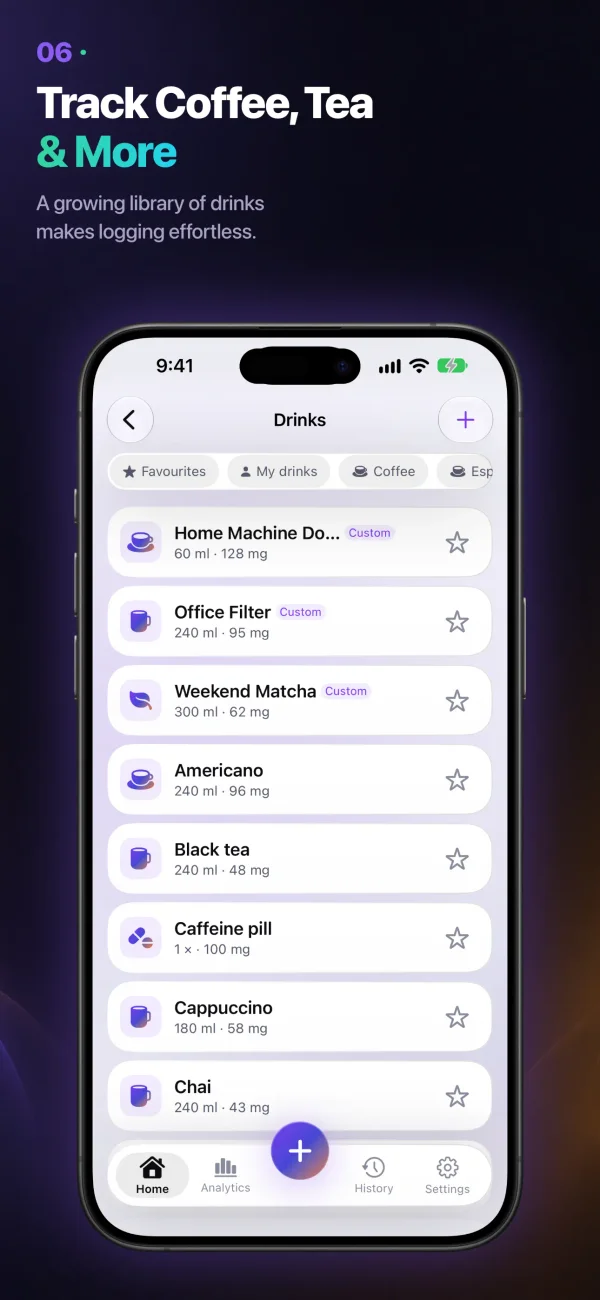
• A ready-made library of coffee, espresso, tea, matcha, energy drinks, sodas, chocolate and supplements
• Build custom drinks for your home machine, your office machine, your usual order
• Point your camera at a can or cup and let the app read the caffeine
• Quick actions and widgets mean logging is never more than a tap or two
SEE THE PATTERN
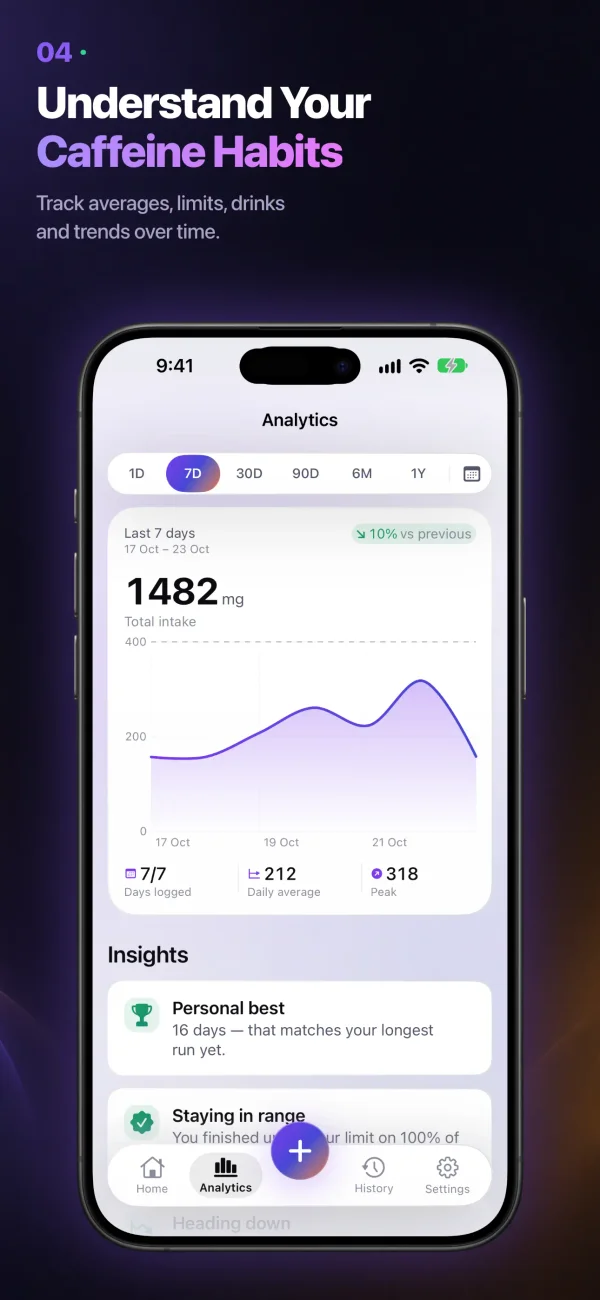
• Daily, weekly, monthly and yearly views of your intake
• Averages, streaks, records and period-over-period comparisons
• A heat map and rhythm grid showing when in the day you drink
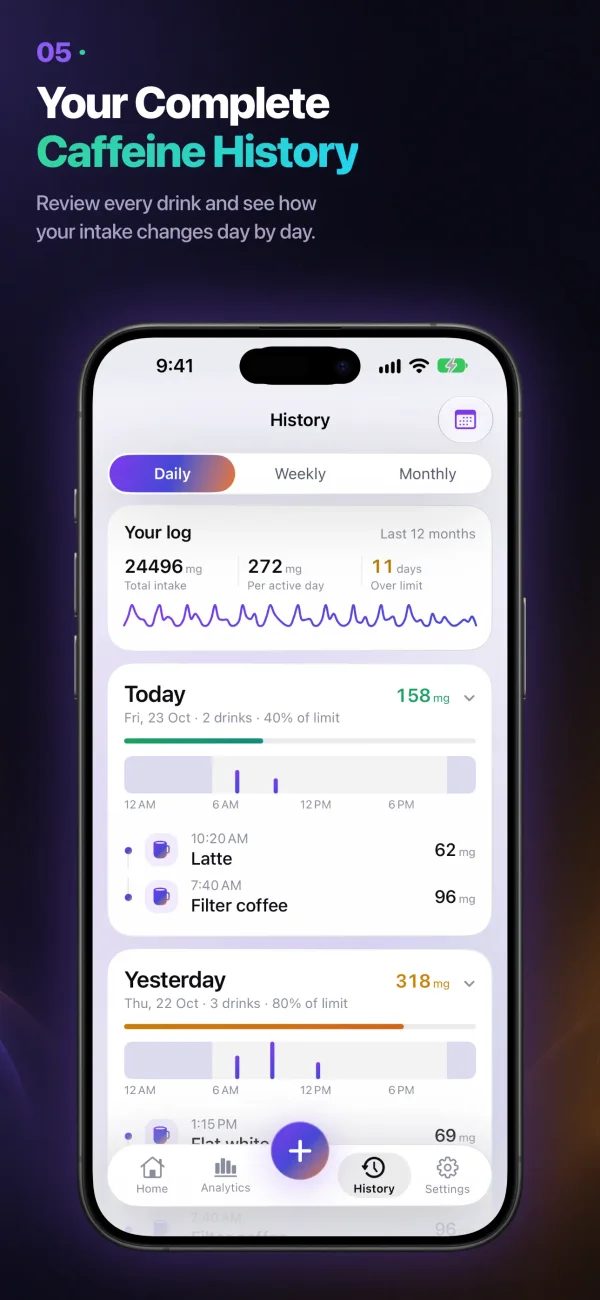
• A full history you can scroll back through, day by day
REPORTS YOU CAN KEEP
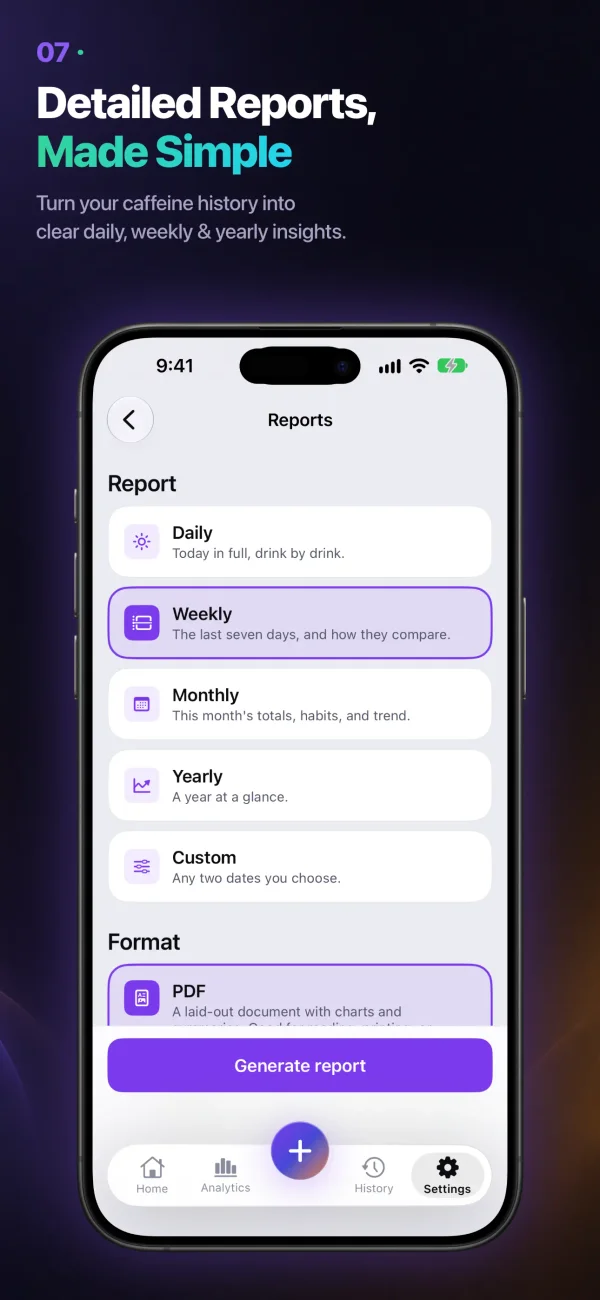
• Clean daily, weekly and yearly reports from your own history
• Export to PDF for a readable summary, or CSV and JSON for your own analysis
• Bring your data with you — nothing is locked in
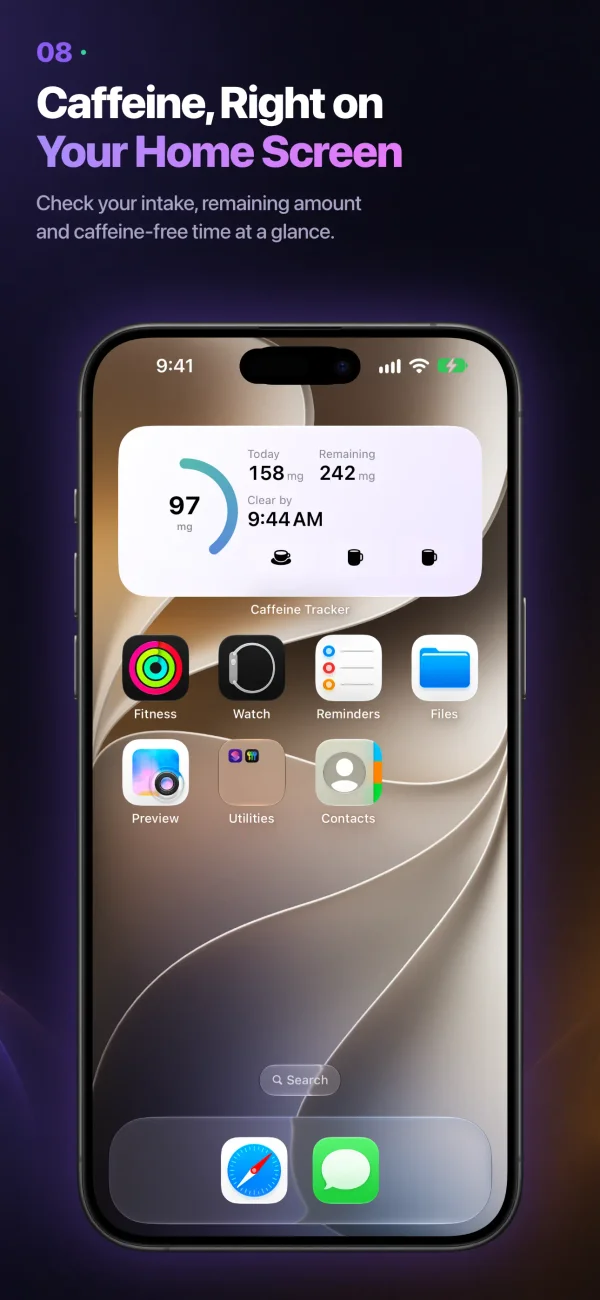
ON YOUR HOME AND LOCK SCREEN
• Home screen widgets in every size: intake, remaining amount, caffeine-free time
• Lock screen widgets for a glance without unlocking
• Live Activities that follow a drink through your system
REMINDERS THAT RESPECT YOU
Choose only the ones you want: a nudge to log, a hydration prompt, a heads-up as you approach your limit, a late-caffeine warning, a daily wrap-up, a weekly review. Turn off everything else. iOS asks permission only after you have chosen, and nothing is sent if you say no.
APPLE HEALTH, ENTIRELY YOUR CHOICE
Caffeine Tracker can save the drinks you log to Apple Health, and read sleep, workouts, mindful minutes, water and caffeine logged elsewhere, so your intake sits in context.
Before anything is read or written, iOS shows the standard Apple Health permission sheet and you decide there, category by category, what to share — everything, some of it, or none at all. Whatever you choose, caffeine tracking works exactly the same, and you can change it any time in the Health app.
Health data stays on your device: never uploaded to our servers, never shared, never used for analytics.
YOUR ASSISTANT
• Ask anything about your own intake and get an answer grounded in your history
• Daily coaching checks and a weekly review that spots habits you have missed
• A week-by-week plan if you want to cut down, with adherence tracked
• Caffeine timing analysed against your actual sleep
SYNCS AND BACKS UP
Sign in with Apple or Google to sync across your devices, and export a full backup whenever you want. Restore everything on a new phone in one step.
MADE YOURS
Accent themes and a full set of preferences. Available in 27 languages, including right-to-left support.
WHAT EVERYONE GETS
Logging drinks, your dashboard, today's numbers, core reminders and writing to Apple Health are included for everyone, always. Premium unlocks the assistant, full history beyond 30 days, advanced analytics, exports, every widget size and personalisation.
Caffeine Tracker provides general guidance based on published averages. It is not a medical device and does not offer medical advice. Talk to a healthcare professional about your own intake.
Terms of Use: https://www.apple.com/legal/internet-services/itunes/dev/stdeula/
QUESTIONS OR NEED A HAND?
Email developer.brijkumarsavani@gmail.com with any question, any feedback, or anything that looks broken. Every message is read.
What’s new
Version 1.0.1 · Oct 23, 2026
A smoother start: connecting Apple Health and choosing your reminders during setup is now clearer, and the keyboard no longer covers the next step. Plus bug fixes and performance improvements.
App privacy
What Brijkumar Savani declares on the App Store about how this app handles data.
-
Data linked to you
May be collected and linked to your identity.
- Health and fitness
- Purchases
- Contact info
- User content
- Identifiers
- Usage data
- Diagnostics
Privacy practices may vary, for example with the features you use or your age.
Information
- Seller
- Brijkumar Savani
- Category
- Health & Fitness
- Version
- 1.0.1
- Updated
- Oct 23, 2026
- Released
- Aug 25, 2026
- Size
- 44.8 MB
- Requires
- iOS 26.5 or later
- Age rating
- 4+
- In-app purchases
- Yes
- Languages
- English, Arabic, Catalan, Czech, Dutch, French, German, Greek, Hebrew, Hindi, Indonesian, Italian + 14 more
- Copyright
- © Caffeine Tracker
You might also like
-
 Cira: Caffeine Tracker & SleepCoffee & energy drink intake
-
 Unbuzz: Caffeine TrackerCoffee Log & Sleep Timing
-
 Quit Smoking: Streak TrackerSave Money & Better Health
-
 Caff Conscious: Caffeine LogSleep Timing & Cutoff Tracker
-
 Zentra: Focus Music & TimerUnlock Your Flow State Today.
-
 Caffeine Clock: Track CaffeineCoffee log, half-life & sleep
-
 30 Day Home Workout - QuickFitLose & Gain Weight, Get Fit
-
 HiCoffee - Caffeine TrackerCoffee Logger & Better Health
-
 CalmariaFocus / Breathe / Relax
-
 Kraft SportssenterYour local gym app!