
Calc Bookmark : Save website
Calculator hides your bookmark
Designed for iPhone, iPad
Free
- Age rating9+
- CategoryUtilities
- DeveloperSota Takasugi
- LanguagesEnglish
- Size8.3 MB
Links to the official App Store page
Download.org hosts no file of Calc Bookmark : Save website. The button opens its official App Store page, published by Sota Takasugi. Listing last checked on Nov 14, 2026.
Screenshots


About
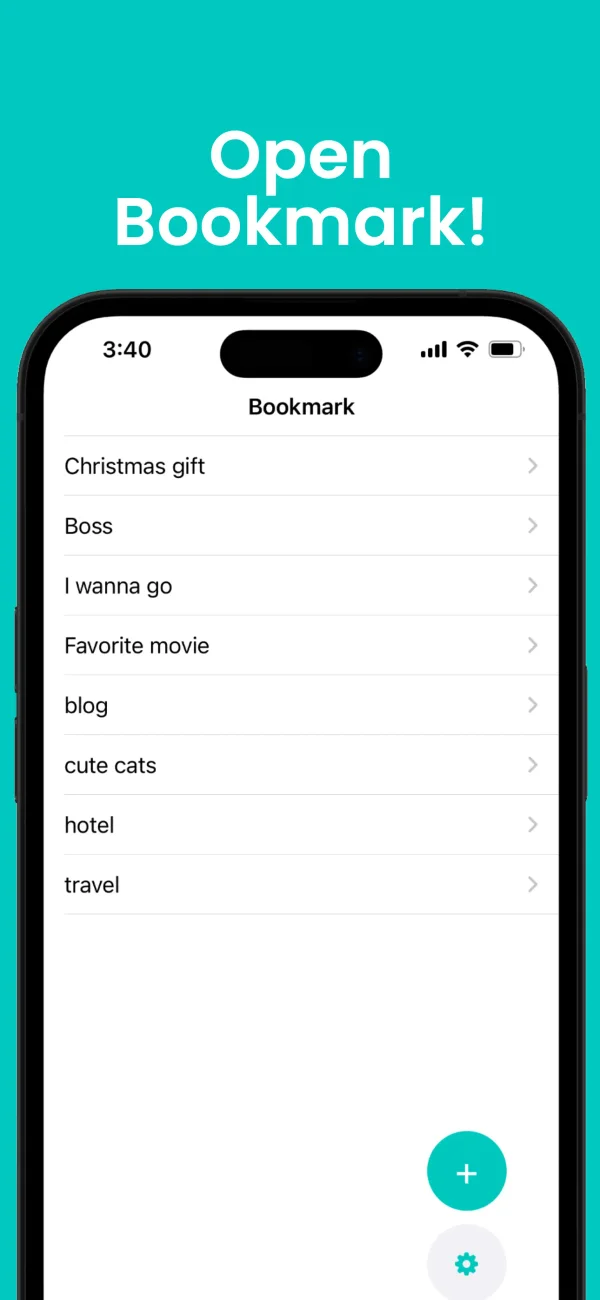
【Looks like a calculator! Inside is a bookmark】
This application allows you to create hidden bookmarks on your calculator for websites you do not want others to know about!
The icon, name, and startup screen are the calculator itself, so it is hard for people to know that it is a bookmark application.
【Use】
1 Set a password when you start the application for the first time.
Never forget your password!
Do not enter a password that starts with 0.
Example: 0000, 012, 0801
2 Enter the password using the calculator keys, and tap the “=” key.
3 You can open the secret bookmark.
【Add bookmarks】
•Press the "+" button that appears when you open a bookmark.
•Select this application from the browser's share button.
※We are not responsible for any problems that occur at bookmarked sites.
What’s new
Version 1.1.0 · Dec 28, 2023
1.1.0 Dark mode is supported.
App privacy
What Sota Takasugi declares on the App Store about how this app handles data.
-
Data not linked to you
May be collected but is not linked to your identity.
- Usage data
- Diagnostics
Privacy practices may vary, for example with the features you use or your age.
Information
- Seller
- Sota Takasugi
- Category
- Utilities
- Version
- 1.1.0
- Updated
- Dec 28, 2023
- Released
- Nov 30, 2023
- Size
- 8.3 MB
- Requires
- iOS 17.0 or later
- Age rating
- 9+
- Price
- Free
- Languages
- English
- Copyright
- © 2023 Sota Takasugi
You might also like
-
 Calculator+ 秘密のブラウザとメモUtilities
-
 Icon LauncherEasily change desktop icons
-
 Bookmarks - Manage favoritesBookmark protection by account
-
 BuyIt - Hidden Secret BrowserCloaked Tool as Shopping List
-
 Bullet BookMarkWorld's fastest bookmarker
-
 リンクマ - あとで読む・URL保存Utilities
-
 Calculator ۬Basic & Scientific Calculator
-
 BookmarkApp-PasteURLBookmark List
-
 LinkVault: Bookmark LinksSave, organize & sync websites
-
 Bookmark Edit Share ManagerBookmark Link Text Editor