
Graph84 for TI 84 Calculator
Graphing Calc, Plus CE & Evo
Designed for iPhone, iPad, iPod touch
Free · In-app purchases
- Age rating4+
- CategoryEducation
- DeveloperDi Venisco UG (haftungsbeschrankt)
- LanguagesEnglish
- Size53.6 MB
Links to the official App Store page
Download.org hosts no file of Graph84 for TI 84 Calculator. The button opens its official App Store page, published by Di Venisco UG (haftungsbeschrankt). Listing last checked on Nov 20, 2026.
Screenshots



About
Graph functions, use advanced math commands for your calculations, create tables, and perform statistics.
CALCULATE
• Type in equations in natural textbook format
• The scientific calculator solves all functions like sin, cos, tan, e, ln, Σ, log, ...
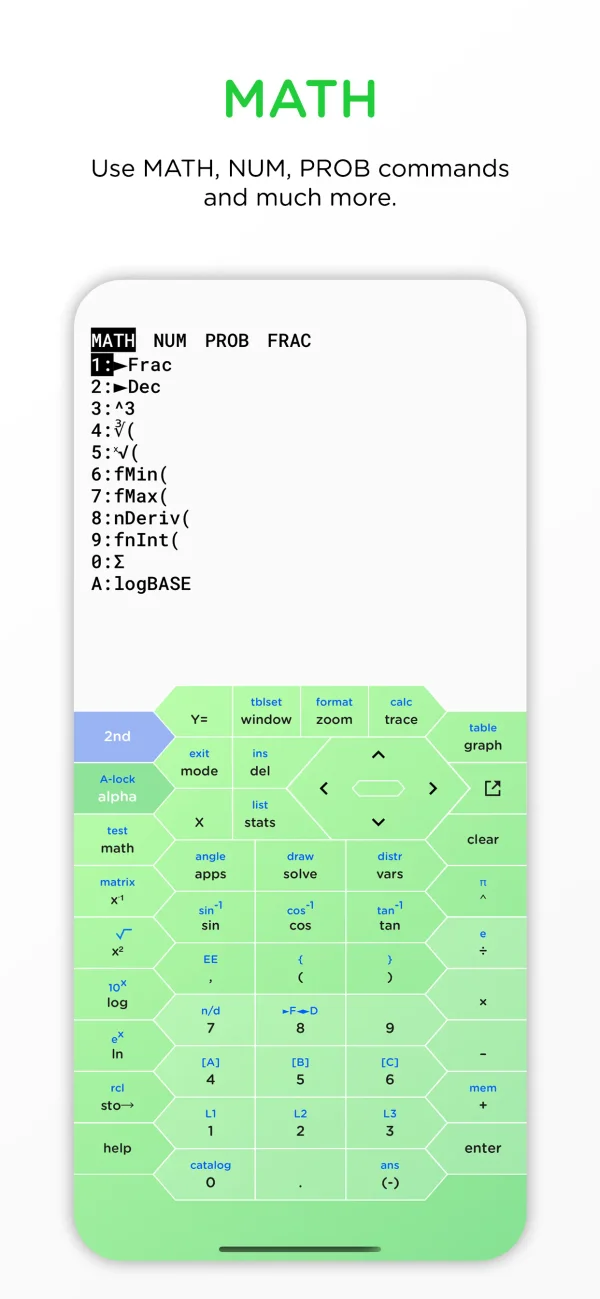
• Use MATH, NUM, and PROB functions
GRAPH
• The graphing calculator lets you plot more than ten functions at once, each with a different color
• Touch-enabled graph window
• Zoom and trace with your fingers in full-screen
• Find intersect, min, max, zero, integral, and derivative
STATISTICS
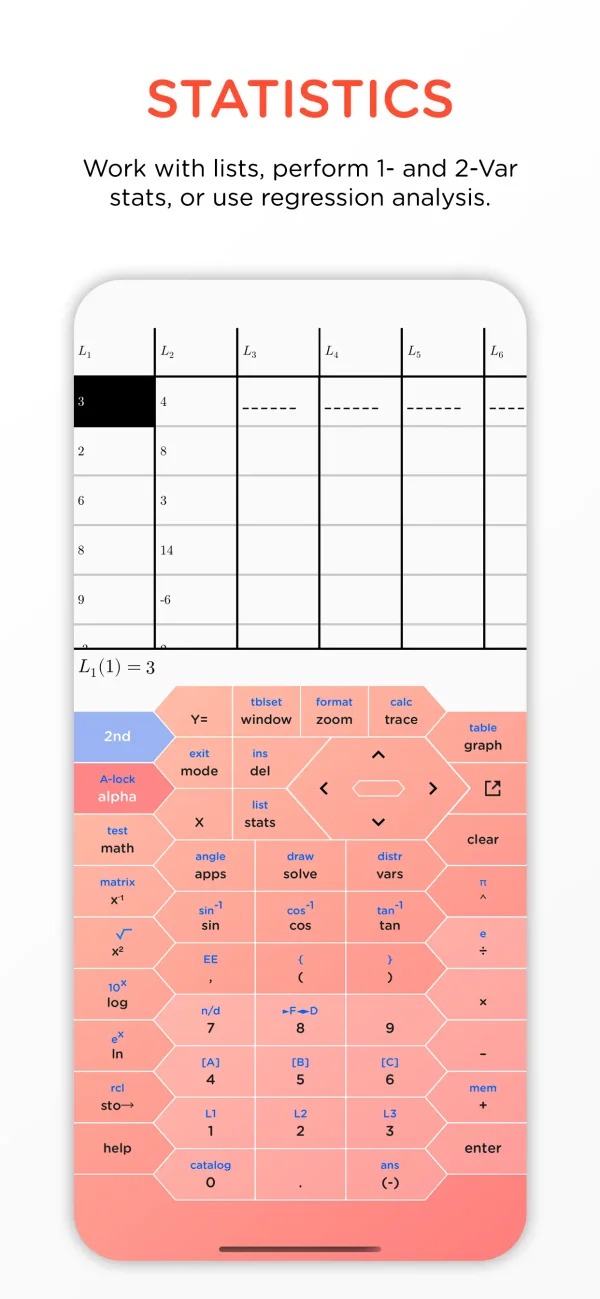
• Easily enter lists using the Statistics List Editor
• Perform 1- and 2- Variable Stats
• Find best-fit lines like LinReg, QuadReg, CubicReg, QuartReg, ExpReg
• Work with distributions and regressions
TABLE
• Analyze X and Y values of your functions
MATRIX
• Do basic matrix arithmetic operations like +, -, *, or power of a Matrix
• Put the matrix into Reduced Row-Echelon form and solve linear equation systems
• Calculate the determinant, inversion or transpose the matrix
CATALOG
• Extensive catalog of all commands with syntax, example, and possible error messages
CONTACT
Write to us at contact@hypercalc.org
---
For extended features such as more advanced calculations and functions, subscribe to HyperCalc.
Auto-Renewable Subscription Terms:
• Payment will be charged to iTunes Account at confirmation of purchase;
• Subscription automatically renews unless auto-renew is turned off at least 24-hours before the end of the current period;
• Account will be charged for renewal within 24-hours prior to the end of the current period, and identify the cost of the renewal;
• Subscriptions may be managed by the user and auto-renewal may be turned off by going to the user's Account Settings after purchase;
• Any unused portion of a free trial period, if offered, will be forfeited when the user purchases a subscription to that publication, where applicable;
• Prices are in U.S. dollars, may vary in countries other than the U.S. and are subject to change without notice.
Terms of Service:
http://www.hypercalc.org/terms.html
Privacy Policy:
http://www.hypercalc.org/privacy.html
What’s new
Version 1.5.0 · Nov 13, 2026
CALCULATE84 PLUS IS NOW GRAPH84 PLUS
New name, same calculator. Your history, variables and settings stay exactly as they are. This is the biggest update since the app launched, so here is everything that is new.
APPS
• Press APPS for Geometry, Periodic Table, Finance, Polynomial Root Finder and Simultaneous Equation Solver, Probability Simulation, Science Tools with a unit converter, Transform, Conics and Inequality graphing
GRAPHING
• Four graph modes: function, parametric, polar and sequence, with TIME, WEB and phase plots
• Zeros, maxima, minima and intersections snap under your cursor. Turn it on under FORMAT ▸ DETECT
• Scroll the graph with one finger, drag a curve to trace it, draw a tangent at any point
• The complete DRAW menu: text, pen, points, circles and shading, ten stored pictures, or a photo behind your graph
• The full ZOOM menu: Zoom Box, Zoom Fit, Zoom Default and more, plus quick zoom with + and −
• Manual-Fit and QuickPlot & Fit-EQ put a regression right on the graph
PROGRAMS
• Press 2nd clear to write and run TI-BASIC programs
• Built-in editor with a toolbar for →, Lbl, Goto, If, For, Disp, Input and more
• Import .8xp files from the Files app; programs share variables, lists and Ans with the home screen
MATH
• Math templates palette on alpha + X,T,θ,n: fraction, absolute value, piecewise, integral, derivative, sum, nCr, nPr and matrix
• Matrices fill in right on the home screen
• Numeric Solver, piecewise functions, three new regression models, distribution shading and gradian mode
• Statistics wizards with a CALCULATE button, conics and lines with equation templates
• nDeriv( is exact and fnInt( adapts to the function
• Tap a result to flip between fraction and decimal; alpha + enter shows the decimal right away
A NEW LOOK
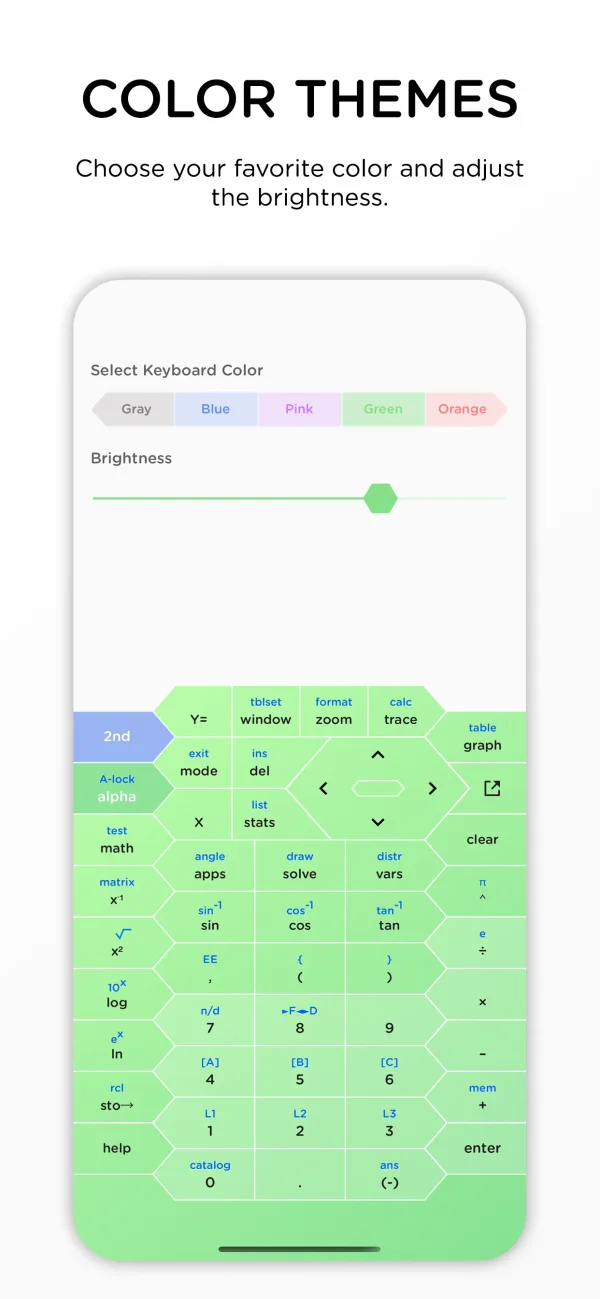
• The display can be light or dark: MODE ▸ DISPLAY
• A new math font made for the display, with stacked fractions and clean radicals
• Status line above the display: tap NORMAL FLOAT RADIAN to change a setting on the spot
• Redesigned menus, and errors appear right under your entry with the spot marked
• Division shows as a slash: 3/4 instead of 3÷4
FOR SCHOOL
• Export your history as a text file or PDF: 2nd ▸ MEM ▸ Export Entries, or Share in the side menu
• On iPad, MODE ▸ KEY PRESSES shows every key you press as keycaps under the display, so a class can follow along
FIXES
• Stability improvements throughout
App privacy
What Di Venisco UG (haftungsbeschrankt) declares on the App Store about how this app handles data.
-
Data used to track you
May be used to track you across apps and websites owned by other companies.
- Usage data
- Diagnostics
-
Data not linked to you
May be collected but is not linked to your identity.
- Usage data
- Diagnostics
Privacy practices may vary, for example with the features you use or your age.
Information
- Seller
- Di Venisco UG (haftungsbeschrankt)
- Category
- Education
- Version
- 1.5.0
- Updated
- Nov 13, 2026
- Released
- Oct 7, 2019
- Size
- 53.6 MB
- Requires
- iOS 15.0 or later
- Age rating
- 4+
- Price
- Free
- In-app purchases
- Yes
- Languages
- English
- Copyright
- © 2019-2023 Graphing Calculator Apps
You might also like
-
 Graphing Calculator 84: Calc84Scientific, for use with TI-84
-
 Calculate 84 AIIntended for use with TI-84
-
 PocketCAS: Graphing CalculatorGraphs, derivatives, 3D plots
-
 Quick GraphScientific Graphing Calculator
-
 GraphNCalc83Graphing calculator
-
 SymCalc - Symbolic CalculatorScientific & graphing tool
-
 CASIO ClassPadEducation
-
 HP Prime LiteLite Graphing Calculator