Calendar Widgets Suite
Month, week, agenda, timetable
Designed for iPhone, iPad
Free · In-app purchases
- Age rating4+
- CategoryProductivity
- DeveloperJoshua & Company Inc.
- LanguagesEnglish+ 26 more
- Size19.7 MB
Links to the official App Store page
Download.org hosts no file of Calendar Widgets Suite. The button opens its official App Store page, published by Joshua & Company Inc. Listing last checked on Nov 24, 2026.
Screenshots

About
Unlock. Hunt for the app. Wait. Close it. Dozens of times a day, for a five-second glance.
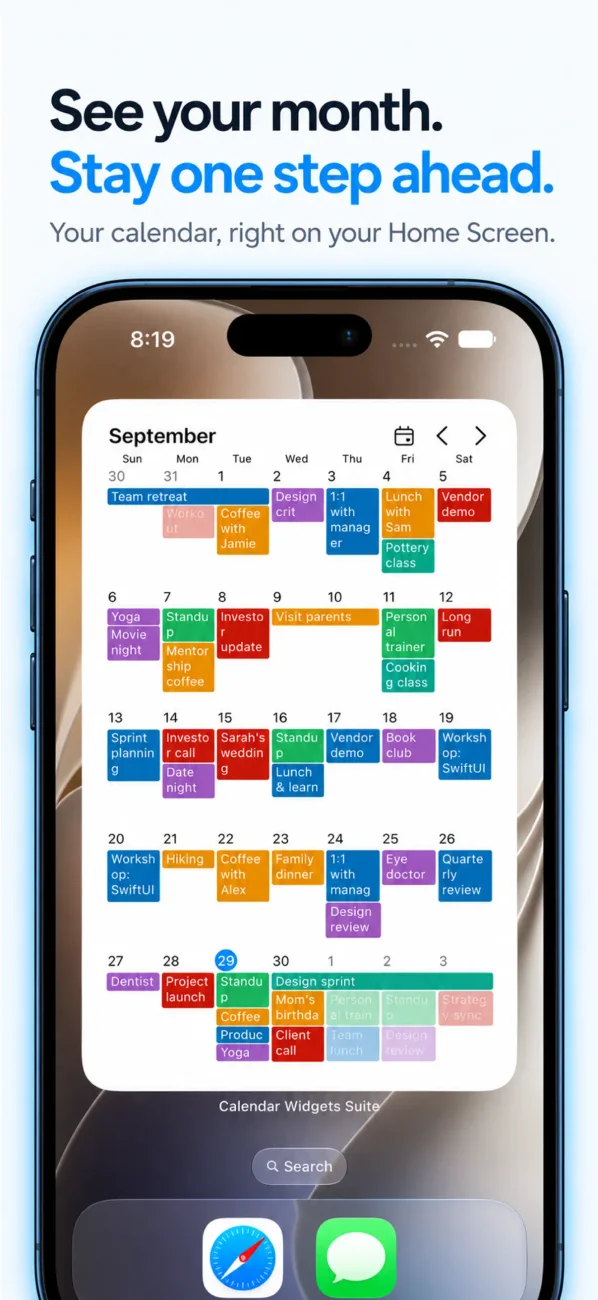
Month, weeks, an hour-by-hour timetable, today at a glance, or just what's next — plus your reminders, right on your Home Screen. The Month widget is free; the other thirteen are one optional purchase.
FOURTEEN WIDGETS, ELEVEN WAYS TO SEE YOUR SCHEDULE
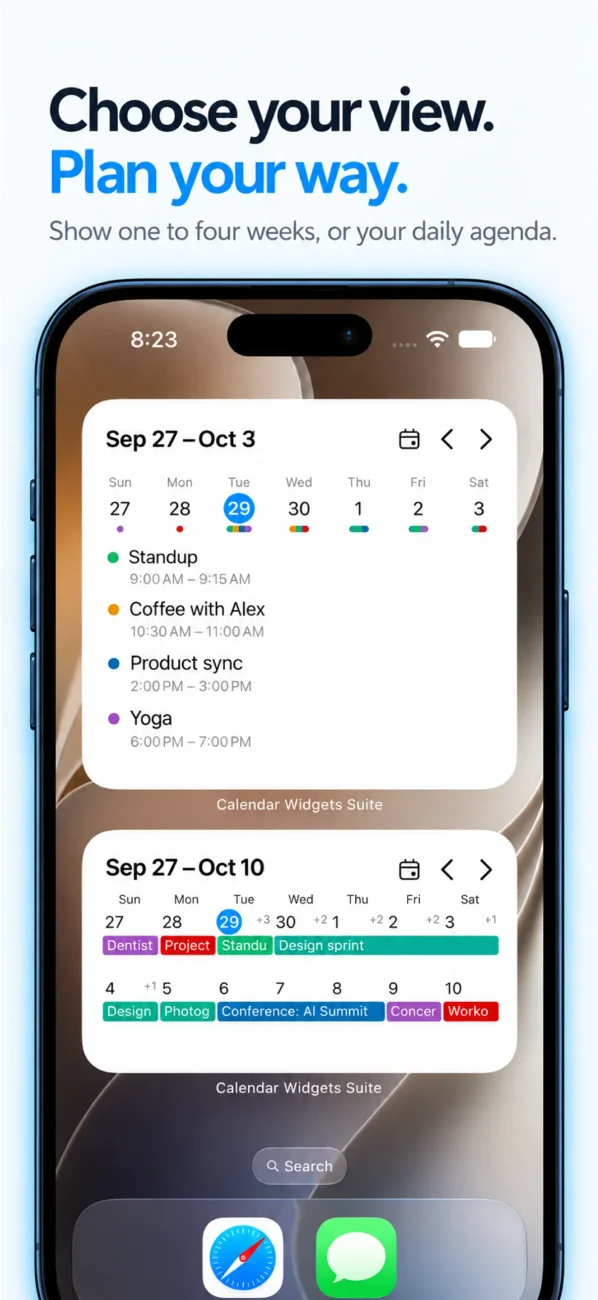
• Month — the full month at a glance, with event titles right in the day cells
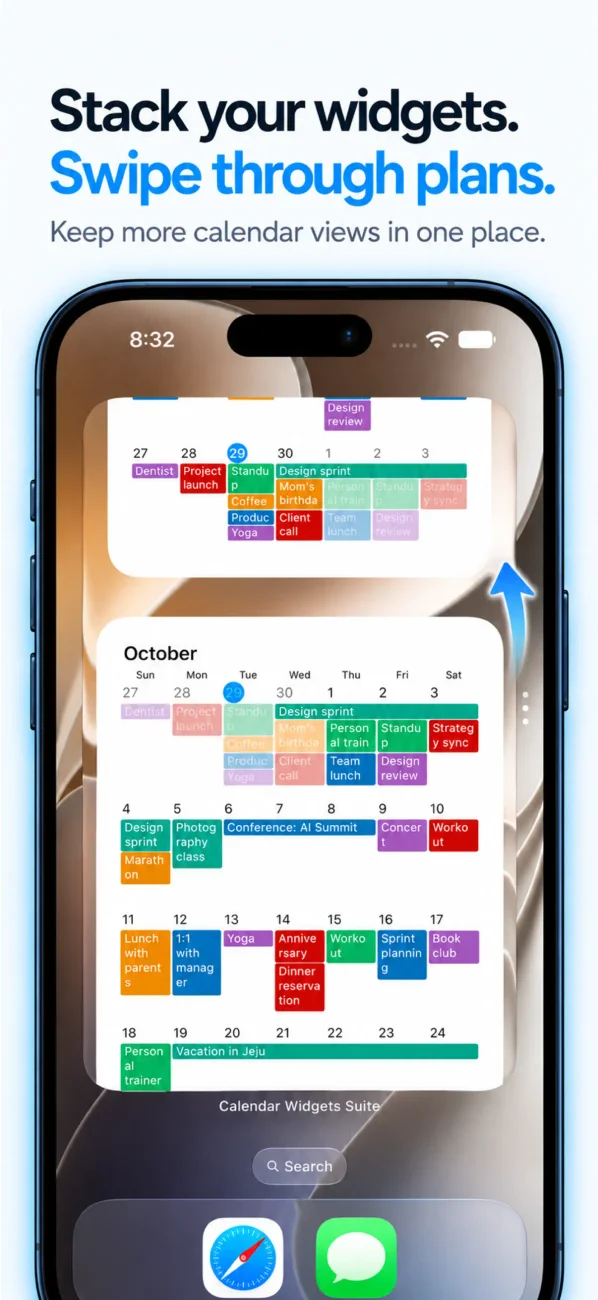
• Weeks — one, two, three, or four weeks; just the horizon you actually plan against
• Week Timeline — an hour-by-hour grid for one to seven days, so the gaps read as clearly as the meetings
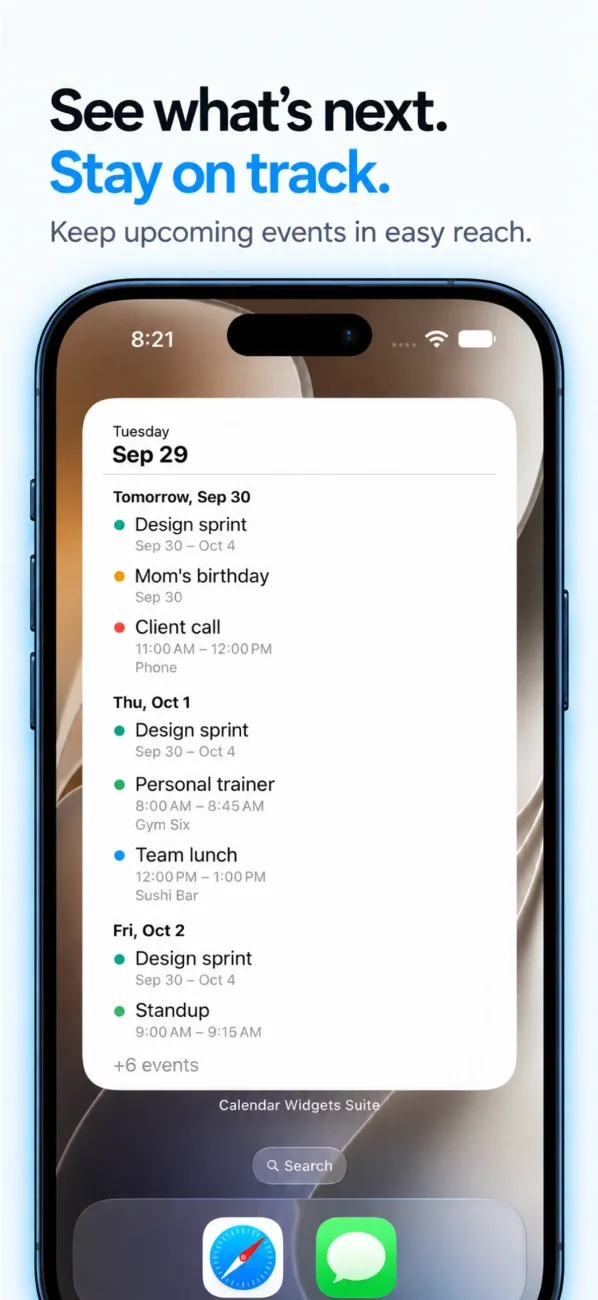
• List — what's coming up next, in order, with colored chips or simple dots
• Today — today's date with the day's events right beside it
• Today + Mini Month — a mini month grid with today's events alongside
• Week Agenda — a seven-day strip you tap to pick a day, with that day's events below
• Week Grid — the whole week at a glance, each day's events stacked in its own cell
• Up Next — today and tomorrow side by side, hour by hour, so the rest of today and the start of tomorrow fit in one glance
• Agenda + Upcoming weeks — today's and tomorrow's events, with the next few weeks below
• Days + Weeks — events day by day across the top, with the weeks ahead below
Medium, large, and extra large — wide on iPad, tall on iPhone with iOS 27.
REMINDERS, ALONGSIDE YOUR EVENTS
Switch Reminders on and anything with a due date joins your events in every widget — marked with a Reminders-style ring, in its list's own color. Choose which lists appear, and whether completed ones do. Reminders without a due date are skipped, and nothing is ever written back: the widgets show your reminders, they don't change them. Part of the Premium unlock.
MAKE IT LOOK LIKE IT BELONGS
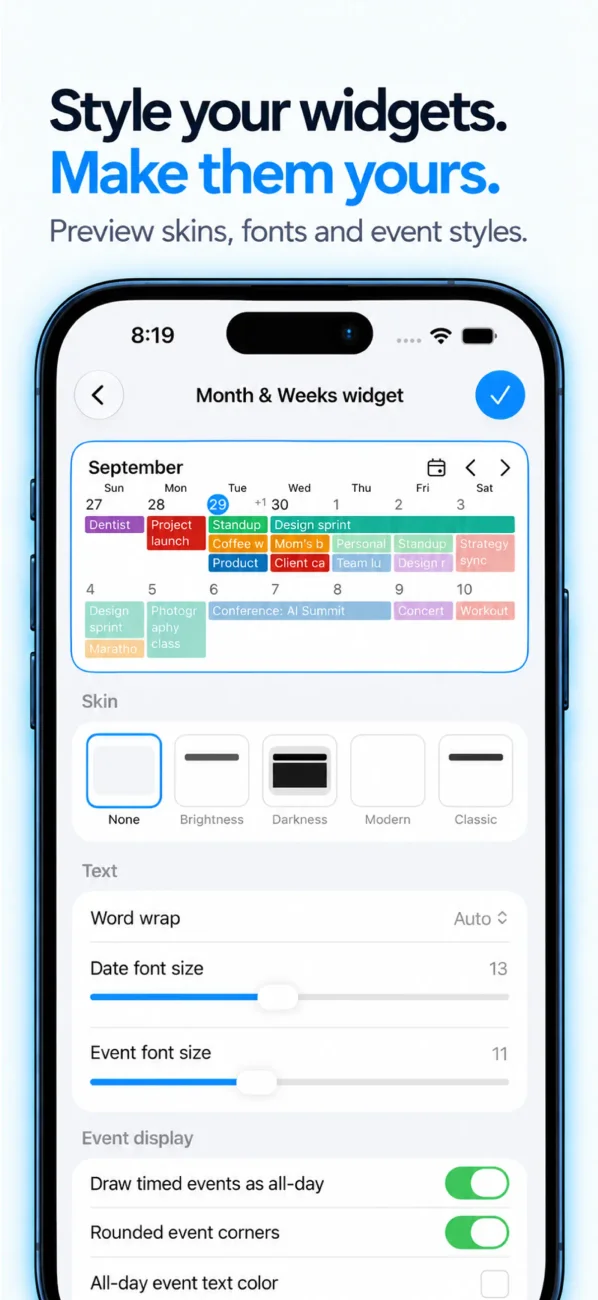
Stock widgets clash with your Home Screen. This one doesn't have to.
• Six skins, plus no skin at all
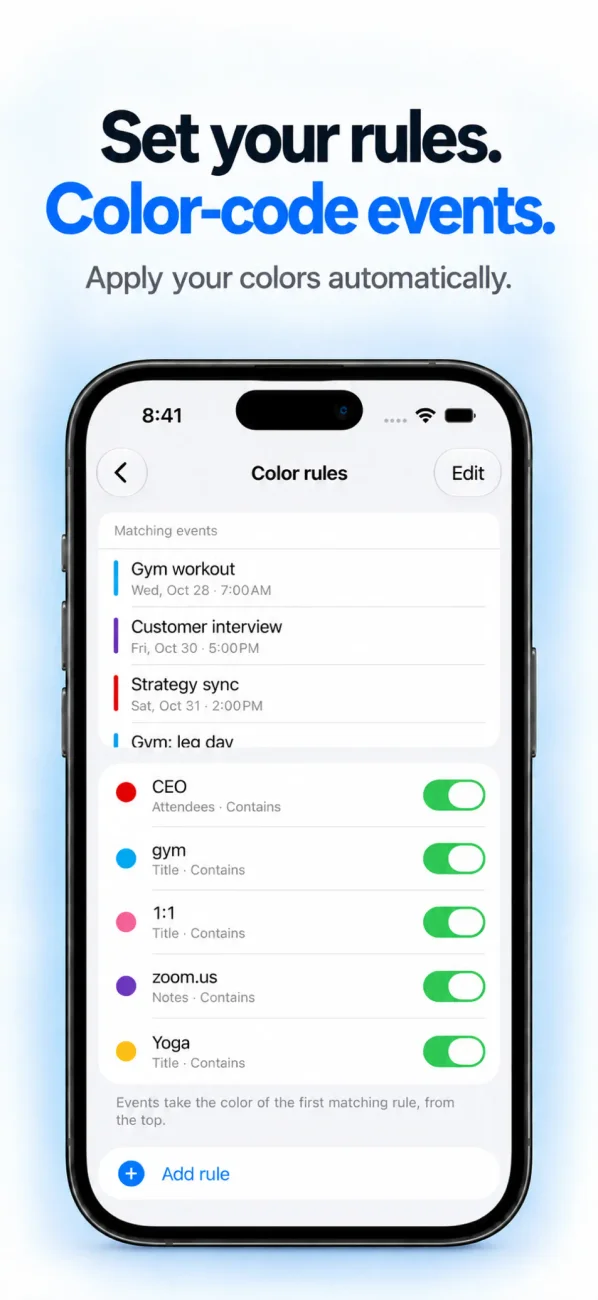
• Separate colors for event titles, dates, times, and locations
• Date and event font sizes, tuned independently
• Word wrap: never, always, auto, or capped at two, three, or four lines
• First day of week, including a rolling "Today"
• Dim past events so the day ahead stands out
• Highlight Saturdays, Sundays, and holidays
• Choose exactly which calendars appear
• Group events by calendar, or sort them by start time, end time, title, or duration
• A 12- or 24-hour clock in the Week Timeline
• Separate settings for the month, timeline, and list widgets
YOUR CALENDAR AND REMINDERS STAY ON YOUR DEVICE
Your events and reminders are read on the device and drawn into the widget. Nothing about your calendar or your reminders ever leaves it. There is no account to create, no server to sync with, and no analytics or tracking of any kind. iOS asks for Reminders access only when you switch reminders on, and the app never writes back to either. Your settings live in a private container shared only between the app and its own widgets.
FREE AND PREMIUM
The Month widget is free, and so are the styling controls that come with it — weekday, Saturday and Sunday colors, date and event font sizes, word wrap, sorting, calendar selection, and the rest. A single optional one-time purchase unlocks every other widget plus the six skins, the blurred wallpaper backgrounds, custom event text colors, and Reminders in your widgets. It is a one-off unlock, not a subscription — nothing recurs.
AVAILABLE IN 27 LANGUAGES
Questions or ideas? Email admin@joshuanco.com — every message is read.
What’s new
Version 1.0.24 · Nov 23, 2026
Fixed a bug that could cause the app to quit unexpectedly.
App privacy
What Joshua & Company Inc. declares on the App Store about how this app handles data.
-
Data not collected
The developer does not collect any data from this app.
Privacy practices may vary, for example with the features you use or your age.
Information
- Seller
- Joshua & Company Inc.
- Category
- Productivity
- Version
- 1.0.24
- Updated
- Nov 23, 2026
- Released
- Aug 18, 2026
- Size
- 19.7 MB
- Requires
- iOS 18.2 or later
- Age rating
- 4+
- Price
- Free
- In-app purchases
- Yes
- Languages
- English, Arabic, Czech, Danish, Dutch, Finnish, French, German, Hebrew, Hindi, Indonesian, Italian + 15 more
- Copyright
- © 2026 Joshua & Company Inc.
You might also like
-
 Calendar Widget: Day & MonthEvents on Home & Lock Screen
-
 Lilacal: Calendar WidgetYour calendar, at a glance
-
 Month Calendar WidgetA month of events at a glance
-
 Calendar Widget !Calendar & Reminders Widget
-
 Tempo Calendar: Daily PlannerSchedule organizer & reminders
-
 minical — Minimal CalendarWidgets · Wallpaper
-
 TapCal: Calendar & WidgetsMonth Widgets & Reminders
-
 Simple Calendar: Widget Calmonthly schedule glance
-
 Caly - Calendar & WidgetsSimple Planner & Schedule
-
 Calendar 366 · Events & TasksSchedule Reminders & To-Do