
Calibre View
Mobile Calibre Library
Designed for iPhone, iPad
Free · In-app purchases
- Age rating4+
- CategoryBooks
- DeveloperDANIEL EDWARD LAMSON
- LanguagesEnglish
- Size38.1 MB
Links to the official App Store page
Download.org hosts no file of Calibre View. The button opens its official App Store page, published by DANIEL EDWARD LAMSON. Listing last checked on Nov 15, 2026.
Screenshots

About
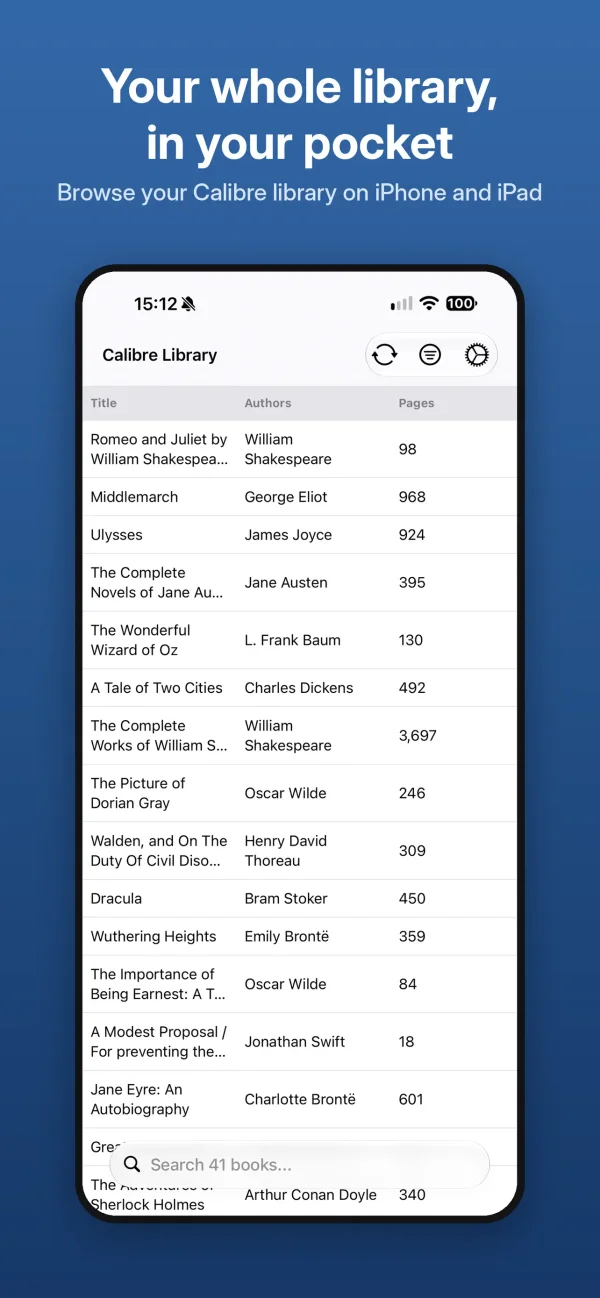
Calibre View lets you browse and search your Calibre ebook library on iPhone and iPad, using cloud storage or local files on your device.
Connect your existing Calibre library and explore your entire collection with fast searching, flexible sorting, and powerful filtering, all in a clean, native iOS and iPadOS interface designed for libraries large and small. (Tested with a 16,000-book library!)
Whether you want to quickly find a specific book or explore your collection by tags, authors, or series, Calibre View is built to stay responsive and organized, even with very large libraries.
Key Features
• Connect to Calibre libraries stored in Dropbox, Google Drive, OneDrive, WebDAV, iCloud, or the Files app
• Optionally upload only your metadata.db file to browse your library without downloading covers or books
• Fast loading, even for huge libraries (a 16,000-book library opens in about 4 seconds)
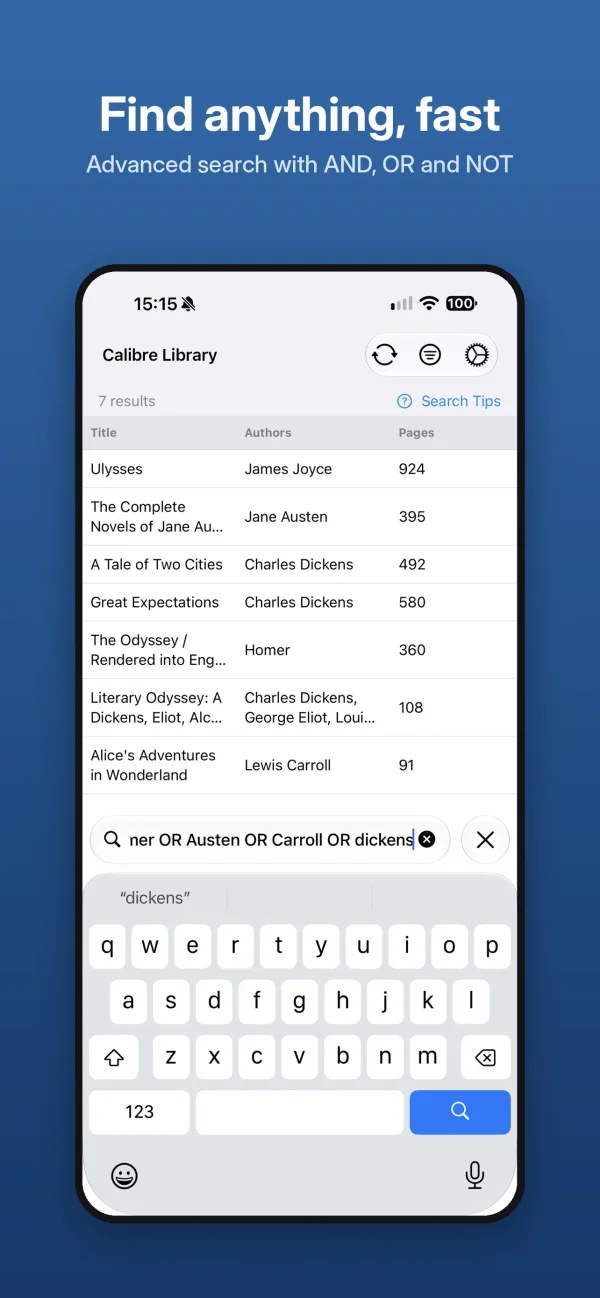
• Advanced search with AND, OR, NOT, exact phrases, and column searches like authors:austen or tags:"science fiction"
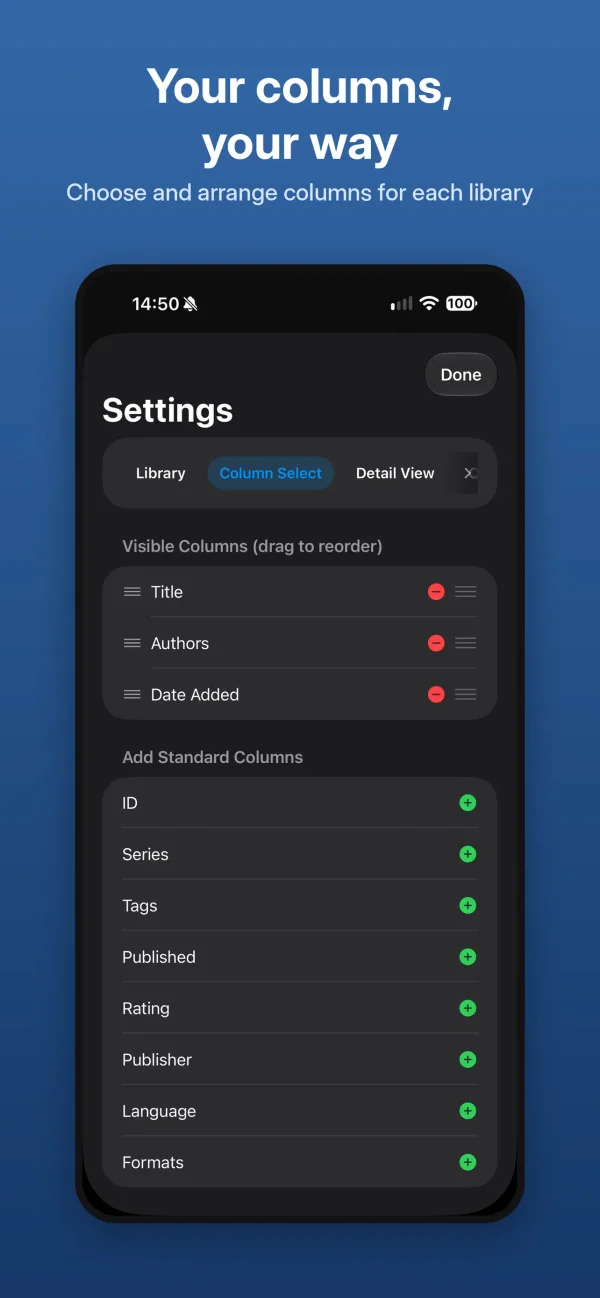
• Customize which columns appear in the book list, similar to Calibre's desktop view, saved separately for each library
• Sort by any Calibre column, including custom columns
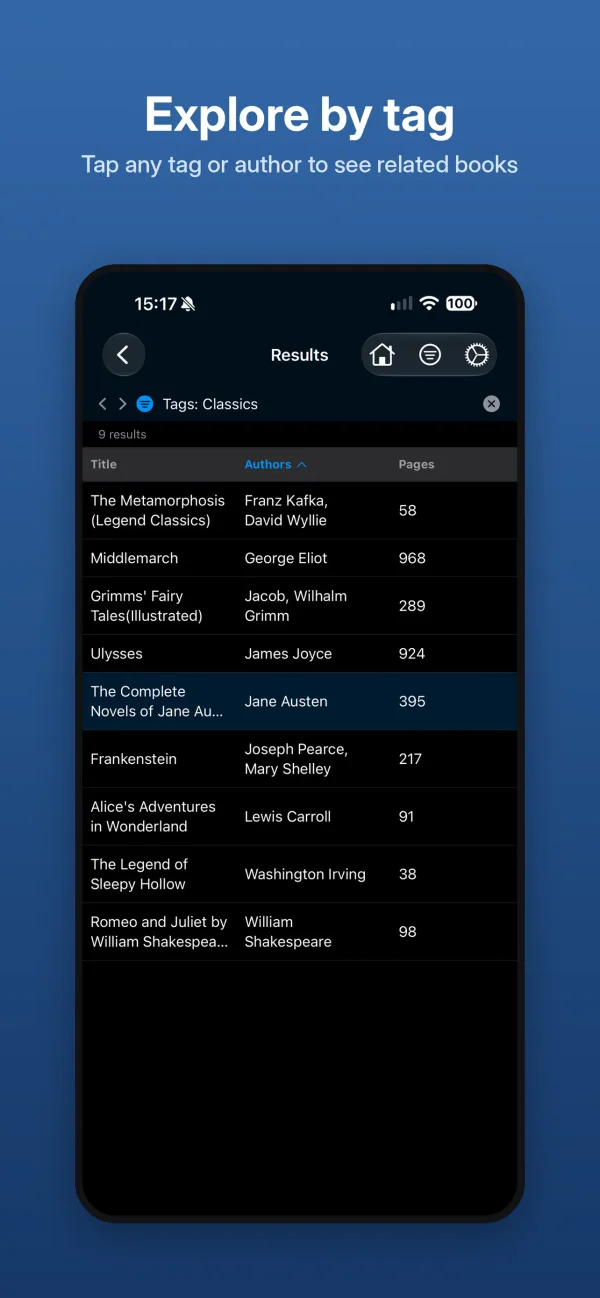
• Filter books instantly using tags, authors, series, and other metadata fields
• View detailed book information and customize what appears on the book details screen
• Tap a tag or author in detail view to see every matching book, sorted just like your library
• Long-press to copy titles, authors, tags, and summaries
• Choose a column for Quick Filter to refine search results, authors, or tags
• Covers are downloaded on demand only when viewing book details, saving bandwidth and storage
• Download books locally and share or open them in other reading apps in any available format
• Support for multiple libraries, with quick switching between them, even across different cloud services
• Optimized layouts for both iPhone and iPad, including optional horizontal scrolling for portrait phone use
• Works fully offline once a library is downloaded (covers and book downloads require connectivity)
• Supports both light mode and dark mode
Calibre View is free, with an optional tip jar for anyone who'd like to support development.
Calibre View is an independent app and is not affiliated with or endorsed by Calibre or its developers.
What’s new
Version 1.5 · Oct 23, 2026
• Libraries open up to 3× faster, especially large ones
• Optional tip jar in Settings → About for anyone who'd like to support development
• New Share Logs button and more detailed logs to help with troubleshooting
• Fixed a rare issue where switching libraries while one was loading could show the wrong books
App privacy
What DANIEL EDWARD LAMSON declares on the App Store about how this app handles data.
-
Data linked to you
May be collected and linked to your identity.
- Contact info
- Identifiers
Privacy practices may vary, for example with the features you use or your age.
Information
- Seller
- DANIEL EDWARD LAMSON
- Category
- Books
- Version
- 1.5
- Updated
- Oct 23, 2026
- Released
- Apr 28, 2026
- Size
- 38.1 MB
- Requires
- iOS 26.1 or later
- Age rating
- 4+
- Price
- Free
- In-app purchases
- Yes
- Languages
- English
- Copyright
- © 2026
You might also like
-
 Calibre ebook reader - PageoEpub reader with Calibre sync
-
 CrossPoint SyncBooks
-
 EPUB Reader - JustReadEbook & PDF Reader + Calibre
-
 Calibre ConnectorBooks
-
 Calibre CompanionBooks
-
 LibriLink for CalibreYour Calibre libraries offline
-
 BookShelves eBook ReaderEPUB, PDF & Comic Book Library
-
 Sutra - eBook & Comic ReaderEPUB, CBZ, Manga & OPDS Sync
-
 MapleRead CXEPUB Reader
-
 Athene ReaderEPUB, PDF & Calibre Library