
- Age rating4+
- CategoryProductivity
- DeveloperCHANCELLOR G KREMER
- LanguagesEnglish
- Size344.7 MB
Links to the official App Store page
Download.org hosts no file of Calistra Viewer. The button opens its official App Store page, published by CHANCELLOR G KREMER. Listing last checked on Nov 20, 2026.
Screenshots
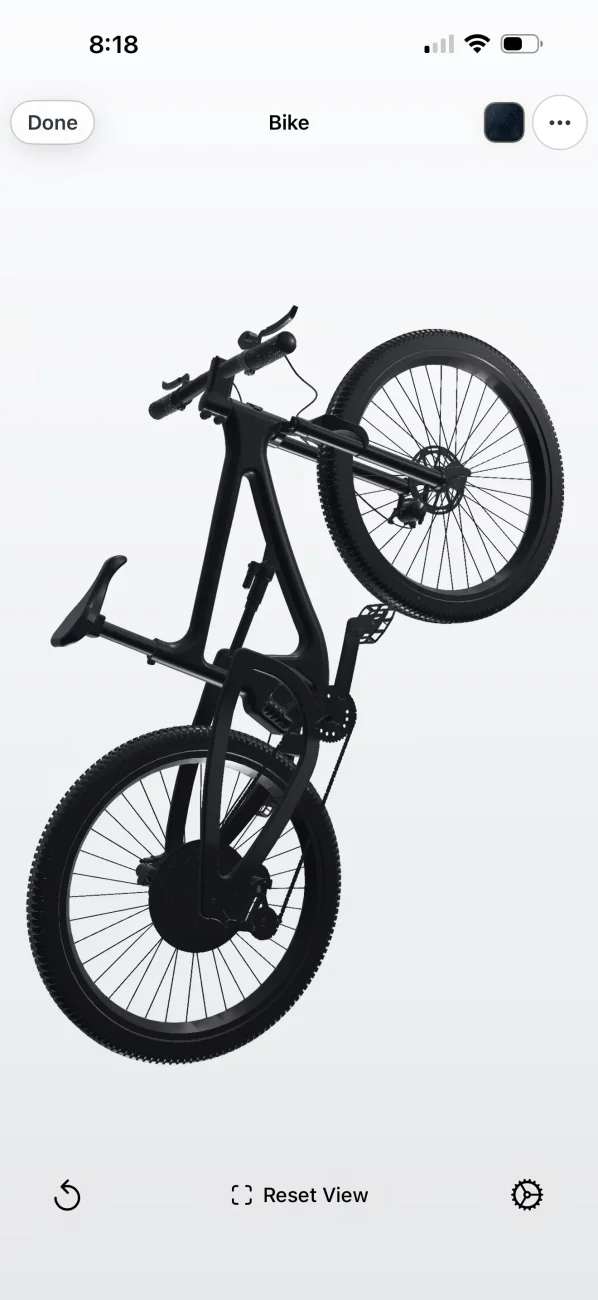
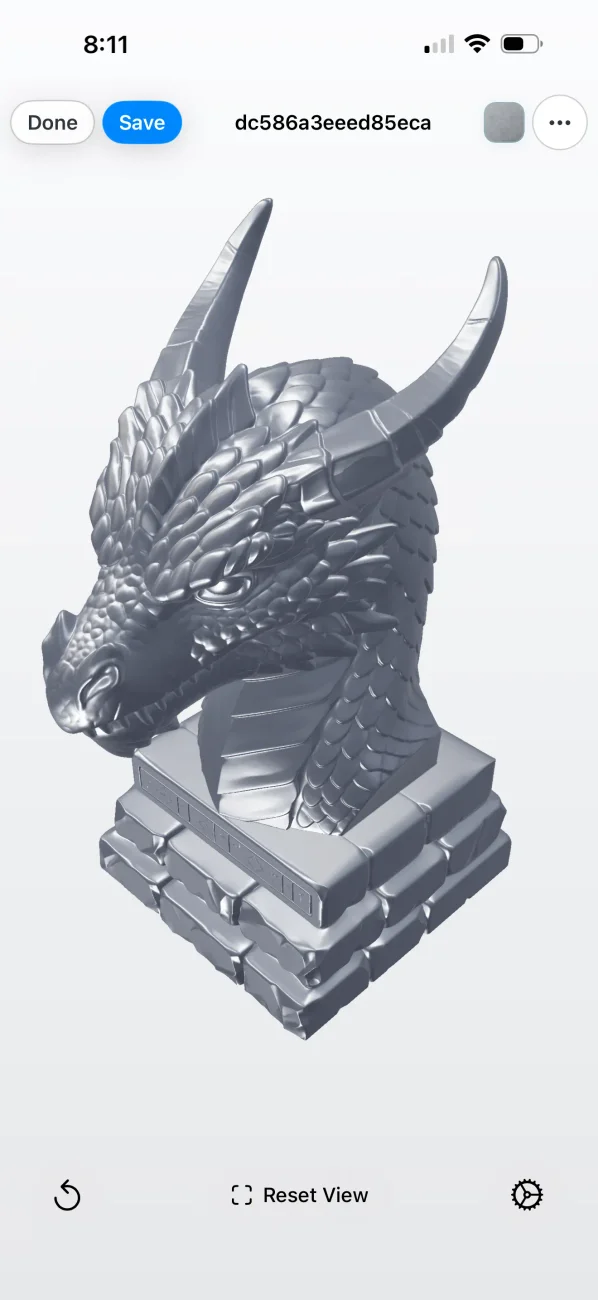


About
Calistra Viewer opens your 3D models and 2D drawings instantly and lets you inspect, measure and share them — with the speed and precision of a professional CAD kernel, on your iPhone and iPad.
3D MODELS
• Open STL, OBJ, glTF/GLB, PLY, 3MF, VRML, USDZ/USD and JT files
• Buttery 120 fps orbit, pan and zoom — even on very large meshes
• Exact measurements: distances, diameters, radii, angles, edge lengths, areas
• Instant unit switching between millimeters and inches
• Weight & Material: pick from a curated library of metals, plastics and composites and see the model's mass instantly
• Part browser for multi-body files — isolate, hide and show components
• Beautiful photoreal shading out of the box
2D DRAWINGS
• Open DXF and DWG drawings with exact geometry, layers and dimensions
• Full drawing editor: draw, dimension, snap, measure and export
• Measurements read in the drawing's true units
BUILT FOR SPEED
• Models open in a fraction of a second, from the very first launch
• Hardware-accelerated rendering tuned for Apple silicon and 120 Hz displays
• Full keyboard support on iPad: orbit, pan and zoom with the arrow keys, customizable shortcuts
WORKS YOUR WAY
• Open files from Files, iCloud Drive, AirDrop, Mail or any app's share sheet
Whether you're checking a print before it hits the build plate, reviewing a supplier's part on the shop floor, or reading a drawing on site, Calistra Viewer gives you an exact answer, fast.
What’s new
Version 4.0 · Aug 23, 2026
• 120 fps everywhere: keyboard orbit and pan on iPad now stay perfectly smooth, every time
• Two-finger pan and pinch zoom are more reliable — pinch zooms exactly where your fingers are
• Drawings pan with a single finger again
• Redesigned Keyboard & Shortcuts: tap any action, press your keys, done — with a live tester so you can confirm a shortcut works
• Faster first open on a fresh install
• Materials & Weight is simpler: your favorites, front and center
App privacy
What CHANCELLOR G KREMER declares on the App Store about how this app handles data.
-
Data not collected
The developer does not collect any data from this app.
Privacy practices may vary, for example with the features you use or your age.
Information
- Seller
- CHANCELLOR G KREMER
- Category
- Productivity
- Version
- 4.0
- Updated
- Aug 23, 2026
- Released
- Feb 18, 2026
- Size
- 344.7 MB
- Requires
- iOS 26.0 or later
- Age rating
- 4+
- Price
- Free
- In-app purchases
- Yes
- Languages
- English
- Copyright
- © 2026 Structis Solutions
You might also like
-
 MyMark – Sign PDFFill forms & sign, all offline
-
 Quick Scan And ShareScan, Import & Share Instantly
-
 MyAdvo – Private AI AdvisersYour Private AI Guidance
-
 PeopleDropShare Contacts & Follow Up
-
 TONT: To Do List & Task TimerTime Tracker on Lock Screen
-
 MailBoom: Gmail Inbox CleanerBulk Email Cleanup & Archive
-
 Noctra: Dark Mode For SafariAdblock & reading organizer
-
 Own AI: Local LLMPrivate Chatbot
-
 Image Converter: Batch ResizeCompress, PDF & AVIF HEIC
-
 SmartFocus - App BlockerFocus & Screen Time Control