Call Scheduler
Never Forget Important Calls
Designed for iPhone, iPad, iPod touch
Free · In-app purchases
- Age rating4+
- CategoryProductivity
- DeveloperSeiya.k
- LanguagesEnglish+ 32 more
- Size54.2 MB
Links to the official App Store page
Download.org hosts no file of Call Scheduler. The button opens its official App Store page, published by Seiya.k. Listing last checked on Nov 23, 2026.
Screenshots

About
The restaurant only takes bookings by phone and the line opens at 10. By 10:15 you have forgotten.
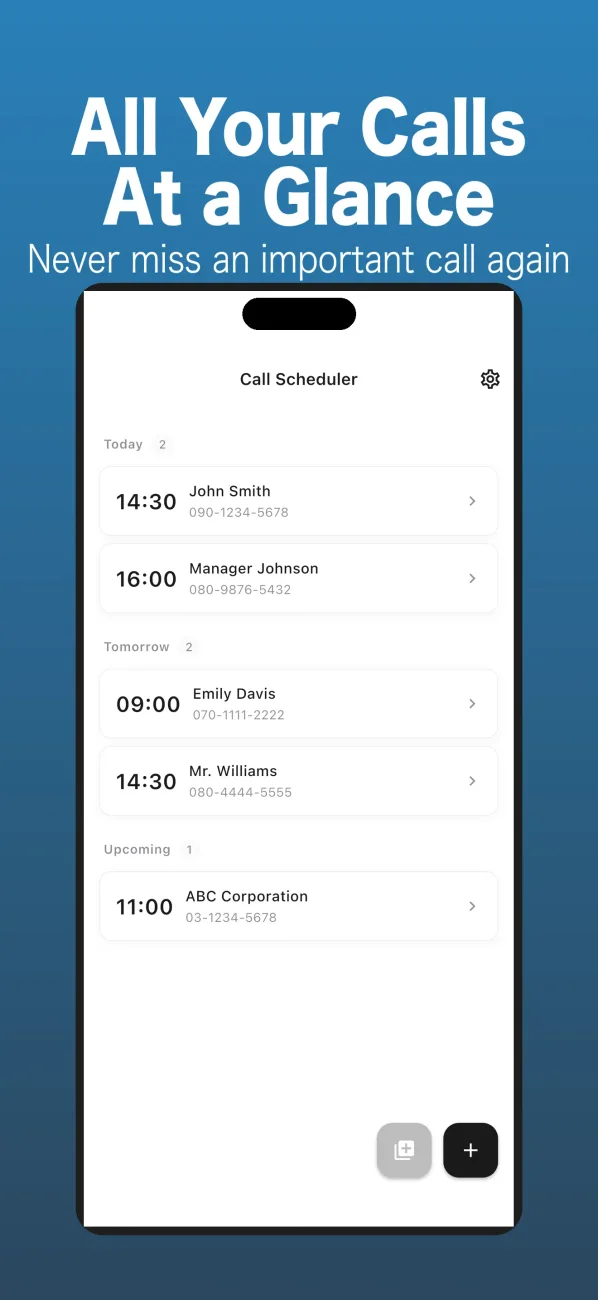
Call Scheduler reminds you at the right moment, and one tap on the reminder opens the number ready to dial.
Set the date, time and number once. The app does the remembering.
This app does not make calls automatically.
All calls are started manually by the user.
Key Features
Call Reminders
Schedule phone calls and receive a notification before the scheduled time so you never forget.
Tap to Call
Open the call preparation screen from the reminder and start dialing with a single tap.
Contact Selection
Choose phone numbers directly from your iOS contacts for quick scheduling.
Edit and Manage Calls
Update the date, time, number, or notes for any scheduled call.
Simple Call Preparation Screen
View the phone number, notes, and scheduled time before placing the call.
Use Cases
Perfect for situations where you must remember to call someone at a specific time:
Business callbacks
Appointment confirmations
Freelancers managing client calls
Daily reminders for important phone calls
Elderly users who want help remembering to call
Privacy Focused
Your scheduled calls are stored locally on your device.
Contact access is requested only when you choose to select a number from your contacts.
Free Version
Up to three active scheduled calls
Call reminders
Manual call helper
Contact import
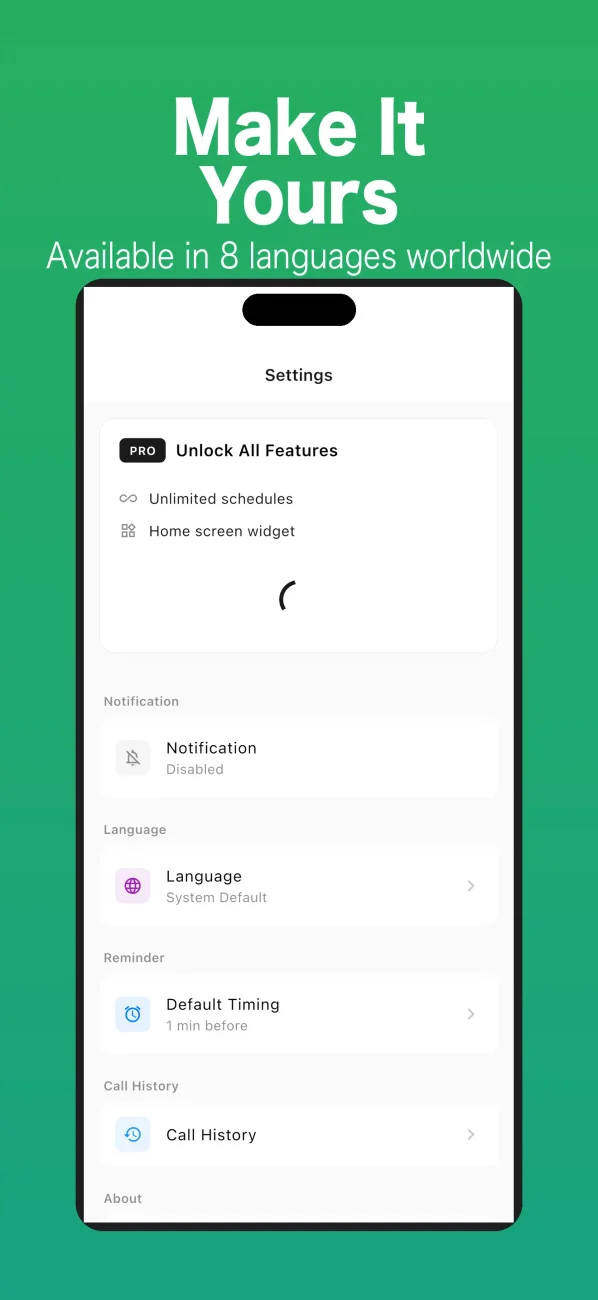
Pro Version
Unlimited scheduled calls
Ad-free experience
Call history
Search by phone number or notes
Home screen widget for the next scheduled call
Reusable call templates
Important Notes
Call Scheduler does not perform automatic dialing.
The app only reminds you and helps you start a call manually using the iPhone dialer.
Pricing
Free: schedule calls (with a limit), call history, and reusable templates.
Call Scheduler Pro (monthly / yearly auto-renewable subscription): removes the scheduling limit and hides ads.
Prices are shown in the app. Payment is charged to your Apple ID account and renews automatically unless auto-renew is turned off at least 24 hours before the end of the current period. You can manage or cancel your subscription anytime in your App Store account settings.
Terms of Use (EULA): https://www.apple.com/legal/internet-services/itunes/dev/stdeula/
Privacy Policy: https://fillapps.com/privacy/
What’s new
Version 1.0.23 · Nov 21, 2026
We added a note to "Write a review" in Settings: you are welcome to share feature requests and bug reports there too.
App privacy
What Seiya.k declares on the App Store about how this app handles data.
-
Data used to track you
May be used to track you across apps and websites owned by other companies.
- Identifiers
- Usage data
-
Data linked to you
May be collected and linked to your identity.
- Identifiers
- Usage data
-
Data not linked to you
May be collected but is not linked to your identity.
- Identifiers
- Usage data
- Diagnostics
Privacy practices may vary, for example with the features you use or your age.
Information
- Seller
- seiya kawano
- Category
- Productivity
- Version
- 1.0.23
- Updated
- Nov 21, 2026
- Released
- Mar 13, 2026
- Size
- 54.2 MB
- Requires
- iOS 15.6 or later
- Age rating
- 4+
- Price
- Free
- In-app purchases
- Yes
- Languages
- English, Arabic, Catalan, Croatian, Czech, Danish, Dutch, Finnish, French, German, Greek, Hebrew + 21 more
- Copyright
- © 2026 seiya kawano
You might also like
-
 ImageCopySave the copied images
-
 Callmi AI: Chat, Talk, TextAI Chat & Call Simulator
-
 Idevo - Personal AI ArchiveOrganize your AI chats offline
-
 Mini Project - Task ProgressManage projects and to-dos.
-
 Call Scheduler & OrganizerTrack Value of Your Contacts
-
 Monthly Fee StampTuition & Lesson Schedule App
-
 ReaderViewRead Web, PDF, Video, Podcasts
-
 CallPlan: Your Call To-Do ListPlan calls, speak notes
-
 Call Later - phone schedulerDaily, Planner, Reminder, List
-
 Remindavo- Phone Call ReminderMeeting & Appointment Alarm