- Age rating4+
- CategoryBusiness
- DeveloperRichard Tattory
- LanguagesEnglish
- Size54.0 MB
Links to the official App Store page
Download.org hosts no file of CallCloud Dialer. The button opens its official App Store page, published by Richard Tattory. Listing last checked on Nov 23, 2026.
Screenshots

About
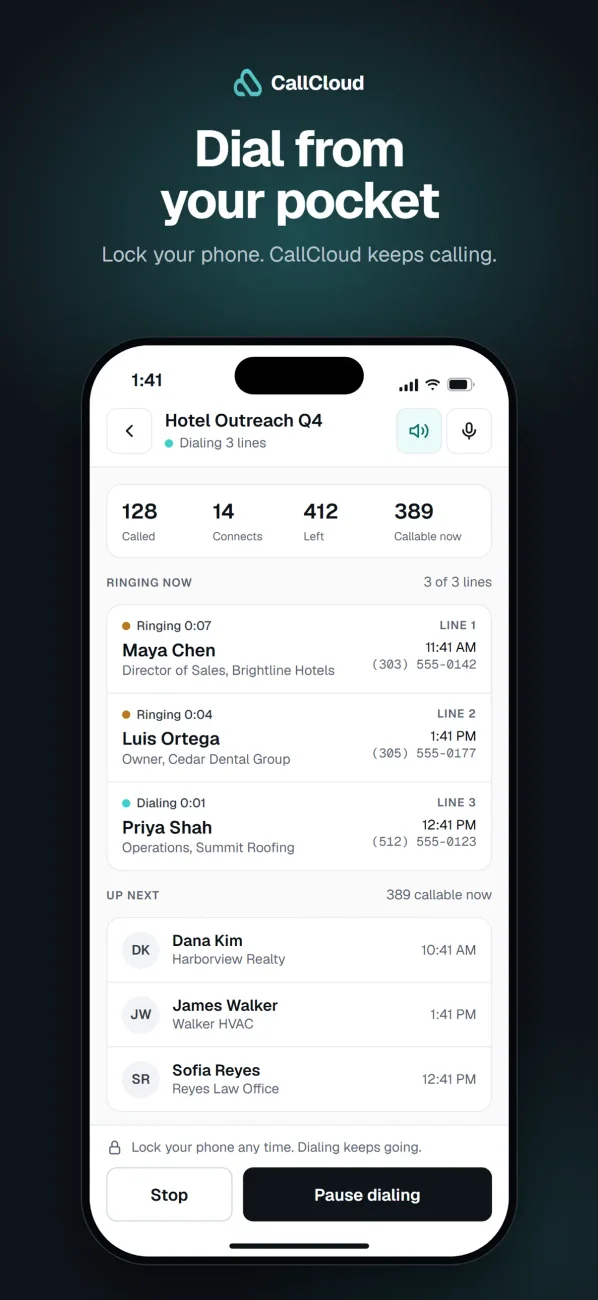
CallCloud Dialer is the iPhone app for CallCloud, the parallel dialer for sales teams. Sign in with your CallCloud account and dial the same campaigns your team runs on the web, with the screen locked and the phone in your pocket.
DIAL ANYWHERE
• Start any of your campaigns and keep calling with the screen locked.
• Dial several lines at once, or one at a time with a ringing tone and the next name said in your ear.
• Speakerphone or AirPods, switched from the top of every dialing screen.
• If your line drops on a network change, it reconnects and keeps dialing by itself.
KNOW WHO PICKED UP
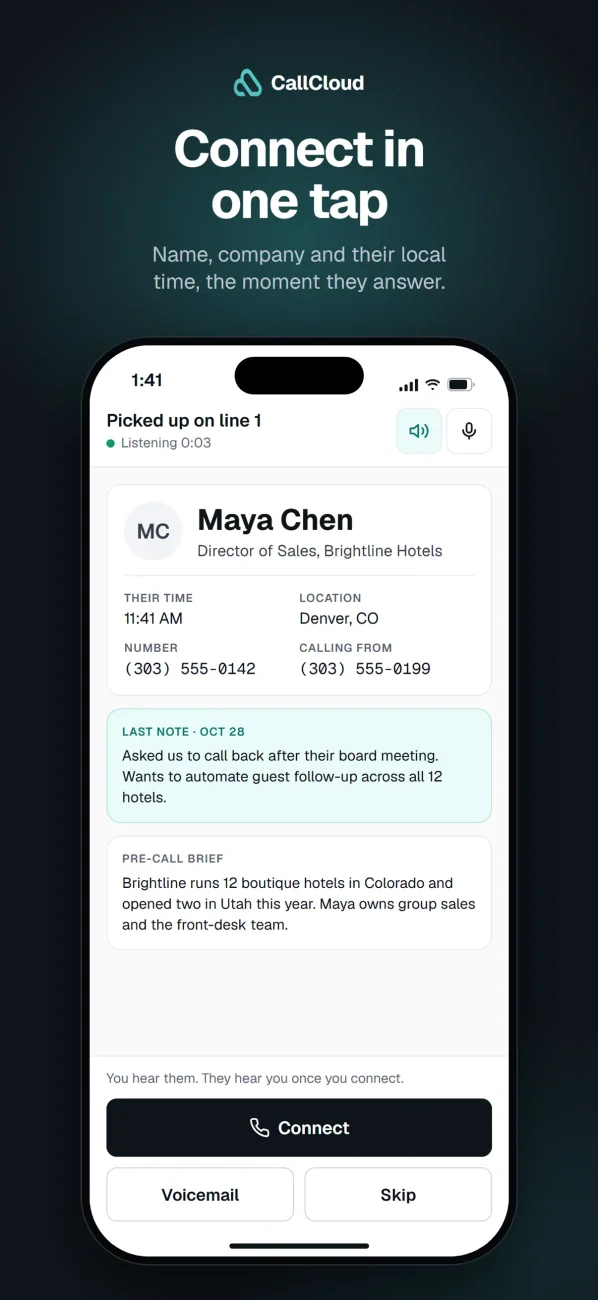
• The person on the line shows on the lock screen and in the Dynamic Island, with their company and local time.
• Connect, Voicemail or Skip straight from the lock screen.
• Their last note, their details from your list and a pre-call brief, before you say hello.
HANDS-FREE
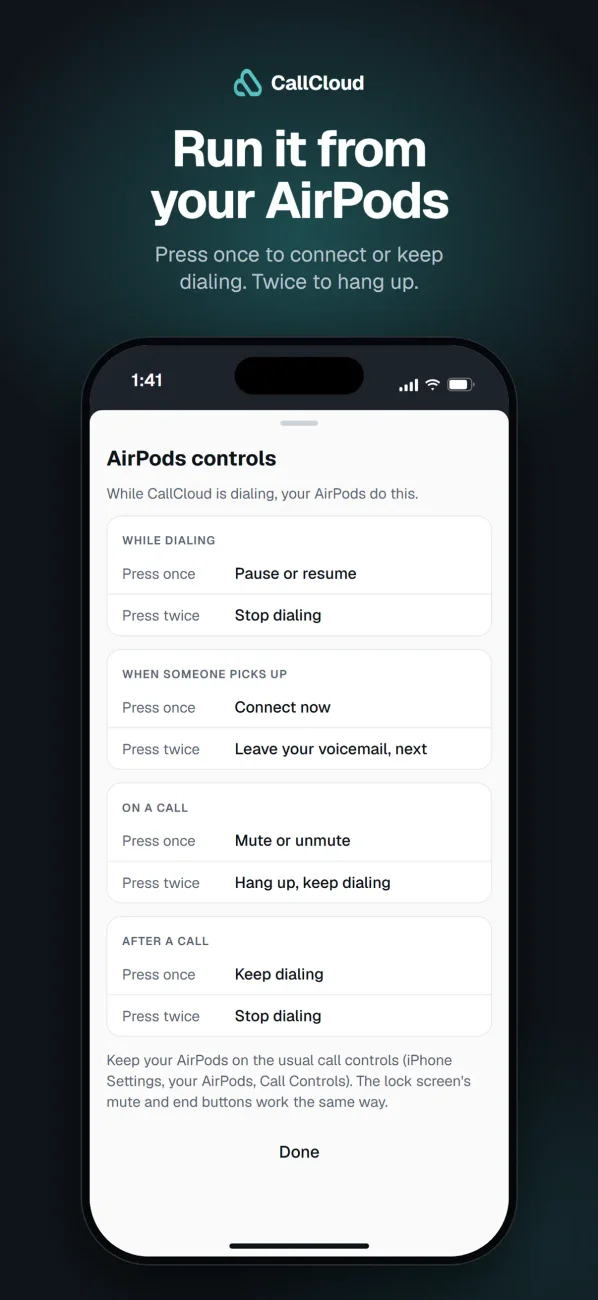
• Press your AirPods once to connect, pause or keep dialing. Press twice to hang up or stop.
• Optional spoken status, like "Calls stopped. Reception lost." or "Call completed, notes logged. Continue?"
• Prospects who call you back ring straight into your session.
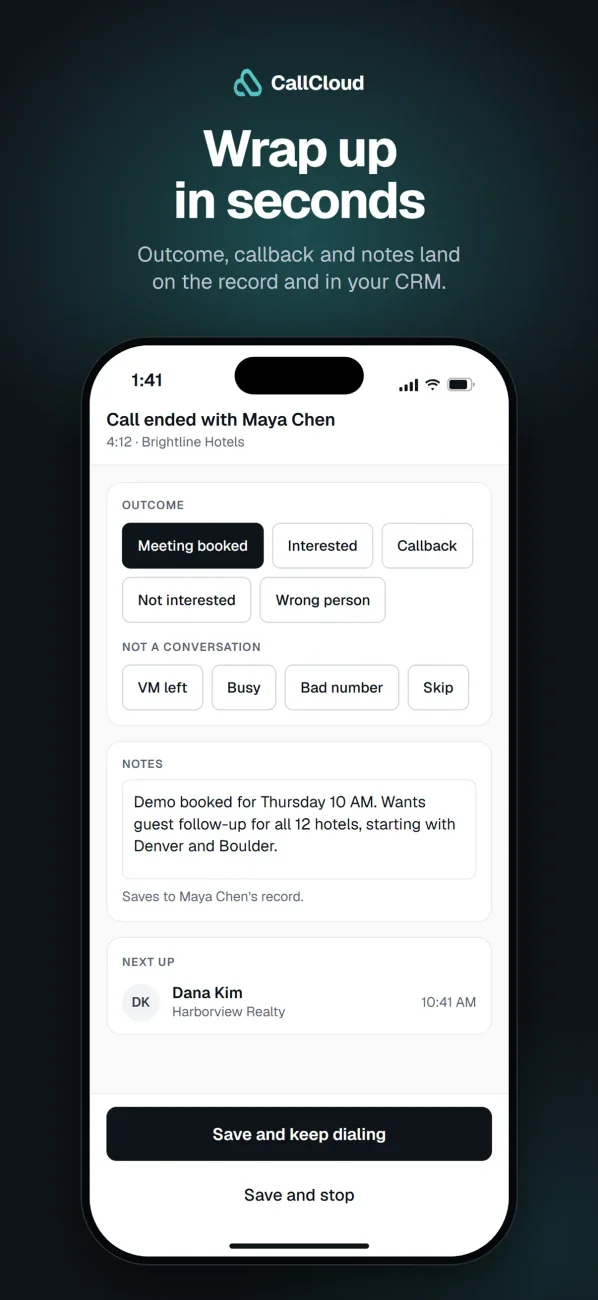
WRAP UP IN SECONDS
• Pick the outcome, set a callback and add a note. It lands on the prospect's record and in your connected CRM, the same as the web dialer.
• Log voicemails, busy lines and bad numbers in one tap.
• After a session, review every call you made and add notes.
YOUR DAY IN ONE PLACE
• Tasks: callbacks due and missed calls, with one tap to call.
• Keypad: call any number from your team's caller IDs.
• Campaigns: change lines, voicemail and follow-up settings on the go.
CallCloud Dialer needs a CallCloud account. Accounts are set up by your team on the web.
What’s new
Version 1.0.5 · Nov 20, 2026
Skip a lead without calling them: tap Skip on a line that is ringing, or on anyone in Up next.
Say your call notes: after a call, tap Speak and talk, and your words go into the note.
Fix a note after the call: tap your last call's note to change it.
App privacy
What Richard Tattory declares on the App Store about how this app handles data.
-
Data linked to you
May be collected and linked to your identity.
- Contact info
- User content
- Identifiers
- Usage data
Privacy practices may vary, for example with the features you use or your age.
Information
- Seller
- Richard Tattory
- Category
- Business
- Version
- 1.0.5
- Updated
- Nov 20, 2026
- Released
- Nov 2, 2026
- Size
- 54.0 MB
- Requires
- iOS 16.4 or later
- Age rating
- 4+
- Price
- Free
- Languages
- English
- Copyright
- © 2026 CallCloud
You might also like
-
 Rundown: Auto DialerCall through any list, fast
-
 QuickDialer SalesNo more typing phone numbers!
-
 Callday: Cold CallingFind leads. Book meetings.
-
 Dialer AgentBusiness
-
 CSV架電 – 営業電話リストと顧客管理Business
-
 PowerDialer AIBoost Your Connect Rates
-
 Enjoy Kigali Vendor's ConsoleOrders, chats & door check-in
-
 CallDozer: AI ReceptionistAnswers calls, books the job
-
 Onyx PhoneBusiness lines on your phone
-
 Cloud Call PKBusiness calls on your iPhone