
CallSheet: Crew Calls
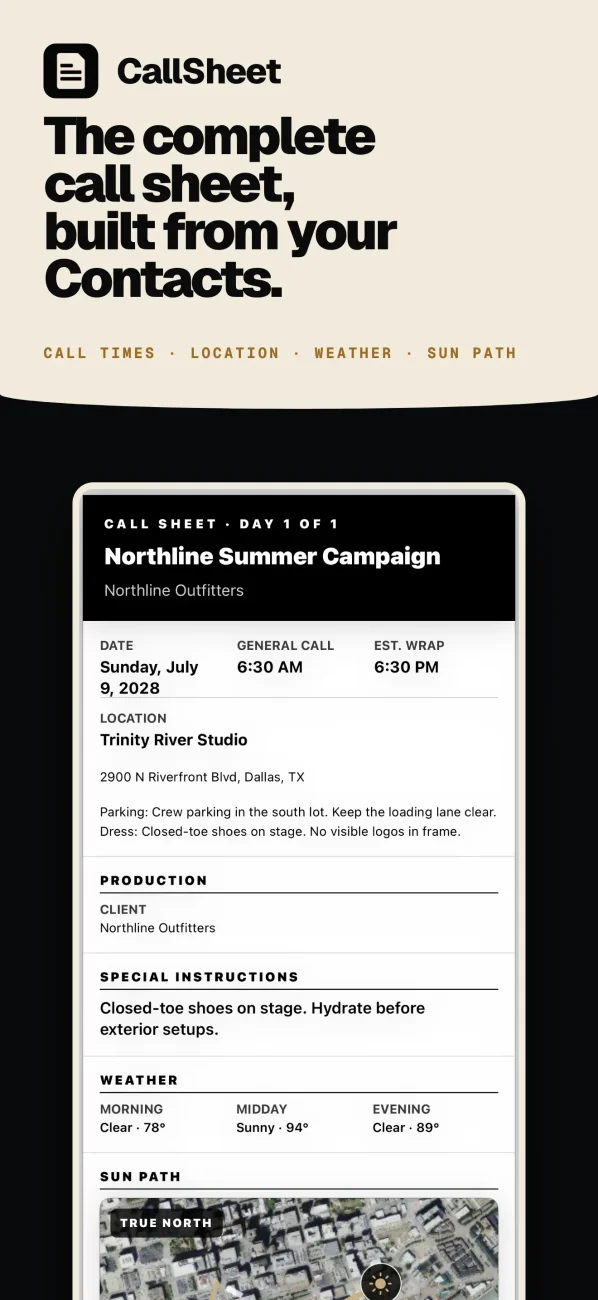
Sun Path on every call sheet
Designed for iPhone, iPad, Mac
Free · In-app purchases
- Age rating4+
- CategoryProductivity
- DeveloperGeared Like A Machine LLC
- LanguagesEnglish
- Size12.1 MB
Links to the official App Store page
Download.org hosts no file of CallSheet: Crew Calls. The button opens its official App Store page, published by Geared Like A Machine LLC. Listing last checked on Nov 18, 2026.
Screenshots



About
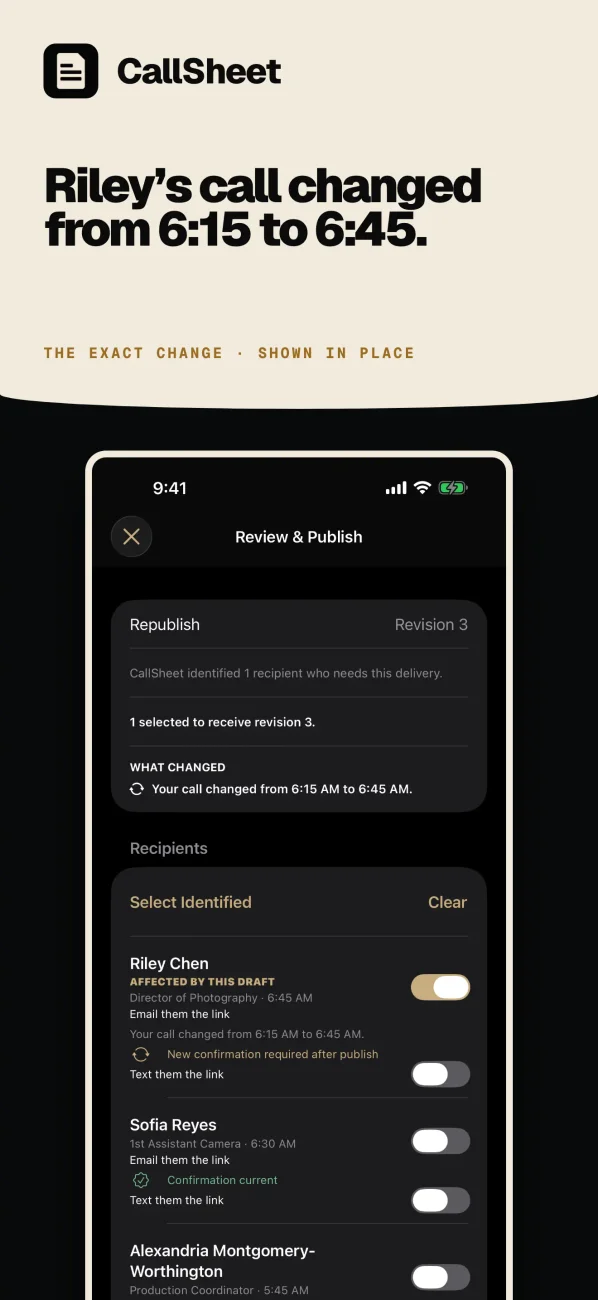
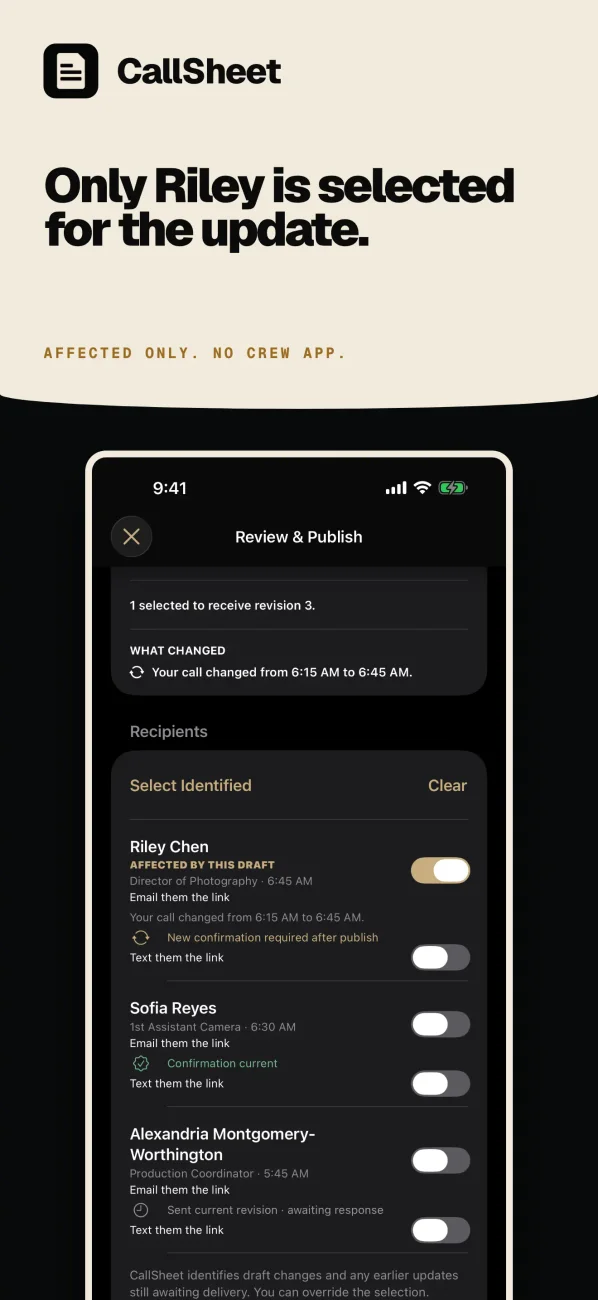
Change one call time. Only the people it touches get a new link. The rest of the crew does not get a new sheet.
Select crew, cast, and key contacts, build the shoot day around them, and send each person a private link and current PDF.
CallSheet: Crew Calls is a crew call-sheet app at calltimes.app. It is not the movie-lookup Callsheet and not Callsheet Pro by Early Studios.
BUILD THE SHOOT DAY
• Create and edit unlimited local drafts offline
• Add selected people from Apple Contacts, or a whole Apple Contacts list
• Import a vCard or CSV exported from Google Contacts, Outlook, or a spreadsheet
• Confirm CSV columns and review every person, including new, merged, and repeated entries, before saving
• Set a department, position, or list for everyone in one pass
• Export your crew directory as vCard or CSV
• Add people manually when they are not in Contacts
• Assign roles, departments, personal calls, or relative calls
• Drag Run of Day items into place, move them up or down, sort by time, or resequence the times
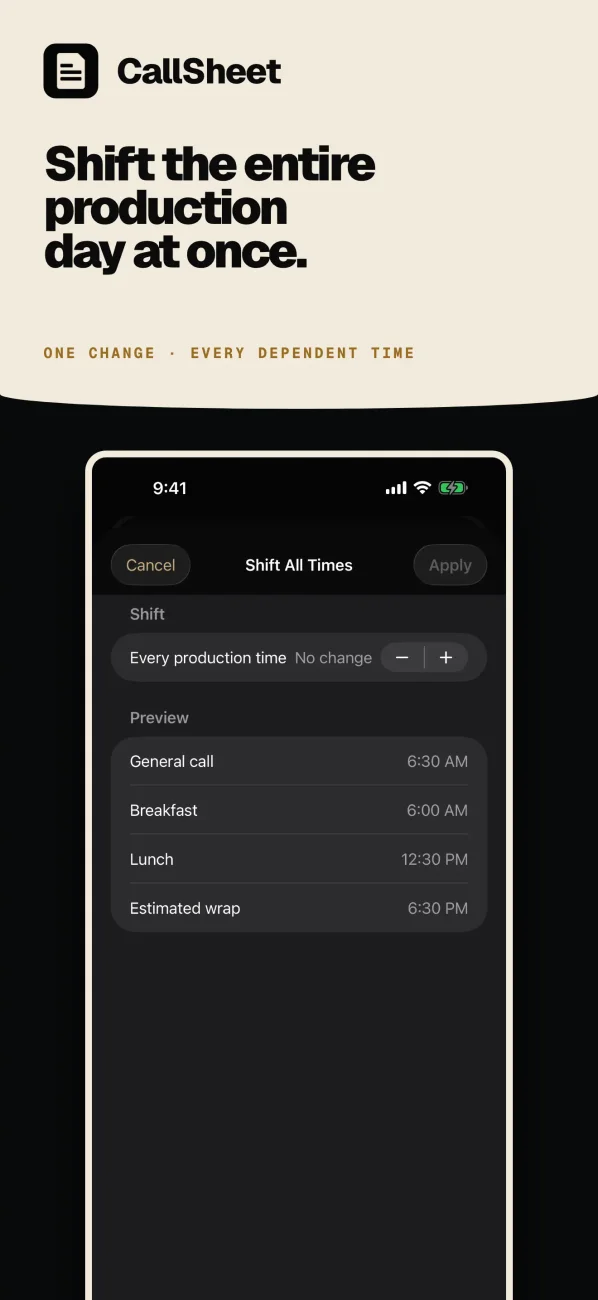
• Shift the entire shoot day at once
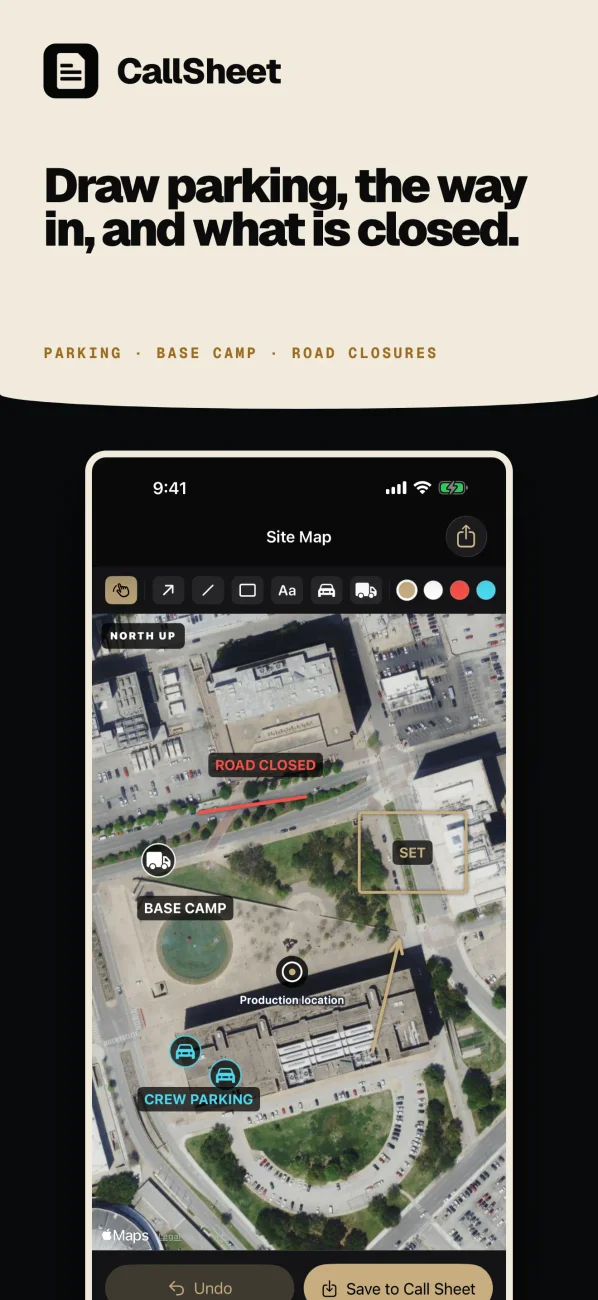
• Add schedule, locations, company moves, parking, weather, safety, meals, vehicles, equipment, and notes
• Find the nearest hospital from the location address, with phone and distance
Local drafting works without an account or network connection. CallSheet Pro and Sign in with Apple are required for cloud distribution, private recipient links, email delivery, confirmation tracking, and cloud restore.
KEEP THE CREW CURRENT
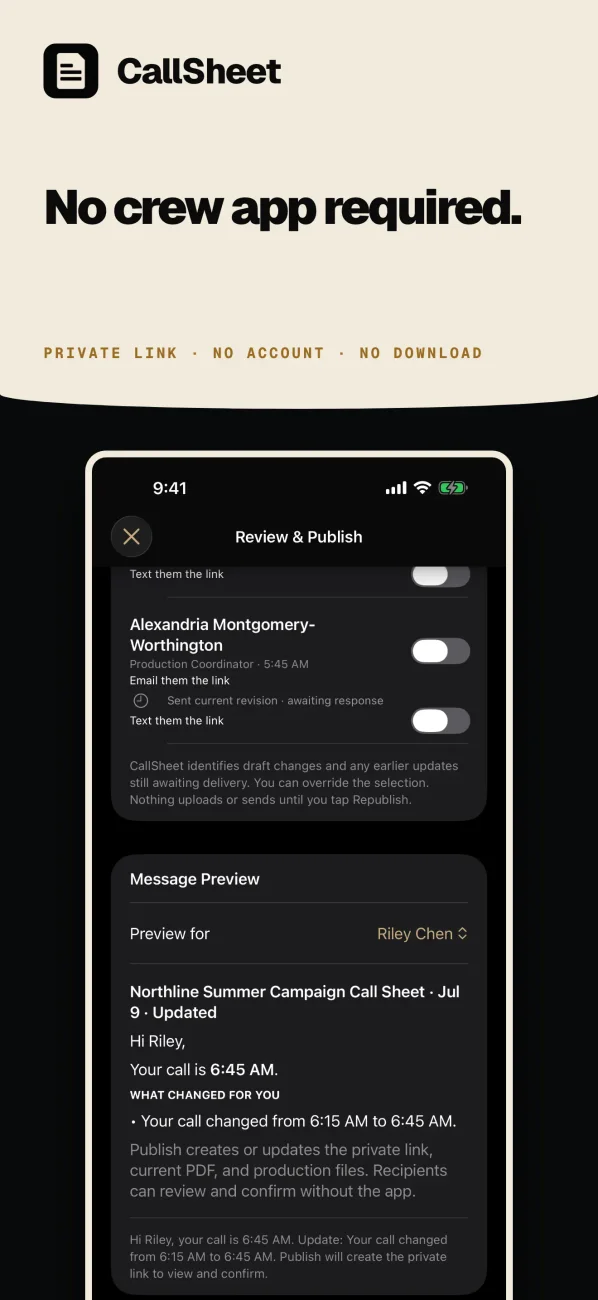
Change one person’s call time or a shared production detail and CallSheet identifies only who needs the update. The producer reviews the affected recipients, publishes the revision, and sees who confirmed the current information. Crew and cast use private web links, so they do not need the app or an account.
CHANGE
• Edit a personal call time or shared production detail
• See exactly what changed before publishing
PUBLISH
• Preselect only recipients whose information changed
• Keep unaffected recipients’ current delivery and response status
• Send recipient-specific private links and the current PDF
• Include maps, safety plans, sides, and other production files
• Prepare Apple Messages links without sending automatically
CONFIRM
• Track delivery, link opens, confirmations, and declines
• Bind confirmations to the information that recipient reviewed
• Reject stale confirmations after a relevant newer change
• Revoke private links when access should end
WRAP THE JOB
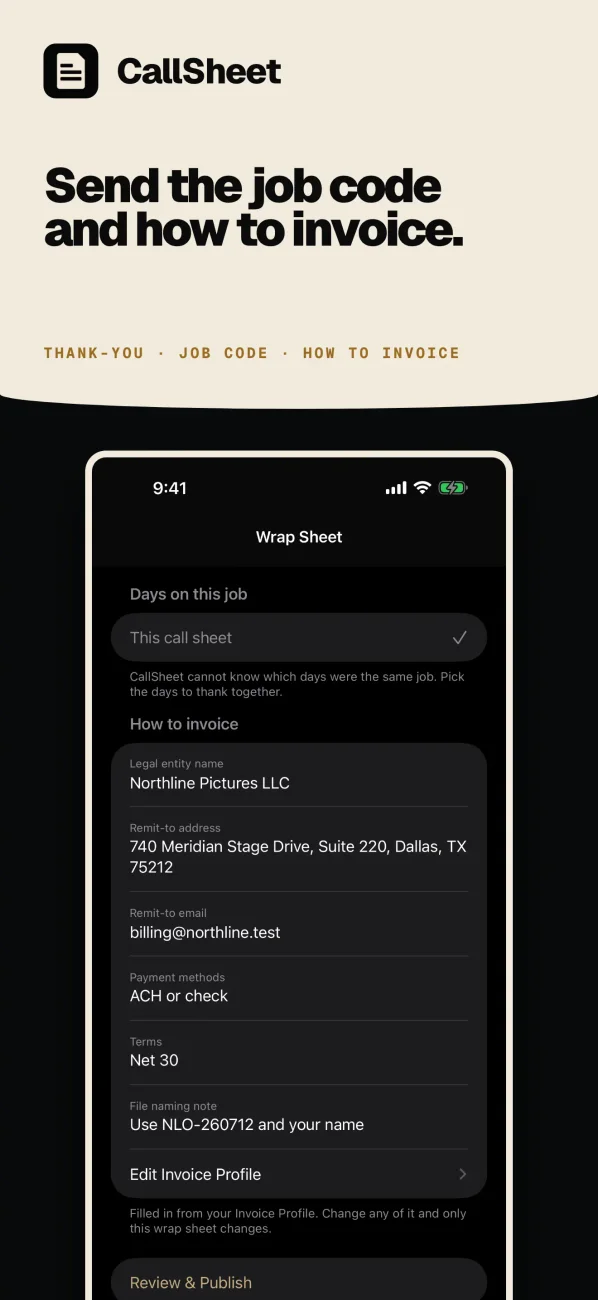
• Send selected crew one closing email when the job wraps
• It carries a thank-you, the job code for their invoice, and how to invoice the production
• Enter the legal entity, remit-to address and email, payment methods, terms, and file naming note once on your Account page
• Those details appear under every Wrap Sheet after that
• See who was already sent one
• Crew need no app and no account
REUSE THE WORK
• Keep a device-local Crew Directory built from people you already added
• Mark Go-To crew and reuse people from past call sheets
• Compare two external call-sheet PDFs on device to see which known recipients are affected
PLAN FOR THE SUN
• See the Sun Path in the native app over satellite imagery that provides geographic context
• Jump to crew call, first shot, company moves, meals, or wrap
SUBSCRIPTION
CallSheet Pro is an auto-renewing subscription. Eligible new subscribers may receive a one-week introductory trial. The App Store shows current pricing, trial eligibility, and renewal terms for your country or region before purchase. Payment is charged to your Apple ID account at confirmation of purchase. Subscriptions automatically renew unless auto-renew is turned off at least 24 hours before the end of the current period. Manage or cancel your subscription in your App Store account settings. Privacy Policy: https://calltimes.app/privacy. Terms of Use: https://calltimes.app/terms.
Terms of Use (EULA): https://www.apple.com/legal/internet-services/itunes/dev/stdeula/
What’s new
Version 1.2.35 · Nov 10, 2026
Your first call sheet sends free, and Send & Track now says so. Sign in with Apple on a new account and the sheet goes to Review & Publish with no subscription. CallSheet Pro's price and free trial are listed underneath for the sheets after that. If your free send has been used, the screen names the call sheet it went to.
App privacy
What Geared Like A Machine LLC declares on the App Store about how this app handles data.
-
Data linked to you
May be collected and linked to your identity.
- Purchases
- Location
- Contact info
- Contacts
- User content
- Identifiers
- Usage data
- Diagnostics
Privacy practices may vary, for example with the features you use or your age.
Information
- Seller
- Geared Like A Machine LLC
- Category
- Productivity
- Version
- 1.2.35
- Updated
- Nov 10, 2026
- Released
- Jul 24, 2026
- Size
- 12.1 MB
- Requires
- iOS 17.0 or later
- Age rating
- 4+
- Price
- Free
- In-app purchases
- Yes
- Languages
- English
- Copyright
- © 2026 Joey Arcisz
You might also like
-
 Rolling! Mobile AppProductivity
-
 Division FilmFilm crew management app
-
 Video Production PlannerWrite scripts, plan & organize
-
 Call Time: Personal ManagerWake-ups & Commute Planner
-
 CallTime: Call Sheets & PayFor Filmmakers/Crewmembers
-
 Set Report 3For Script Supervisors
-
 RtmpServerYour phone. Your RTMP server
-
 Common Desk IncProductivity
-
 RaccorderApp for script supervisor